
noeth
First RDP launch sometimes does not establish the SSH tunnel connection, second launch works
Hi,
I did manage to capture the problem with the Profiler.
The connection did not work on first try and then on the second it worked.
I did send it to the Support if you did not receive it can also send it here if needed.
I am looking forward to your findings from the logs.
Thanks
Tim
First RDP launch sometimes does not establish the SSH tunnel connection, second launch works
Hi,
I send the Application Logs.
The performance profiling is since I can't reproduce the issue at will. But when the issued happend the Profiler was loading really but then empty when opening it.
The SSH Tunnel uses SSH from the RDM embedded.
The failure is not limited to the first launch. Typically if the issue happens it happens on the first time opening a RDP connection at that day but afterwards other connections also have on problems on first opening and in 1 or 2 cases I think even the same connection later in the day.
Thanks.
Tim
AI Assistent with Github Copilot on Github Enterprise
Hi,
thanks for your reply.
that is not what I mean I will clarify.
When connecting the Assistent with Github Copilot following window pops up

It says to open https://github.com/login/device
My Github Account runs over a Github Enterprise Account therefore I would need to open https://mycompany.ghe.com/login/device instead since my Account runs there.
I would need an option to set the Github Endpoint for example to mycompany.ghe.com instead of github.com and RDM would need to make the login request to that URL instead.
Best regard
Tim
AI Assistent with Github Copilot on Github Enterprise
Hello,
I would like to try the AI Assistent with Github Copilot.
The device login that opens is unfortunately only for github.com
Github Enterprise instances are on another domain: company.ghe.com
Is it possible to configure or add the feature to have a company.ghe.com address.
First RDP launch sometimes does not establish the SSH tunnel connection, second launch works
Hello,
I would prefer to keep the tunnel at the folder level.
The settings was already at Always connect for the connect setting.
For the Close setting in don't have "Never" but "Manually later"
I can try it but it likely wont help since the problem sometimes happens also on the first connection of the day.
If I know were to activate the logs we hopefully can find better insights on the problem.

First RDP launch sometimes does not establish the SSH tunnel connection, second launch works
Hello,
thanks for the troubleshooting steps.
It is not possible for me to go with option 1 since the RDP entries in the folder inherit the VPN config from the folder and I need to be able to open multiple RDP connections in the folder simultaneously.
Option 2 and 3 I can not find them in RDM
I can't find "VPN connection mode" in the VPN options of the folder.
Also I don't have Diagnostic in the Help Tab in the ribbon
Best regards,
Tim
First RDP launch sometimes does not establish the SSH tunnel connection, second launch works
Hello,
thanks for your reply.
The "Delay before reconnecting" is already set to 30 seconds.
The "Delay after execution" is already set to 3 seconds but I see clearly in the log the the SSH Tunnel is established and ready in the 1 second.
First RDP launch sometimes does not establish the SSH tunnel connection, second launch works
Hi,
I'm experiencing an issue when using an SSH Tunnel configured as the VPN for an RDP session.
The VPN (SSH tunnel) is configured on the folder and inherited by the RDP entry.
Sometimes the first attempt to open the RDP session does not establish a connection. The RDP client stays in the initialization phase and eventually times out. If I close both the RDP session and the SSH tunnel, then launch the exact same RDP entry again (which recreates the SSH tunnel automatically), it connects successfully.
Here are my observations:
I can confirm that the SSH tunnel itself is fully established before the RDP client is launched.
The RDP client definitely attempts to connect to a localhost port, as expected when using the SSH tunnel.
However, when the first attempt does not succeed, I can see in the SSH logs that the connection request for the destination host is never initiated. In other words, the SSH server never receives the request to open the forwarded connection for the RDP destination.
On the second attempt, the SSH tunnel behaves as expected: the forwarded connection request is triggered, the SSH server opens the connection to the destination host, and the RDP session connects successfully.
The SSH Tunnel VPN settings are configured with Use over a secure gateway, and Use dynamic port.
From what I can see, this doesn't appear to be an issue with the SSH tunnel failing to establish. Instead, it looks as though the first RDP launch sometimes doesn't trigger the forwarded connection through the existing tunnel, even though the RDP client is connecting to the local forwarded port.
Has anyone experienced something similar, or is this a known issue? Are there any additional RDM logs that would help determine why the first RDP launch doesn't appear to initiate the forwarded connection through the SSH tunnel?
Thanks!
Override parent ($PARENT_HOST$) does not apply correctly
Hello Stephan,
thanks for your response.
I use version 2025.3.21.0 on Windows and have a SQLite data source.
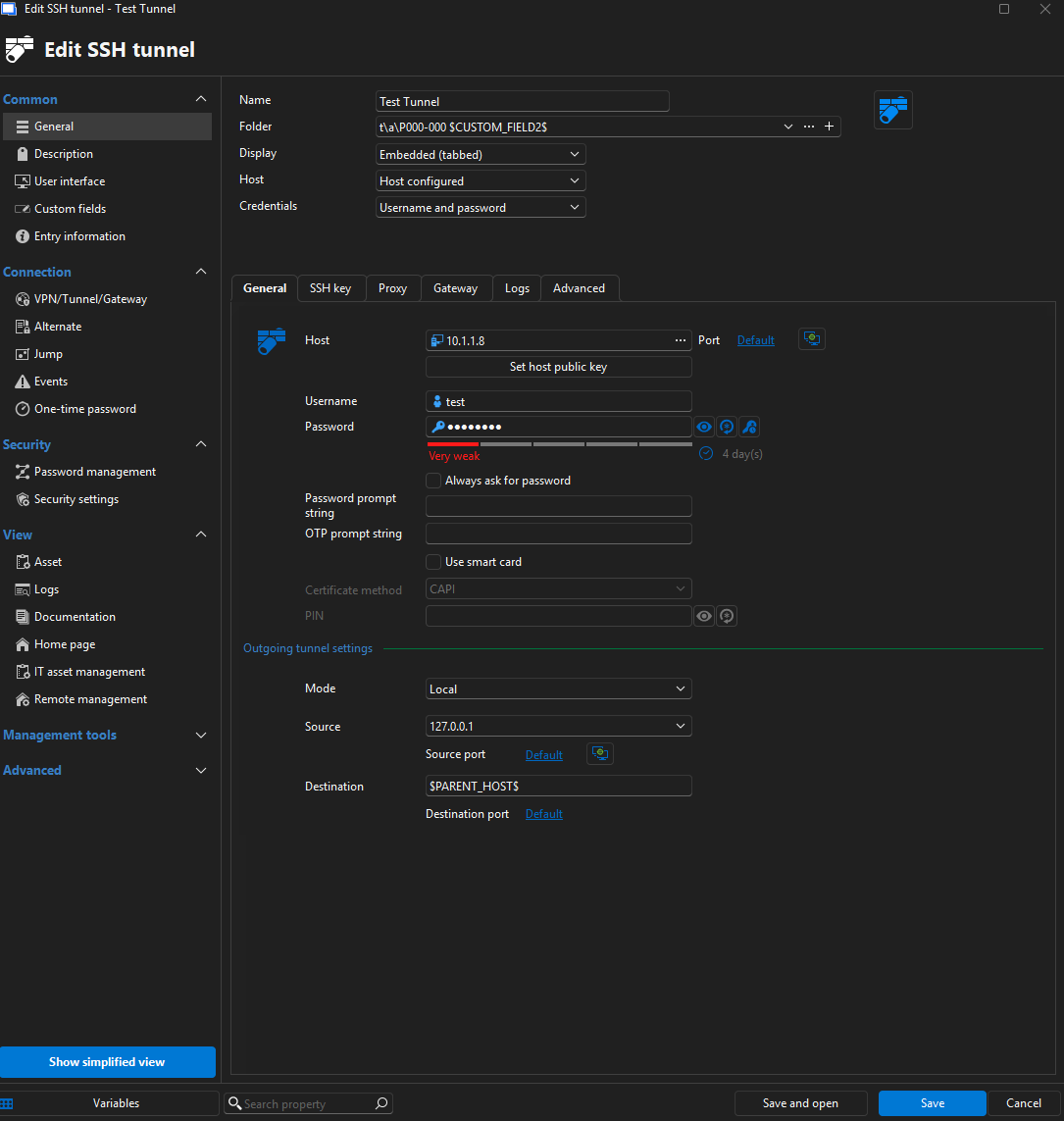
The configuration is not quite right I use the $PARENT_HOST$ in the Destination of the SSH Tunnel.
Here are screenshots:
RDP Session:
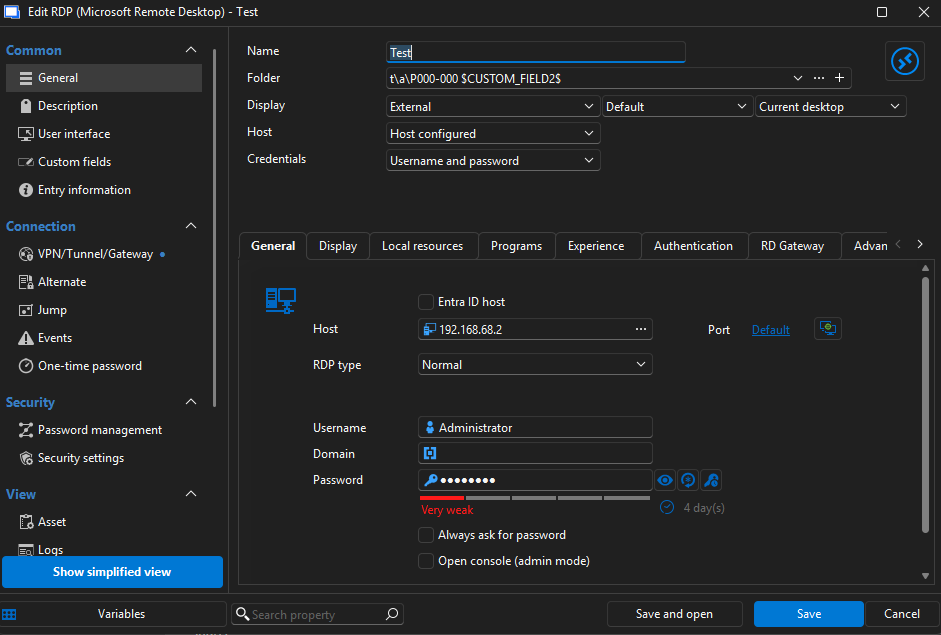
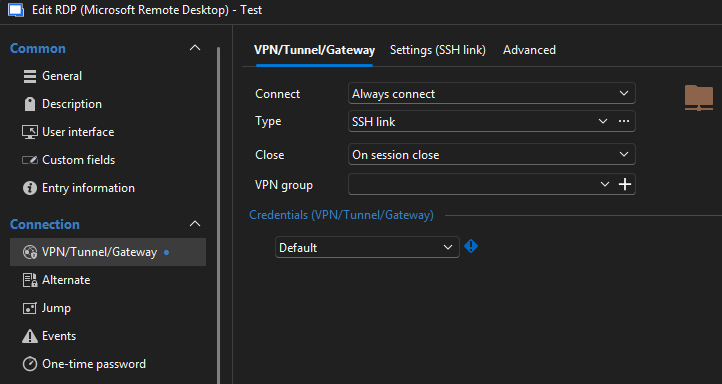
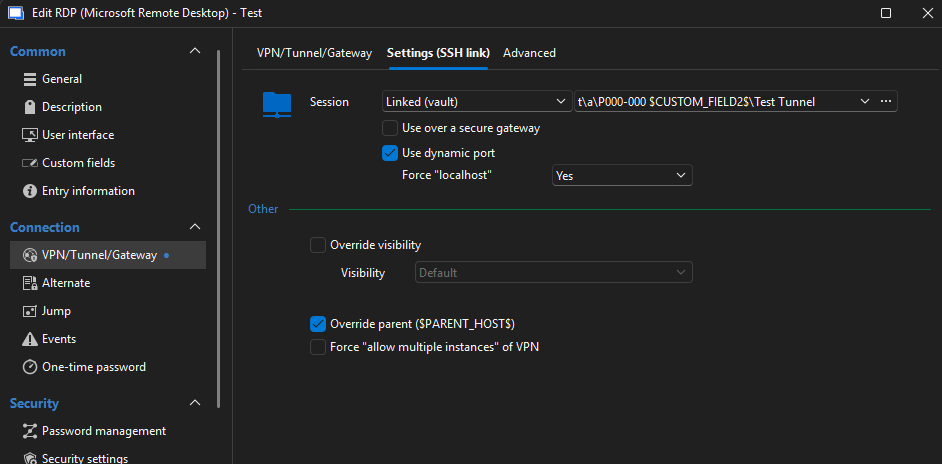
SSH Tunnel:
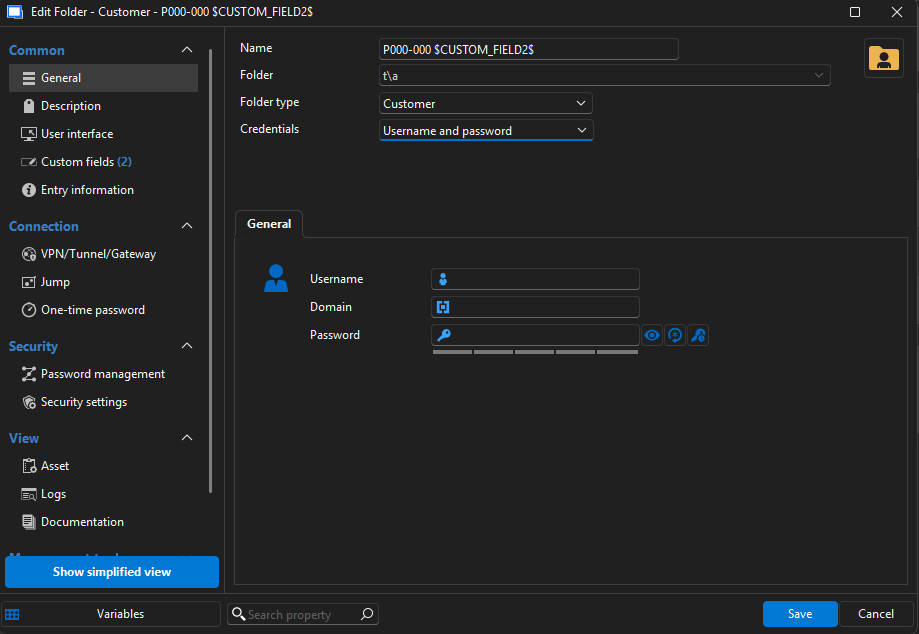
Folder:
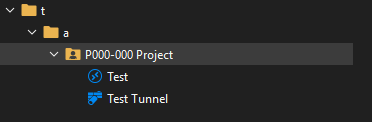
Structure:
While testing right now I actually found the problem.
If the folder where the sessions are in has variables like $CUSTOM_FIELD2$ in the name, the problem occurs.
If I remove the variable from the folder name it works as expected.
Please confirm if you can reproduce the problem with this information.
If you need anything else please ask.
Tim
Override parent ($PARENT_HOST$) does not apply correctly
Hello,
I have an RDP entry with a linked SSH tunnel.
When I use $PARENT_HOST$ in the SSH tunnel and have Override parent ($PARENT_HOST$) on the RDP entry activated it does not resolve $PARENT_HOST$ instead it uses the literal string $PARENT_HOST$
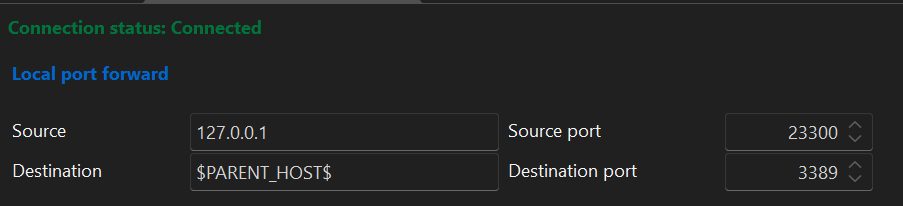
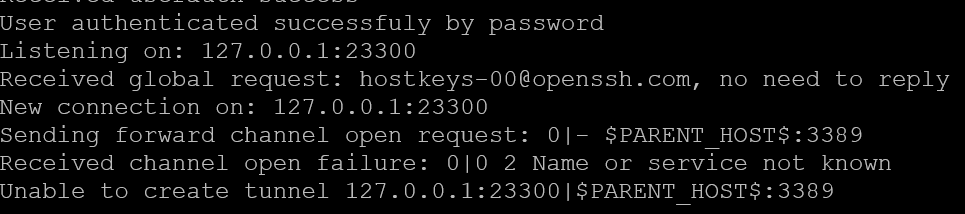
If the SSH tunnel is an actual child and Override parent is deactivated the connection works, but as soon as I activate the override I have the same behavior.
It seems like there is a problem with the override.