Override parent ($PARENT_HOST$) does not apply correctly

Hello,
I have an RDP entry with a linked SSH tunnel.
When I use $PARENT_HOST$ in the SSH tunnel and have Override parent ($PARENT_HOST$) on the RDP entry activated it does not resolve $PARENT_HOST$ instead it uses the literal string $PARENT_HOST$
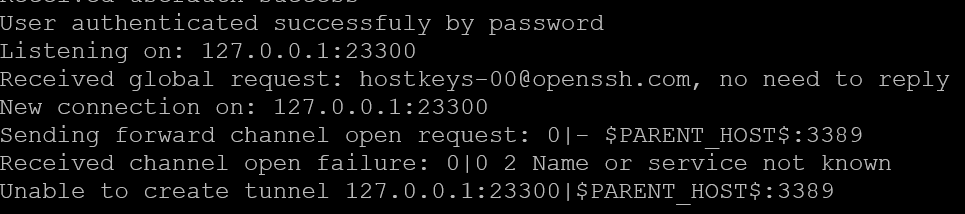
If the SSH tunnel is an actual child and Override parent is deactivated the connection works, but as soon as I activate the override I have the same behavior.
It seems like there is a problem with the override.
eff65278-b49a-424f-a106-0a155cc4ad6b.png
2f0b13fa-ea40-43ad-a84d-5e40c277baff.png
All Comments (4)
Hello,
Thank you for your post and for your patience.
I tried reproducing the issue on my side, but so far I haven’t been able to see the same behavior. I created an SSH Tunnel using $PARENT_HOST$ as the Host and enabled Override on the RDP entry. In my tests, it correctly retrieves the parent host’s value.
Please let me know if I misunderstood your setup. If so, could you please share a bit more information?
- Which version of RDM are you currently using?
- Which data source are you working with? (If you are using DVLS, please also include its version.)
It would also be very helpful if you could share screenshots of the properties of the affected SSH tunnel and the RDP entry. This will allow me to verify that I am using a similar configuration on my side to properly reproduce the issue.
Thank you in advance, and I look forward to your reply.
Stephan
Hello Stephan,
thanks for your response.
I use version 2025.3.21.0 on Windows and have a SQLite data source.
The configuration is not quite right I use the $PARENT_HOST$ in the Destination of the SSH Tunnel.
Here are screenshots:
RDP Session: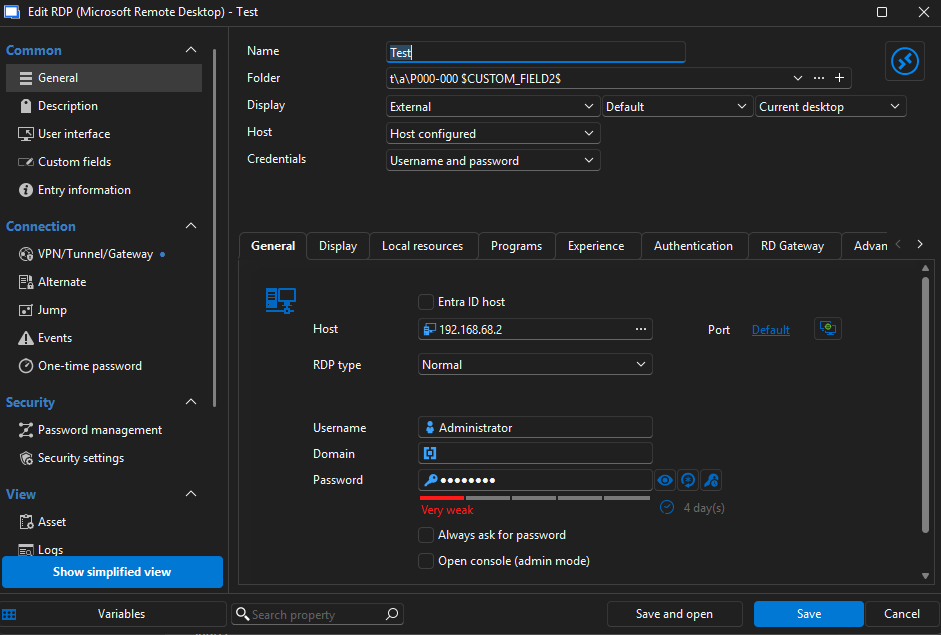
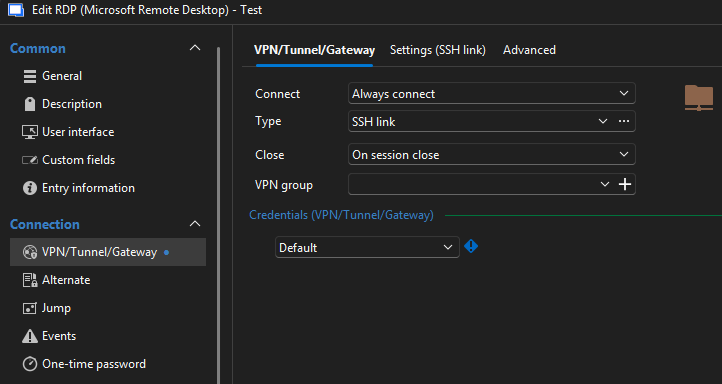
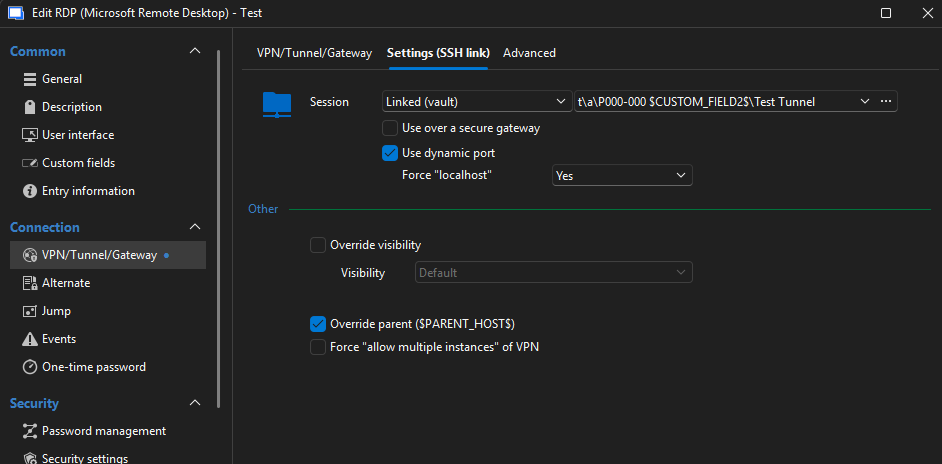
SSH Tunnel: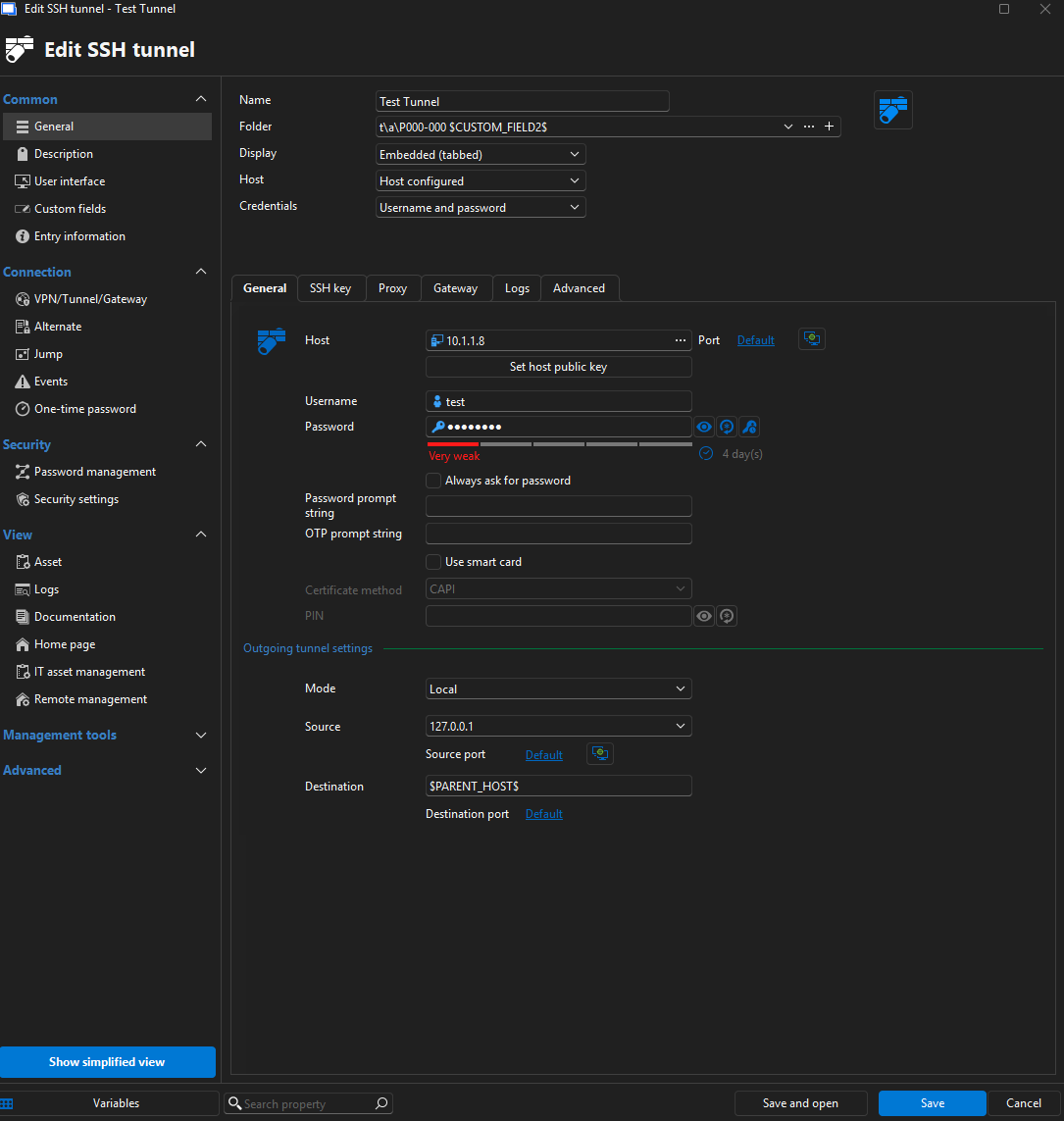
Folder: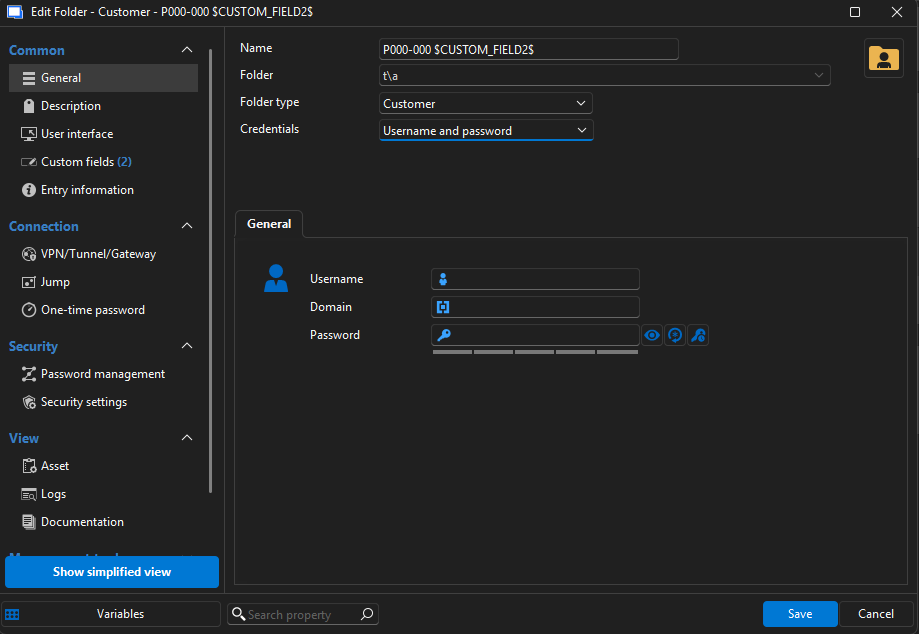
Structure: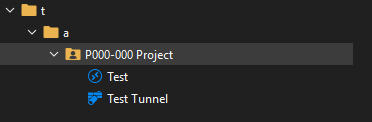
While testing right now I actually found the problem.
If the folder where the sessions are in has variables like $CUSTOM_FIELD2$ in the name, the problem occurs.
If I remove the variable from the folder name it works as expected.
Please confirm if you can reproduce the problem with this information.
If you need anything else please ask.
Tim
db7669ad-ace3-4073-87b6-a8086de1d06a.png
184bf094-f183-4234-b5ab-c3810cfe358e.png
02fbcdf9-ddb1-4b81-b935-35870370e8ea.png
61be25a4-aa0c-48d5-8647-714149a21045.png
c623b070-d87c-4d8c-baf7-ab76945b5afb.png
b59fa405-4764-4452-b95d-34c4932e6d98.png
Hi Tim,
Apologies for the delayed response.
I was able to replicate this issue exactly when using a variable in the folder, just as you mentioned.
I have created an internal task to address this. Although I'm not entirely sure if this kind of "cascading" of variables is supported, we will confirm this soon.
Thanks for your tests and for bringing this to our attention!
I will update you as soon as we have more information.
Best regards,
Stephan
Hello,
We were able to track down the reason for this issue and made an internal fix.
The thing is, it's much more involved than we thought, so for now, we only plan to include it in the 2026.1 release.
If testing goes well and we don't see any repercusions in the next few weeks, we might release it in a 2025.3 minor version, but I don't want to make any promises at this time.
Sorry for the inconvenience,
Regards
Jonathan Del Signore