
penzmauricio
RDM 2026.2.18.0 - Bug with user screen
Hi @Sam Moynihan,
Thans for the reply. We are using RDM 2026.2.18.0 on On-Premise SHs in connection with an On-Premise SQL Server.
BR
Mauricio
Automatically grant access to parent folders when giving access to a subfolder
Thank you very much fot the quick response. I understand how my proposal could be complicated to manage internally and I just wanted to throw in an idea with a concept.
I just want to avoid that when we switch to a more controlled environment, we don't need to adjust over 1700 folders permissions, removing the inheritance, to achieve it and have to adjust 5 to 10 folders every time we want to add a new restricted zone.
(Customers Folder is just one part of a whole bigger RDM Structure)
RDM 2026.2.18.0 - Bug with user screen
Hello,
we noticed a tiny bug with the user screen in RDM 2026.2.18.0.
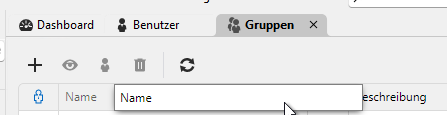
We cannot rearrange the columns anymore. Drag and drop doesn't react at all.
On groups it works fine
But Users doesn't
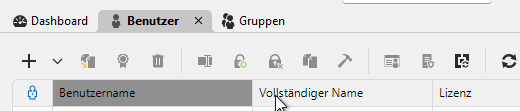
Could you please try to replicate it, just to know that I'm not doing something wrong?
Thanks in advance and br
Mauricio
Automatically grant access to parent folders when giving access to a subfolder
Hello Devoltuions,
I ran into a bit of an issue with permissions in RDM and wanted to suggest a possible improvement.
At the moment, if you create a permission group and assign it to a subfolder, the user gets access to that folder, but not to the folders above it.
For example:
Customers
-> Customer 1
-> Customer 2
-> Customer 3
If I assign a permission group to Customer 1, but the user doesn't have access to the Customers folder, the user won't actually see Customer 1, because they can't access the parent folder in the first place.
This can complicate things when you have a lot of customers under one main folder. In our case, we have a general permission group that is inherited by all (around 80) customer folders, but when we also want to give a specific user access to only one particular customer, we can't (without much rework) because the view permission is set on customer and inherited by all customers. Due to that, just creating one new group for that specific customer doesn't help either, because as soon you give view permission on the main customer folder, it is inherited by all other customers.
It would be nice if RDM could handle this automatically.
My preferred solution would be that, when you grant a user/group access to a subfolder or entry, RDM automatically gives them the required access to the parent folders above it.
So, for example, if I give someone access to:
Customers → Customer 1 → Servers
RDM would automatically give them enough access to Customers and Customer 1 to allow them to navigate to Servers, without giving them access to the other customers or subfolders/entries in a specific customer.
Alternatively, there could be an option/checkbox when assigning the permission group, something like:
[x] Grant access to parent folders
I think automatically granting the required access to the parent folders makes the most sense, though. If I've explicitly given a user access to a subfolder or entry, but they can't actually see it because they don't have access to the folders above it, the permission doesn't really do anything.
Maybe there is already a recommended way of handling this scenario in RDM and if so, i would love to hear it.
BR
Mauricio
RDM Agent disconnected after Jump Host Reconnect
Hello @Richard Markiewicz,
i just wanted to let you know, that with the release of 2026.2.18 the issue in this post is resolved. I tried and tested it in several ways, and no connection became stuck anymore.
Thank you very much to everyone involved.
BR
Mauricio
-------------------
Just a heads-up, i found already a little bug in my testing and that being practically the opposite of my initial problem.
When you reconnect a session inside of a jumphost, the main RDM loses the connected status.
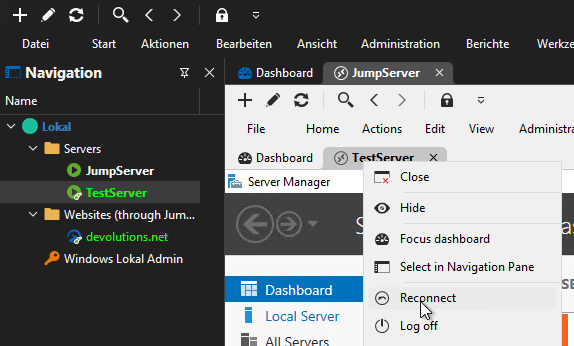
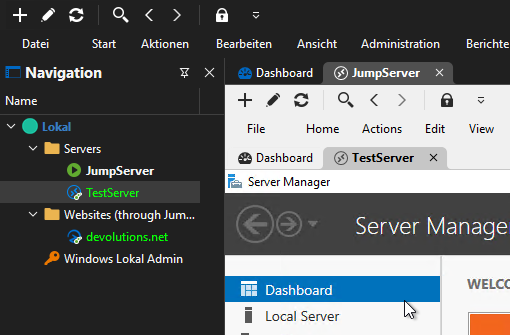
Just reopening the server, opens the server in a new tab but doesn't keep marked open.
Workaround i found was to close the affected session and reopening it.
The workaround is not needed for websites that are imbedded as tab. You lose the connection but double click on the entry marks is at open again in a new tab.
RDM Agent disconnected after Jump Host Reconnect
Hello @Patrick Ouimet ,
thank you for the feedback. I'll wait anxiously for a new response.
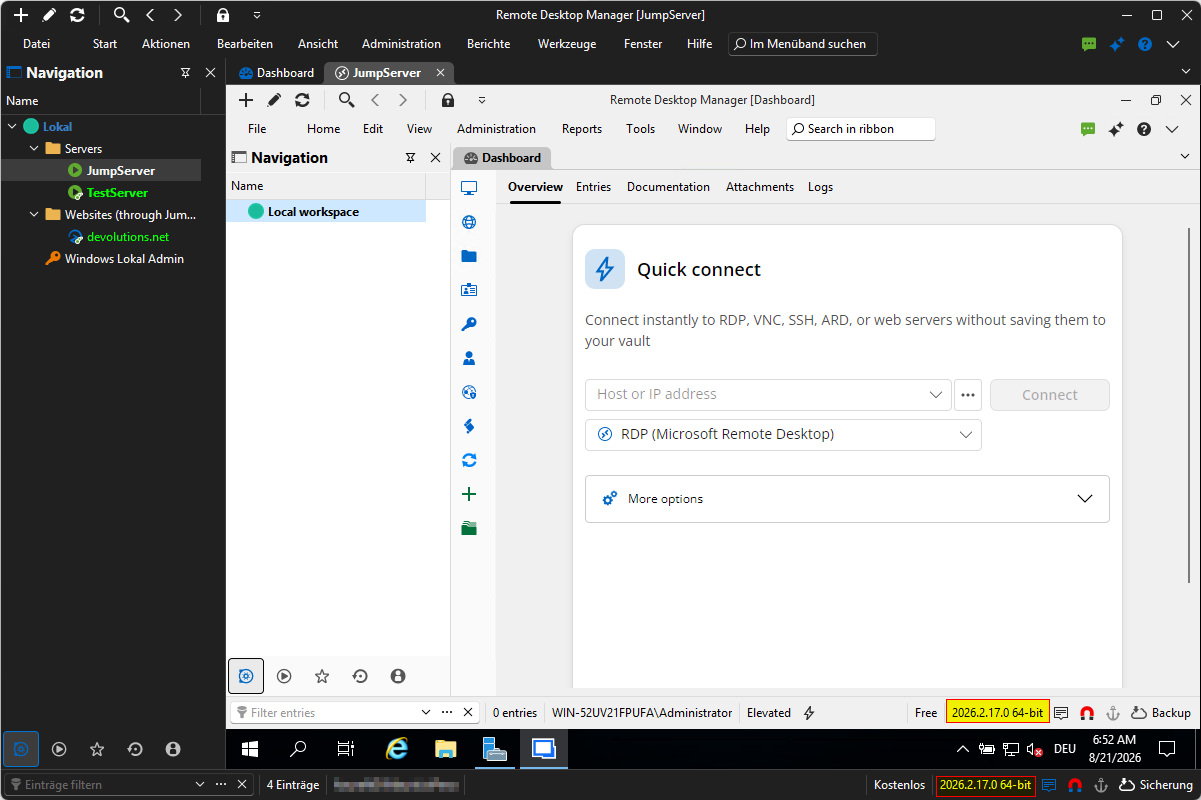
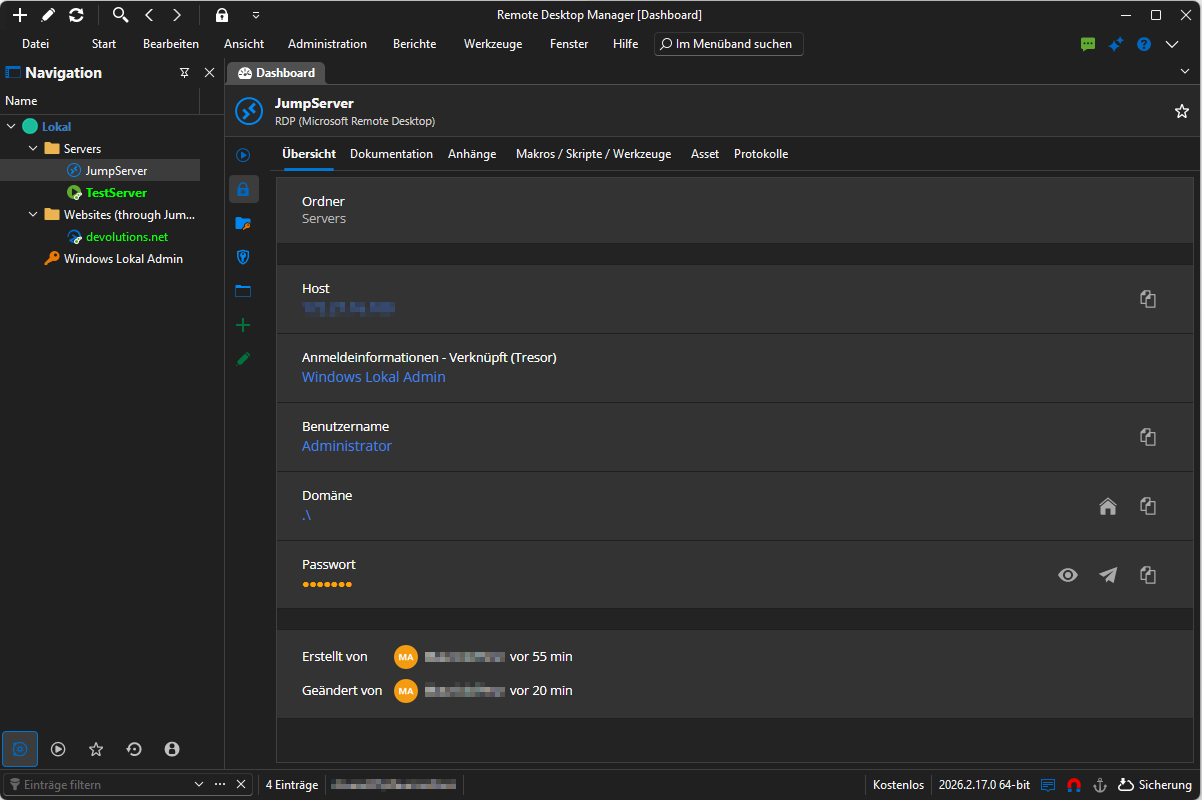
I'm just a bit surprised that you weren't able to replicate the same issue. I did now a new test. Fresh Installation of Remote Desktop Manager on new server, fresh installation of RDM + Agent on a new jumpserver, fresh new connection server to test the issue. Same issue
RDM Agent disconnected after Jump Host Reconnect
Hello @Patrick Ouimet
We are using Remote Desktop Manager with an on-premises SQL Server.
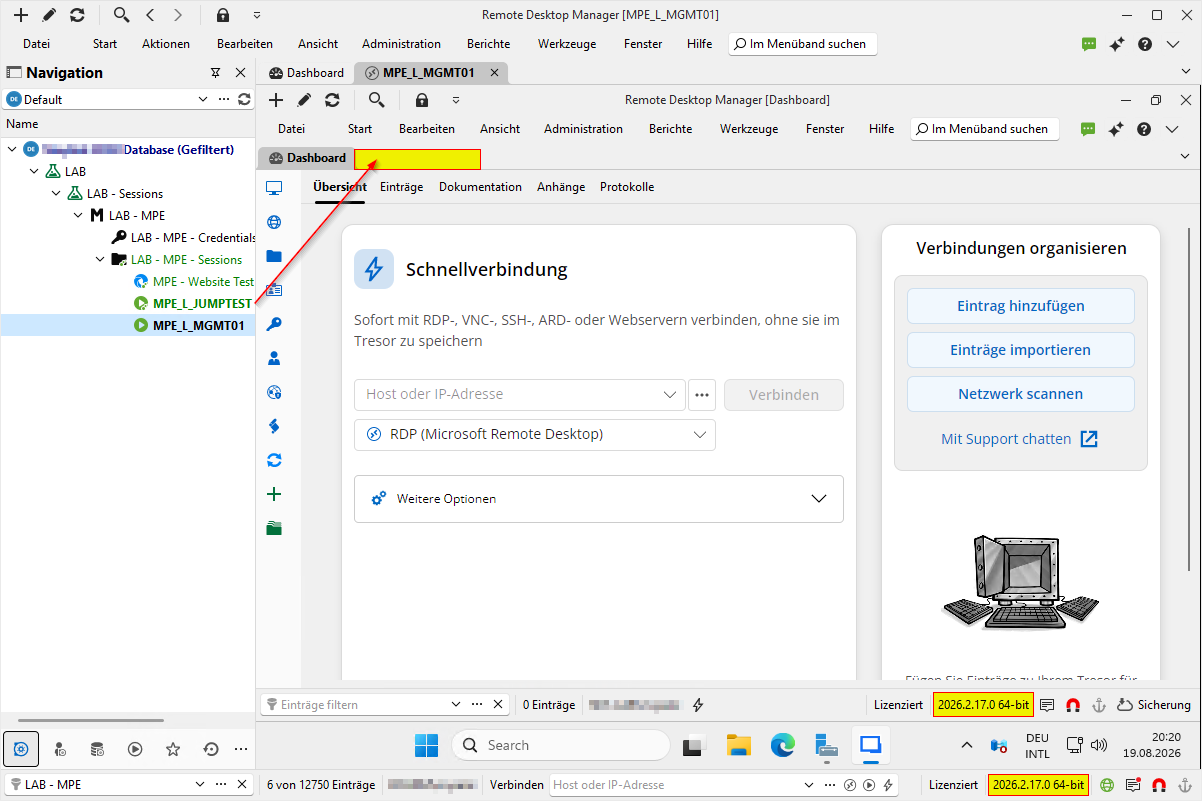
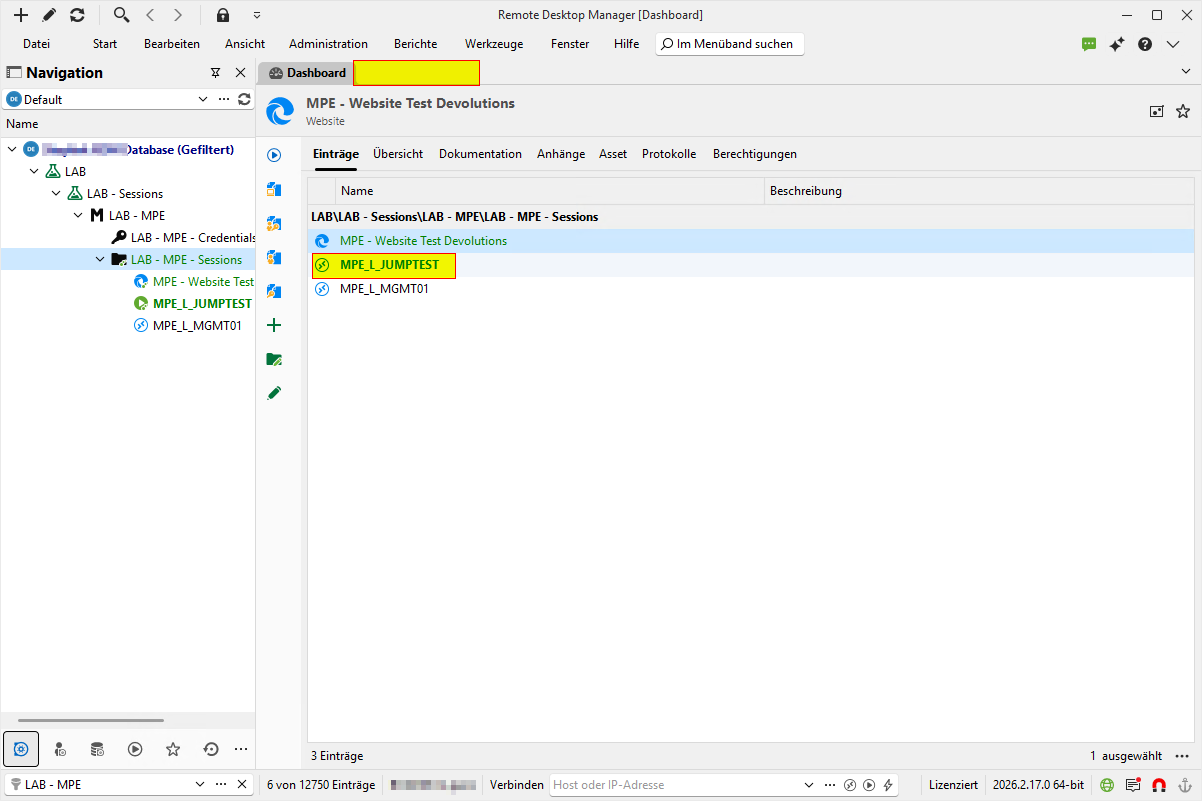
We created a test VM for this scenario. While the browser issue and the connection loss problem have been resolved, one problem still remains.
After reconnecting to the jump host, we can open new connections. However, all previously opened sessions remain in a permanently connected and locked state and cannot be opened unless you right click them and click reconnect. And the only way to "close" the session in RDM is to close RDM entirely.
Websites aren't being open in external Browser on Jumphost. Instead, are opened as a tab in the RDM on the Jumphost
Just to confirm, that the problem with the browser is indeed fixed in (current) newest version (2026.2.17.0)
RDM Agent disconnected after Jump Host Reconnect
Hello @Richard Markiewicz,
Thank you for the feedback and explanation. If we decide to switch to version 2026.2, which build would you recommend as the most stable for us?
The challenge is that we are an MSP and an Enterprise Devolutions customer. We use RDM on approximately 110 jump servers, in addition to our main RDM session hosts, which are not connected to one another. We were previously confident that the Extended Maintenance channel meant we would not receive the newest features, but would benefit from a stable version without major issues. Unfortunately, the current situation has become a significant problem for all of our technicians. Given the number of servers involved, updating RDM frequently is neither simple nor practical for us.
Also, is there an easier way to perform upgrades other than connecting to each server individually and initiating the update?
Thank you.
Mauricio
Websites aren't being open in external Browser on Jumphost. Instead, are opened as a tab in the RDM on the Jumphost
Hello Support,
we are facing a problem that all websites in our RDM are being opened embedded in in the Jumphost RDM when the setting is set to extern.
We are running the following versions:
Remote Desktop Manager (Main + Jumphost): 2026.1.24.0 Extended maintenance from June 29, 2026
Remote Desktop Agent: 2026.2.4.0
The settings are correct in my pov.
You can leave the settings this way...

...or this way

Either setting, opens the Web Adress as an tab in RDM on the Jumphost.

If you aren't able to reproduce the scenario in this version, please let me know of files or screenshots that might help you.
Thanks in advance and BR
Mauricio
RDM Agent disconnected after Jump Host Reconnect
Hello Support, Hello @Richard Markiewicz (pinging you as requested),
we are facing a problem that whenever we reconnect our jumphost (in order for example to resize the window), our Main RDM loses connection to the agent and doesn't allow new connections. The current open Session/s is/are locked as well.
We are running the following versions:
Remote Desktop Manager (Main + Jumphost): 2026.1.24.0 Extended maintenance from June 29, 2026
Remote Desktop Agent: 2026.2.4.0
Steps to reproduce the error (Screenshots are from LAB Machines and therefore not sensible data)
1.) Connect to the jumphost or any server through the jumphost
Sidenote:
Here the Agent Status when after connecting
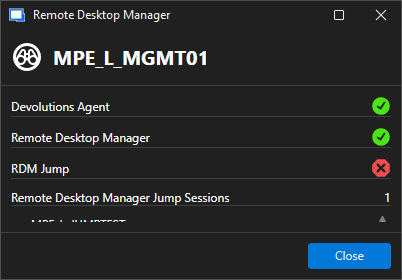
And Devolutions Agent is running
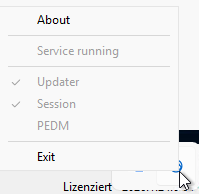
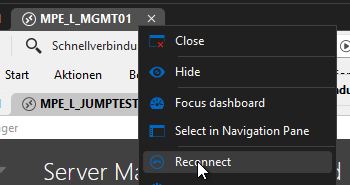
2.) Right Mouse Button on the Jumphost Tab and click Reconnect
3.) Try open any other Jump or entry that goes through that jumphost. You will get the waiting window for the Devolutions Agent and afterwards the error that Devolutions Agent is not available
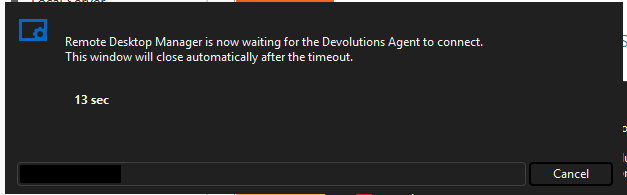
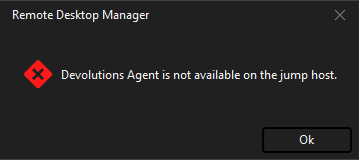
Devolutions Agent is still running on the Jumphost but connection to the main RDM is lost
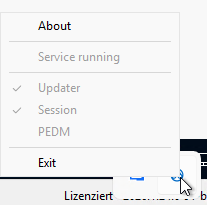
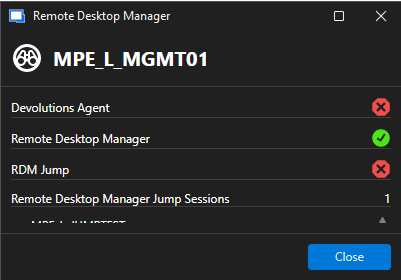
Workaround: What fixes the problem, would be to disconnect from the jumphost and reconnect with it close. But that does bring the problem, that it always opens as a tab again and moving just this window to smaller monitor becomes (wihtout changing the entry settings) impossible. And what the reconnect doesn't fix, is the next step.
4.) Now about the locked session that I mentioned. In result of the lost agent connection, when you either close or log off the session on the Jumphost, main RDM still recognizes it as connected. Even after closing the Jump Host completely
a.) Close the session
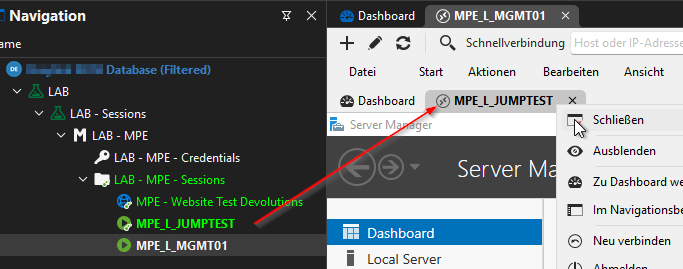
b.) Session still showing opened
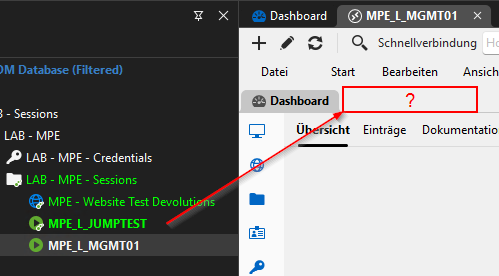
c.) Close or log off Jumphost
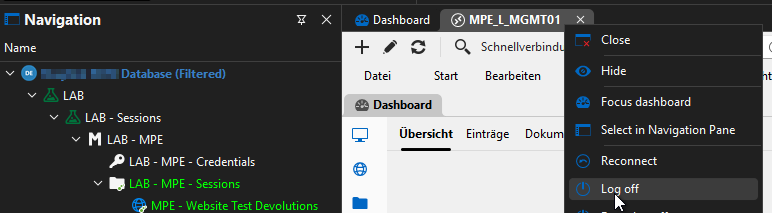
d.) Confirm to close all opened sessions
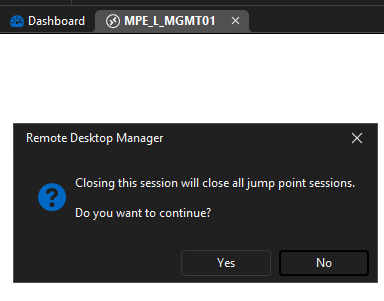
e.)
Jump Host closed, but previously connected session still shows as open
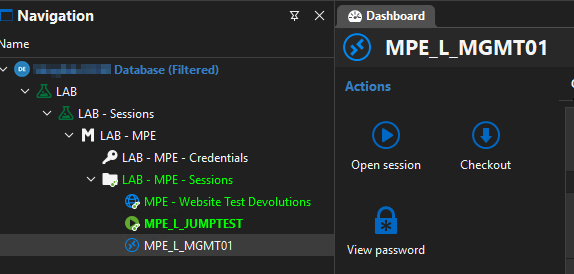
Workaround: You could still right-click and select reconnect on the entry to connect again, but it still keeps the session locked. Only way to release the session from this connection lock is to close RDM and open it again.
Hope this helps. Wanted to send a debug report, but for some reason it didn't record. If not reproducible by your side, I can create the Debug Report.
Thanks in advance and BR
Mauricio
RDM - Jump Host - Agent not recognized
Hello @penzmauricio
Sorry for the inconvenience. Actually what it sounds like is an Agent side issue, or at least I'd like to rule that out first - I'm hoping that a back port isn't needed for RDM (this thread has started to conflate a few different problems).
Can you please update to Devolutions Agent 2026.2.4; I think it has a fix that specifically covers your scenario.
Let me know if it doesn't help and I will be happy to troubleshoot further.
Kind regards,
Hello @Richard Markiewicz unfortunately, it didn't solve the problem. But in order to preserve the original post in its fixed state, I'll open a new topic for us to analyze it further. Thanks for your help anyway.
RDM - Jump Host - Agent not recognized
Hello. Just wanted to jump (no pun intended) on the train and asked if this fix was implemented in the Extended maintenance Version 2026.1.24.0 from June 29, 2026 as well. We had updated to this version recently and I get this error specifically when I reconnect to a Jumphost. Agent is on version 2026.2.2.0 Our infrastructure connections look something like this:
Main RDM (where all servers are saved) -> Infrastructure specific Jumphost Server with Agent and RDM -> End Server where you want to land
I perceived that the problem mainly happens, when you reconnect to the middle Jumphost (for example to resize the screen on a new monitor) and than try to open another end server.
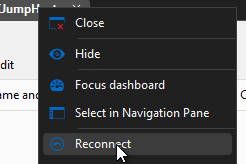
Disconnecting and reopening the middle jump server solves the issue.
Here are some screenshots that were asked previously.
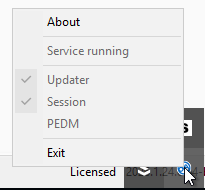
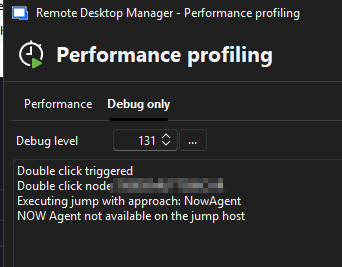
When trying to open a session with debug on, i get four times this message
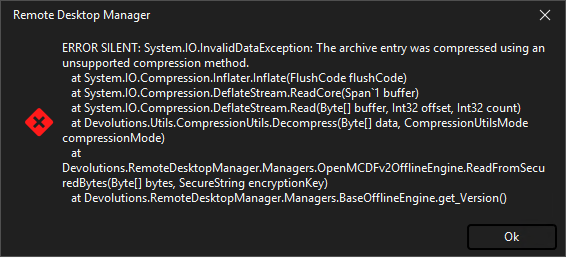
Broken RDM + Jump Agent?
Just updated Remote Desktop Manager + Agent on a VM, and now i can't start the Agent anymore (Remote Desktop Manager starts, but with error). The error message is in attachment. Thanks in advance for any help.
Version: 2025.3.15.0 64-bit
OS: Windows Server 2019
.Net Framework: 9.0.9

