RDM Agent disconnected after Jump Host Reconnect

Hello Support, Hello @Richard Markiewicz (pinging you as requested),
we are facing a problem that whenever we reconnect our jumphost (in order for example to resize the window), our Main RDM loses connection to the agent and doesn't allow new connections. The current open Session/s is/are locked as well.
We are running the following versions:
Remote Desktop Manager (Main + Jumphost): 2026.1.24.0 Extended maintenance from June 29, 2026
Remote Desktop Agent: 2026.2.4.0
Steps to reproduce the error (Screenshots are from LAB Machines and therefore not sensible data)
1.) Connect to the jumphost or any server through the jumphost
Sidenote:
Here the Agent Status when after connecting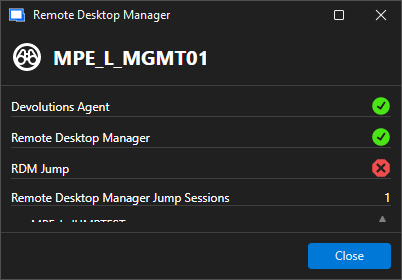
And Devolutions Agent is running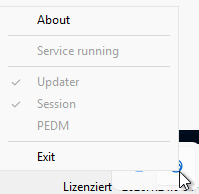
2.) Right Mouse Button on the Jumphost Tab and click Reconnect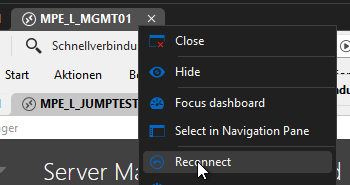
3.) Try open any other Jump or entry that goes through that jumphost. You will get the waiting window for the Devolutions Agent and afterwards the error that Devolutions Agent is not available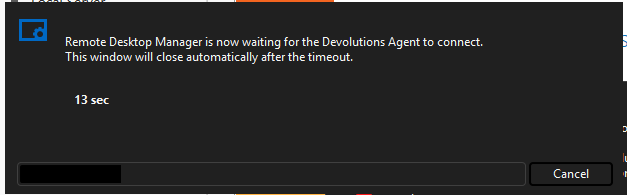
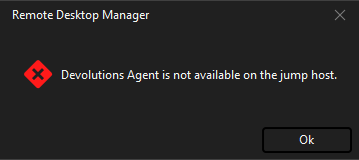
Devolutions Agent is still running on the Jumphost but connection to the main RDM is lost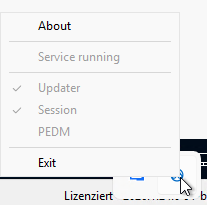
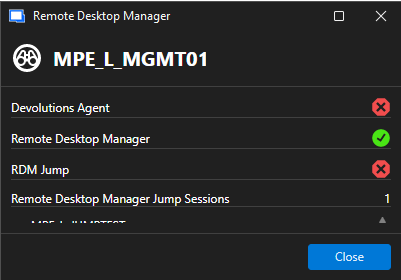
Workaround: What fixes the problem, would be to disconnect from the jumphost and reconnect with it close. But that does bring the problem, that it always opens as a tab again and moving just this window to smaller monitor becomes (wihtout changing the entry settings) impossible. And what the reconnect doesn't fix, is the next step.
4.) Now about the locked session that I mentioned. In result of the lost agent connection, when you either close or log off the session on the Jumphost, main RDM still recognizes it as connected. Even after closing the Jump Host completely
a.) Close the session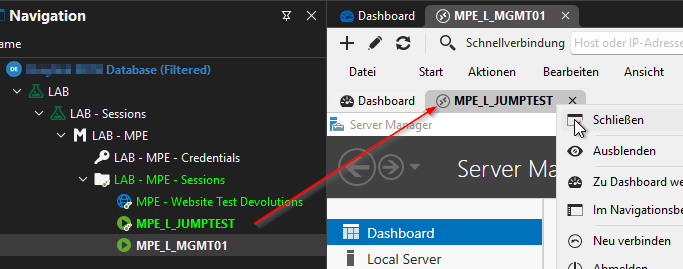
b.) Session still showing opened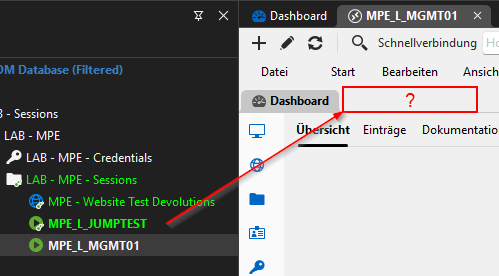
c.) Close or log off Jumphost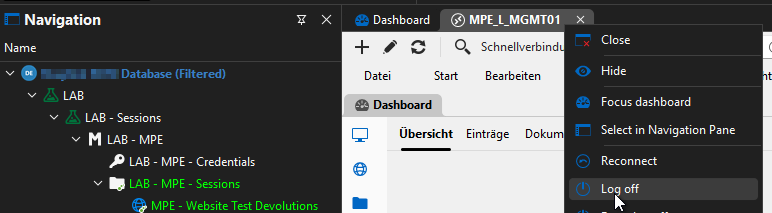
d.) Confirm to close all opened sessions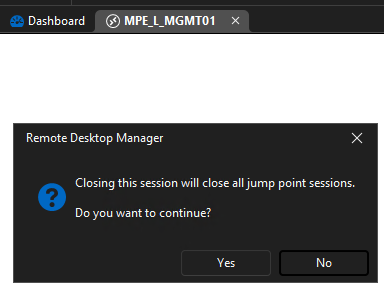
e.)
Jump Host closed, but previously connected session still shows as open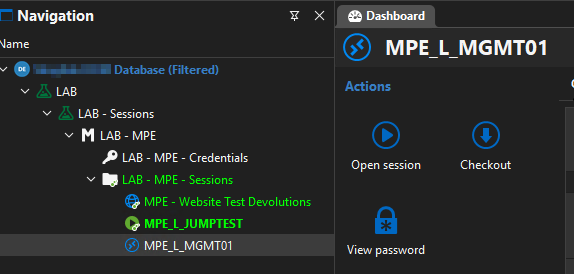
Workaround: You could still right-click and select reconnect on the entry to connect again, but it still keeps the session locked. Only way to release the session from this connection lock is to close RDM and open it again.
Hope this helps. Wanted to send a debug report, but for some reason it didn't record. If not reproducible by your side, I can create the Debug Report.
Thanks in advance and BR
Mauricio
6a8f2684-c21c-4249-ba4d-09f4e6c5694c.png
51d933ba-4beb-4a00-85da-40cf69c83910.png
d4403f5e-72a0-429f-b95e-bc05b2a92eaa.png
189d83b2-74fb-4ff1-80a7-645c5d0530a6.png
128e2138-5427-4e0b-a3dc-81005b274c7a.png
41076848-263f-4367-8937-6b2100ba591d.png
b8ce6059-b0b4-4381-b958-47bd6c024c15.png
afe6be2f-8aa5-4418-9717-5022739cc1ec.png
13af31d0-e694-41ff-8fd1-76e155be81e7.png
88c12f51-541e-4303-8b52-230954b0a82e.png
9b2d44db-8024-48ac-a452-29336cb67fcf.png
4115a6c2-88e3-4fe5-8c2f-16a2faa4ebe5.png
Recommended Answer
Hi Mauricio
I did reproduce the problem on my side and a fix is in 2026.2.18 which should be available soon.
Internally, a development ticket hasn't been created yet, but once it is we'll link it to this post and you should be notified that it's available. Otherwise please look out for 2026.2.18 in the next few days.
Thanks and kind regards,
Richard Markievicz
All Comments (8)
Hello Mauricio
Thanks a lot for the detailed reporting. I am sorry for the inconvenience.
So you are currently on the 2026.1 extended maintenance. Both issues you report appear to be bugs in 2026.1 but I cannot reproduce either condition in 2026.2.
It's unlikely that we can get a new extended maintenance release to back port these fixes; typically such a release is reserved for critical or extremely high impact bugs or security issues and I'm not sure this falls into either category. To balance it further, 2026.1 is the extended maintenance version until 2026.3 is released (which will be in just a few weeks), and at that time 2026.2 becomes the extended maintenance version.
Unfortunately if you want to stay on 2026.1 for now my recommendation to avoid these issues would be stick with RDM Jump as the jump host approach. 2026.1 warns you of the upcoming deprecation, and 2026.2 makes the deprecation notice "hard" but it's not actually removed until 2026.3. If the waning dialog while using RDM Jump is a problem on your side, I can share a mechanism to disable that for your users.
I am sorry for the inconvenience. Please let me know if you have other questions, or something isn't clear.
Kind regards,
Richard Markievicz
Hello @Richard Markiewicz,
Thank you for the feedback and explanation. If we decide to switch to version 2026.2, which build would you recommend as the most stable for us?
The challenge is that we are an MSP and an Enterprise Devolutions customer. We use RDM on approximately 110 jump servers, in addition to our main RDM session hosts, which are not connected to one another. We were previously confident that the Extended Maintenance channel meant we would not receive the newest features, but would benefit from a stable version without major issues. Unfortunately, the current situation has become a significant problem for all of our technicians. Given the number of servers involved, updating RDM frequently is neither simple nor practical for us.
Also, is there an easier way to perform upgrades other than connecting to each server individually and initiating the update?
Thank you.
Mauricio
Hello Mauricio,
Thank you for the additional context, and my apologies for the impact this is having on your team.
Let me address each of your points and outline a path forward.
On which version to target
The version we recommend is 2026.2, currently at 2026.2.17.
Extended Maintenance also covers one minor version above and one below, so once you are on 2026.2 you remain supported across the 2026.1 and 2026.3 lines without needing another migration in the short term.
Both of the defects you are hitting on 2026.1 are already resolved on 2026.2.
On the meaning of Extended Maintenance
I want to be transparent on one point, since it came up in your message.
Extended Maintenance does not mean "bug free" or "frozen."
It means that this specific branch is the one we continue to patch, so any defect or security fix that qualifies is delivered as a point release (2026.2.x) on that branch, without introducing the feature churn of the next quarterly train.
For a fleet of your size, this is the branch we would recommend pinning to.
On validating the fix before touching the 110 servers
I would strongly suggest you do not migrate all 110 jump servers in one pass.
Two low-risk options to validate the fix first, depending on your environment:
- If your jump servers are not RDS or multi-user, you can use the portable version of RDM on a single host, no installer required.
- Extract the archive, launch the executable, connect to your existing data source, and reproduce the reconnect scenario against the Devolutions Agent.
- This gives you a clean signal within minutes.
- Documentation: https://docs.devolutions.net/rdm/knowledge-base/how-to-articles/portable-remote-desktop-manager-version/
- If your jump servers are RDS, or if you would rather test the real deployed shape, install the 2026.2 MSI on a single server using the silent switch:
- msiexec /i "RemoteDesktopManager.msi" /qn /norestart
- Once the fix is confirmed on that one server, you can proceed with the rollout to the remaining 109.
On deploying on Remote Desktop Services hosts
If the 110 jump servers are RDS / Terminal Services hosts (multi-user), there is one extra step beyond the plain MSI install: distributing a master configuration so every user session on the host starts with the correct settings and data source, instead of each profile carrying its own copy.
This is done by exporting your options from a reference RDM install as a default.cfg file, then dropping that file into the RDM installation folder on the RDS host.
Documentation, including the exact export procedure and file placement: https://docs.devolutions.net/rdm/getting-started/installation/client/remote-desktop-services-terminal-services/
On deploying to the 110 servers efficiently
The MSI supports fully silent installation, so this does not need to be a manual operation on each machine.
Two approaches, depending on what tooling you already use:
- PowerShell over PSRemoting, which lets you fan the same install out to all 110 servers in a single operation:
- Invoke-Command -ComputerName $jumpServers -FilePath .\Install-RDM.ps1
- The Custom Installer Generator (CIG), which lets you build a pre-configured MSI that already carries your data source connection, application options, and license.
- Deploying that MSI is a single step, no per-machine post-install configuration.
- Two important prerequisites to be aware of: the Custom Installer Generator is a licensed RDM feature, so it applies to your paid RDM deployment only (it is not available for the Free edition), and it does not support local databases such as SQLite or XML files as the pre-seeded data source. It is intended for shared data sources like Devolutions Server (DVLS) or Devolutions Cloud.
- Documentation: https://docs.devolutions.net/rdm/installation/msi-and-custom-installer/custom-installer-generator/
If you already run SCCM, Intune, Ansible, or GPO Software Installation for other applications, the MSI (or the CIG output) can drop straight into that pipeline, no RDM-specific tooling required.
On the ongoing update cadence
Once the 110 servers are aligned on 2026.2, each subsequent 2026.2.x point release is simply the same MSI or CIG package re-run against the same targets.
The effort you invest in setting up the deployment channel once will make future updates a routine operation, not a project.
One question to guide the next step
Are your RDM clients backed by a Devolutions Server (DVLS) on-premises data source, or by Devolutions Cloud?
The answer helps us tailor the deployment: in both cases we can pre-seed the data source and settings through the CIG so the 110 clients converge automatically, but the exact steps differ slightly between the two.
Best regards,
Patrick Ouimet
Hello @Patrick Ouimet
We are using Remote Desktop Manager with an on-premises SQL Server.
We created a test VM for this scenario. While the browser issue and the connection loss problem have been resolved, one problem still remains.
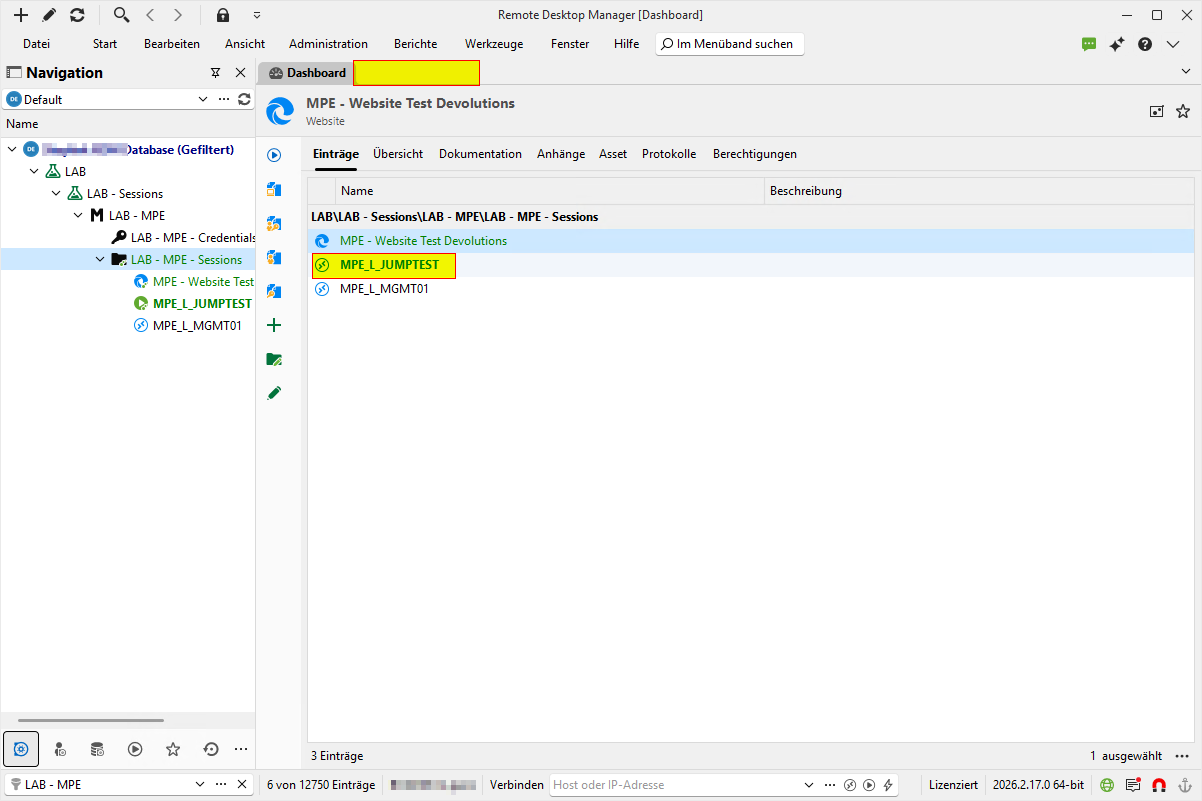
After reconnecting to the jump host, we can open new connections. However, all previously opened sessions remain in a permanently connected and locked state and cannot be opened unless you right click them and click reconnect. And the only way to "close" the session in RDM is to close RDM entirely.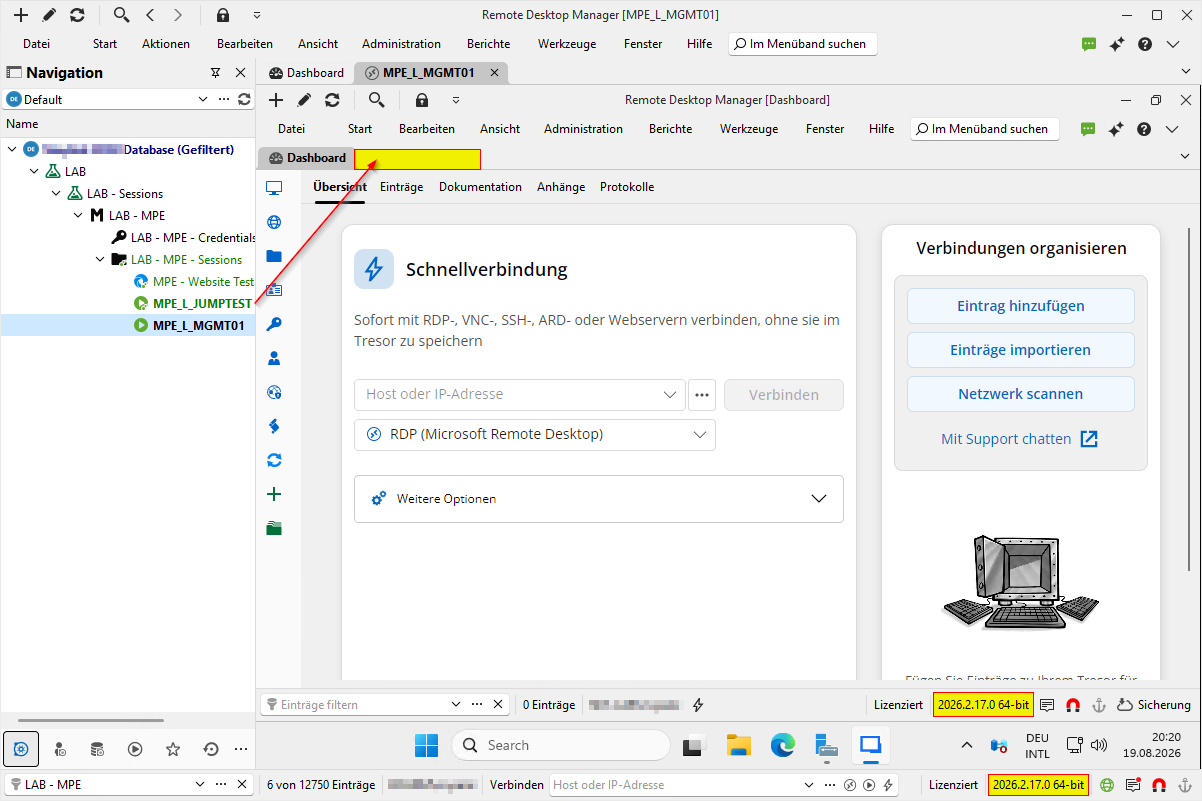
c9cf64eb-7115-4603-a929-88a22c2a0617.png
a4b98b57-b6d5-44a9-aef4-531edecfeb2c.png
Hello Mauricio,
Thank you for this feedback.
I was unable to reproduce the empty active tab issue.
However, I discovered that if you disconnect from the jump server without closing your session, you get an error, and the session remains active in RDM.
I will open an internal ticket on this new behaviour and an investigation ticket for the empty tab name.
Best regards,
Patrick Ouimet
Hello @Patrick Ouimet ,
thank you for the feedback. I'll wait anxiously for a new response.
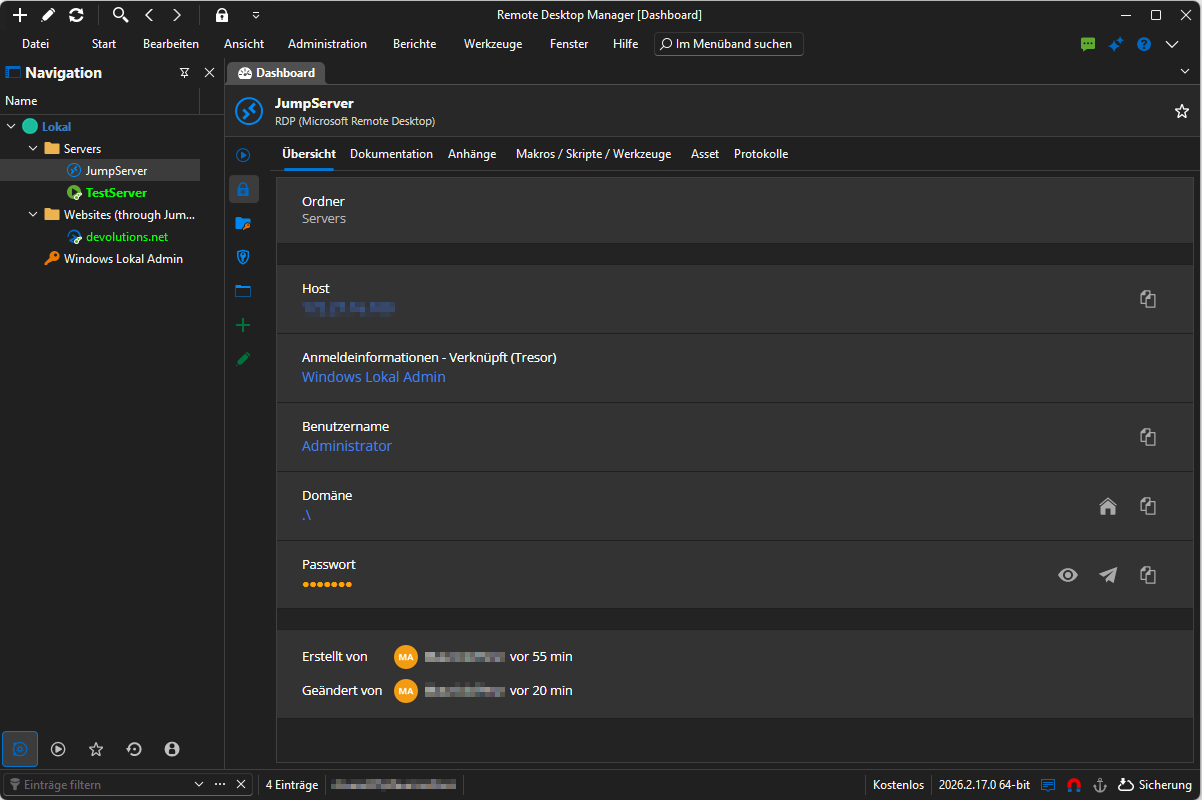
I'm just a bit surprised that you weren't able to replicate the same issue. I did now a new test. Fresh Installation of Remote Desktop Manager on new server, fresh installation of RDM + Agent on a new jumpserver, fresh new connection server to test the issue. Same issue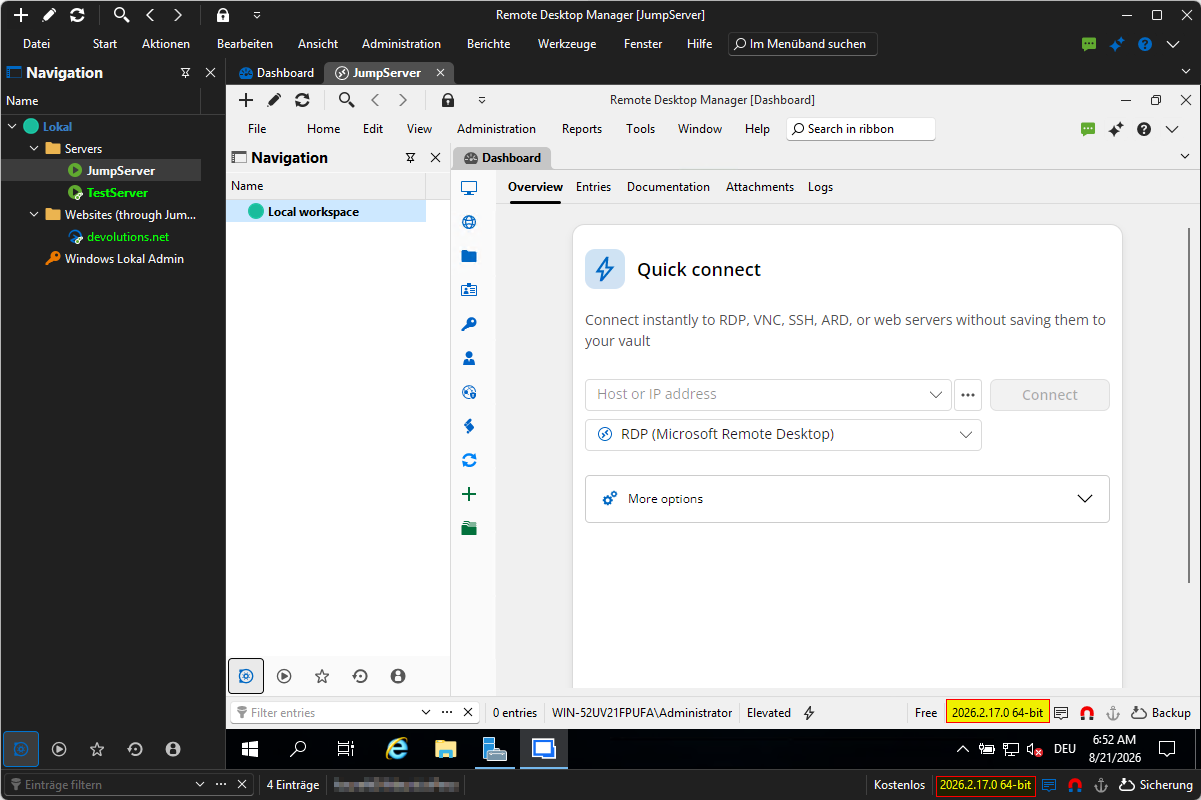
36bfa5bb-6173-4dbe-a46f-b3fbac740ac0.png
6c832ea3-6d8d-48fa-ae97-4e27a51ade9b.png
Hi Mauricio
I did reproduce the problem on my side and a fix is in 2026.2.18 which should be available soon.
Internally, a development ticket hasn't been created yet, but once it is we'll link it to this post and you should be notified that it's available. Otherwise please look out for 2026.2.18 in the next few days.
Thanks and kind regards,
Richard Markievicz
Hello @Richard Markiewicz,
i just wanted to let you know, that with the release of 2026.2.18 the issue in this post is resolved. I tried and tested it in several ways, and no connection became stuck anymore.
Thank you very much to everyone involved.
BR
Mauricio
-------------------
Just a heads-up, i found already a little bug in my testing and that being practically the opposite of my initial problem.
When you reconnect a session inside of a jumphost, the main RDM loses the connected status.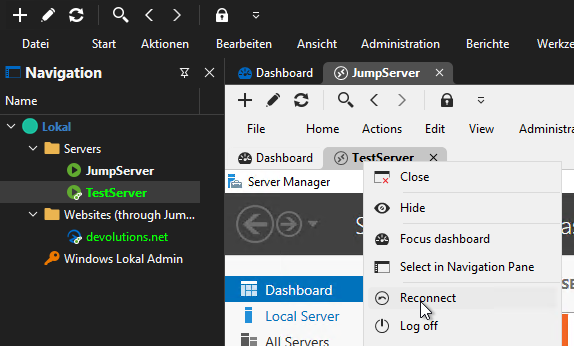
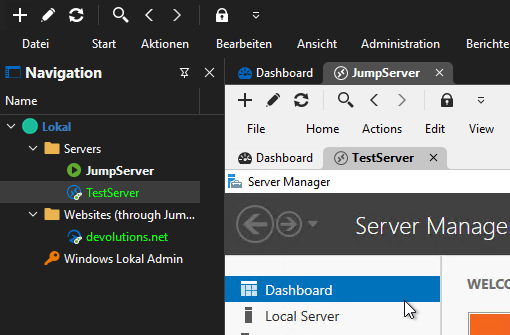
Just reopening the server, opens the server in a new tab but doesn't keep marked open.
Workaround i found was to close the affected session and reopening it.
The workaround is not needed for websites that are imbedded as tab. You lose the connection but double click on the entry marks is at open again in a new tab.
7c047b91-f6dd-4e04-968d-6e54ab7b40e0.png
2dfcbff6-20f6-4fb8-a3cd-95159b6eb27e.png