
matthiasgruber
RDM - Jump Host - Agent not recognized
Hello @matthiasgruber
Thanks for your patience. I'm still a little unsure of the problem, it seems to be an interaction with the environment specifics you mentioned in PM. I've made a "blind" fix on my side to make things more robust; please update to Devolutions Agent 2026.2.4 and let me know if the issue is fixed.
In either case - I'd appreciate your feedback and would like to see updated Agent and Session logs to understand the issue better. Please let me know if you have any questions.
Kind regards,
@Richard Markiewicz
Hi!
Sorry, but same result.
If you like I would try a "more Debug version" if you send me one :-)
Will send you the Information as PM
cheers
Matthias
RDM - Jump Host - Agent not recognized
Hi @matthiasgruber
This is really strange. I'm able to infer somethings from the information you've provided but the picture is not complete.
Before going further, can you confirm two things?
The version of RDM running on the client (local Windows 11). I know you wrote 2026.1.22 in your original post but please double confirm this for me, if it's not accurate please let me know the version you currently have
This is just a regular RDP environment, correct? You're not using Citrix or anything similar?
Thanks and kind regards,
Hi @Richard Markiewicz
a picture tells more than 1000 words
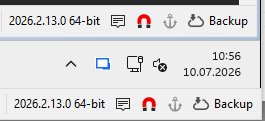
lower, my W11 host, upper the W11 Jumphost; actually, well original Post was correct 2026.1.22
and on the Jumpost
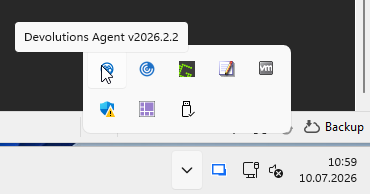
a 2026.2.2 Agent is running
your 2nd Question.
No its "stupid" RDP between them, only restriction, the Jumphost has no access to the internet and no initial way back to the network I am RDP-ing from, and both Installations are the "Portable"; you know "override.cfg"-Stuff
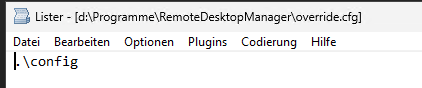
cheers
Matthias
RDM - Jump Host - Agent not recognized
Hi @matthiasgruber
I'm eager to solve this problem. Did you get a chance to check what I wrote in my earlier post? https://forum.devolutions.net/topics/55060/rdm--jump-host--agent-not-recognized?message=236604#236604
Thanks and kind regards,
Hi @Richard Markiewicz
Sorry, nop, couldnt react sooner... vacation :-)
However...
That is the Debug-Part of the JumpHost
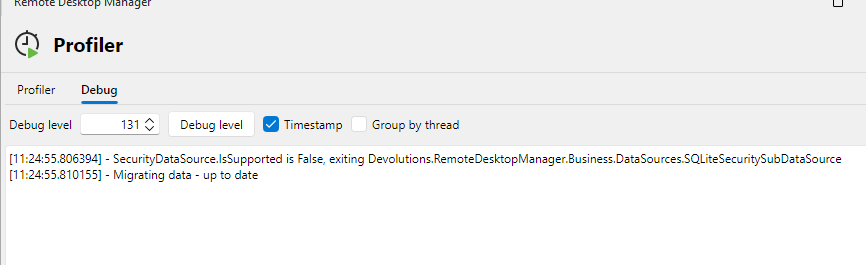
and this the part of the initiating
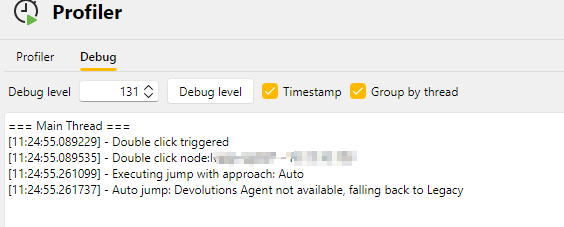
In the Application log I get only a "resizeerror", because, well.. resized a bit .-)
and on the jump-host only "old-stuff"

btw. do you trie a http-connect somewhere? My jumphost isnt allowed to connect out to the internet or something like that.
cheers
Matthias
RDM - Jump Host - Agent not recognized
Hello,
Thank you for being so patient!
I'm pleased to inform you that a new version of RDM (2026.2.9.0) has been released, featuring the fix for your issue.
Latest Version: Download RDM
Please let us know if this works or if you encounter any issues.
Best regards,
@Maxim Robert
Hi!
Sorry, was in vacation, however... tried 2.9.0 and following.. still tells me "no Agent"; 2.2-Agent is installed, and falls back to rdm jump.
cheers
Matthias
RDM - Jump Host - Agent not recognized
Hi @matthiasgruber
Thanks for the information.
Please, if you don't mind troubleshooting a little further for me.
Please try your Jump connection with "Devolutions Agent" as the Jump approach. The outer connection (the one to the Jump Host) should work but the inner connection (the "jumped" connection) is not, as I understand it.
Now: on the Jump Host (the one running Devolutions Agent) can you please gather the log files from
%ProgramData%\Devolutions\Agent
%AppData%\Devolutions\Session
And .zip them, and send them to me by private message?
Also, can you check if the the process "DevolutionsSession.exe" is running on the Jump Host? It should be automatically started with the RDP session. You can check in Task Manager.
Please let me know if something isn't clear
Thanks for your patience,
Hi @Richard Markiewicz
Okay...
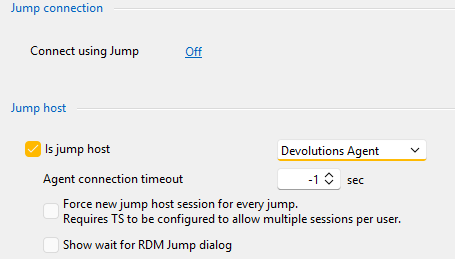
done...
connecting
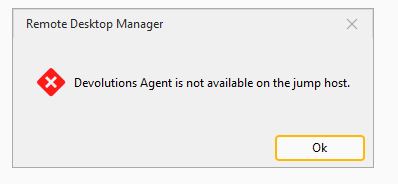
You will get the zips as PM
Jumphost-appdata-Session.zip
Jumphost-Progdata-Agent.zip
Nop the only starting with
Devolutions is

cheers
Matthias
RDM - Jump Host - Agent not recognized
Hi Richard,
thanks for your reply,
Till 2026.3 that is quite a time, thanks for that.
Okay, here are some more hardcopy:
Just right-click on the Agent-Icon
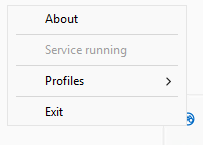
Now CTRL-right
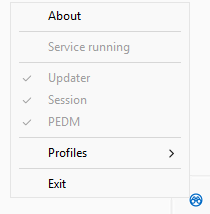
Interessting, that "service running" vanished
sc query tells something else
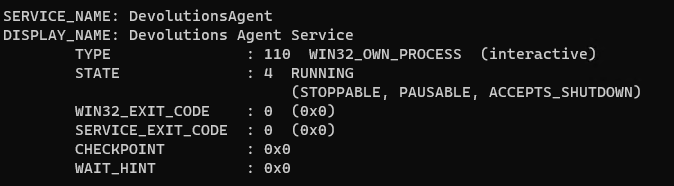
And the Agent.json
{"Updater":{"Enabled":true},"Session":{"Enabled":true},"Pedm":{"Enabled":true}}
cheers
Matthias
RDM - Jump Host - Agent not recognized
Hi!
I am using the 2026.1.22.0 on my W11 to connet via another Windows 11, which act since RDM 2025 as Jump Host to our Servers.
As stated the RDM Jump-App is deprecated an it is adviced to use the Devolution Agent, no problem. I installed the 2026.1.2 which is running, as the service and Tray-icon is telling me. In my RDM I switched the Jump-part of my Jump host to Devolutions Agent or Automatic and tried to connect to the designated Server as usual.
If I turn off the Jump Host app on the Jump host, I got no connect, RDM on my source machine tells me "no Agent running", If I switch the App on again, and do "Automatic" in my Jump Host config, It connects (as expected) but I get the "...deprecated..use... " - Popup-Box.
Any clues for me? Missed I anything?
Cheers
Matthias
RDM Jump 2026.1.10.0 does not work
Hello
That's really strange. What specific version of RDM do you have? It it at least 2026.1.9 (I want to understand you're not using an earlier beta). What kind of data source do you use?
In terms of getting things unblocked for you right now, do you have more than one jump host? On the client-side RDM, on the Jump setting page for the Jump Host RDP connection please try changing the "Jump Approach" to "Legacy". Please try it on at least one Jump Host and let me know if it unblocks things for you.
And let me know if something isn't clear or you have another question
Thanks and kind regards
@Richard Markiewicz
Hi Richard,
Argh... just lost my Reply-Window... okay propably better, that the shorter Reply with lover prose-Level :-), because running out of spare-time :-)
Data Source - XML Local
Upgrade from 2025.3.32.0 no Beta, never ever...unfortunately not the time for that.
RDM runns on both Machines (Jumpserver and my Workstation) as "Portable" (has to be), you know, this override.cfg - Version
Tried the Legacy, I think its Properties (for the jumpserver) -> Jump -> Is Jump host -> Legacy restarted everything (RDM; Jumptool etc.) nop.. neither a SSH-Jump nor a RDP-Jump works
I gave it a try Client 2025.3.32.0 -> Jump Host 2026.1.10.0 this is working, seems you have some trouble with 2026.1 -> 2026.1 (on 2025.3. is no Legacy-Switch ;-))
Normally I would check it with some wireshark to see what traffic is running, if there is some sort of handshake, but running out of time for Debugging... I give it a try later the day...
As Alex mentioned, rollback all to 2025.3 and there is not a problem... what is not suppring :-)
Since we have two Posts with the same trouble, perhaps its possible to join them?
cheers
Matthias
RDM Jump 2026.1.10.0 does not work
Hi Richard
Alex has posted more than me (a new post).. But I did the same... concerning your questions, I will do my best to fullfill them asap, hopefully on Monday.
cheers
Matthias
RDM Jump 2026.1.10.0 does not work
Hi!
Just updated vom my actual 2025.3 to 2026.1 and now the RDM Jump does not work anymore.
Yes RDM Jump is startet, everything looks like allways, but if I try to start my session via RDM Jump, nothing happens
Both machines are Windows 11
A look into the application log of the calling RDM shows:
[05.03.2026 09:12:30 - 2026.1.10.0 - 64-bit] Error silent: Unsupported jump approach Default
[05.03.2026 09:03:00 - 2026.1.10.0 - 64-bit] Error silent: Unsupported jump approach Default
Using it as Portable (this with the overrite.cfg) on both sides, deleted everything copied new, reboot all the stuff, same result.
Is that known? Did I miss something?
Cheers
Matthias
VMWare Synchronizer - adding connection SSH
Hello Hubert,
thank you very much!
Cheers
Matthias
VMWare Synchronizer - adding connection SSH
Hello Hubert,
sure I can (hopefully) clarify this.
I created a Template
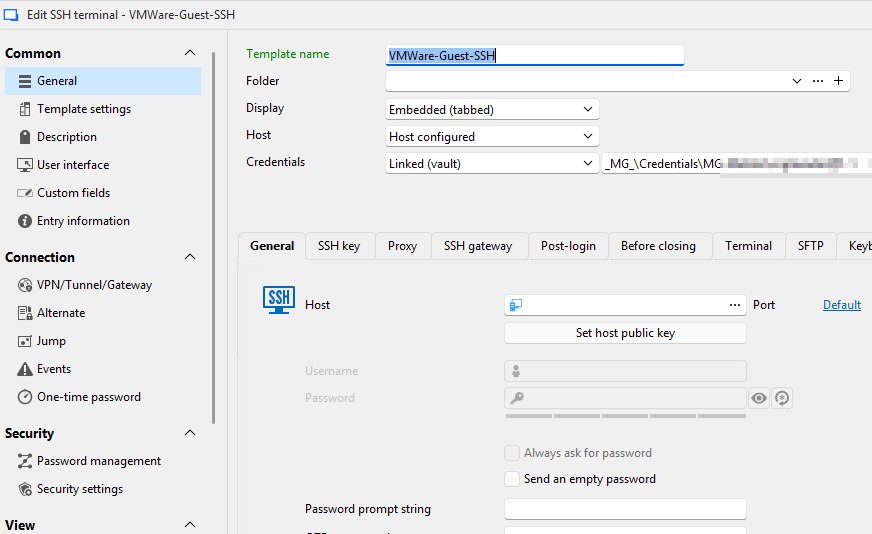
then the synchronizer
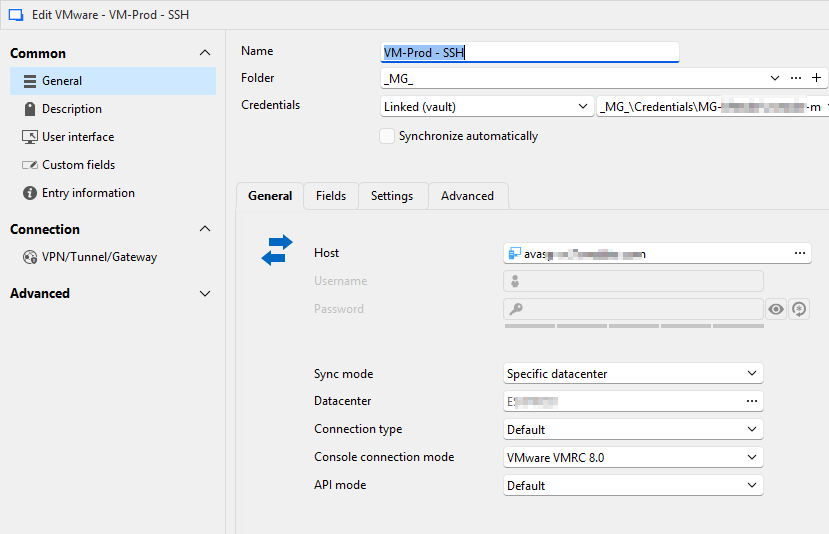
with the Settings
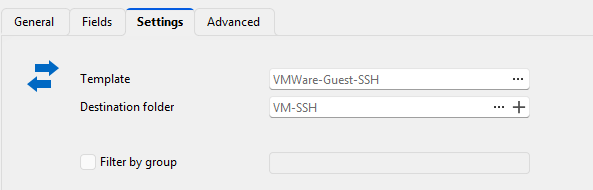
and run it
he build the tree
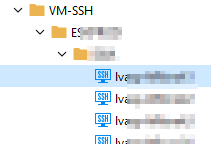
now I would expect, if I open the Machine, e.g. the marked
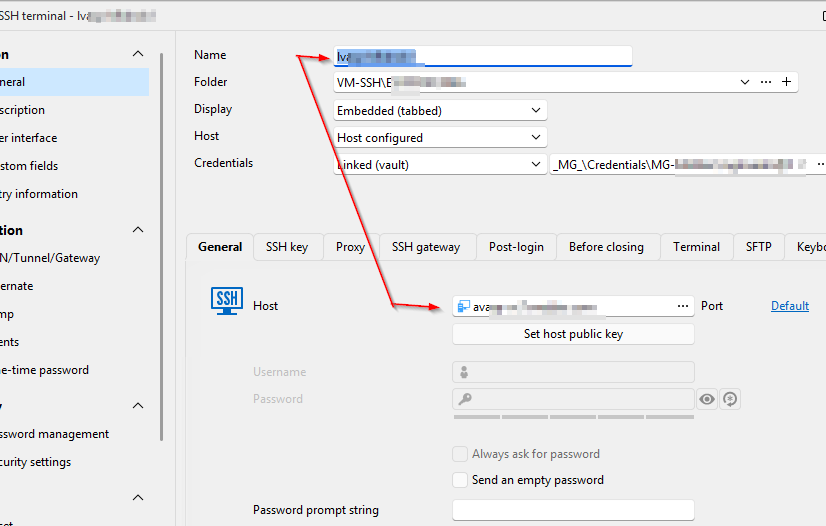
Name and Host are are identical.
but as you see, despite the scrambled parts... at Host it starts with av... that is the Virtrual Center-Name not the Host he discovered (lv...)
So my simple idea was put a $NAME$ into the template
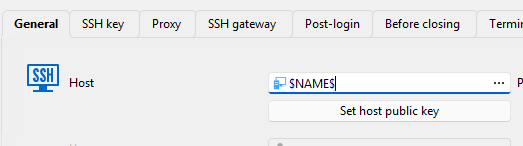
but he does not honor that.
So I am running a batch-edit and put $NAME$ into the Host of all SSH-Machines.
Perhaps I missed something.. (again ;-))
cheers
Matthias
@Hubert Mireault
VMWare Synchronizer - adding connection SSH
Hello Hubert,
what an awsome tool !!
Yes that is the way to do it. In Germany we have a saying "Ich seh den Wald vor Bäumen nicht" (aprox. 'I can not see the forrest because of all the trees'), that default-template in conjunction with connection type was the point.
One last question, if I run the synchronizer, he puts the virtual center hostname into the hostname of the ssh-connection, not the $NAME$ (I tried to set it in my template, but no effect), am I on the right way... at the moment I do a "Batch edit", which works :-)
But never the less, I put my vote also into the Filter of VM via hostname :-)
cheers from Germany
Matthias
VMWare Synchronizer - adding connection SSH
Hi!
I read the great feature request of getting a filter into the synchronizer depending on hostnames, great Idea.
Perhaps it could be possible, in conjunction to get a Connectiontype ssh? Not only rconsole, rdp,...
So the synchronizer fetches the hosts depending on IP, and make them accessible by ssh?
I think that would be a great benefit in larger Unix/Linux/appliance - Environments with ssh-connections
cheers
Matthias
ZModem - Up/Download broken - ssh - 2025.2.26.0
Hi!
Can someone confirm, that the zmodem Up + Download in 2025.2.26.0 (and previous) is broken?
send: I see the 2start for initiating the zmodem, then a skipped
receive: just masses of zmodemstrings on the shell
The same Machine as partner with 2024.x is running and working.
cheers
Matthias