VMWare Synchronizer - adding connection SSH
2 votes

Hi!
I read the great feature request of getting a filter into the synchronizer depending on hostnames, great Idea.
Perhaps it could be possible, in conjunction to get a Connectiontype ssh? Not only rconsole, rdp,...
So the synchronizer fetches the hosts depending on IP, and make them accessible by ssh?
I think that would be a great benefit in larger Unix/Linux/appliance - Environments with ssh-connections
cheers
Matthias
All Comments (7)
Hello Matthias,
If you leave the connection type set to "default" and in the "settings" tab you configure a template of type SSH terminal, the synchronizer should create SSH terminal entries: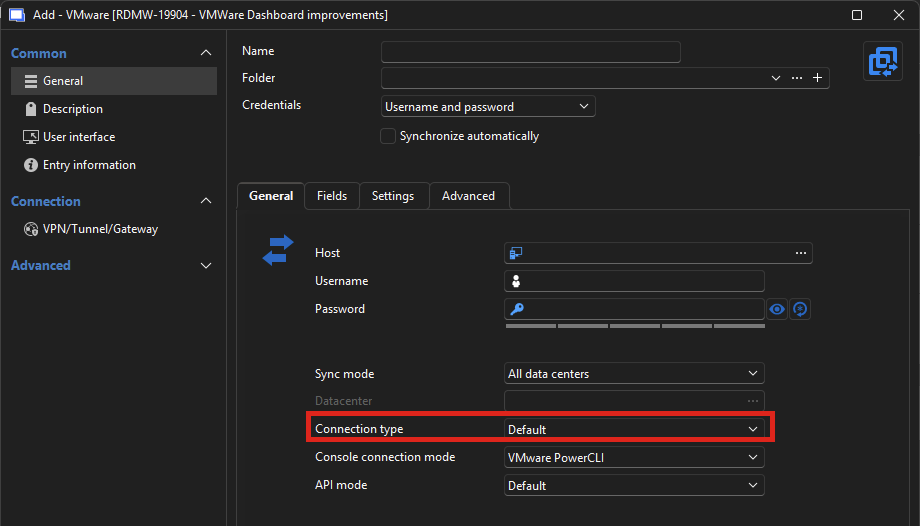
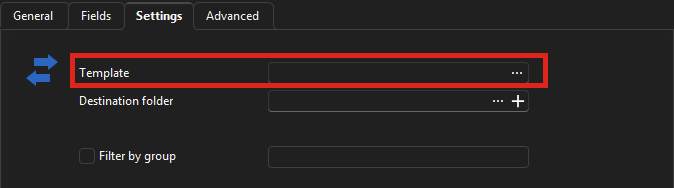
Can you try this out and see if it works for you? You will need to create your template beforehand, and you can access them through File > Templates > Entry templates.
Regards,
Hubert Mireault
ebec4538-5ec9-4071-a2cc-494dbcd86b2f.png
f77c8e69-89d7-41d7-bf78-edec56f3141f.png
Hello Hubert,
what an awsome tool !!
Yes that is the way to do it. In Germany we have a saying "Ich seh den Wald vor Bäumen nicht" (aprox. 'I can not see the forrest because of all the trees'), that default-template in conjunction with connection type was the point.
One last question, if I run the synchronizer, he puts the virtual center hostname into the hostname of the ssh-connection, not the $NAME$ (I tried to set it in my template, but no effect), am I on the right way... at the moment I do a "Batch edit", which works :-)
But never the less, I put my vote also into the Filter of VM via hostname :-)
cheers from Germany
Matthias
Hello Matthias,
I'm glad this works well for you!
In english, the expression is "miss the forest for the trees" (and I also learned we have an equivalent in french). It looks like no matter the culture, it can happen to any of us 😉 There's a lot of different configurations in RDM, so it's easy to miss them.
For your other question:
One last question, if I run the synchronizer, he puts the virtual center hostname into the hostname of the ssh-connection, not the $NAME$ (I tried to set it in my template, but no effect), am I on the right way... at the moment I do a "Batch edit", which works :-)
Can you clarify what you mean, maybe with a screen capture? You want the host of the synchronized entry to use the variable $NAME$ rather than having the host value directly written? I'm curious why you would need this, as the goal of the synchronizer is to keep this data up-to-date and allowing you the flexibility to change other values. If the host should change, I believe running the synchronizer again should update the host value.
I may be misunderstanding why you need the $NAME$ variable in your case, so I would appreciate more information on what you're trying to do.
Regards,
Hubert Mireault
Hello Hubert,
sure I can (hopefully) clarify this.
I created a Template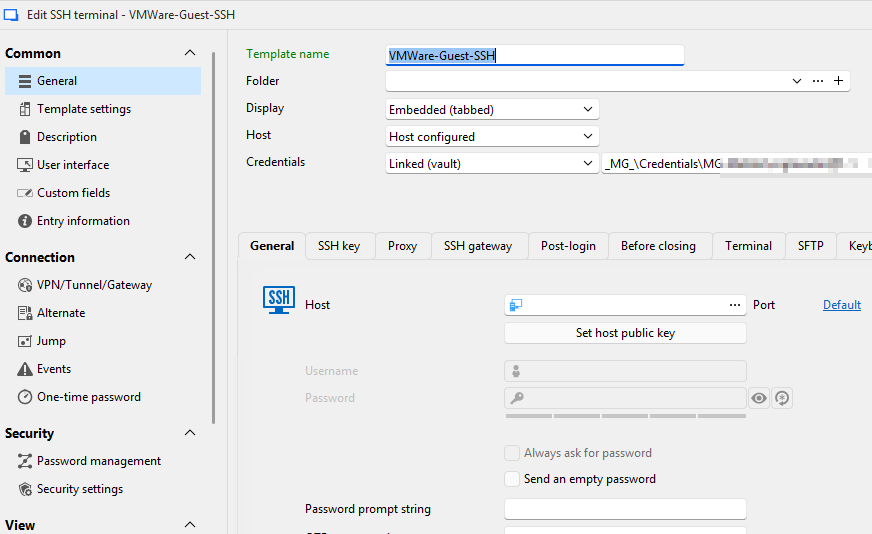
then the synchronizer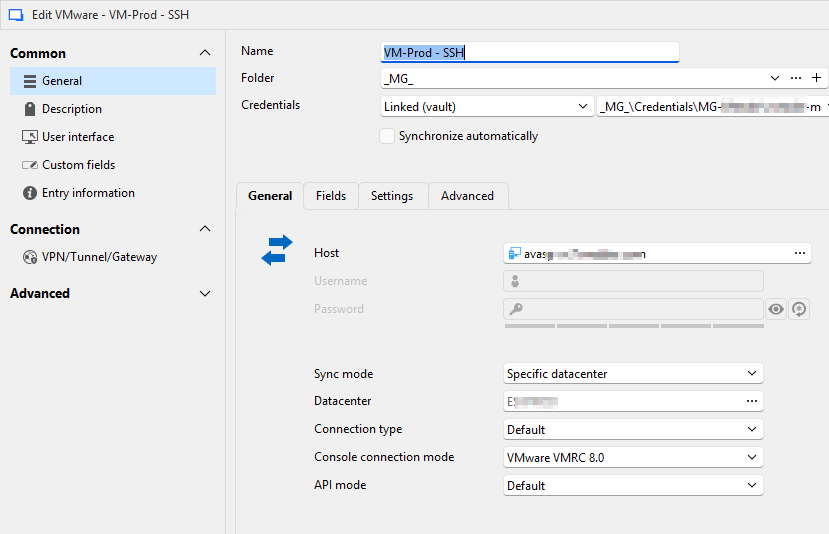 with the Settings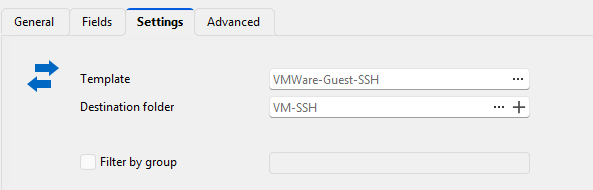
and run it
he build the tree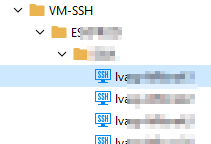 now I would expect, if I open the Machine, e.g. the marked
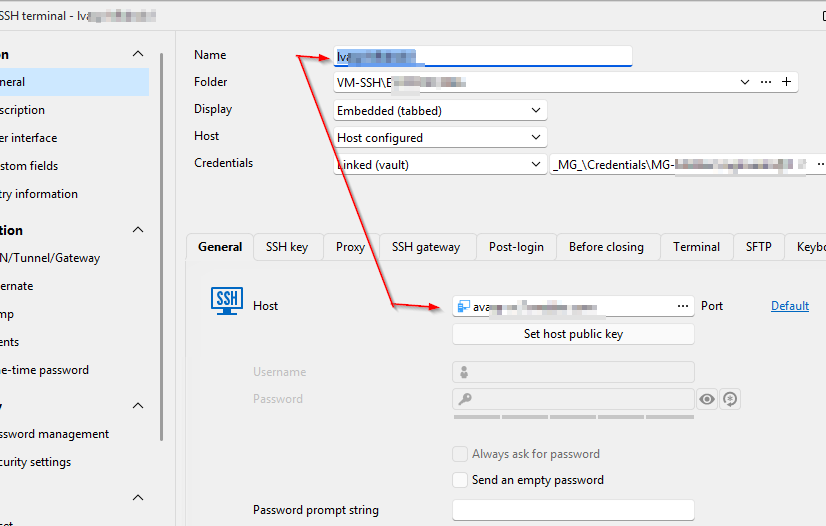 Name and Host are are identical.
but as you see, despite the scrambled parts... at Host it starts with av... that is the Virtrual Center-Name not the Host he discovered (lv...)
So my simple idea was put a $NAME$ into the template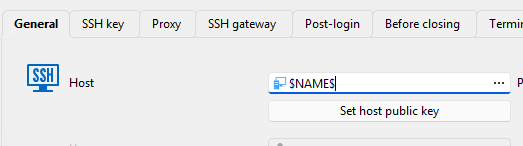 but he does not honor that.
So I am running a batch-edit and put $NAME$ into the Host of all SSH-Machines.
Perhaps I missed something.. (again ;-))
cheers
Matthias
@Hubert Mireault
bd184134-f355-442f-a2cc-ef5a4b56cd13.png
ef9bc638-38f6-4297-af00-ab34ac3cb6e7.png
3a670c44-3a7b-46f4-8577-5878ca973497.png
39e8576e-6258-42eb-8e6c-7fe4298dd374.png
645b00a5-430d-4d7e-add6-cb3e12055af2.png
9c5924a2-6132-4755-be7a-1facb69bc2eb.png
Thank you, this is very helpful!
For the Active Directory synchronizer entry, we have a way to specify what the host should be synchronized as: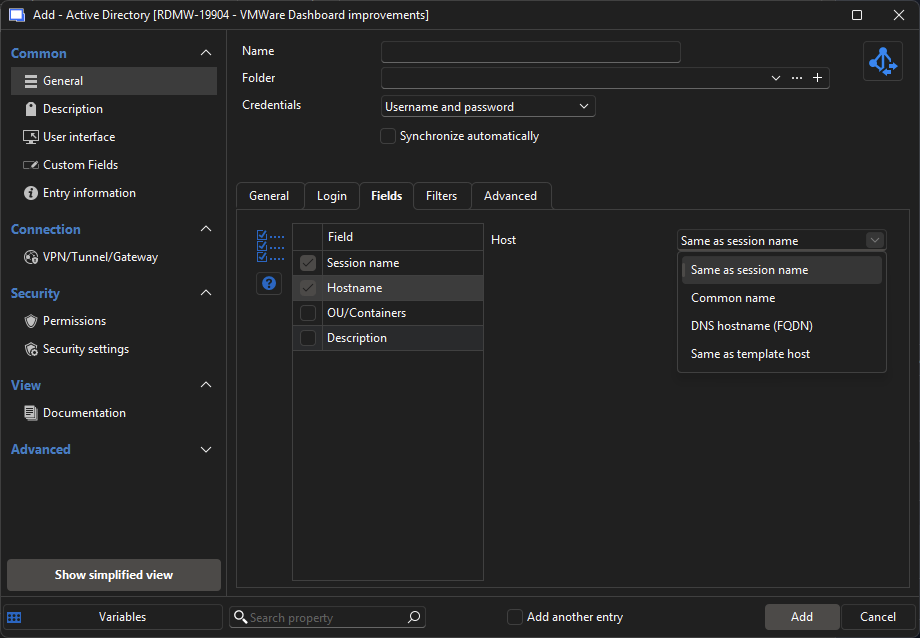
Adding this to the VMWare synchronizer should allow you to achieve the result you want, as we would add the "same as session name" configuration.
I will open a ticket for this.
Regards,
Hubert Mireault
27a76b8b-dfb3-49da-a7e8-c1cfd48bae64.png
Hello Hubert,
thank you very much!
Cheers
Matthias
Hello,
The "Same as session name" host override will be included in the 2026.1 release (specifically when using the Default connection type with a template).
Regards
Jonathan Del Signore