
januszkoniuszko91
RDM 2026.3.12 no action for the website session type
Hello,
I'm sorry for the late reply.
I just tested it on RDM 2026.3.16, and everything is currently working as expected.
For now, I consider the issue resolved.
Thank you for resolving this issue.
Best regards,
Janusz Koniuszko
RDM 2026.3.12 no action for the website session type
Hello,
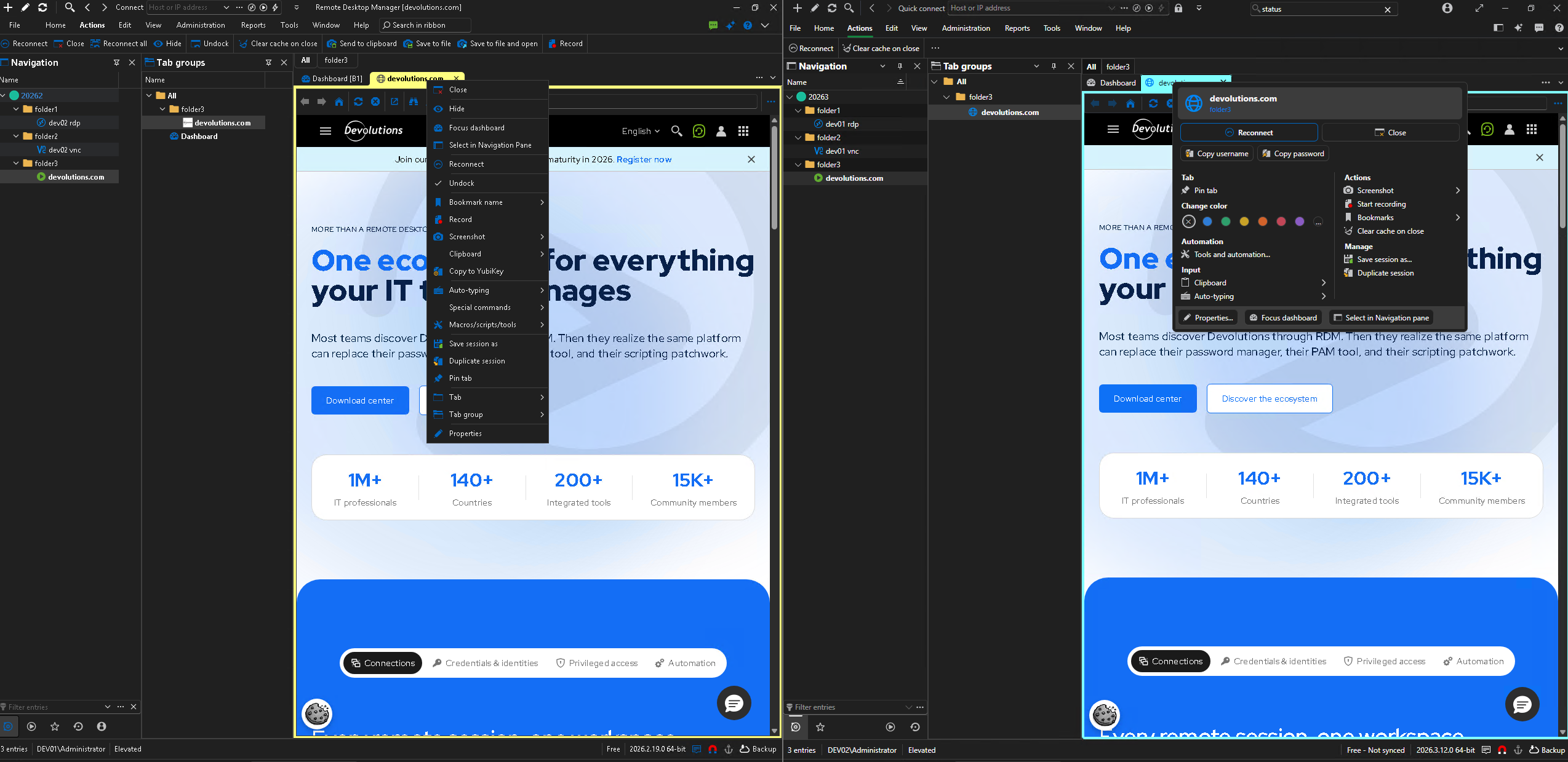
In RDM 2026.3.12, compared to version RDM 2026.2.19, actions such as “Undock” or “Close,” etc., are not visible for website sessions—neither on the ribbon nor when right-clicking on the tab.
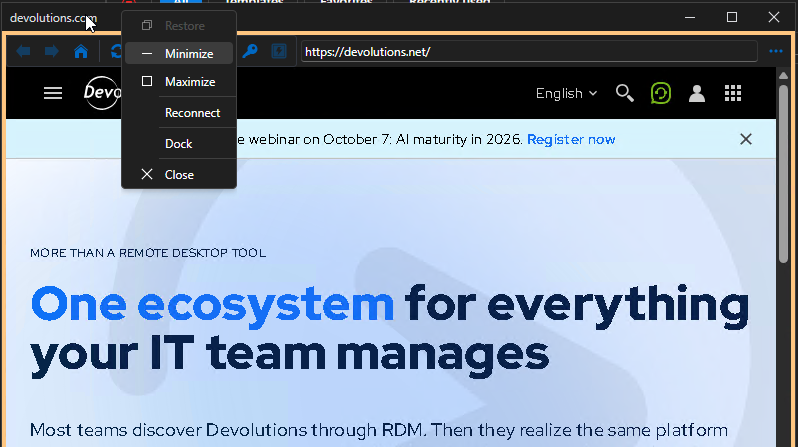
If I start a session as “External” and right-click on the title bar of the detached window, there is a “Dock” option that pins the connection as a tab.
However, it is not possible to undock the session.
Best Regards,
Janusz Koniuszko
Macros/Scripts/Tools missing Tools
Hi Hillel,
Isn't this a situation where you select two or more connections, even if they're the same type, and you want to run a tool from the context menu or dashboard in the Macros/Scripts/Tools section, but the tools aren't visible, for example, Wake on LAN?
In my case, this happened after updating from version 2025.2.32 to 2026.1.x.
I tested it on all 2026.1.x releases, and unfortunately, the behavior is identical.
The built-in tools don't appear when two or more connections are selected.
Mouse Jiggler function no longer works.
Hello trikster,
Try this :
- Log out from remote server( log out instead of just closing the connection).
- Change “Mouse jiggler methot” to a different value than it is currently set.
- Now log in and see if it worked.
I tested this(RDM v2025.2.16.0) and noticed that if:
- I have an active and disconnected session on the server and change "Mouse jiggler method"
or
- I am currently logged into the server and I change "Mouse jiggler method" and disconnect
Then when I log back into the server the jiggler usually stops working until I log out of the server and log back in.
Even restarting RDM doesn't help in this case, only logging out helps
If several people connect to the same account on the server then they should have “Mouse jiggler method” set to the same value to avoid problems
Mouse Jiggler function no longer works.
Hi trikster,
Try changing the value in “Mouse jiggler method” from “Default (Mouse move)” or “Mouse move” to “Function key”.
This should work.