
NordeN
How to improve the visual experience of SSH session
Hello,
Thank you for contacting us on that matter.
Unfortunately, due to Canadian regulations, we cannot work together if you are from Russia.
Sorry for the inconvenience.
Best regards,
@Sam Moynihan
But I'm not from Russia, I'm Ukrainian.
How to improve the visual experience of SSH session
Hello, I recently installed Termius and noticed that the SSH terminal looks much more visually appealing. It's not just a matter of the color scheme; for some reason, it looks completely different. Could this be due to the fonts or anti-aliasing settings?
Is it possible to customize the default terminal design in Termius?
A set of predefined themes
The user will be able to create their own themes, but we will see about adding a few predefined ones as well.
Regards,
@Hubert Mireault
Is there any news regarding this topic?
A set of predefined themes
Hello,
Thank you for the request. We already have a way to choose the color of an already opened terminal, so mainly the goal here would be to allow users to add different theme profiles for the terminal, similar to what we did with the syntax highlighting. It would then be easy to switch between them.
I will open a ticket for this.
Regards,
@Hubert Mireault
It will be custom predefined themes from developers? Or I need to create themes before using
A set of predefined themes
Hello, can you add a set of predefined themes to the SSH connection in the application, similar to the Termius app. Additionally, you can create a theme switch, such as a dropdown list, on the top panel of the SSH connection.
How to use F-keys in linux ssh connection
Thanks, it helped. Is there a default setting for the terminal to not edit every connection?
How to use F-keys in linux ssh connection
Hello NordN,
Thank you for reaching out on our forum. Could you please let us know which version of RDM you’re using and which data source is involved?
Best regards,
@Michel Audi
SQLite,
How to use F-keys in linux ssh connection
I unset F1 key from RDM shortcuts in settings and restart RDM.
I have this in my .vimrc
function! TogglePaste()
    if &paste
        set nopaste
        echo "🔴 Paste Mode OFF"
    else
        set paste
        echo "🟢 Paste Mode ON"
    endif
endfunction

nnoremap <F1> :call TogglePaste()<CR>
inoremap <F1> <C-O>:call TogglePaste()<CR>
nnoremap <F2> :set list!<CR>
nnoremap <F3> :set number!<CR>
But when I type F1 nothing happened. What I do wrong?
Why when I scroll in vim I stuck?
Hello,
There should already be a couple of fixes related to vim in the version 2025.2.16.0 of RDM. Could you please update to that version and let us know if the issue persists?
Best Regards,
@Michael Beaudin
Thanks, that helped
Why when I scroll in vim I stuck?
Hello,
Thank you for reaching out to us regarding this matter.
Could you please let me know which data source and RDM version you are using? I will attempt to reproduce the issue on my end by Monday. Also, was it working previously, or is this the first time you're encountering the issue?
Best regards,
@Tommy Sanders
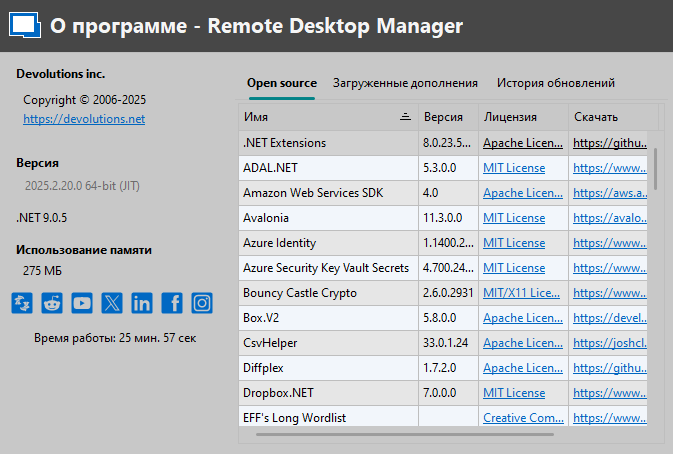
SQLite, 2025.2.13.1 64-bit (JIT)
I don't know. I just noticed it yesterday because I always work in tmux (in tmux all works correct)
Why when I scroll in vim I stuck?
Hello, why when I scroll up in vim I stuck? Although when I try to do the same thing in a clean cmd, everything works correctly. Everything also works correctly in RDM when logging into tmux. The problem is only seen in a clean RDM terminal.
I have no "Record" option in connection settings
Hello,
Thank you for reaching out regarding this matter.
Unfortunately, the session recording feature is not available in the free version of RDM.
As a workaround, you can use the Local Recorder option located under the Help ribbon menu.
Please let me know if you need any further clarification.
Best regards,
Thanks, where is located recorded videos?
I have no "Record" option in connection settings
I have no "Record" option in connection settings, is it because I have free RDM for Windows? I wanna record my RDP and SSH sessions
Where is located passwords?ё
Hello,
The connection passwords as well as the usernames are saved directly in the database. So in your case, directly in the SQLite database or XML database.
For a better protection of them, I will recommend enabling the encryption on these files.
https://docs.devolutions.net/rdm/commands/file/change-master-key/
Best regards,
Thanks for the answer
Where is located passwords?ё
Hello,
Thank you for reaching out regarding this matter.
Could you please specify which password you are referring to? Are you looking for the password associated with your entries or the external credentials from 'My Account Settings'?
Please refer to the document below for details on the configuration file location:
Configuration File Location – Devolutions Documentation
Let me know if this helps or if you need further assistance.
Best regards,
I asked about credentials for my saved connections (for example: login and password for ssh connection to server1)
Where is located passwords?ё
Hi there, where is located saved passwords in Windows and Linux if I use SQLite at Windows and XML in Linux? I have no license and save passwords in connections settings.
How to reset all RDM settings?
Hello,
Thank you for reaching out regarding this issue.
Could you please try navigating to Window → Reset Layout?
If that does not resolve the issue, it is likely caused by a local configuration issue in your RDM instance. To address this, I recommend resetting your local configuration by following these steps:
Close RDM.
Navigate to %localappdata% → Devolutions folder.
Rename the RemoteDesktopManager folder to RemoteDesktopManager.old.
Restart RDM.
Connect to your data source.
Once you are connected to your data source, the issue should no longer persist.
Please let me know if you need any further assistance.
Best regards,
This helped, thanks
How to reset all RDM settings?
Hello,
Thank you for reaching out regarding this issue.
Could you please try navigating to Window → Reset Layout?
If that does not resolve the issue, it is likely caused by a local configuration issue in your RDM instance. To address this, I recommend resetting your local configuration by following these steps:
Close RDM.
Navigate to %localappdata% → Devolutions folder.
Rename the RemoteDesktopManager folder to RemoteDesktopManager.old.
Restart RDM.
Connect to your data source.
Once you are connected to your data source, the issue should no longer persist.
Please let me know if you need any further assistance.
Best regards,
Thanks, I will try to do this tomorrow
How to reset all RDM settings?
Hi there, how can I reset all Remote Desktop Manager settings? I accidentally deleted fast connection text box at the top of window. I thought, that if I reset settings, this textbox will return to his place. I deleted cfg file in AppData, but nothing has changed. I have no fast connection box.

Can't scroll output of tmux panel
Hubert Mireault helped me with email, to fix this you have to change terminal setting "Force scrolling history when using mouse wheel" to value "No".
Can't scroll output of tmux panel
Hello, I use Remote Desktop Manager Free. I love it, but in my Linux server I prefer to use tmux. When I try to scroll my tmux panel with mouse in RDM i can't do this. I scroll TTY instead of tmux panel.
But when I connect to SSH server with Windows Terminal ant try to do the same, I can do this. How I can tune my SSH connection in RDM to fix this problem?