How to use F-keys in linux ssh connection

I unset F1 key from RDM shortcuts in settings and restart RDM.
I have this in my .vimrc
function! TogglePaste()
    if &paste
        set nopaste
        echo "🔴 Paste Mode OFF"
    else
        set paste
        echo "🟢 Paste Mode ON"
    endif
endfunction

nnoremap <F1> :call TogglePaste()<CR>
inoremap <F1> <C-O>:call TogglePaste()<CR>
nnoremap <F2> :set list!<CR>
nnoremap <F3> :set number!<CR>
But when I type F1 nothing happened. What I do wrong?
All Comments (5)
Hello NordN,
Thank you for reaching out on our forum. Could you please let us know which version of RDM you’re using and which data source is involved?
Best regards,
Michel Audi
Hello NordN,
Thank you for reaching out on our forum. Could you please let us know which version of RDM you’re using and which data source is involved?
Best regards,
@Michel Audi
SQLite, 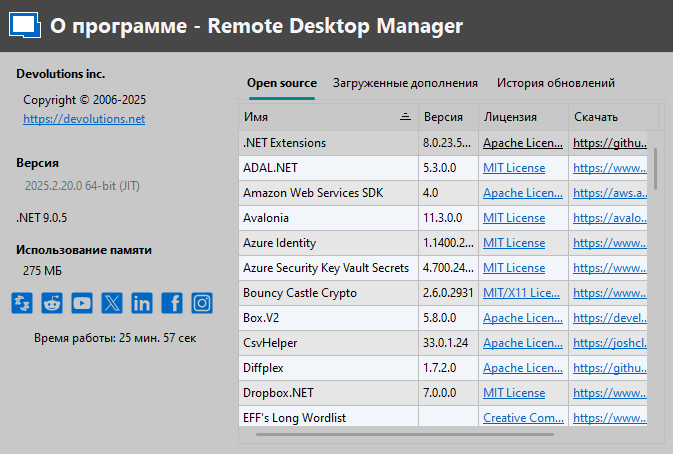
a464d4ba-0a62-46d9-9060-a548066f1c6d.png
Hello,
Thank you for your patience.
Would it be possible to go to the Entry property, then Keyboard, and change the Function Key Mode to Xterm R6 or another suitable mode?
Best regards,
Carl Marien
Thanks, it helped. Is there a default setting for the terminal to not edit every connection?
Hello,
Good new a new Keyboard section has been added under File > Settings > Entry Types > Sessions > Terminal.
Within this section, a Function Keys Mode option is now available. This setting will override the default configuration for any terminal that uses this option.
This update will be included in the upcoming 2025.2.21 release.
Best regards,
Carl Marien