
bryan_bell
DVLS: Entry Expiry Notifications
Upgrade DVLS.
@VTScott
I have upgraded to 2025.3.12.0 and the expiration notifications are now gone. Thank you
DVLS: Entry Expiry Notifications
I have been getting these as well.
I have been getting these notifications since I deleted the old creds. I have three username and password entries that I had listed as expire on a date. I have removed the expiration data from them. I have deleted them and recreated them. I have turned on notifications on them and yet I still get the email notification. I am not sure how to get these to stop.

DVLS: 2025.3.4.0
RDM: 2025.3.29.0 64-bit
Request to add User VNC Display Port on Credentail entry
Unfortunately, looking at the code, I really don't see why this would fail for you. There's definitely something in the configuration that is different on my end than it is from yours.
I will ask our support team to open a case with you so we can try and gather information to reproduce this problem.
Regards,
@Hubert Mireault
Thank you.
Request to add User VNC Display Port on Credentail entry

This is the same as all our other sessions.
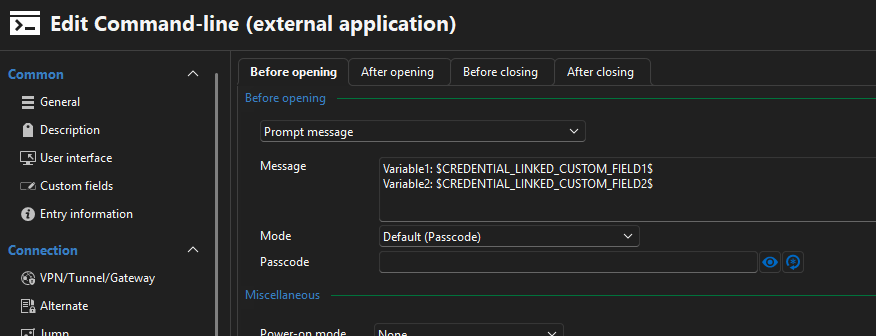
even when I check with other entry's like SSH terminal and RDP it is not pulling the linked credential custom fields
Request to add User VNC Display Port on Credentail entry
Request to add User VNC Display Port on Credentail entry
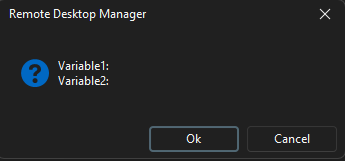
I get the following but can't see what is being passed.
The New TN5250 Session
I don't see anything else so far. And they are suppose to be invisible fields
Request to add User VNC Display Port on Credentail entry
This still isn't working. I am trying another route.
I have tightvnc install and I am trying to make a command-line to launch it.
I have a Username and password cred in the user vault that is linked to the command line. That user cred has port and vncpassword in Custom #1 and Custom #2 respectively.
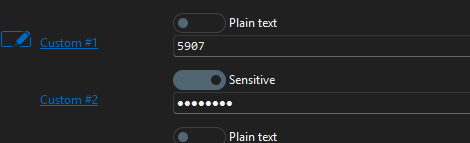
how can I get the command line to inject the linked creds custom strings?
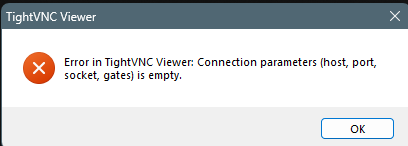
"C:\Program Files\TightVNC\tvnviewer.exe" vnc.domain.local:$CREDENTIAL_LINKED_CUSTOM_FIELD1$ -passwd $CREDENTIAL_LINKED_CUSTOM_FIELD2$
I can't get it to launch and I can't see what the variables have in them.
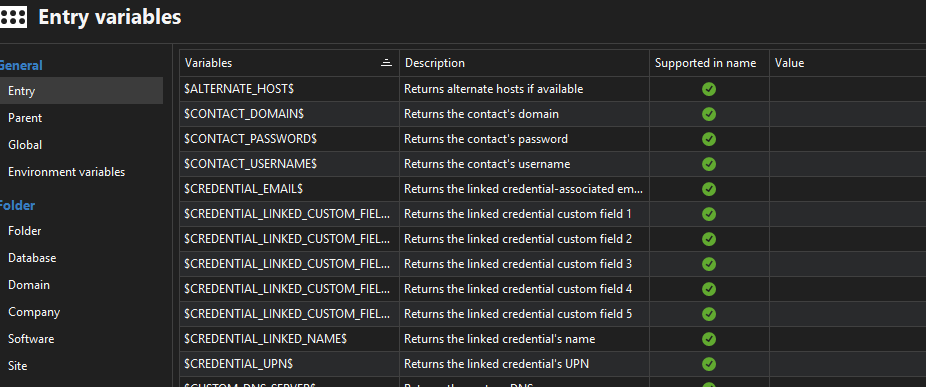
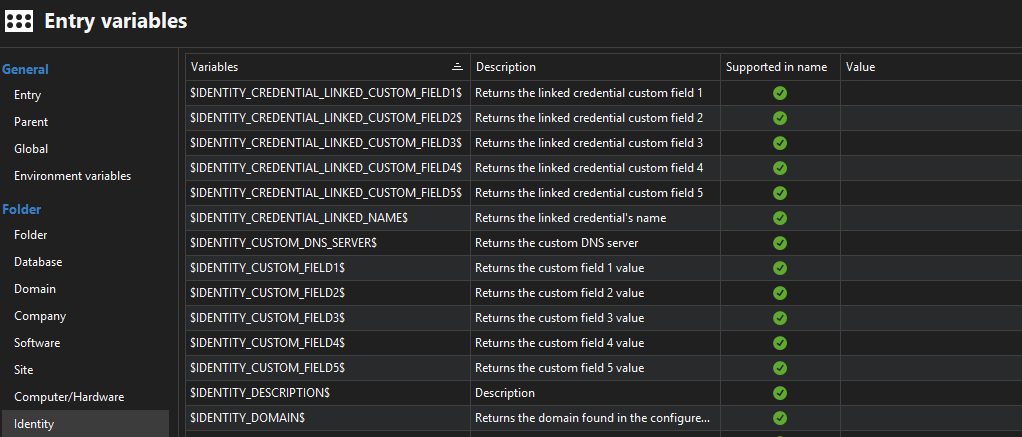
RDM version 2025.2.28.0 64-bit
Server version 2025.2.3
The New TN5250 Session
Hi,
I think these are things we will need to correct. This terminal is rather young in its development but we can surely improve it.
As for viewing the screen correctly, I am not sure if it is a font or encoding problem. Could you provide us a link to get the IBM font so we could analyse it? Or maybe you know what codepage is your IBM system using?
Regards
It is a proprietary font I believe from IBM. It comes with the IBM iSeries Software. I can see the screen however certain characters are not what they are suppose to be. This could be encoding, if I change the font in the iSeries application it still appears with the proper characters.
Proper

Non-proper

There are more but I cannot share the full screen. The * shouldn't appear.
The New TN5250 Session
It is awesome having the new TN5250 session, Thank you.
Are you able to provide information on how to change the key mapping and font.
I need to change the font to the IBM .fon to view the screen correctly, I also need to adjust keyboard mappings
Alternate MFA option like RDM (YubiKey, Duo, TOTP) instead of backup codes only
We would like this feature as well, Primary Yubikey and Secondary TOTP or SMS
Request to add User VNC Display Port on Credentail entry
Hello Bryan,
The ability to use credential custom field variables has been implemented and will be available in version 2025.1. This should allow you to reference custom fields from credential entries, including for cases like VNC ports.
Let us know if that works for you!
Regards,
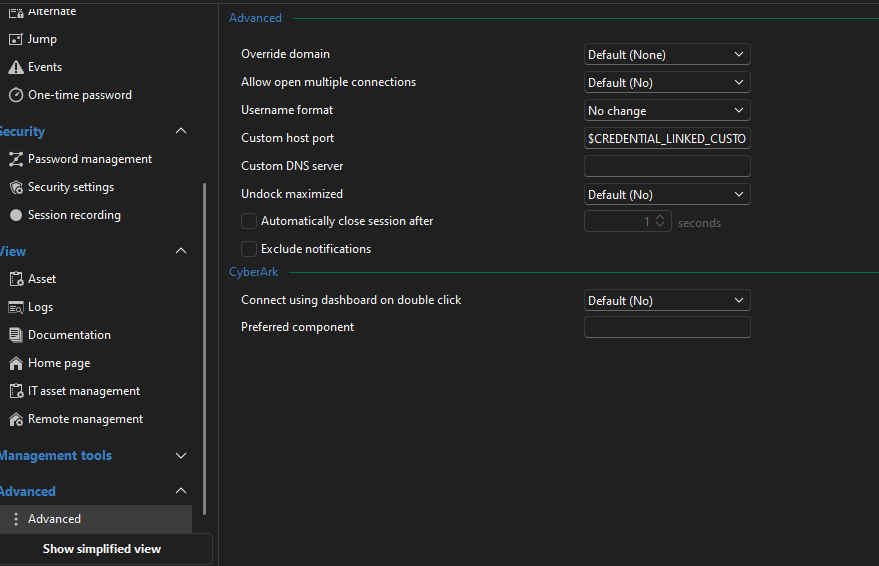
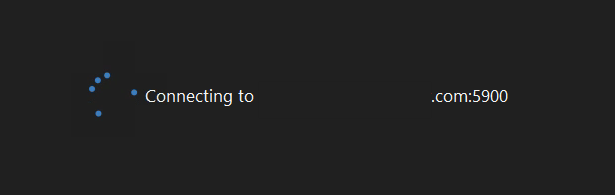
I am trying to use $CREDENTIAL_LINKED_CUSTOM_FIELD1$ in the override Custom Host port field however it is still using the default 5900 port
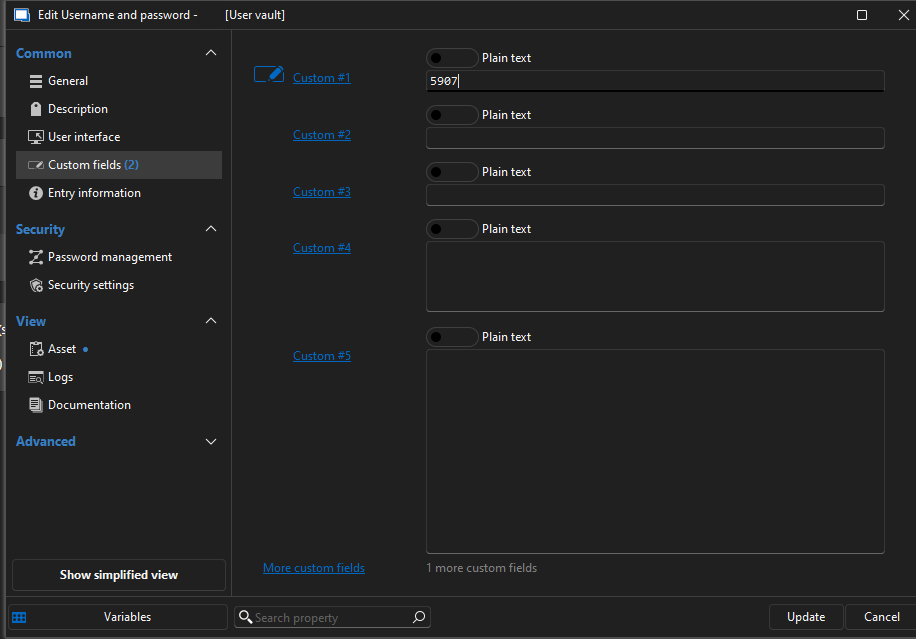
Request to add User VNC Display Port on Credentail entry
Is there a way to add VNC Password and Host port to the user creds. I tried using the $CREDENTIAL_EMAIL$ field with the port and passing that as the host port. It works however there is no VNC Password and it will not authenticate.
$CREDENTIAL_VNCPW$
$CREDENTIAL_VNCPORT$
And when selecting Find by name (user vault) it would use those credentials settings in VNC password and port
SinkLinkID, TeamLinkID other UID Fields
This is not pulling information from the SystemVault.
SinkLinkID, TeamLinkID other UID Fields
I am trying to import data into sessions. In power I need a way to pull the data from the MetaInformation Fields like SiteLinkID and TeamLinkID. I found the the ID that are on a session but I need the entire list of them to do case statments for populated the data.
Request to add User VNC Display Port on Credentail entry
How would I tell it to use %CredEntry%/%Custom_Field1% variable in that? When I use %Custom_Field1% it is pulling it from the Session Custom field and not the credential entry? I Tried $Identity_Custom_Field1% as well.
Request to add User VNC Display Port on Credentail entry
We have vnc service that require a specific port per user. Is there a way to add that to a credential entry or per user basis?
user1 is display 1 and would be Port 5901
user2 is display 8 would need port 5908 and so on.
The credential entry would also need to have VNC password as a field as well.
I tried using the custom_field but the port will not accept the variable.
vmware synchronizer question
I would like to plus 10 this request.
SAML 2.0, or OpenID Authentication
Yes we would need group memberships as that is what would provide folder permissions.
SAML 2.0, or OpenID Authentication
I would like that SAML 2.0 or OIDC as an authentication method. We would like to use Onelogin as authenticator.