Request to add User VNC Display Port on Credentail entry
Request to add User VNC Display Port on Credentail entry
0 vote

We have vnc service that require a specific port per user. Is there a way to add that to a credential entry or per user basis?
user1 is display 1 and would be Port 5901
user2 is display 8 would need port 5908 and so on.
The credential entry would also need to have VNC password as a field as well.
I tried using the custom_field but the port will not accept the variable.
All Comments (18)
Hello,
There is a field located in the advanced tab of the entry called "custom host port" where you can specify a text string for the port. This supports variables: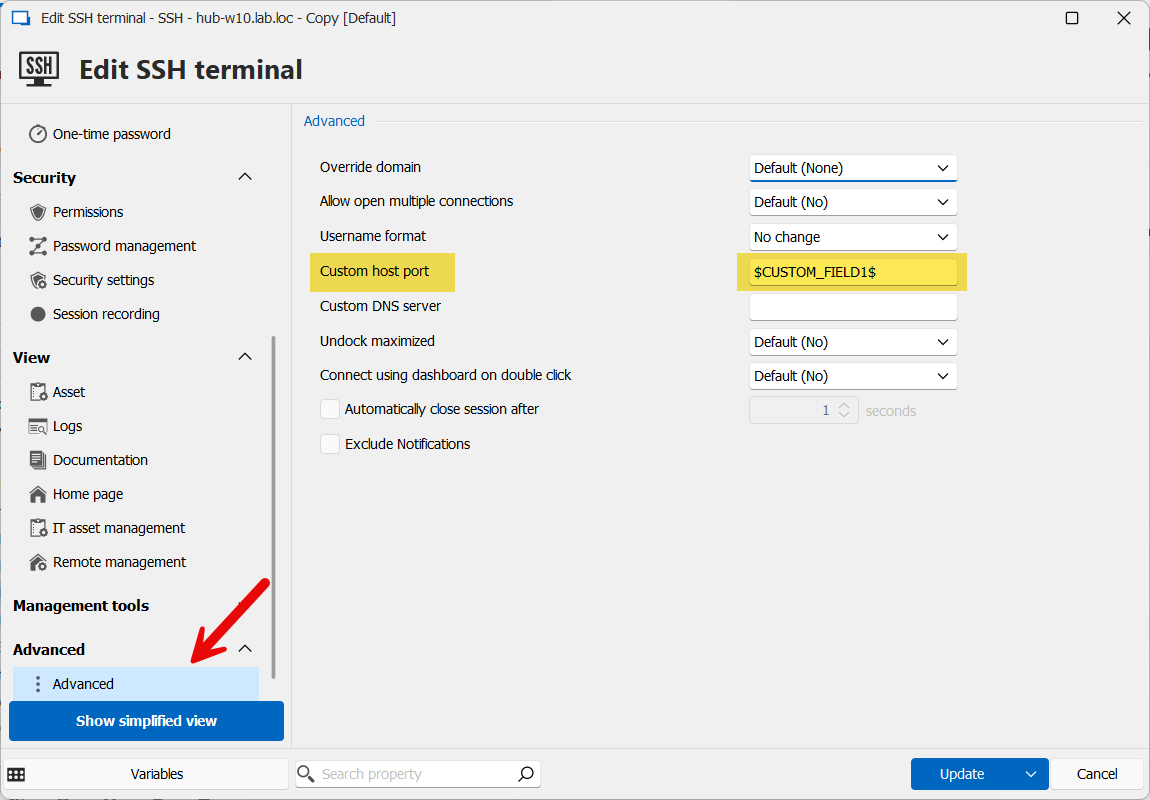
In my picture I used an SSH terminal entry but it should work for VNC entries as well.
In your case then, your users can use the User Specific Setting feature to override the custom field with whatever value they want, and it should connect with that specific port.
Let me know if this works for you.
Regards,
Hubert Mireault
69b6203b-005e-40e4-bad9-352e09c800f4.png
How would I tell it to use %CredEntry%/%Custom_Field1% variable in that? When I use %Custom_Field1% it is pulling it from the Session Custom field and not the credential entry? I Tried $Identity_Custom_Field1% as well.
Hello,
I see, sorry, I misunderstood your exact scenario.
The only workaround at the moment I could provide is using the $CREDENTIAL_UPN$ variable, configuring the port in that field in the credential entry, and using that variable in the custom port of the VNC entry. If you need the user to change that port with user specific settings though, that will not work.
I will open a ticket to add a similar feature for "credential custom field" variables, which should be more versatile and usable in other scenarios as well.
You also mentioned in your first post that you'd need another field for VNC Password. We will have to see how best to implement this as we want to keep our entries as generic as we can.
Regards,
Hubert Mireault
Is there a way to add VNC Password and Host port to the user creds. I tried using the $CREDENTIAL_EMAIL$ field with the port and passing that as the host port. It works however there is no VNC Password and it will not authenticate.
$CREDENTIAL_VNCPW$
$CREDENTIAL_VNCPORT$
And when selecting Find by name (user vault) it would use those credentials settings in VNC password and port
Hello,
This is not currently possible but we will note this as well for future improvements. We have a few ideas on how we could allow for such a flow. I can't give you an estimate at the moment but I encourage our community to chime in to help us prioritize.
Regards,
Hubert Mireault
Hello Bryan,
The ability to use credential custom field variables has been implemented and will be available in version 2025.1. This should allow you to reference custom fields from credential entries, including for cases like VNC ports.
Let us know if that works for you!
Regards,
David Godin
Hello Bryan,
The ability to use credential custom field variables has been implemented and will be available in version 2025.1. This should allow you to reference custom fields from credential entries, including for cases like VNC ports.
Let us know if that works for you!
Regards,
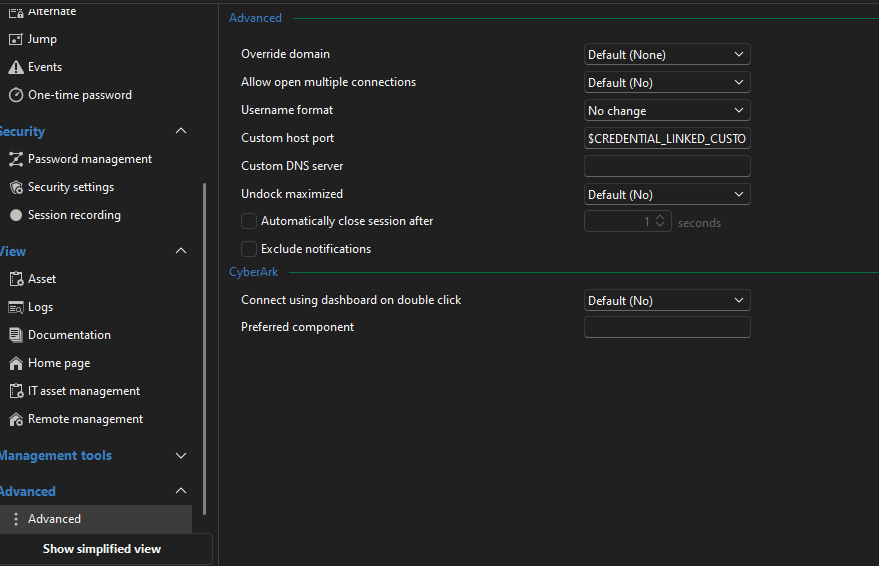
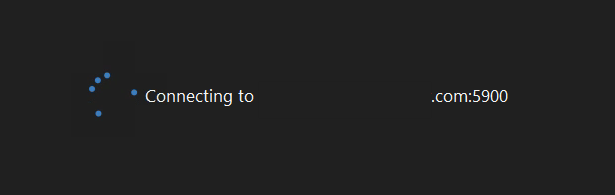
I am trying to use $CREDENTIAL_LINKED_CUSTOM_FIELD1$ in the override Custom Host port field however it is still using the default 5900 port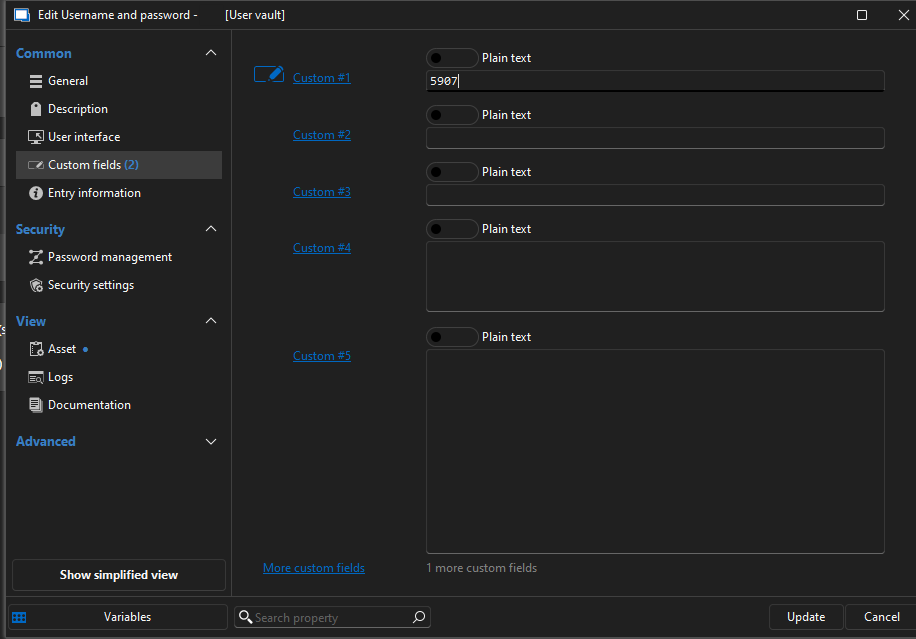
9b89759a-0798-44e9-afe9-e7e3dd4e0bb1.png
64b32ed7-5757-4b30-852e-bf99d7f9bfc0.png
2d402115-ef2e-45b6-a3c6-1c056c9b9ed9.png
Hello Bryan,
We were able to reproduce the issue with linked credential custom variables not resolving in the Custom host port field. The problem has been addressed, and the fix should be included in version 2025.1.28.
Thank you for reporting this specific case.
Best regards,
David Godin
This still isn't working. I am trying another route.
I have tightvnc install and I am trying to make a command-line to launch it.
I have a Username and password cred in the user vault that is linked to the command line. That user cred has port and vncpassword in Custom #1 and Custom #2 respectively. 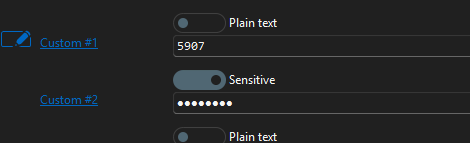
how can I get the command line to inject the linked creds custom strings?
"C:\Program Files\TightVNC\tvnviewer.exe" vnc.domain.local:$CREDENTIAL_LINKED_CUSTOM_FIELD1$ -passwd $CREDENTIAL_LINKED_CUSTOM_FIELD2$
I can't get it to launch and I can't see what the variables have in them.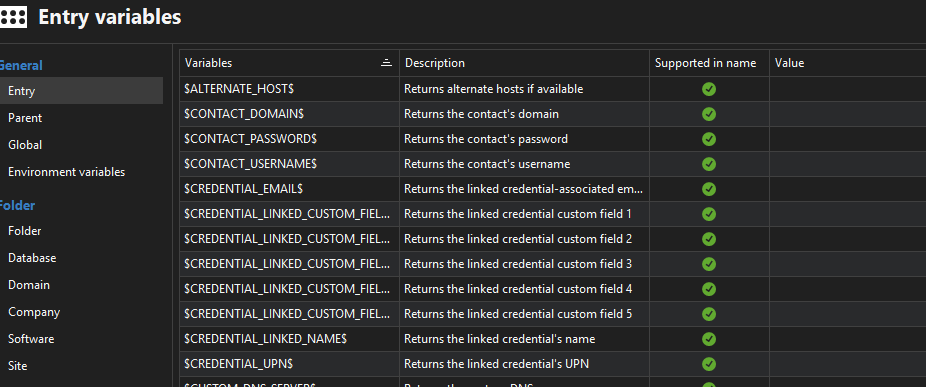
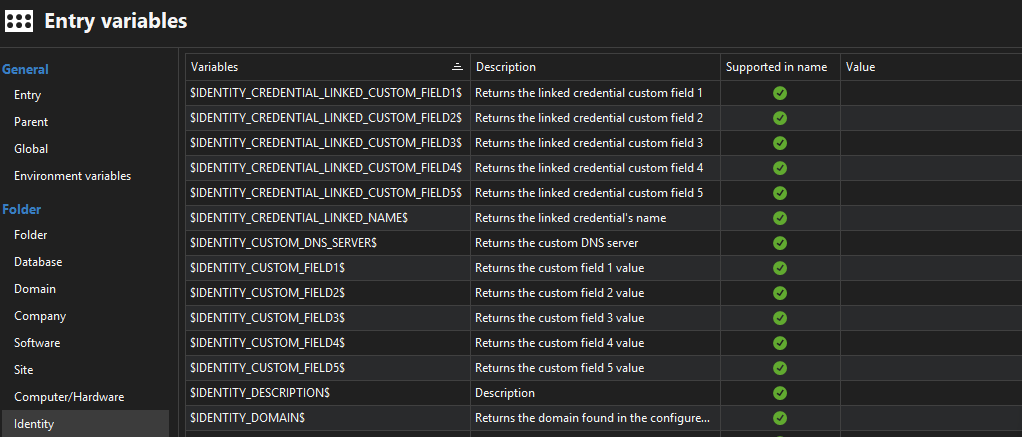
RDM version 2025.2.28.0 64-bit
Server version 2025.2.3
caaa3a0e-2e25-4a77-970c-25290b70851c.png
6b430a9a-3c07-4ce5-9ab8-fc796aba2641.png
fd526de1-c92b-4d33-bdeb-695be5bdba03.png
Hello Bryan,
I've configured this on my end as you've described and it works well.
The command line entry:
- Find by name (user vault) as a credential mode
- The command line for my test is the same as yours, but uses a custom executable that only spits back out what parameters were passed to it
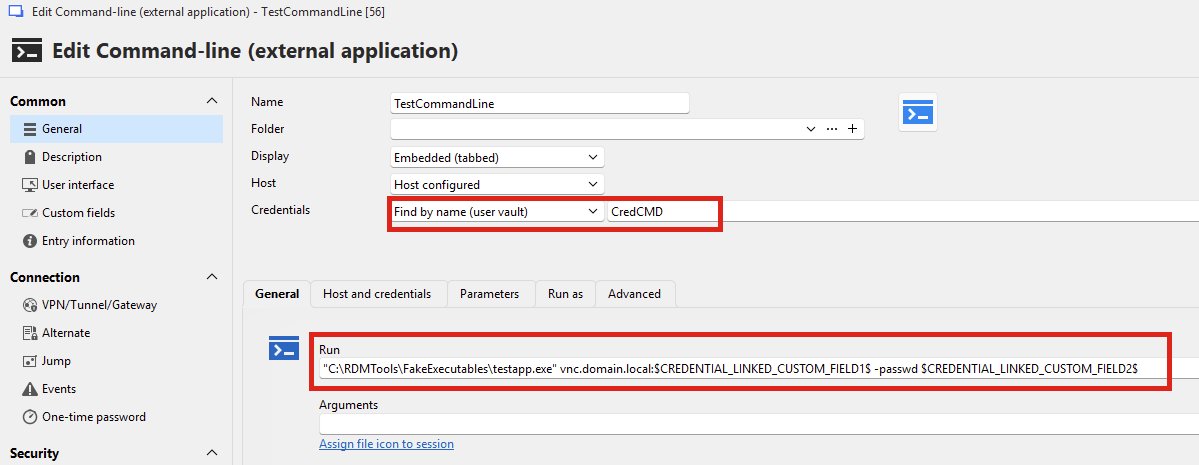
In my user vault, I have the matching "CredCMD" entry, which has a username and password (which are unused for this) and two custom fields:
- The first custom field: 5907
- The second custom field: mycustomfield2
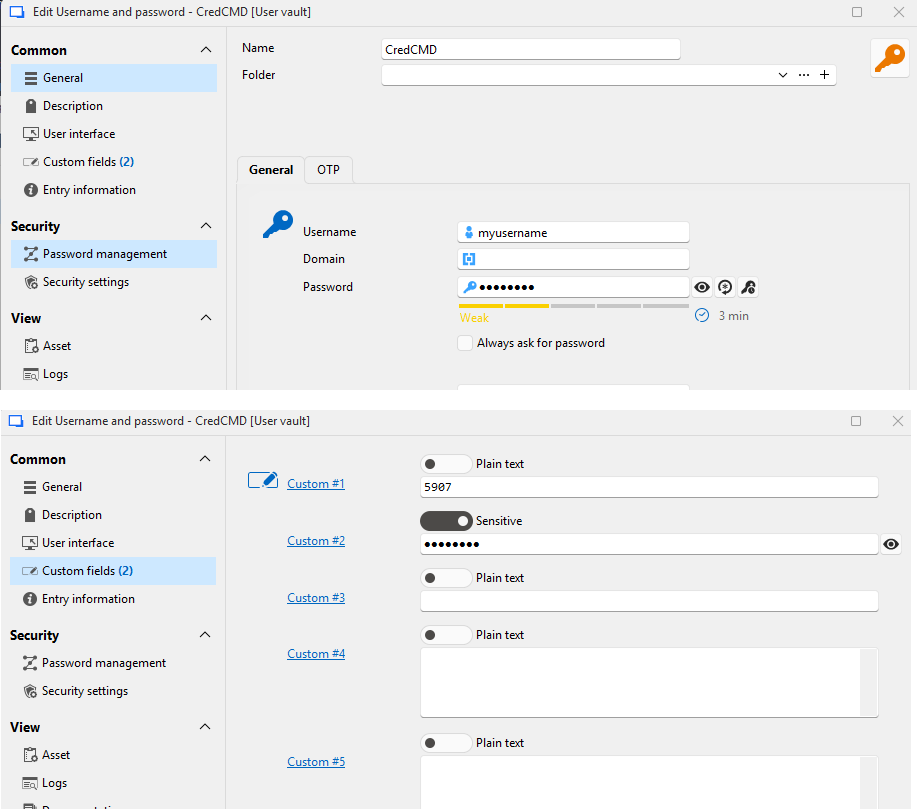
When I run the command line entry, I got the correct resolved values, which in the case of those variables, should be "5907" and "mycustomfield2":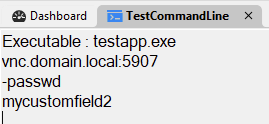
Can you let us know how your setup differs from this?
Regards,
Hubert Mireault
ce43b7f7-25e3-453b-bce1-6d7f5278a5fe.png
b1d782ed-5434-4381-858f-684248004f0a.png
3a93a092-340f-4da8-a79f-59e62347b2d0.png
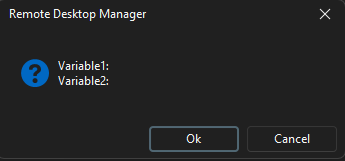
I get the following but can't see what is being passed.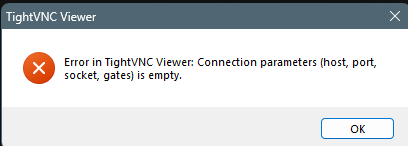
5e5849fa-b615-4553-9598-427c40081e10.png
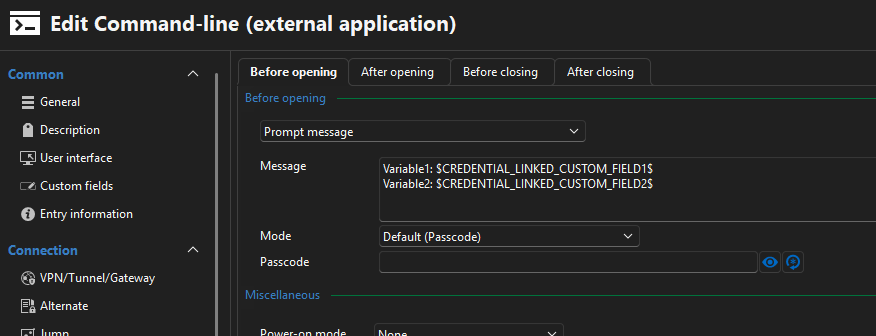
In the "events" section of your entry, you could configure a "before opening" event to prompt a message where you show the variables: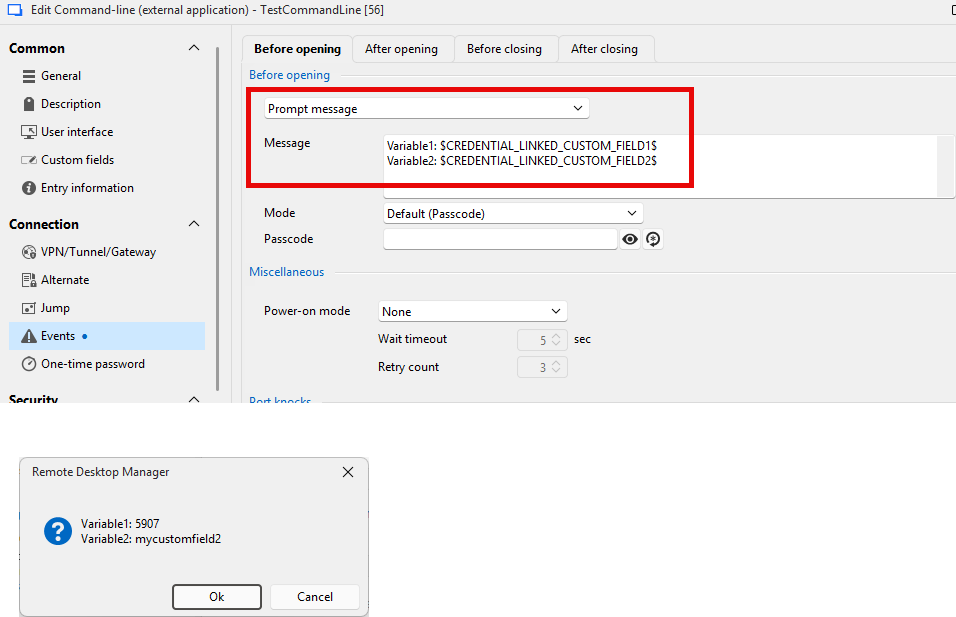
You could even put your entire command to confirm it's valid.
Regards,
Hubert Mireault
98e8cc11-2b44-4a38-8645-bbc2bf6e8c60.png
d3bf3187-8a53-4c44-af30-7fdb55ee096e.png
6d4586c5-13ba-4ce6-9eeb-b5b2e2765e24.png
How did you configure the link to your credential in your command line entry? This is probably the root of the issue if RDM is unable to resolve these values properly.
Regards,
Hubert Mireault

This is the same as all our other sessions.
even when I check with other entry's like SSH terminal and RDP it is not pulling the linked credential custom fields
b1499216-494c-4506-bc8f-e6ab680cd470.png
Unfortunately, looking at the code, I really don't see why this would fail for you. There's definitely something in the configuration that is different on my end than it is from yours.
I will ask our support team to open a case with you so we can try and gather information to reproduce this problem.
Regards,
Hubert Mireault
Unfortunately, looking at the code, I really don't see why this would fail for you. There's definitely something in the configuration that is different on my end than it is from yours.
I will ask our support team to open a case with you so we can try and gather information to reproduce this problem.
Regards,
@Hubert Mireault
Thank you.
Hello everyone,
With Bryan's help, we were able to reproduce the issue and confirmed that it does not appear in the upcoming RDM version 2025.2.29.
Once this version is released, please update and try to reproduce the issue again.
Best regards,
Carl Marien