
addisonwilliams
Execution of entry via command line creates a new remotedesktopmanager.exe process which never exits
Thanks! looks like its working on my end as well!
This report can be closed
Execution of entry via command line creates a new remotedesktopmanager.exe process which never exits
Behavior in a teams shared and analyzed, issue will be passed on to development team for fix/solution.
Any update from that team?
Execution of entry via command line creates a new remotedesktopmanager.exe process which never exits
Yes it seems like the same issue, let me know the results of your session!
Execution of entry via command line creates a new remotedesktopmanager.exe process which never exits
Hello! Thanks for your time in investigating this post.
Currently my version is 2025.1.31.0, but for sure it’s also an issue with 2025.1.30.0.
data source is sql lite
the reduce to trayicon/taskbar setting is not enabled
Execution of entry via command line creates a new remotedesktopmanager.exe process which never exits
It seems like in the Newer versions of RDM (sometime between November 2024 and January 2025) the handling of entry execution via the command line has been changed.
Command example:
cmd.exe /C "C:\Program Files\Devolutions\Remote Desktop Manager\RemoteDesktopManager.exe" /DataSource:<DataSourceGUID> /Repository:00000000-0000-0000-0000-000000000000 /Session:<SessionGUID>Before:
I would use the command line and it would launch a RemoteDesktopManager.exe instance, and then exit.
Now:
I use the command line and launches a RemoteDesktopManager.exe instance which never exits, it permanently uses about 130MB ram. Even closing all visible RDM windows does not kill the RemoteDesktopManager.exe instance which was created when executing via command line. When I'm in this state (I have an instance of RemoteDesktopManager.exe leftover from the command line execution and I've closed the main RDM window) I am unable to open a new RDM window via the start menu (or shortcut). The only way to open a new RDM window is by opening task manager and forcing all the leftover RemoteDesktopManager.exe instances to 'end task'. At this point I can launch a new RDM window normally by running it from the start menu
RDM Synchronizer Recreate Entries/Mismatch behavior
Further conversation occurred, and as discussed: RDM version (2024.3.22.0) resolved the issue.
This thread can be closed as resolved, thanks to the team for the fast response!
-Addison
RDM Synchronizer Recreate Entries/Mismatch behavior
I found it, you were right it was caught in a separate spam filter. I have the link now. Thanks for your help
RDM Synchronizer Recreate Entries/Mismatch behavior
Okay, sounds good.
Who should I expect the email to be from? I don't think I have an email yet.
-Addison
RDM Synchronizer Recreate Entries/Mismatch behavior
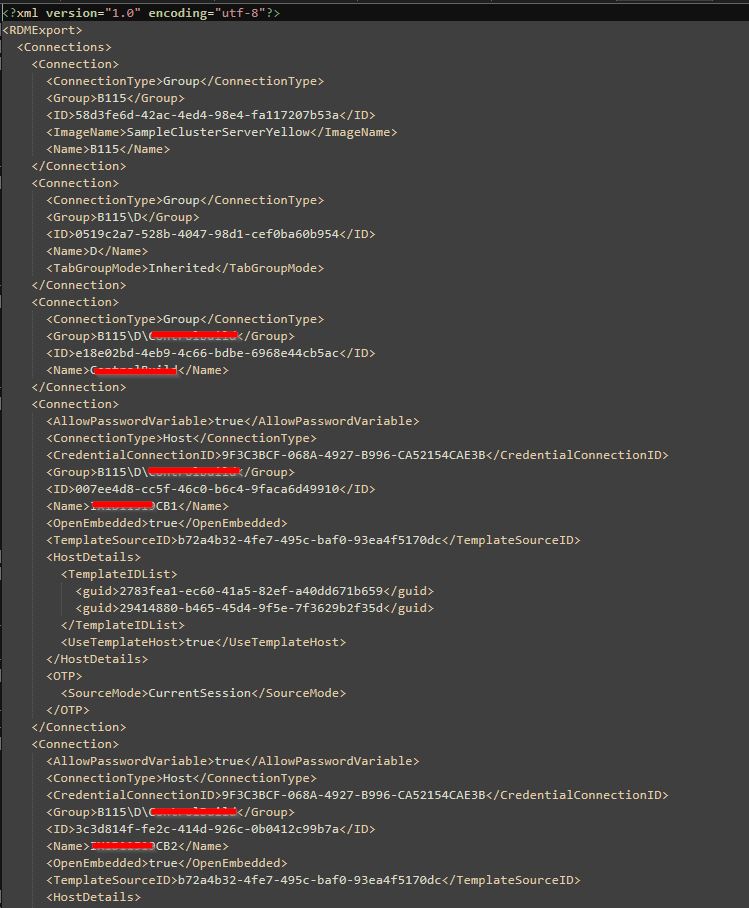
Here is one of the RDM files...
Here are all the files:
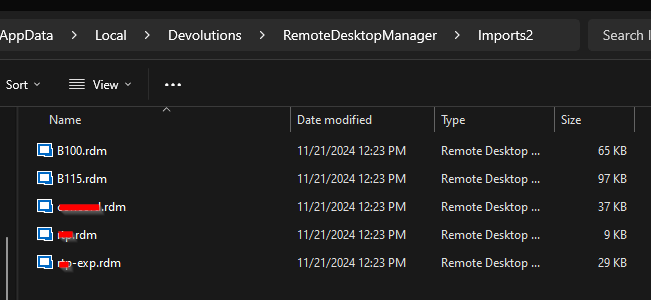
Is that what you are asking for?
RDM Synchronizer Recreate Entries/Mismatch behavior
Recording was sent.
Thanks again for your time
RDM Synchronizer Recreate Entries/Mismatch behavior
Thanks for your time, here is the requested information:
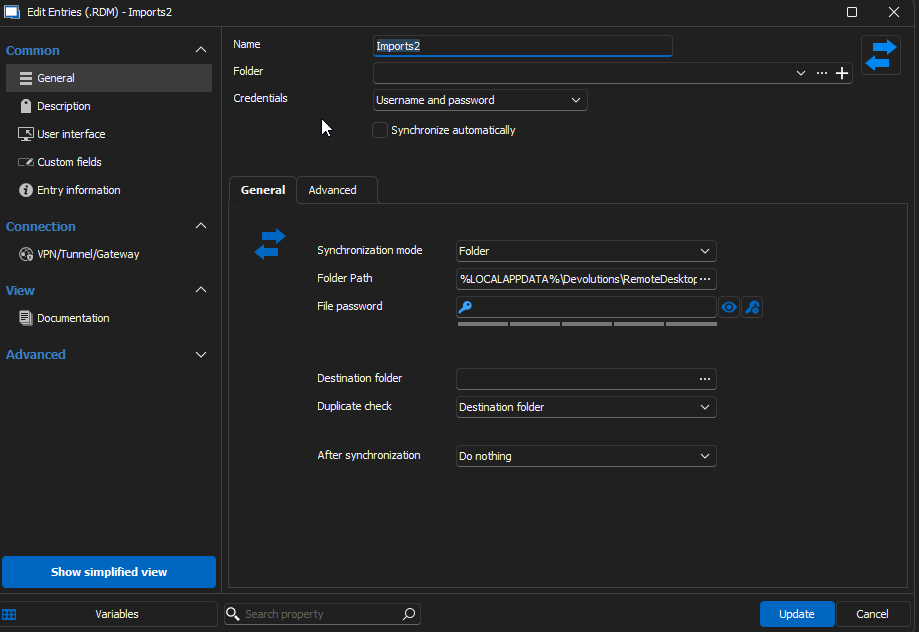
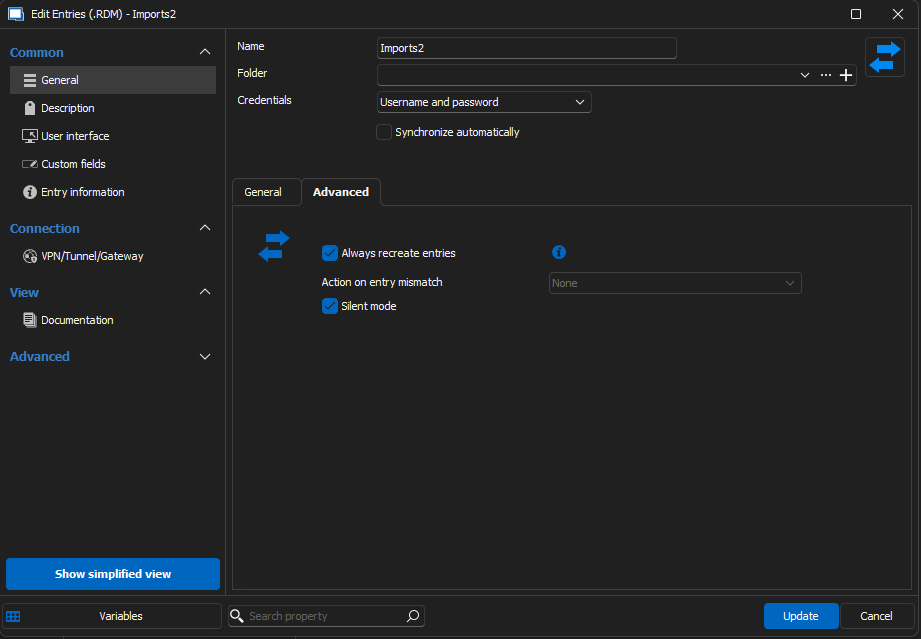
RDM Version 2020.3.17.0 64-bit .NET 8.0.10
Windows 11 Enterprise Version 22H2 Build 22621.4317 Windows Feature Experience Pack 1000.22700.1041.0
Local Data Source (SQLite)
I'll send the video shortly!
Thanks again
RDM Synchronizer Recreate Entries/Mismatch behavior
Hello!
I've been using the RDM synchronizer and have noticed that when updating a description or other properties in the RDM file, it does not update the entries in my vault on the next synchronizer run.
Why is the 'mismatch' not able to see the mismatched description/other properties? Which properties is it checking for mismatches?
I thought I could work around the limitation by using the recreate entries checkbox, but it seems that now I need to run the synchronizer twice to actually allow it to recreate them. The first execution it deletes the entries, and the second execution it adds them back... Is this the intended behavior?
Is there any other RDM features I could use to fit the use case of wanting my vault to be fully and completely synced with the RDM file (including all entry properties) each time I run the RDM synchronizer?
Thanks in advance for all the help, this product is very helpful.
Using OTP from "My Personal Credentials"
I figured it out... I was trying to select the credentials inside the template. Instead I configured the 'host' to select the credentials and the template to 'inherit'. now it is working
Using OTP from "My Personal Credentials"
Any update on this? Currently having the same issue
Recent update broke my templates


Recent update broke my templates
I have made many templates where I use the '$NAME$' variable to connect to the host. After a recent update the '$NAME$' attribute is returning the template name and not the host '$NAME$'
How can I fix my templates to grab the hosts name and not the template name?