
rdiaky
$USER_PRINCIPAL_NAME$ for datasource username not working with exported RDM config (default.cfg)
Hi Joe,
Thank you for your feedback and your patience while working on the case.
You can avoid the prompt by enabling this option during the export: Include data source credentials.
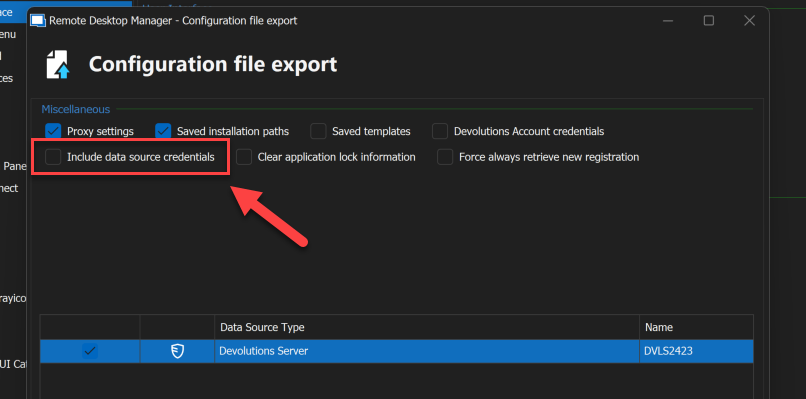
I hope this will help.
Best regards,
$USER_PRINCIPAL_NAME$ for datasource username not working with exported RDM config (default.cfg)
Hi
I appreciate your patience while I was working on the case.
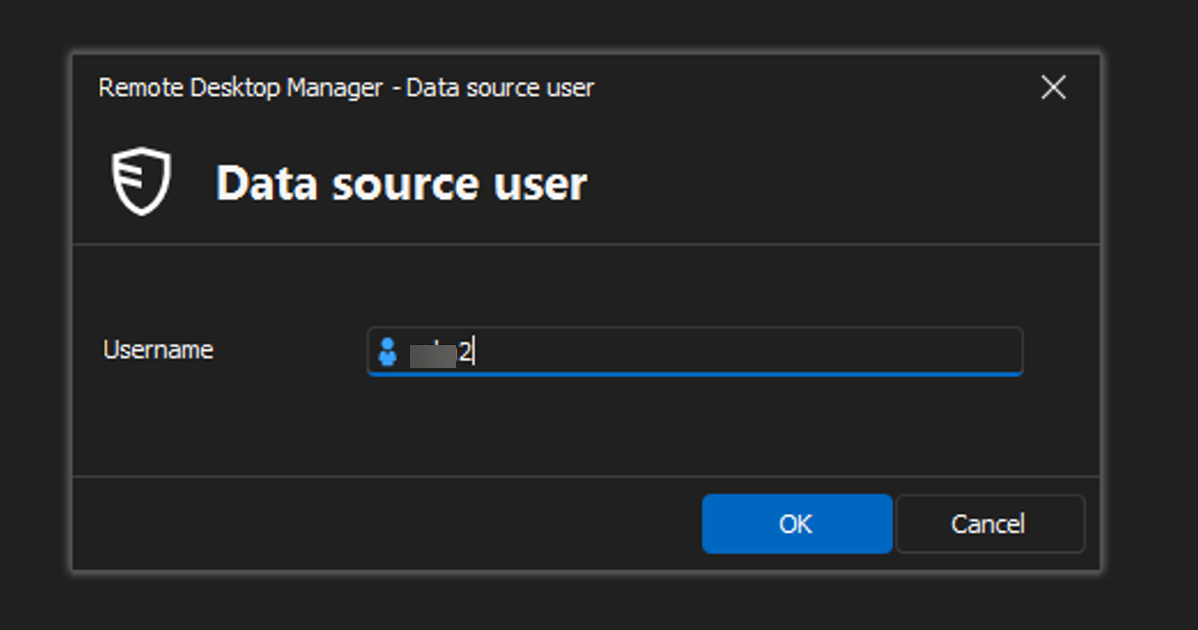
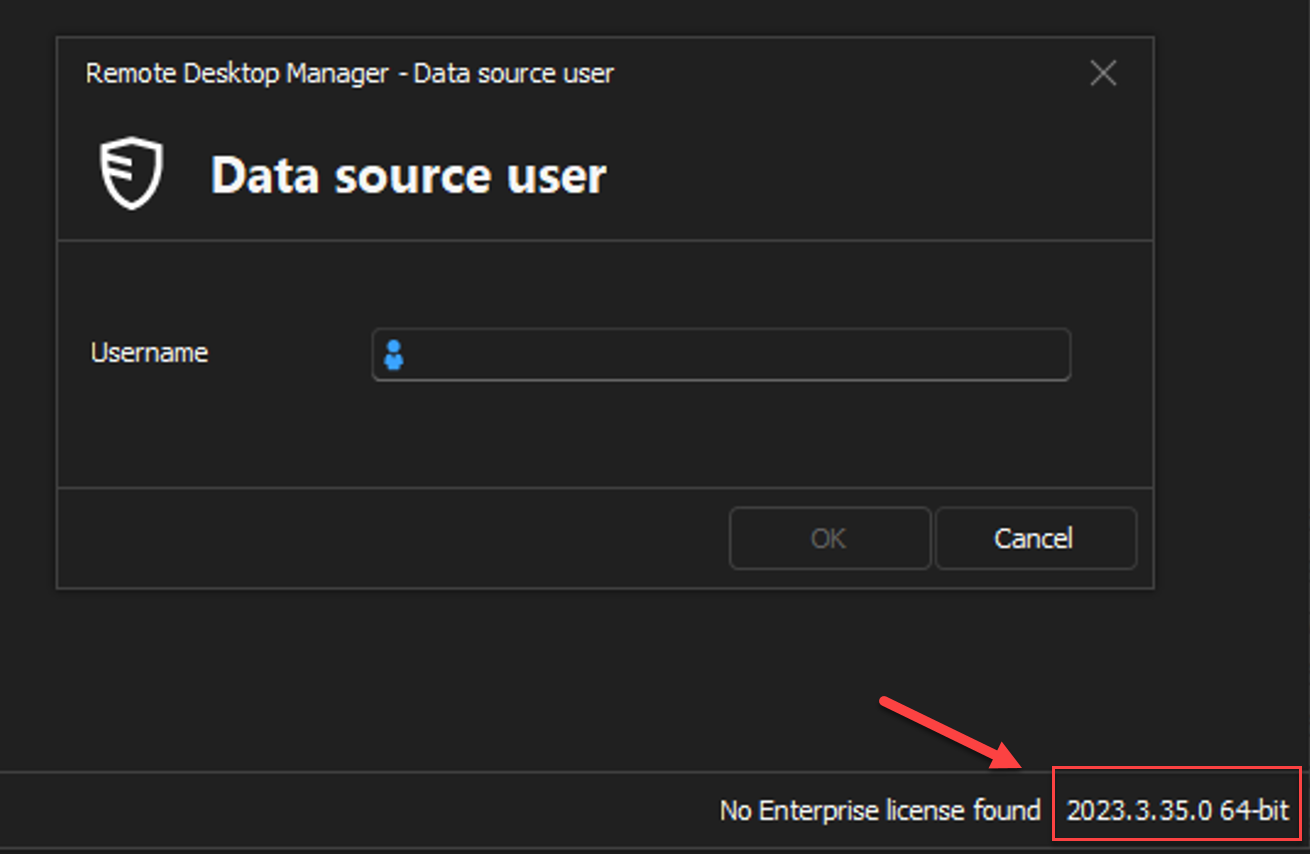
When users open the new cfg file, they are prompted to enter their username for the data source.
This should not be a problem for Domain users as they don't need UPN to connect.
However, EntraID users will need to enter their UPN/email as it is required anyway.
Users are only prompted for the first time they import the cfg file.
Best regards,
$USER_PRINCIPAL_NAME$ for datasource username not working with exported RDM config (default.cfg)
Hi,
Thank you for reaching out.
I am working on the case.
I will get back to you as soon as possible.
Best regard
Unable to connect to the database. Please contact your administrator.
Hi,
Thank you for your feedback.
The link below provides the details about the issue and how to fix it.
I hope this will help.
Best regards,
Unable to connect to the database. Please contact your administrator.
Hi,
Thank you for reaching out.
Could you check on the Devolutions Server if the Devolutions Scheduler Service is running ?

Best regards,
Using API to retrieve credentials
Hello,
I'm posting this feature request on behalf of a customer.
The Customer uses API to retrieve credentials, and they usually get errors even though they are retrieved correctly.
DVLS version: 2024.1.12
The root cause is multiple programmatic access attempts from their automation system.
Also, this has raised the issue of being unable to track which of the application's automation tasks has requested access.
Due to how the application works, all tasks will share the same API application, so they know it came from SnapLogic but not which task.
Other products that they use have implemented solutions for similar issues.
They propose to allow an optional field (varchar(255)) as part of the login request that would also be part of the primary key. If needed, they can then send an external ID for every attempt to log in. This would both prevent the key-duplication error and give them a way of identifying which task from the application requested a login.
So the POST body would be one of these 3:
{
"appKey": "myKeyGuid",
"appSecret": "mySecret"
}
{
"appKey": "myKeyGuid",
"appSecret": "mySecret",
"externalId": null
}
{
"appKey": "myKeyGuid",
"appSecret": "mySecret",
"externalId": "myProcessRuntimeID"
}
Thanks
mix Variables and Parameters in custom typing macro
Hi,
I hope you are doing well!
Sorry for the delay.
Do you use Devolutions Server as a Data Source?
If yes, you can allow passwords in a variable by enabling the option from your Devolutions Server.
Administration > System settings > Password Management
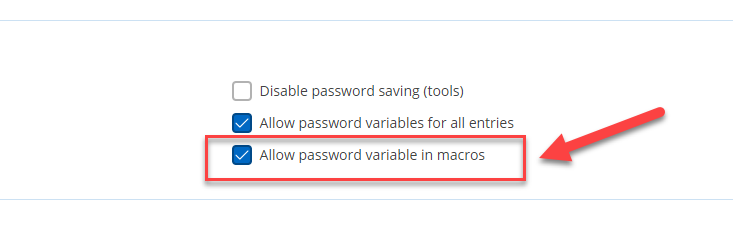
I hope this will help.
Thanks
Devolution Server + RDM - Forcer la réauthentification après X heures
Bonjour,
Vous devriez configurer le paramètre dans Administration > Paramètres système
Dans le Menu vertical vers le bas, choisissez RDM et OUTILS, puis ensuite RDM et l'option Inactif, puis définissez le temps
après lequel RDM sera déconnecté de la Source de Données.
Merci
mix Variables and Parameters in custom typing macro
Hello,
For some reason, only $USERNAME$ works for me.
I will report the issue to our Dev team and reply soon.

Best regards
mix Variables and Parameters in custom typing macro
Hello,
Thank you for reaching out to Devolutions Support.
I am working to reproduce the issue.
I will get back to you as soon as possible.
Best regards,
Running Scripts
Hello,
Excellent!
Please let us know if you have any questions.
Best regards,