
antonyau
Caching Cloud DB on local - Android
I cant seems to be able to locate any cache on the Android app. A guide might be helpful?
My datasource is https://hub.devolutions.com
Caching Cloud DB on local - Android
I was launching the RDM app on my Android without Internet and I realized it does try to connect to the cloud DB to look for the entries.
It would be nice if the DB has been cached locally and only synchronize when internet is available. This way we can still use them for intranet purposes while not having internet.
Adnroid App cannot login to Server 2016 servers
I have updated the latest version. I see a new setting for timeout and I have set it from 9 to 20. Now all my machines are connecting. Thank you for the support
App start showing HTTP 403 error after Devolutions Cloud is migrated
yes it does. Thank you
Adnroid App cannot login to Server 2016 servers
Thank you for your attention. Hopefully this can be fixed in the next update.
Adnroid App cannot login to Server 2016 servers
After upgraded to the latest 3.1.1 Im able to send the log however, I dont see any thing after it says successfully submited. Am I supposed to get a new post or email?
Adnroid App cannot login to Server 2016 servers
Im on 2023.3.0.24
After clicking Ok that pop up closes and nothing after. No alert, No message, No email, No post.
Adnroid App cannot login to Server 2016 servers
I tried, after clicking OK, it does nothing. No Post, No Email. I don't know what next now
Adnroid App cannot login to Server 2016 servers
I see other similar post (not sure if it is for Android) about FreeRDP and Regression? Perhaps this is something similar?
App start showing HTTP 403 error after Devolutions Cloud is migrated
thanks I have done that
App start showing HTTP 403 error after Devolutions Cloud is migrated
Did you just removed that new version? Now I tried to reinstall from playstore and it gets back 2023.2.4.0 which now shows the user is migrated error. I cant make any changes now.
App start showing HTTP 403 error after Devolutions Cloud is migrated
I guess the setting is saved. I can see the modified settings even though it shows the error.
App start showing HTTP 403 error after Devolutions Cloud is migrated
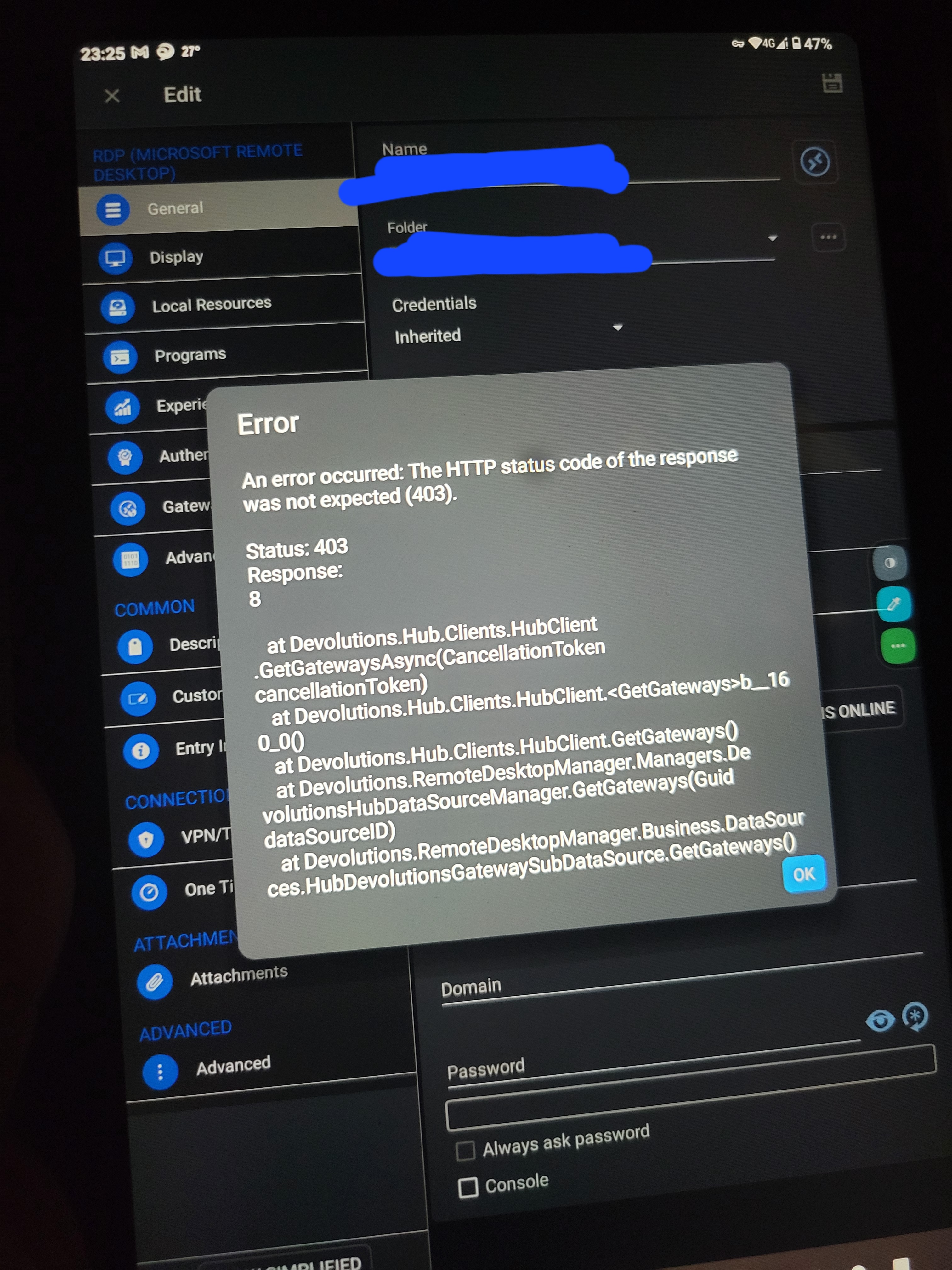
Yes Im talking about the new one. I have deleted the deprecated datasource. Please see the screen attached. It happens to ANY edit action on ANY entry
App start showing HTTP 403 error after Devolutions Cloud is migrated
Hi,
Since you are experiencing issues with RDM Windows, I will move your message to the RDM Windows forum and notify the team about the problem.
Best Regards,
The issue is ANDROID. Not Windows
Windows is completely ok
App start showing HTTP 403 error after Devolutions Cloud is migrated
Hi,
Hub Personal has been migrated to RDM Windows version 2023.3.20.0 and now requires the most up-to-date version of RDM Android (2023.3.0.24).
Please make sure to update to the latest version of RDM Android.
Best Regards,
On the latest Android version, starting the session is good. EDITING now shows 403 error
App start showing HTTP 403 error after Devolutions Cloud is migrated
Using Android version 2023.2.4.0
Desktop is upgraded to 2023.3.20.0
Hub Personal migrated
After this the App start showing HTTP 403 User already migrated error pop-up.
Adnroid App cannot login to Server 2016 servers
Thats the error from the server. Not the app
Adnroid App cannot login to Server 2016 servers
By the way I forget to mention it happens to both my tablet and my galaxy phone so it is not device specific
I tried even cloning the config from the 2019 server and just change the hostname. No go too.
I also tried with another devolutions account from scratch. Same result
Adnroid App cannot login to Server 2016 servers
Screen capture doesnt capture that popup. It barely says
Error
unable to connect to host ********
Adnroid App cannot login to Server 2016 servers
version is 2023.2.4.0, should be latest?
I have no issue with the Microsoft RD client connecting to those I cant with RDM