
Catscrash
Powershell Import-RDMSession - error import session from json
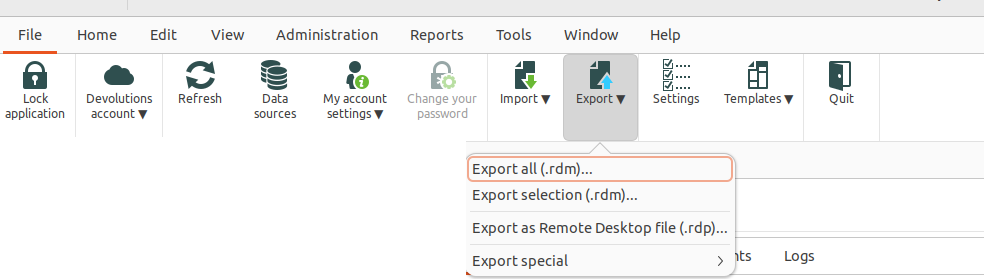
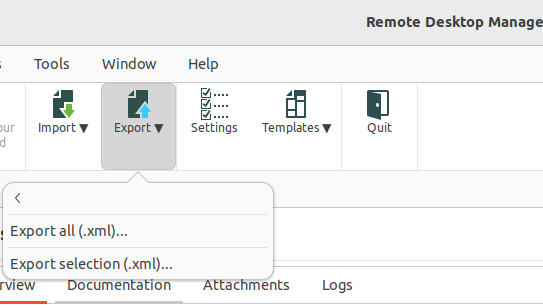
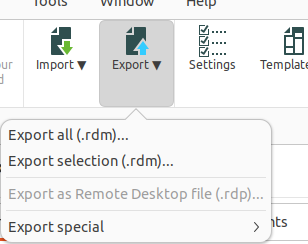
The operating system is Linux. There is no json export feature at file -> export unfortunately. Version 2024.3.1.1. The export only offers rdm, rdp and xml
Thank you Erica, your json is able to get imported, but the template function is not working. I have a template with a set username and some options like gateway etc. - all of this gets ignored, even though I have set the TemplateSourceID to the ID of the matching Template ID from Get-RDMTemplate
Powershell Import-RDMSession - error import session from json
Unfortunately that doesn't include a lot of fields.
Could you tell me why the error appears during import?
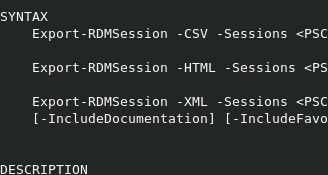
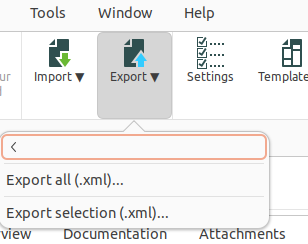
How can I export as json? I don't see an option for that neither in the UI, nor in the Powershell Module
thanks
Powershell Import-RDMSession - error import session from json
Hi,
I'm trying to automatically create connections, unfortunately I'm having a bit of trouble finding full documentation for the powershell module.
The integrated documentation is quite extensive, but for Import-RDMSession I'm missing an example of how the json might look, as currently I'm running into the following error:
$sessions = Import-RDMSession -Path /tmp/import.json
Import-RDMSession: Object reference not set to an instance of an object.
My json looks like this:
{
"Host": "example.domain.tld",
"Name": "Example Host",
"Group": "Name of top folder",
"Description": "Description of the host",
"Template": "Name of the Template"
}
I can create Hosts with New-RDMSession, so I guess the connection to the database and everything works fine
Import inventory without installed / active RDM
Hi,
I'm using 2024.3.0.5 with MSSQL as datasource.
Thanks yes, it looks suitable to use like that with a service account, I misunderstood the need to run the application
Import inventory without installed / active RDM
Hi,
we have new hosts getting created automatically by varying methods, not always initiated by a user with an installed RDM. Is it possible, to import hosts into the database without a running RDM? I have seen the powershell scripts, but they seem to always rely on a local connection to the running RDM. I would need some kind of module that will connect directly to the database - is that possible?
If not, would it be possible to modify the database directly to import hosts and if so are there some information on the database schema?
thanks!
best regards
Kerberos RDP from Linux
ok, so this doesn't really answer my question regarding how to set your own xfreerdp - but I did manage to get a successful Kerberos authentication working by setting SSPI to "Portable" and Authentication Package to Kerberos
Kerberos RDP from Linux
Hi,
I'm trying to connect to a domain with NTLMv2 disabled via Kerberos authentication on an Ubuntu 22.04
It works fine via rdesktop directly on the machine, as well as a xfreerdp with compiled kerberos Support that I have on the this system. E.g. Remmina works fine with this setup.
When trying to log on with RDM it fails. Terminal gives the following errors:
[13:46:00:919] [26213:26228] [INFO][Devolutions.Rdp.Credentials] - parsing "X*********", "X*****.X**.X**" (Mstsc) => "Username: "X*********" Domain: "X*****.X**.X**""
[13:46:00:921] [26213:26228] [WARN][com.freerdp.core.client] - Skipping, channel already loaded
[13:46:00:921] [26213:26228] [WARN][com.freerdp.core.client] - Skipping, channel already loaded
[13:46:00:921] [26213:26228] [WARN][com.freerdp.core.client] - Skipping, channel already loaded
[13:46:00:921] [26213:26228] [WARN][com.freerdp.core.client] - Skipping, channel already loaded
[13:46:00:562] [26213:26228] [WARN][com.winpr.sspi] - InitializeSecurityContextA status SEC_E_INTERNAL_ERROR [0x80090304]
[13:46:00:562] [26213:26228] [ERROR][com.freerdp.core.auth] - InitializeSecurityContext failed with SEC_E_INTERNAL_ERROR [0x80090304]
[13:46:00:562] [26213:26228] [ERROR][com.freerdp.core.transport] - NLA begin failed
[13:46:00:562] [26213:26228] [ERROR][com.freerdp.core] - transport_connect_nla:freerdp_set_last_error_ex ERRCONNECT_AUTHENTICATION_FAILED [0x00020009]
I tried different ways of entering the username and domain, but wasn't successful. I tried the different Authentication method settings, including Default and Kerberos without luck.
Is there a way of specifying the path to freerdp and passing an environmental variable? That way I could make sure it uses my working freerdp with the matching kerberos Ticket?