Powershell Import-RDMSession - error import session from json
Powershell Import-RDMSession - error import session from json

Hi,
I'm trying to automatically create connections, unfortunately I'm having a bit of trouble finding full documentation for the powershell module.
The integrated documentation is quite extensive, but for Import-RDMSession I'm missing an example of how the json might look, as currently I'm running into the following error:$sessions = Import-RDMSession -Path /tmp/import.jsonImport-RDMSession: Object reference not set to an instance of an object.
My json looks like this:{ "Host": "example.domain.tld", "Name": "Example Host", "Group": "Name of top folder", "Description": "Description of the host", "Template": "Name of the Template"}
I can create Hosts with New-RDMSession, so I guess the connection to the database and everything works fine
All Comments (7)
Hello,
Here is the online documentation about the JSON file format. Sadly, there is no sample file on that page. I'll ask our documentation team to add one.
The best method for knowing how the JSON file should be built is to export an entry as a JSON file and then use this model to create your own JSON files.
Let us know if that helps.
Best regards,
Érica Poirier
Unfortunately that doesn't include a lot of fields.
Could you tell me why the error appears during import?
How can I export as json? I don't see an option for that neither in the UI, nor in the Powershell Module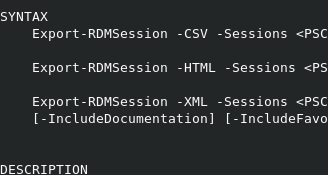
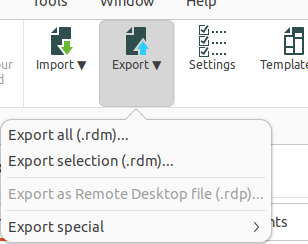
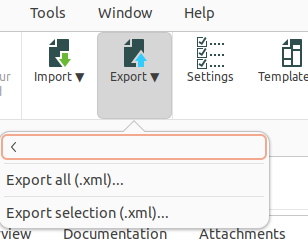
thanks
Bildschirmfoto vom 2024-10-07 23-56-57.png
Bildschirmfoto vom 2024-10-07 23-56-48.png
grafik.png
Hello,
Thank you for your response.
Could you please check if the option to export in JSON format is available by going to File > Export?
This could provide you with an example of how the JSON export looks.
In the meantime, here’s a sample of what a typical JSON file might look like:
{
"Host": "server.domain.com",
"Name": "Server Connection",
"Group": "Servers",
"Description": "Production server",
"Template": "RDP Template",
"Type": "RDP",
"Port": 3389,
"Username": "user",
"Domain": "domain",
"Password": "password",
"Protocol": "RDP"
}
Let me know if this helps.
Best regards,
Tommy Sanders
Hello,
On what OS are you using RDM?
Here is another JSON file format sample:
{
    "Connections":
    [
        {
            "Url":"192.192.192.192",
            "ConnectionType":1,
            "Description":"This is the description!",
            "Group":"MyFolder",
            "Name":"TestRDP",
            "OpenEmbedded":true,
            "TemplateSourceID":"651ef84a-a2c6-4679-902a-942e13cc4048",
            "RDP":{}
        }
    ]
}
Let me know if that helps.
Best regards,
Érica Poirier
The operating system is Linux. There is no json export feature at file -> export unfortunately. Version 2024.3.1.1. The export only offers rdm, rdp and xml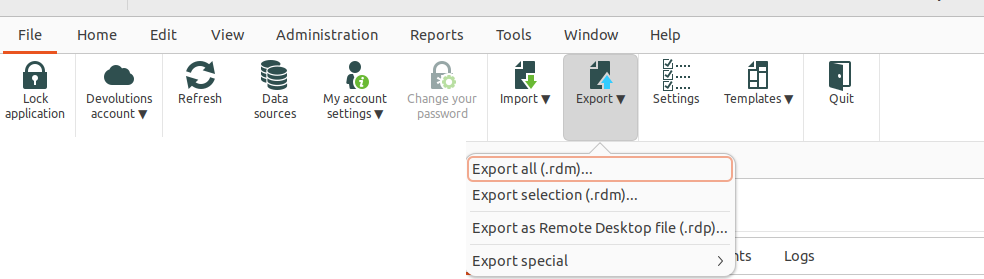
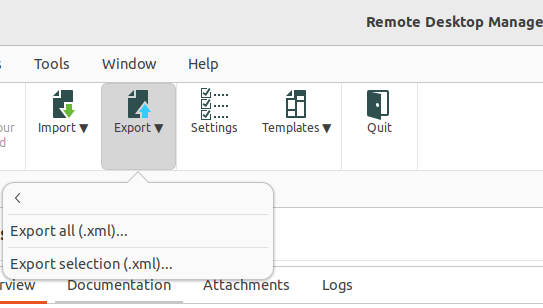
Thank you Erica, your json is able to get imported, but the template function is not working. I have a template with a set username and some options like gateway etc. - all of this gets ignored, even though I have set the TemplateSourceID to the ID of the matching Template ID from Get-RDMTemplate
Bildschirmfoto vom 2024-10-11 23-08-03.png
Bildschirmfoto vom 2024-10-11 23-06-15.png
Hello,
I will attempt to reproduce the issue on my end tomorrow morning and will get back to you with the results.
If necessary, I will open a case with the developers.
Best regards,
Tommy Sanders
Hello,
I have successfully reproduced the issue you reported and have submitted a detailed bug report to the development team.
I will update you as soon as I receive further information from them.
Thank you for your patience.
Best regards,
Tommy Sanders