
lineoff
Rich Text Editor Item - after restoring backup dont show content
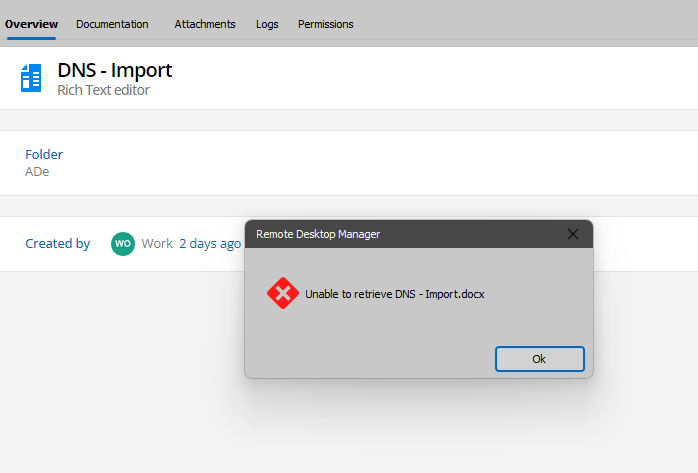
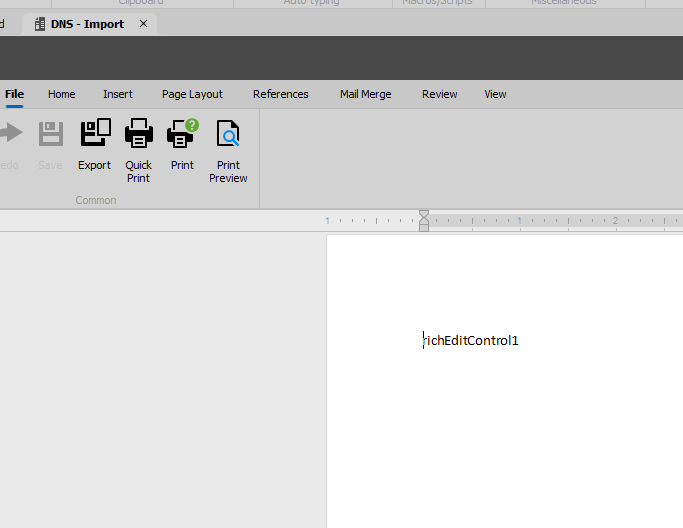
I have a little problem. I create an item of type Document using Rich Text Editor. I save the DB and perform regular backups locally. Then I want to go back to my local backup for some reason I perform a db restore and then go back to the current db. It shows me this error (see screen shots). If I want to save the item it saves normally i.e. the content is still there but I don't know why it doesn't want to display. The Text items show normaly.
File update
Hello.
I found a small problem but I don't know if it's just that I don't know how to do it properly. In RDM I created a file entry saved in DB and uploaded a zip file to it. I subsequently updated this file to the new version and I could see in my RDM that everything went as expected. I could download the new version of the file, but users accessing via the web interface could not see the new version even after a few days and could download the old one. Please let me know if I need to do some confirmation or update the item somewhere to get it to the server properly.
Thank you.
Custom items
Thank you very much.
Custom items
RDM version is 2024.2.11
DVLS server is version 2024.2.3
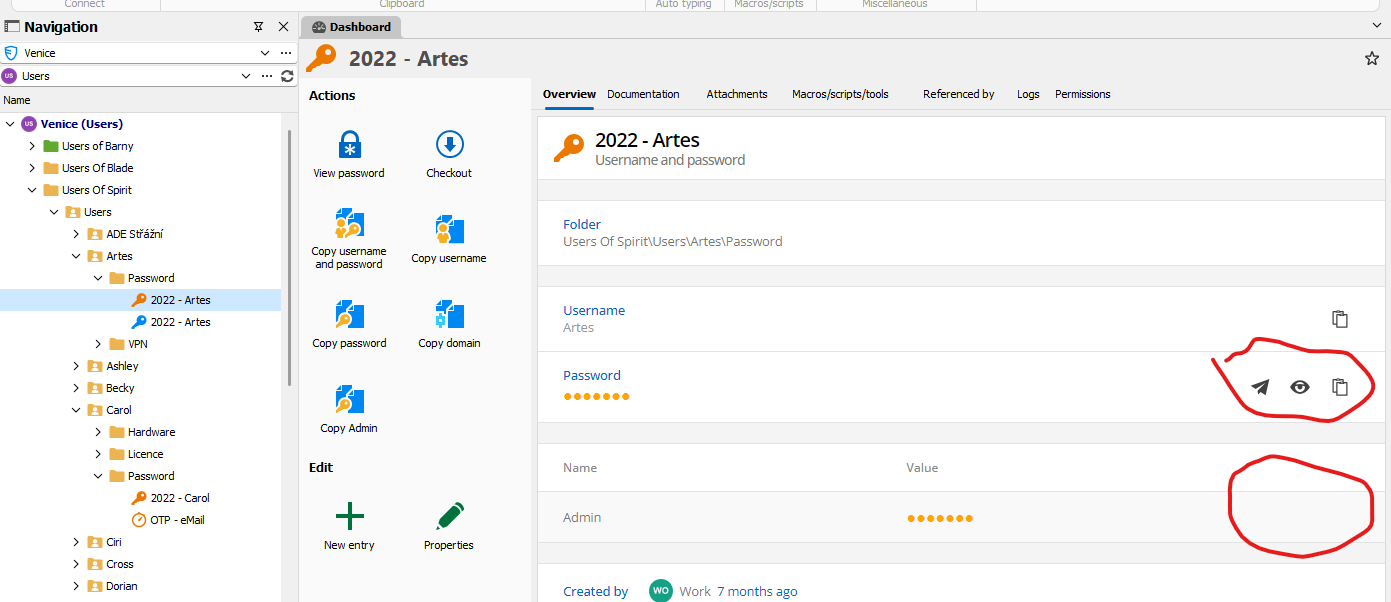
There is a picture from RDM app eye for revealing sensitive custom information is missing. Same problem is for android app.

There is a picture form web interface of DVLS server. You can reveal sensitive custom item.
Custom items
Devolution server web interface has eye for custom items which is sensitive but RDM desktop app not.
Custom items
Hello.
Is there any way to display a custom item if it is sensitive without editing it. In the web interface there is an eye to display but not in the Remote Desktop application.
Licence again
Hello.
I'm reporting that after the last server and RDM update everything started working.
Thank you and I apologize for not being able to debug the issue you requested.
Best regards,
Henry
Licence again
Hello.
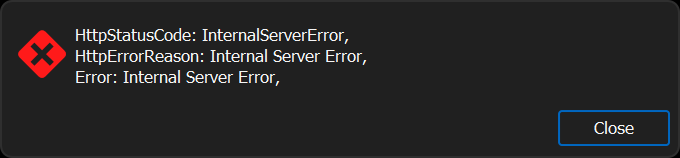
I have licensed web access on my DVLS server in Team version. Other IT who want to use RDM buy separate licenses which we put into the portal and then into the server and assign to the user. After the last insertion, RDM gives us an error and can't connect.


Website with param
Hello. Is it possible to enter a web address with parameters in Remote Desktop Manager so that a dialog box for entering parameters appears?
Something like that: http://chart.apis.google.com/chart?choe=UTF-8&chld=H&cht=qr&chs=230x230&chl=otpauth://totp/" & TOTP::User & "?secret=" & TOTP::TOTP
Is there possibility to make hyperlink or simlink?
Great thank you, but it is a pity that I can not do between vaults.
Is there possibility to make hyperlink or simlink?
Hello.
Is there some way to make hyperlink or simlink inside vault and between vaults?
Online Backup - I am not able to sign in
Problem was solved. Thank you.
Migration DVLS server from one domain name to another
Now, I am waiting for version 3.8 for enabling support of Yubikey.
Migration DVLS server from one domain name to another
OK, I finished migration. Thank you for your info.
Migration DVLS server from one domain name to another
Hello.
I had a DVLS server installed on one domain and had to move it to another. Everything went fine except I lost access via Yubikey. It says "Invalid MFA" when I log in. Unfortunately the backup codes only work for the user but they don't work for the administrator. If I want to get to the administration from the console on the server it also requires a login. I can get into the SQL database and I found the table where the users are stored I just don't know what to change to disable MFA and I can only log in with a password. If there is a simpler way I would be glad.
Thank you for your advice.
Online Backup - I am not able to sign in
Hello, I would like to set up an online backup to a DVLS account in RDM, but whenever I want to log in (click on Sign in) I get the option to create an account. Please advise where I have what wrong setup. Thank you.

Licence
Problem was solved.
Thank you
Problem with refresh data in client
My RDP client can communicate with the DVLS server. If I write something to the User Vault on the server. The write is done correctly and I can see it in the web client but not in the RPD client even if I do a refresh. Please any ideas where I might have made a mistake.
Thank you.
Licence
I had to insert the license from the web environment through the console interface, it didn't work. I assigned the license to a user and now it acts like the user keeps trying to log in over and over again when adding a data source to RDP. I have ports 80,443, 7171,8181 open on my firewall. The user is set to log in via Yubikey OTP.
Thank you for the information provided that led to the resolution of the issue with adding the license.

Licence
I checked it and I see my licence. it is RDP (single user).

Licence
I hope that licence is applied correctly but when I try to login DVSL server said RDM has wrong licence.

Licence
Hello, I have purchased a DVLS server license for a small team (5 people). I would like to access it using a Remote Desktop client so I bought one RDP client license to try it out, but unfortunately the server says I don't have the required license. What can I do or what license should I buy to work this way?
Script
Is there any option in Devolution Server to respond to user login besides email notification. Preferably run some powershell script?
Backup failed
So I still failed to start the backup. Sheduler is running. It is configured on a local disk and SQL DB is running on the same machine as the Web. I created a PowerShell script that backs up the DB and then copies it to network storage - this works but the built-in tool does not. If I run the backup from the web interface it claims that everything went fine but the backup does not appear on the disk.
Trouble with Icons
Thank you.