(user deleted)
Unable to send certain keyboard commands through UltraVNC connections
Hi Samuel,
I can confirm that running RDM as portable makes no difference. I also experimented by running my install and the portable as Administrator.
When I press the Start key on my keyboard, I can see the focus change away from RDM.
Thank you
--Kris
Unable to send certain keyboard commands through UltraVNC connections
Using RDM Free 2022.1.27.0 64-bit

Unable to send certain keyboard commands through UltraVNC connections
For instance, the Windows key does not work, I have to use the Windows button here instead.

Do I need to check a setting or is this a bug?
Embedded UltraVNC: When failing to connect, there are two error windows that pop up every time
Thanks again!
Request: For VNC Sessions, add shortcut to open a UNC path with Windows File Explorer
Well apparently this is what I was looking for Open Share Folders: Open with Parameters (remotedesktopmanager.com)
Request: For VNC Sessions, add shortcut to open a UNC path with Windows File Explorer
And I can't find a way to add anything to this menu.. I have edited it under RDM settings, but do not see a way to add a custom tool/script to it:

Request: For VNC Sessions, add shortcut to open a UNC path with Windows File Explorer
Hello,
It should be possible to accomplish this by creating a Tool session type based on a Windows Explorer template.
This KB article should help you regarding this
https://kb.devolutions.net/rdm_add_a_template_as_a_custom_tool.html
Best regards,
Thanks Jeff, this might be what I'm looking for!
However, the support document does not elaborate how to pass through a variable like $HOST$
I'm just trying to run "explorer.exe \\$HOST$" - can you elaborate how I can set this up? Thanks again!
Embedded UltraVNC: When failing to connect, there are two error windows that pop up every time
Thank you!
Embedded UltraVNC: When failing to connect, there are two error windows that pop up every time
Thanks James! I am using Embedded UVNC though.

Embedded UltraVNC: When failing to connect, there are two error windows that pop up every time
Can this be handled better to just one window please? Thanks!


Request: For VNC Sessions, add shortcut to open a UNC path with Windows File Explorer
The majority of machines I manage use VNC, and it would be convenient to quickly open \\%hostname% with File Explorer
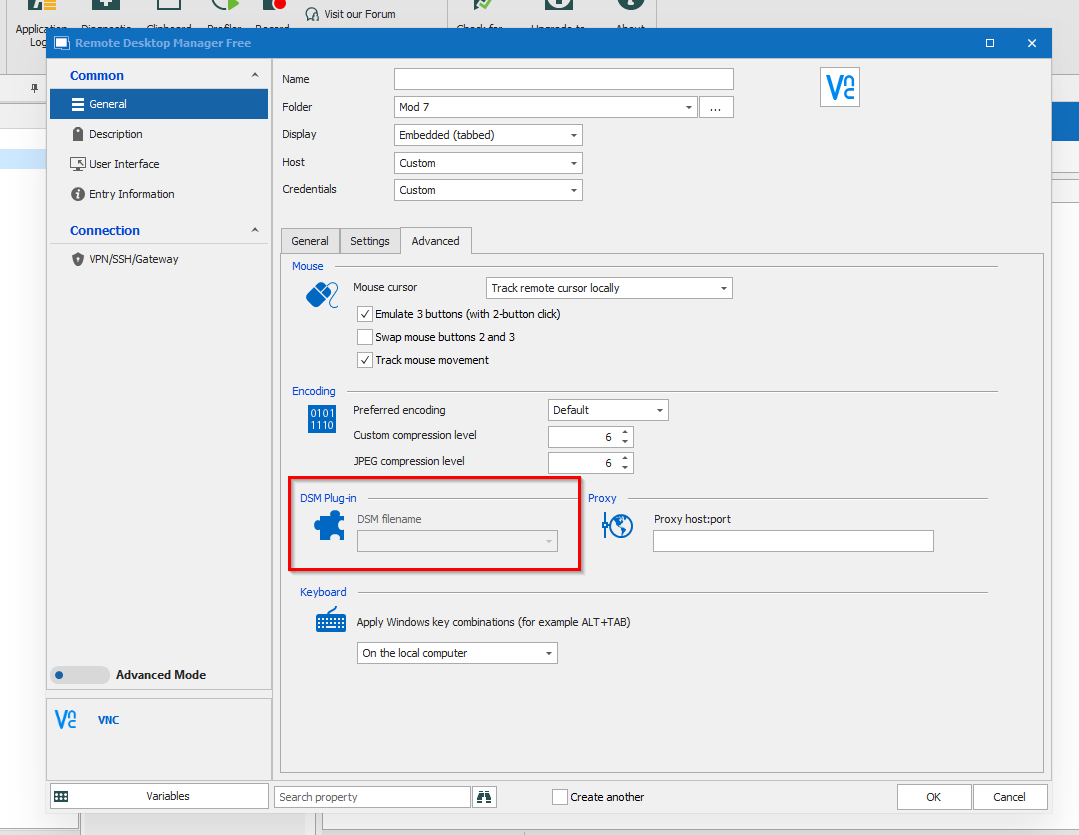
Adding new VNC Session, how can I enable plugins?
Thank you Gabriel, I was finally able to connect, though only using the external method
So unless UltraVNC embedded is going to be updated 1.2.4.0 in RDM, I would have to use it without tabs :(
Adding new VNC Session, how can I enable plugins?
Well I figured out that I needed to select UltraVNC (depreciated) under the General tab first.
I still can't connect though

However, I noticed that the dialog box shows that an older version of UltraVNC is being used:

I went into Paths configuration options and made sure it was pointing to the folder that has the 1.2.4.0 install of UVNC though, why could this be happening?
Adding new VNC Session, how can I enable plugins?
Our IT group is now installing UltraVNC Server on our newly installed PCs, but they are requiring the use of SecureVNCPlugin64.dsm
Why is the DSM plugin drop-down menu unavailable? Thanks!