
raskatomas
RDM now not compatible with Samsung Galaxy Tab 8
Thanks, someone has probably already fixed it. I've installed the update now.
RDM now not compatible with Samsung Galaxy Tab 8
Hello,
I have a Samsung Galaxy S24 Ultra (Android 16, One UI 8.5), where RDM works without any issues. However, on my tablet, a Samsung Galaxy Tab S8 5G (SM-X706B, Android 16, One UI 8), I can no longer install updates. The Google Play Store displays the following message: "This app is no longer compatible with your device. Contact the developers for more info."
What could be the problem with my tablet?
I think it's just a mistake in the supported devices settings.
Thank You
Unable to convert entry to connection
Okay, thanks. Deleted.
Unable to convert entry to connection
Yes, I found it in my User vault. It can't be revert (Fix button). This record was created two years ago. What's stored in it? Can I just delete it?
Thank you
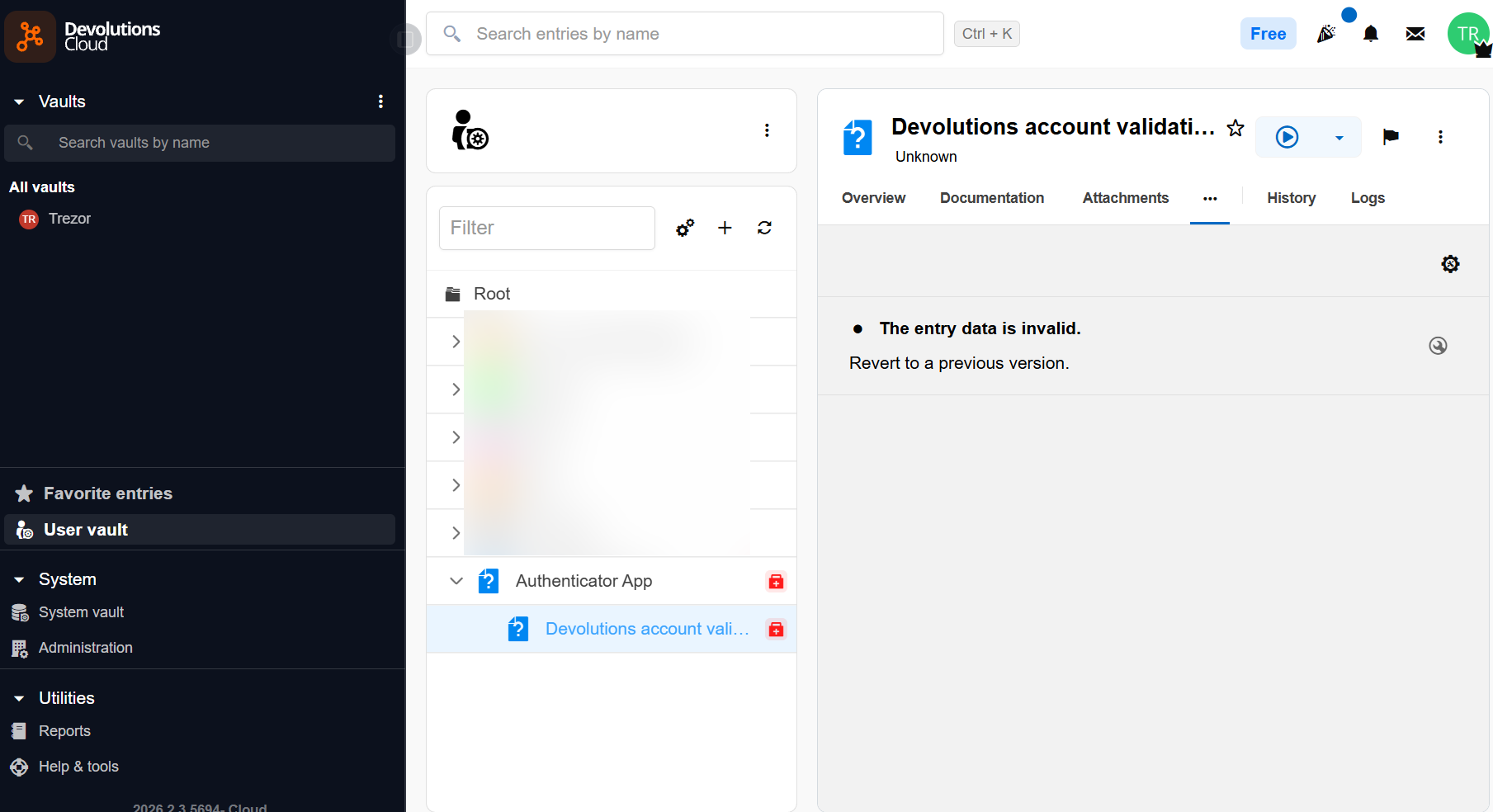
Unable to convert entry to connection
Hello,
what you mean with "whether this entry was originally created"? What entry?
I use RDM +- 10 years. At beginning with (Datasource) file on Google Drive and then with Personal Hub. Last week first time problem on Android and today too on Computer.
Healt check Button is only accessible from Devolutions Force web site? I think, I do not have access with my Devolutions Account. When I clicked to login with Devolutions Account - nothing happened.
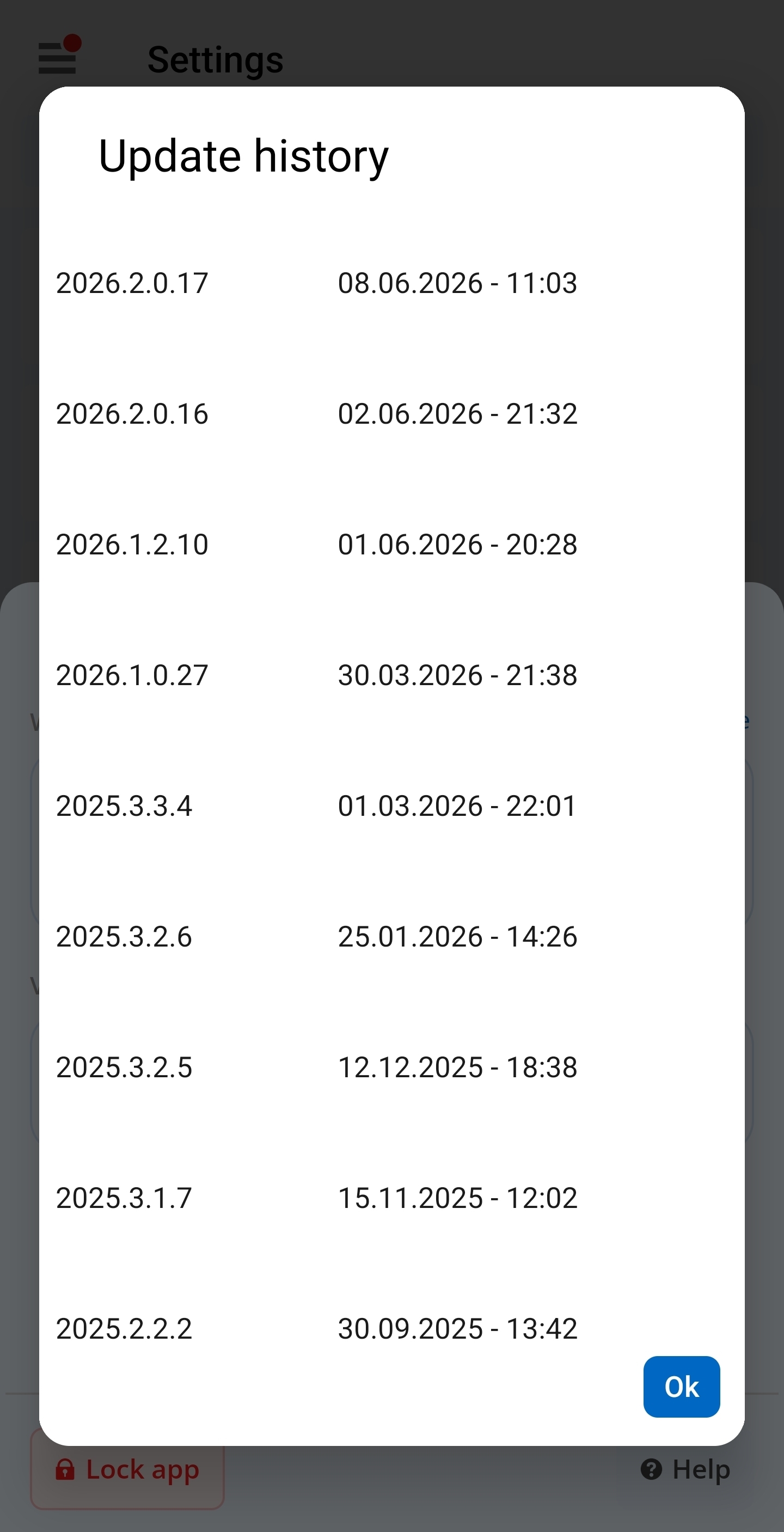
Version history:
Thank you
Unable to convert entry to connection
I have Version 2026.2.0.17 on Android, on PC 2026.2.7.0.
Today I have same Messages on PC (I changed ID bellow):
---------------------------
Remote Desktop Manager
---------------------------
Unable to convert entry to connection. ID: xxxxxxxx. Name: Devolutions account validation.
Exception: Devolutions.Cryptography.DevolutionsCryptoException: NativeError :
InvalidMac
===Original Message===
Exception of type 'Devolutions.Cryptography.DevolutionsCryptoException' was thrown.
===Original StackTrace===
at Devolutions.Cryptography.Utils.HandleError(Int64 errorCode)
at Devolutions.RemoteDesktopManager.Managers.DevolutionsHubDataSourceManager.ConvertEntryToCommonConnection(Guid dataSourceID, Guid repositoryID, Entry entry)
at Devolutions.RemoteDesktopManager.Managers.DevolutionsHubDataSourceManager.ConvertEntryToConnection(Guid dataSourceID, Guid repositoryID, Entry entry, Dictionary`2 entries)
at Devolutions.RemoteDesktopManager.Managers.DevolutionsHubDataSourceManager.GetConnections(ConnectionEngine engine, Guid dataSourceID, Guid repositoryID, Guid dataSourceVerison, Int64 repositoryVersion)`
---------------------------
Close
---------------------------
Unable to convert entry to connection
I think, published Android version is not compatible with Personal Cloud Hub.
Unable to convert entry to connection
Hi, now with latest Android version I have problem, when I starting Remote Desktop Manager.
Popup messages are 3 times with different ID:
Unable to convert entry to connection. ID ................... Name: Authenticator App. Exception Devolutions.Cryptography.DevolutionsCryptoException:NativeError:InvalidMac
Unable to convert entry to connection. ID ................... Name: Devolutions account validation Exception Devolutions.Cryptography.DevolutionsCryptoException:NativeError:InvalidMac
Messages are longer, but screenshot is not possible.
Datasource I have only one - Personal Cloud
But then, when I click 6 times OK, everything is working
Thank You
Focus on disconnected sessions
hi, is there this setting in remote desktop manager?
If I have several remote desktop windows open, and I restart operating systém in one session, the focus jumps to the next open session.
Is it possible to set the remote desktop manager so that the focus remains on the disconnected session? For example on Macro / Script / Tools page? Now when I just restart the operating system I have to look for a server in the list of servers.
Thank you