Unable to convert entry to connection

Hi, now with latest Android version I have problem, when I starting Remote Desktop Manager.
Popup messages are 3 times with different ID:
Unable to convert entry to connection. ID ................... Name: Authenticator App. Exception Devolutions.Cryptography.DevolutionsCryptoException:NativeError:InvalidMac
Unable to convert entry to connection. ID ................... Name: Devolutions account validation Exception Devolutions.Cryptography.DevolutionsCryptoException:NativeError:InvalidMac
Messages are longer, but screenshot is not possible.
Datasource I have only one - Personal Cloud
But then, when I click 6 times OK, everything is working
Thank You
Recommended Answer
Hello @raskatomas,
It is an entries that have been saved in Devolutions Password Manager (previously Devolutions Workspace) in Authenticator section. In previous versions, there was a migration that have failed. It is now fixed and you should still be able to see your authenticator entries in the Devolutions Password Manager app.
This said, it is safe to delete those entries.
Best regards,
All Comments (10)
I think, published Android version is not compatible with Personal Cloud Hub.
Hello,
Thank you for reporting this issue, and I’m sorry for the inconvenience.
We are currently in the process of rolling out version 2026.2.0, but it is not yet available to all users. Could you please verify which version of Remote Desktop Manager you are using? You can find this information by opening the application and navigating to About.
Best regards,
Maxime Brousseau
I have Version 2026.2.0.17 on Android, on PC 2026.2.7.0.
Today I have same Messages on PC (I changed ID bellow):
---------------------------
Remote Desktop Manager
---------------------------
Unable to convert entry to connection. ID: xxxxxxxx. Name: Devolutions account validation.
Exception: Devolutions.Cryptography.DevolutionsCryptoException: NativeError :
InvalidMac
===Original Message===
Exception of type 'Devolutions.Cryptography.DevolutionsCryptoException' was thrown.
===Original StackTrace===
at Devolutions.Cryptography.Utils.HandleError(Int64 errorCode)
at Devolutions.RemoteDesktopManager.Managers.DevolutionsHubDataSourceManager.ConvertEntryToCommonConnection(Guid dataSourceID, Guid repositoryID, Entry entry)
at Devolutions.RemoteDesktopManager.Managers.DevolutionsHubDataSourceManager.ConvertEntryToConnection(Guid dataSourceID, Guid repositoryID, Entry entry, Dictionary`2 entries)
at Devolutions.RemoteDesktopManager.Managers.DevolutionsHubDataSourceManager.GetConnections(ConnectionEngine engine, Guid dataSourceID, Guid repositoryID, Guid dataSourceVerison, Int64 repositoryVersion)`
---------------------------
Close
---------------------------
Hello,
Thank you for the additional information.
Are you experiencing the same issue when accessing your Hub Personal (Devolutions Cloud) through a web browser?
Could you also send us the update history from RDM Android? This information may help us reproduce and investigate the issue. You can find it by opening the About page in the application and tapping Update History.
If you need to take screenshots within the RDM Android app, you can temporarily disable screen capture protection by going to Settings → Security and Privacy → Protect data from screen capture.
Best regards,
Maxime Brousseau
Hello,
After further investigation, the issue appears to be related to your Devolutions Account Validation entry.
Do you remember whether this entry was originally created in RDM Android, RDM Windows, or through the web interface?
As a first troubleshooting step, could you run a Health Check on this entry from the web interface and let us know if any issues are reported?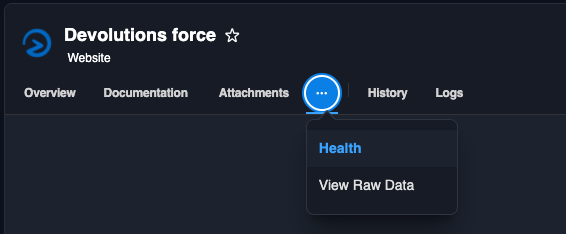
Best regards,
Maxime Brousseau
1419dd8a-00f0-4a01-970c-08f96be8e304.png
Hello,
what you mean with "whether this entry was originally created"? What entry?
I use RDM +- 10 years. At beginning with (Datasource) file on Google Drive and then with Personal Hub. Last week first time problem on Android and today too on Computer.
Healt check Button is only accessible from Devolutions Force web site? I think, I do not have access with my Devolutions Account. When I clicked to login with Devolutions Account - nothing happened.
Version history: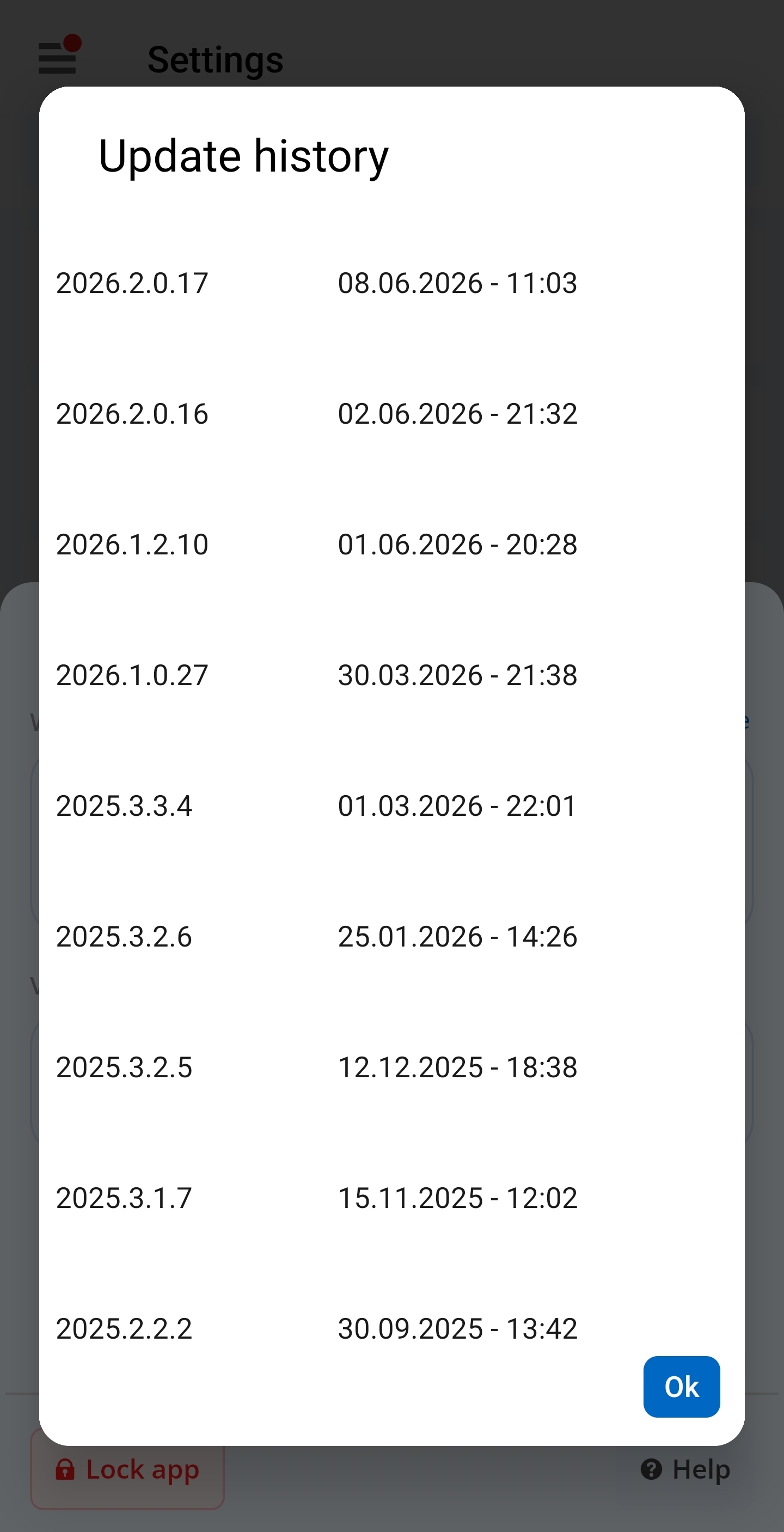
Thank you
Screenshot_20260608_165242.jpg
Hello,
Thank you for the screenshot of the version history.
What do you mean by "whether this entry was originally created"? What entry?
Do you have an entry named "Devolutions Account Validation" in your Hub personal? Based on the error message you provided, this entry appears to be involved in the issue. If such an entry exists, could you tell us its entry type and provide any additional non-sensitive information about it?
Also, the Health Check button is not available on the Devolutions Force website. It is available from your Devolutions Hub web portal. If you locate the Devolutions Account Validation entry there, you should be able to run a Health Check on it and share the results with us.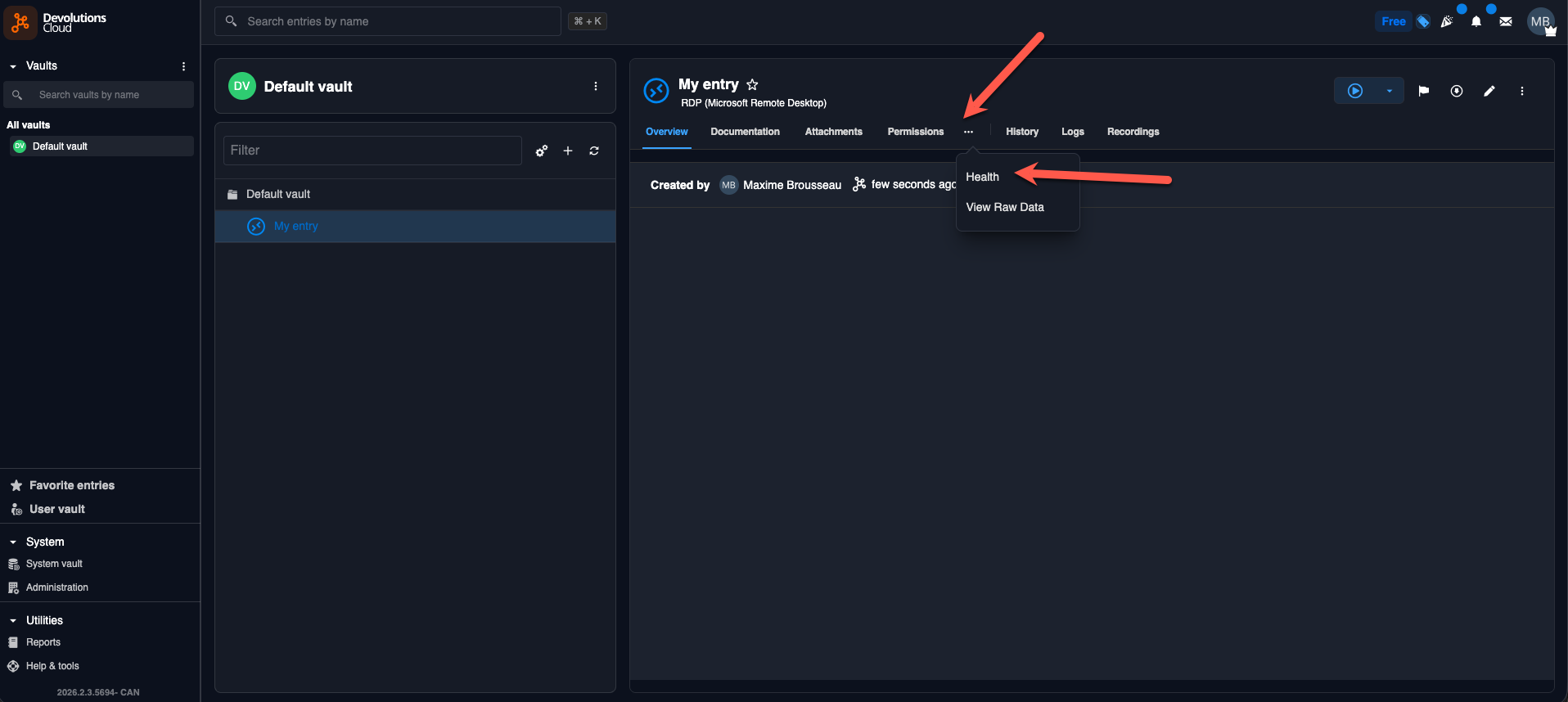
Best regards,
Maxime Brousseau
c42f53a8-8553-4dec-b5a4-83fac7111a46.png
Yes, I found it in my User vault. It can't be revert (Fix button). This record was created two years ago. What's stored in it? Can I just delete it?
Thank you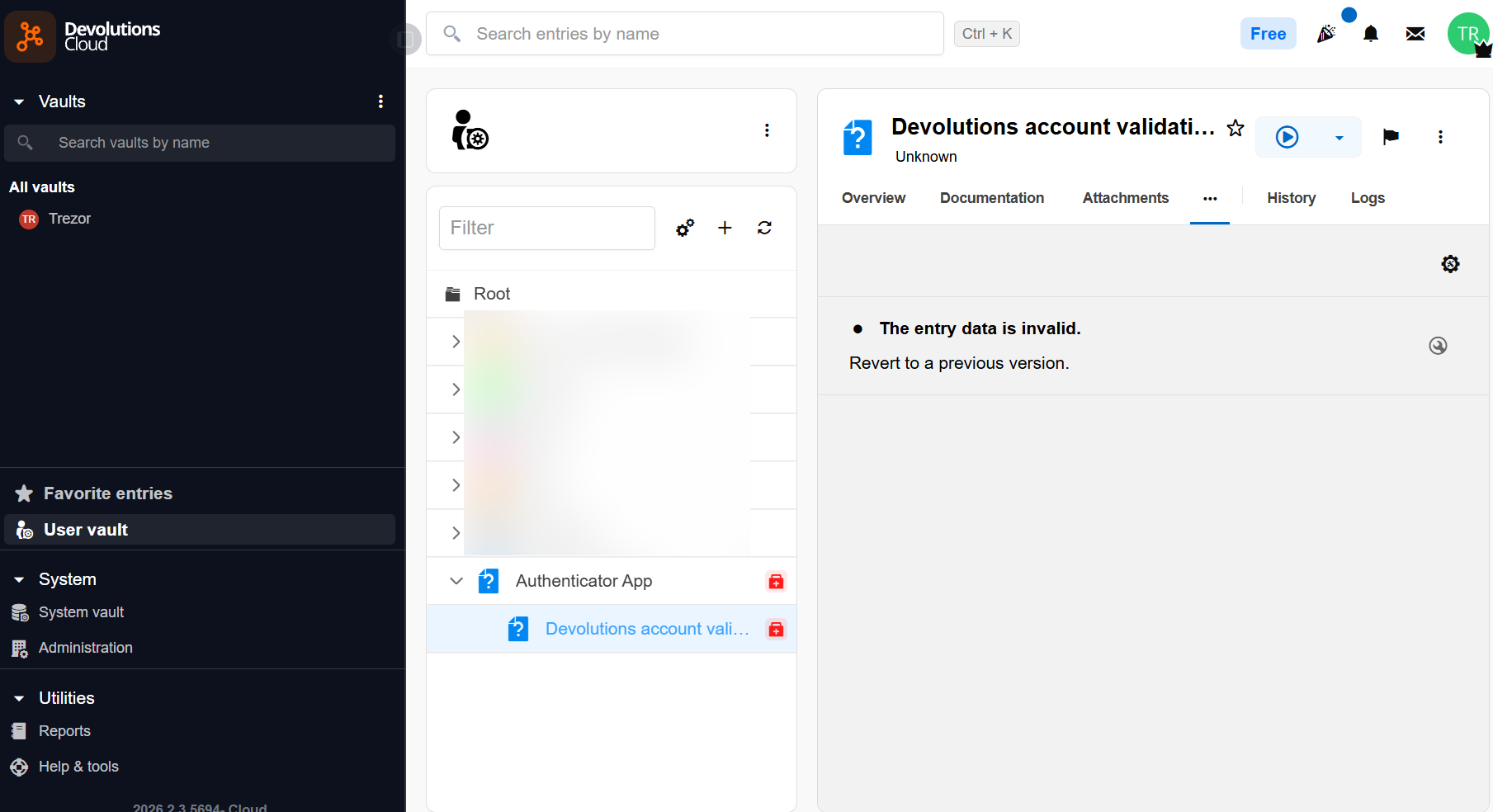
20dcf980-0372-4107-872e-6dc57ea90019.png
Hello @raskatomas,
It is an entries that have been saved in Devolutions Password Manager (previously Devolutions Workspace) in Authenticator section. In previous versions, there was a migration that have failed. It is now fixed and you should still be able to see your authenticator entries in the Devolutions Password Manager app.
This said, it is safe to delete those entries.
Best regards,
Okay, thanks. Deleted.