
(user deleted)
RDM database too large
Thanks, that brought it down to 1/4 the size it had before.
RDM database too large
Hi Devolutions Support Team,
my local file-based ".db" database has 524 entries and is used since ~ 2016. The size of the DB file is 80 MB. I'm sure there are no files/attachments/documents in it, just "text" like IP's, Asset text info. How can I see as the db is encrypted with a password what is in there and do you have suggestions to reduce the size?
I've already used RDM's optimize database function but that didn't reduce the size - it just got 1 MB smaller.
Kind regards
Cannot resize main RDM window / RDM 2022.1.27.0
I found the culprit: The problem ONLY occurs, when you RDP into a management host and open a freshly installed RDM 2022.1.27.0 there. Then the left, right, upper resize cursor does not appear to resize the window.
Cannot resize main RDM window / RDM 2022.1.27.0
Workaround to use the right-side resizer in 2022.1.27.0 : Click on "File" - The menu bar on the left side slides into the view. At this moment where it is open, the right side resizer does work again.
Cannot resize main RDM window / RDM 2022.1.27.0
Now, I've restored the %LocalAppData%\Devolutions folder on machine A. - Problem occurs again.
Downgraded RDM free to version 2021.2.28.0 - Problem does NOT occur.
Upgraded RDM free to 2022.1.27.0 - Problem occurs again.
Would you like to do a remote session to debug this? I have two machines affected by this same bug.
Cannot resize main RDM window / RDM 2022.1.27.0
This is very weird, I made a fresh VM and manually reviewed every single setting of the app on the affected machine A to set them on the fresh VM. -> Problem cannot be reproduced. No reproducer for RDM free beta nor 2022.1.27.0.
I then deleted the %LocalAppData%\Devolutions folder on machine A, got a fresh RDM when running the program and the problem occured again. On the right border (for example) I cannot get the resize mouse pointer.
Is there any other place, where I can "RESET" settings, window views etc. RDM stores on my computer?
Cannot resize main RDM window / RDM 2022.1.27.0
I'll try a fresh VM with RDM to reproduce it.
https://remotedesktopmanager.com/home/thankyou/rdmsetupbeta
https://remotedesktopmanager.com/home/thankyou/rdmfreesetupbeta
Cannot resize main RDM window / RDM 2022.1.27.0

In previous versions, e.g. 2021.2.28.0, this worked perfectly. I suspect a bug that needs to be solved. Other Windows apps show the resize cursors just fine, so it's not the system to blame here.
Chrome embedded chrashes during multiple concurrent file uploads (RDM Ent. 2021.1.44.0 x64)
To be clear about that: I was advised to reproduce another bug (WMI inventory fails and dialog cannot be closed, no "OK" clicking possible) on the recent BETA 2021.2.7.0 by your support team ( Etienne Lord - Ticket DEVO-36101 ). I didn't try the BETA in relation to this forum ticket.
Chrome embedded chrashes during multiple concurrent file uploads (RDM Ent. 2021.1.44.0 x64)
@James Lafleur
Ok, I sent the file "RemoteDesktopManager.cfg" via your file drop service.
Chrome embedded chrashes during multiple concurrent file uploads (RDM Ent. 2021.1.44.0 x64)
@Alexandre Roy Thank you for the insights. I think we are together on a good way with that exotic problem. Checking the chromium forums might be a good idea, it seems to me like a UI-stress test what I'm doing - even if I do it at human speed like shown on the video it's maybe too fast for what chromium expects in the multiple instance use case. If I do it very slow one after another, the crash doesn't happen.
I'm also okay if you show them the video and give them some material. How do I have to exactly export my config so you can use it for your tests and how can I send it in privately?
Chrome embedded chrashes during multiple concurrent file uploads (RDM Ent. 2021.1.44.0 x64)
@Alexandre Roy
Both tested systems are Win10 Pro x64.
Chrome embedded chrashes during multiple concurrent file uploads (RDM Ent. 2021.1.44.0 x64)
@Alexandre Roy
Would it be of any usefulness if we do a remote session together and replicate the issue?
Chrome embedded chrashes during multiple concurrent file uploads (RDM Ent. 2021.1.44.0 x64)
@Alexandre Roy fyi I'm already running within an admin account from Windows, but RDM is not running elevated. I think admin privileges are not the cause here because if I do the flash process "file selection, file upload, confirm on web gui" for one access point, it has a high chance to work without crash. If I do exactly the same process multiple times "as concurrently I can", the probability of crashing seems a lot higher to me. Permissions and explorer are okay, there's nothing different in my steps (like seen on the video) between AP 1 to 5 web UI flashing.
Chrome embedded chrashes during multiple concurrent file uploads (RDM Ent. 2021.1.44.0 x64)
@James Lafleur
I've tried the portable RDM on a fresh Win10 installation in a virtual machine - same crash happens. Here's the video:
Chrome embedded chrashes during multiple concurrent file uploads (RDM Ent. 2021.1.44.0 x64)
Yes, I'll try with the portable version the days and get back.
Chrome embedded chrashes during multiple concurrent file uploads (RDM Ent. 2021.1.44.0 x64)
Hello James,
sorry, but I cannot agree with this conclusion. You'll often see error reports including "ntdll" because that's the module most likely shown by Windows if some program (in this case RDM) has done heap corruptions or access violations. Those events point at wrong program or plugin code, so you definitely have to check the RDM chrome embedded wrapper code in this case.
Thanks for reviewing again.
Chrome embedded chrashes during multiple concurrent file uploads (RDM Ent. 2021.1.44.0 x64)
RDM made those crashes in eventvwr:
Name der fehlerhaften Anwendung: RemoteDesktopManager64.exe, Version: 2021.1.44.0, Zeitstempel: 0x61284696
Name des fehlerhaften Moduls: ntdll.dll, Version: 10.0.18362.267, Zeitstempel: 0xc00f8a30
Ausnahmecode: 0xc0000374
Fehleroffset: 0x00000000000f9269
ID des fehlerhaften Prozesses: 0x27e4
Startzeit der fehlerhaften Anwendung: 0x01d7a2e71ad6b08c
Pfad der fehlerhaften Anwendung: C:\Program Files (x86)\Devolutions\Remote Desktop Manager\RemoteDesktopManager64.exe
Pfad des fehlerhaften Moduls: C:\Windows\SYSTEM32\ntdll.dll
Berichtskennung: aea094a2-3389-44ca-a0cc-cf6df87ff25f
Vollständiger Name des fehlerhaften Pakets:
Anwendungs-ID, die relativ zum fehlerhaften Paket ist:
#
Anwendung: RemoteDesktopManager64.exe
Frameworkversion: v4.0.30319
Beschreibung: Der Prozess wurde aufgrund einer unbehandelten Ausnahme beendet.
Ausnahmeinformationen: Ausnahmecode c0000005, Ausnahmeadresse 00007FFA3259AC7F
#
Anwendung: RemoteDesktopManager64.exe
Frameworkversion: v4.0.30319
Beschreibung: Der Prozess wurde aufgrund einer unbehandelten Ausnahme beendet.
Ausnahmeinformationen: Ausnahmecode c0000005, Ausnahmeadresse 00007FFA3259AC7F
Stapel:
bei EO.Internal.khxy.dvdy(ojso)
bei EO.Internal.khxy.dvdy(ojso)
bei EO.Internal.khxy.ufuy(IntPtr, System.String, System.String, Boolean)
bei EO.Internal.khxy.ufuy(IntPtr, System.String, System.String)
bei EO.WebBrowser.WebView.kurp(EO.Internal.tqpe, EO.Internal.samc)
bei EO.WebBrowser.WebView.kusx(EO.Internal.tqpe, EO.Internal.samc)
bei EO.WebBrowser.WebView.kusw(EO.Internal.tqpe, EO.Internal.samc)
bei EO.WebBrowser.WebView.kurb(EO.Internal.tqpe, EO.Internal.samc)
bei EO.Internal.tqpe.bixg(EO.WebBrowser.WebView, EO.Internal.tqpe, Int32, IntPtr, IntPtr)
bei EO.WebBrowser.WebView+argv.yjrp(IntPtr, Int32, IntPtr, IntPtr, Boolean ByRef)
bei EO.Internal.kibx.hlja(IntPtr, Int32, IntPtr, IntPtr, Boolean ByRef)
bei EO.Internal.kibx+idjz.wjgi(IntPtr, Int32, IntPtr, IntPtr, IntPtr, IntPtr)
bei System.Windows.Forms.UnsafeNativeMethods.DispatchMessageW(MSG ByRef)
bei System.Windows.Forms.UnsafeNativeMethods.DispatchMessageW(MSG ByRef)
bei System.Windows.Forms.Application+ComponentManager.System.Windows.Forms.UnsafeNativeMethods.IMsoComponentManager.FPushMessageLoop(IntPtr, Int32, Int32)
bei System.Windows.Forms.Application+ThreadContext.RunMessageLoopInner(Int32, System.Windows.Forms.ApplicationContext)
bei System.Windows.Forms.Application+ThreadContext.RunMessageLoop(Int32, System.Windows.Forms.ApplicationContext)
bei Devolutions.RemoteDesktopManager.Program.Main(System.String[])
Chrome embedded chrashes during multiple concurrent file uploads (RDM Ent. 2021.1.44.0 x64)
Window handle dump:

Chrome embedded chrashes during multiple concurrent file uploads (RDM Ent. 2021.1.44.0 x64)
I've tried again and I'm now stuck here:

My PC isn't out of memory - even though it looks alike.

Chrome embedded chrashes during multiple concurrent file uploads (RDM Ent. 2021.1.44.0 x64)
Hi,
I've made a video. The point where the video ends is the point where the RDM application crashed. I've tried five times and could reproduce the crash, sometimes it's when preparing the upload on AP 4, sometimes on AP 3 or AP 2. It could have something to do with the concurrent uploading of files via chrome embedded in multiple open tabs.
VIDEO link: https://youtu.be/6_R7f7xVmO4
It worked without crashes in the past. (I came from an 2019.xx version)
Please fix this bug. Thank you.
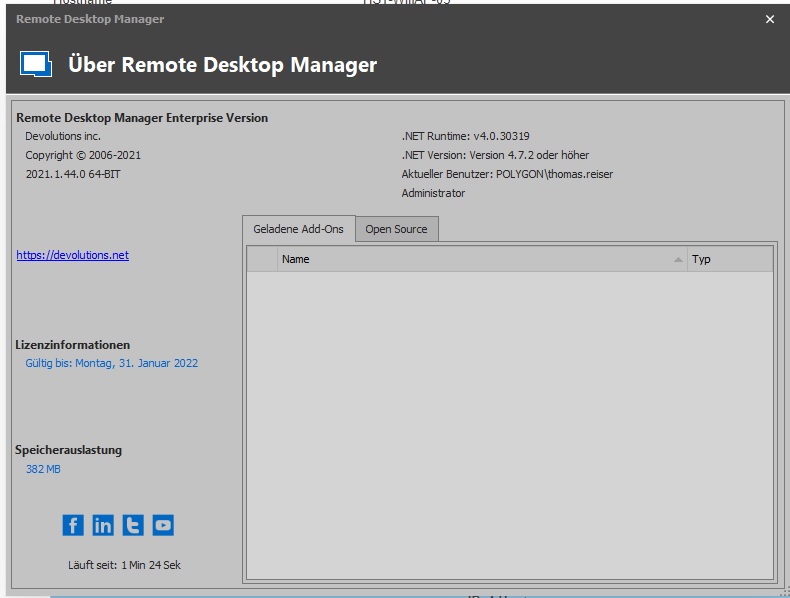
[Enhancement] Allow to immediately reenter Google Authenticator code if wrong
Thank you very much :-). Much appreciated.
[Enhancement] Allow to immediately reenter Google Authenticator code if wrong
RDM Enterprise 2020.3.28.0 64-Bit on Windows 10.
When I enter a wrong Google Authenticator code, my machine wastes two minutes of loading time because it enters RDM main screen without database access (everything blank, white and empty) and then I need to press STRG + F5 to trigger the database logon dialog again. It's inconvenient to me as I'm on a very slow machine. I just don't get why RDM cannot re-display the dialog after a wrong password was entered immediately for a second try.
Thanks for your great piece of software. I hope you can take this enhancement request to your dev list.
Kind regards.