Cannot resize main RDM window / RDM 2022.1.27.0


In previous versions, e.g. 2021.2.28.0, this worked perfectly. I suspect a bug that needs to be solved. Other Windows apps show the resize cursors just fine, so it's not the system to blame here.
All Comments (13)
Hello,
Thank you for contacting us on that matter!
I have received an other report of the issue you describe, but we are unfortunately unable to replicate this behavior internally so far. It seems that we are missing an element to trigger the behavior.
Could you thing of anything that might be "out of the ordinary" about your RDM environment? For example, are you running RDM on a Terminal Services/RDS environment?
Best regards,
Gabriel Degrandpré
I'll try a fresh VM with RDM to reproduce it.
https://remotedesktopmanager.com/home/thankyou/rdmsetupbeta
https://remotedesktopmanager.com/home/thankyou/rdmfreesetupbeta
This is very weird, I made a fresh VM and manually reviewed every single setting of the app on the affected machine A to set them on the fresh VM. -> Problem cannot be reproduced. No reproducer for RDM free beta nor 2022.1.27.0.
I then deleted the %LocalAppData%\Devolutions folder on machine A, got a fresh RDM when running the program and the problem occured again. On the right border (for example) I cannot get the resize mouse pointer.
Is there any other place, where I can "RESET" settings, window views etc. RDM stores on my computer?
Now, I've restored the %LocalAppData%\Devolutions folder on machine A. - Problem occurs again.
Downgraded RDM free to version 2021.2.28.0 - Problem does NOT occur.
Upgraded RDM free to 2022.1.27.0 - Problem occurs again.
Would you like to do a remote session to debug this? I have two machines affected by this same bug.
Workaround to use the right-side resizer in 2022.1.27.0 : Click on "File" - The menu bar on the left side slides into the view. At this moment where it is open, the right side resizer does work again.
I found the culprit: The problem ONLY occurs, when you RDP into a management host and open a freshly installed RDM 2022.1.27.0 there. Then the left, right, upper resize cursor does not appear to resize the window.
Can confirm the resize issue affects RemoteApp over RDP as well. Resizing only works at the corners for us. I can't say for certain what version introduced this behavior, I recall it happening before 2022.1.27.0 but simply acclimated to using the corners for resizing.
Hello,
Thank you for the new information! I have opened a ticket so our engineering team can look into this issue.
We will update this thread when progress is made on the case!
Best regards,
Gabriel Degrandpré
Hi guys
Not sure if it helps in any way but I have the same problem and the same workaround helps (Menu -> File). Thanks to u3000 !
I also use RDP to connect to management (IT) machine.
Also started to occur 2 updates ago.
BR
I have this exact same problem this morning as well. RDM Enterprise Edition 2022.1.27.0
Cannot resize from the sides or corners of the windowed application. The workaround posted above seems to work, opening the File Menu and then resizing works. This is the only app that cannot be resized on the PC - all other apps are behaving normally.
This happened after dropping RDM in a zone using Microsoft PowerToys FancyZones. Closing/reopening, rebooting, etc do nothing to change the behavior. Closing PowerToys does nothing to change the behavior.
Hello,
edifus, if it would be possible for you to share the specifics of your current config for PowerToys FancyZones (such as the layout of windows, any altered options, or what other windows in which location were snapped prior to snapping RDM), it would help pinpoint the issue.
Regards,
Jafran Majeau
PowerToys v0.58 (at the time)
FancyZone options were not altered except for a custom zone layout (screenshot attached).
I had Edge in zone 1 (left) and was trying to put RDM in zone 2 (right).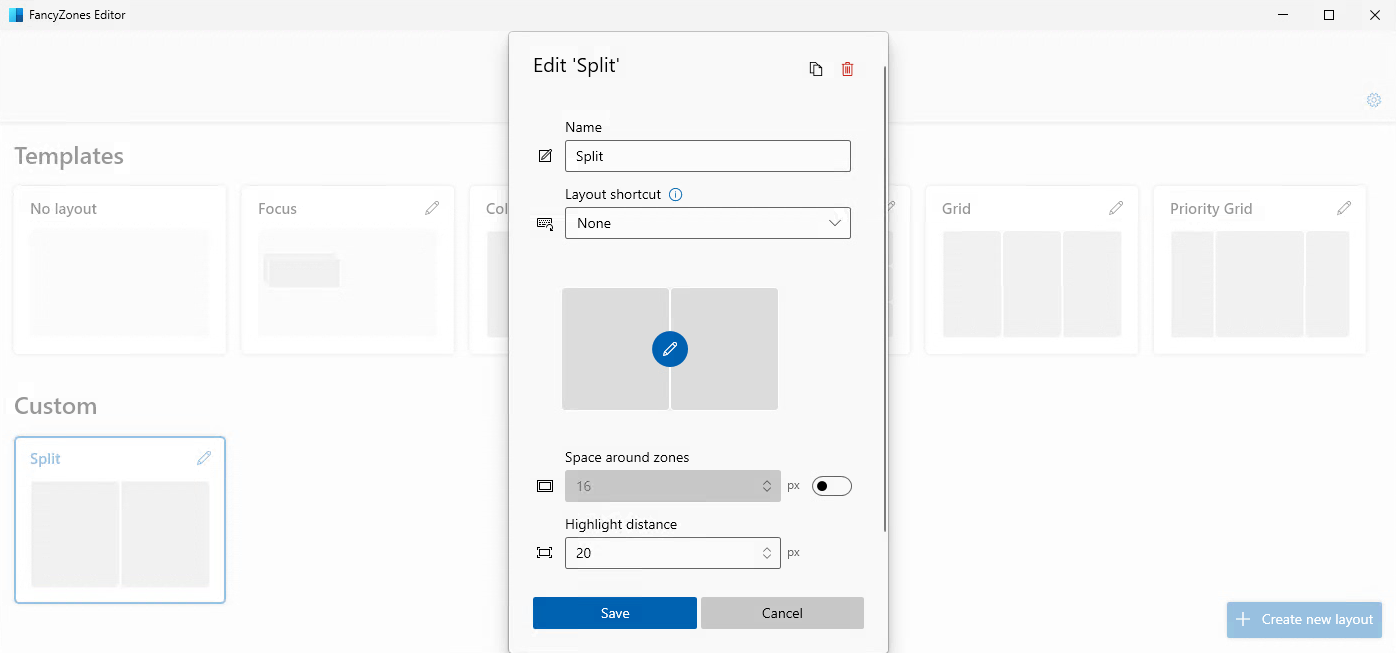
zone_layout.png
Hello,
We're doing a tentative fix for next version, which has fixed the issues encountered while resizing RDM that we were able to replicate (although we weren't able to replicate all issues that have been presented to us). Hopefully this will solve the issues presented in this ticket.
Regards,
Jafran Majeau