
User_456
SSH to Azure VM with public keypair
Hi
Yes it works :-)
Thanks
SSH to Azure VM with public keypair
Hi,
I use PowerShell to connect to vm, it would be nice to use RDM instead of Powershell.
ssh -i <path to the .pem file> username@<ipaddress of the VM>SSH key pair contains both public and private key.
Update!
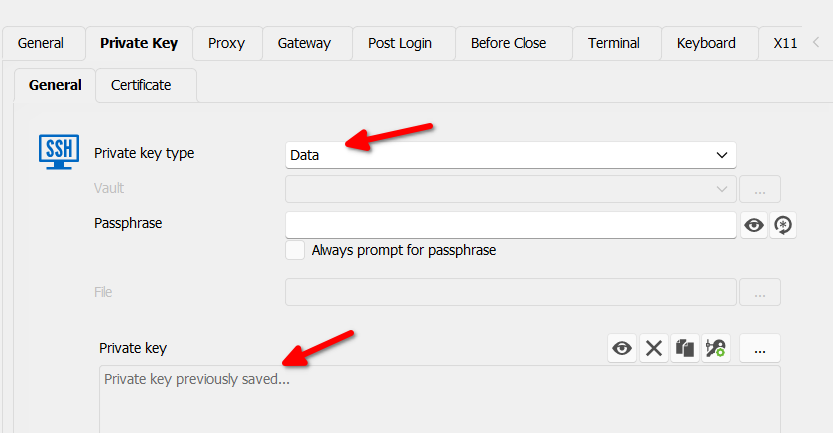
If I paste in keys in Private Tab, then I can connect.
But I can not connect if a use file option for keys.
/PA
SSH to Azure VM with public keypair
Hi
How to connect to Azure vm with ssh?
I have download servers public generated keypair
Where do put server ssh public key?
/PA
Can't hide useless toolbar
While I'm at it, how do I disable the RDM icon from going grey from blue when its not in focus? I hate that change, that makes no sense, IMO.
Edit: Found the setting, its called "Remote Monitoring" and was enabled by default so the session inherited it. There was an option "show toolbar", but that didn't do anything. I was able to get disabled by changing "Enable remote monitoring" to "No".
Thanks for help to remove the bar "CPU, RAM and Swap" by unchecking "Remote Monitoring".
Hopefully, this bug will be fixed in next release.
Br
PJ