
Sebastien G
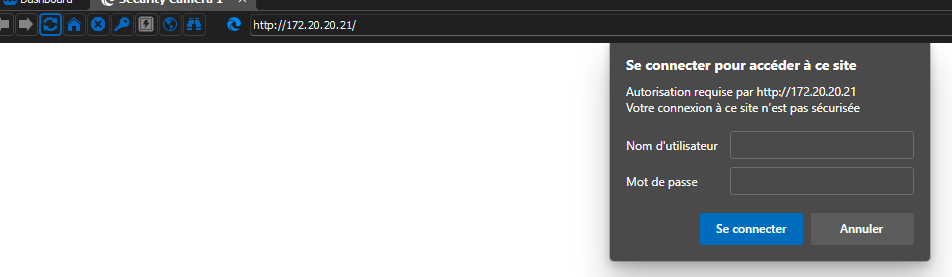
Autologin not working in browser Edge popup
With all the same parameter as shown on screen (Chrome, Basic, 3 checkbox checked, auth. Method Default) i get a "401 Unauthorized".
If I stick to Edge with any "basic" or "form" login. nothing work.
One thing I see is the popup window flash after the "autofill delay", it looks like something is accepted, but nothing work.
Autologin not working in browser Edge popup
The webpage load with only a kinda popup login form. It seems "generic"
When I try to autofill those fields, nothing seems to work. Any idea ?
Version Management, advise to update without blocking
So you confirm that "Disable checks for updates" stands for "Check for the latest version on Devolution's server" ?
If yes, that's not was is wanted here. I want to be able to manage when they know there's a new version. And I choose that version for them. All that without disabling the source if version is not respected...
Thanks !
Version Management, advise to update without blocking
I always left "Disable checks for updates" checked because I don't want user to be notified when Devolution release a new version....
But Yes, if I uncheck "Disable checks for updates", it act as desired.
"Disable checks for updates" stand for what ?!? Check with devolution server the latest version ??
From the link you sent:
Disable auto update notification
Disable the auto update notification message. Use this to manually update the application and prevent from getting notified when new versions are available.
(also the picture in the link refer to DATA SOURCE SETTING, I'm unable to find it. Does it still exist ? The parameters I modify are in "System Settings", see below)

Based on the meaning of "Disable checks for updates" I will adjust as needed
Version Management, advise to update without blocking
It would be great to have an option to block or not RDM usage if the user doesn't respect the minimum/maximum version specified.
All users don't have enough rights to install the update by themselves, so completely blocking usage is not a good idea. Having the possibility to just tell them they are using an old version and redirecting to a download link would be great.
].png)
resolution of remote screen not right
Hi,
When we select "use multiple monitors for the remote session" and choose "Selected", what's the structure of the string to use ?
1;2;3 .... 1-2-3 .... 2 3 ....
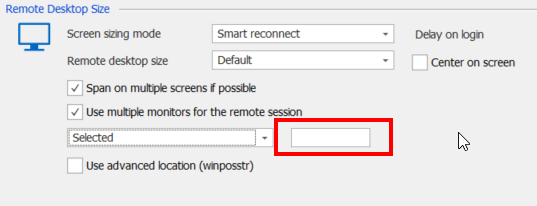
and where to find those number ? On Windows display configuration ?
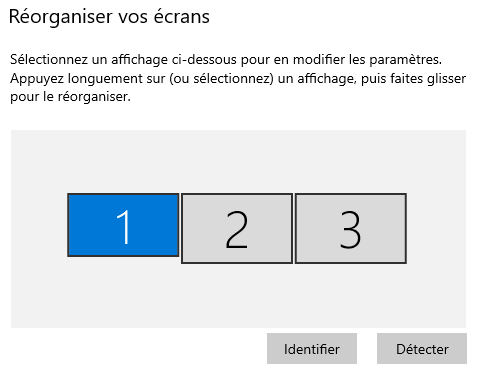
thanks !