Autologin not working in browser Edge popup

The webpage load with only a kinda popup login form. It seems "generic"
When I try to autofill those fields, nothing seems to work. Any idea ?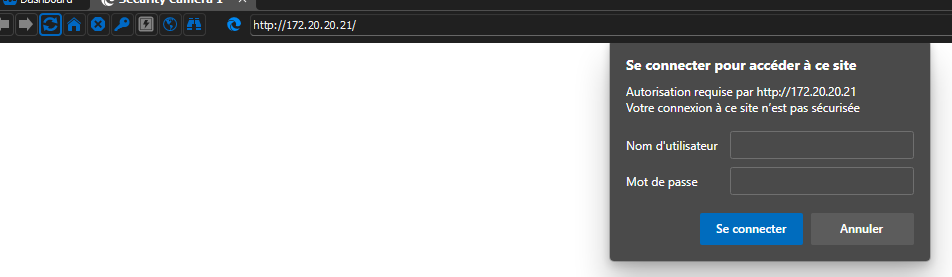
2023-03-23 11_46_19-Remote Desktop Manager [Security Camera 1].png
All Comments (3)
Hello Sebastien,
Thank you for getting in touch with us regarding this matter.
We have consulted with our engineering department, and they have suggested that changing the "Authentication" setting under the "Login" section in the "Properties" of your Website entry to "Basic" may help to resolve the issue you are experiencing.
Please follow these steps to make the necessary changes:
- Open Remote Desktop Manager
- Navigate to the Website entry for which you are experiencing issues
- Right-click on the entry and select "Properties"
- In the "Properties" window, select the "Login" section
- Change the "Authentication" setting to "Basic"
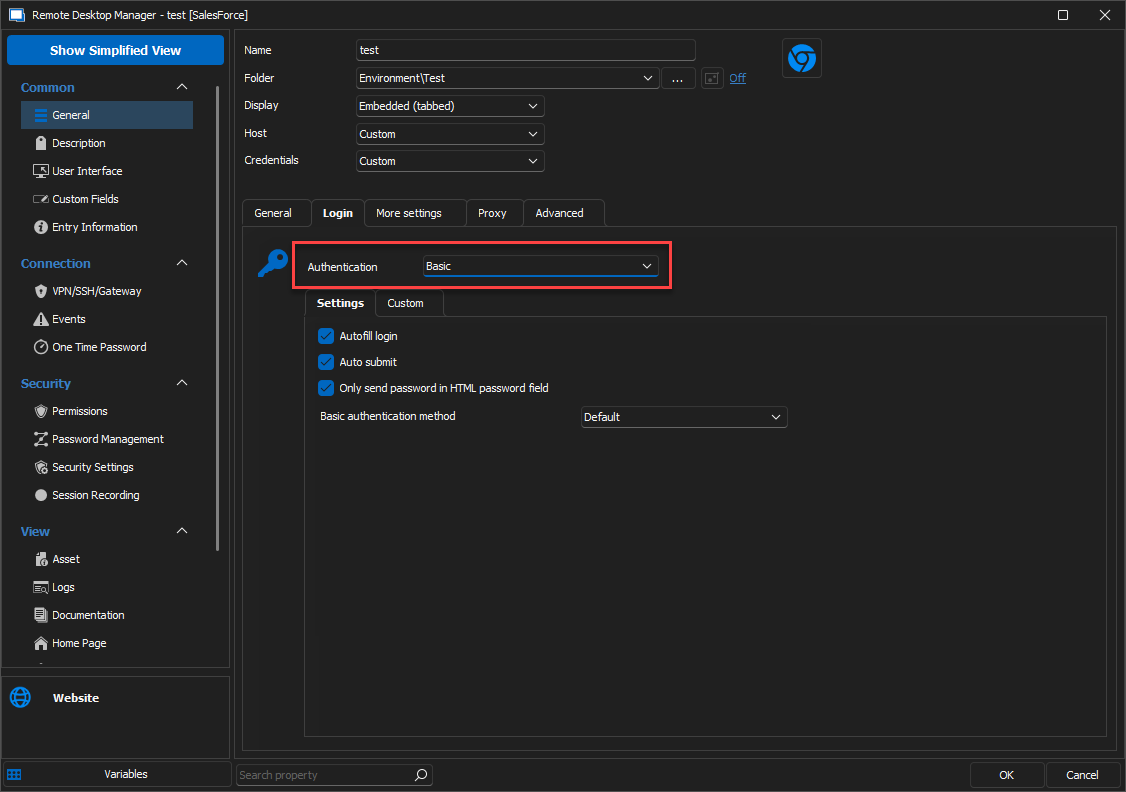
Please let us know if this resolves the issue, or if you require any further assistance.
Best regards,
Samuel Dery
image.png
With all the same parameter as shown on screen (Chrome, Basic, 3 checkbox checked, auth. Method Default) i get a "401 Unauthorized".
If I stick to Edge with any "basic" or "form" login. nothing work.
One thing I see is the popup window flash after the "autofill delay", it looks like something is accepted, but nothing work.
Hello Sebastien,
Thank you for your reply,
Could you provide me with a screenshot of the error you received?
Also, could you confirm which version of RDM you're currently using?
Let me know,
Best regards,
Samuel Dery