
pvb1
RDM and X sessions
Good Morning,
many thank's for your support and helping to reproduce it!
Greetings from Germany!
RDM and X sessions
Hello,
no both are has different data source.
On Ubuntu i using currently a free Version 2021.1.2.4 with local data source.
On Windows i have a Enterprise Version based on MariaDB.
Both has tín RDM the same Prameter.
Many thank's for helping and have a nive weekend!
RDM and X sessions
GM Alex,
many thank's for helping.
the configurations is almost the same as yours:

and after open the session i try to start oclock for testing.
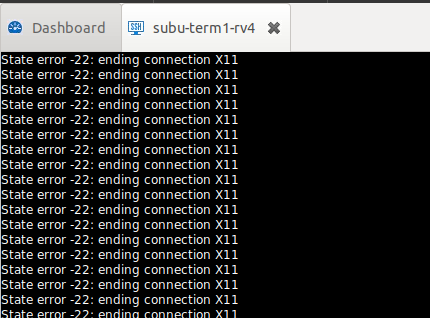
Both systems are Ubuntu 20.04 for RDM and 16.04 for testing oclock.
Is there somthing wrong in my configuration?
Many thank's in advanced
bob
RDM and X sessions
Hello @all,
on Windows that one is working for me, too!
I look also for a solution on Ubuntu / Mate-Desktop and RDM.
If i using a termial window and ssh -X connection it is working but with RDM not.
Mybe someone has a solution?
Many thanks and nice weekend!
RDP on Windows is working on Ubuntu not
Hello James,
is that one not for a external Display?
I try to use that one but nothing happend, there i no option to input the parameter
/v:$HOST$ /u:$USERNAME$ /d:$DOMAIN$ /p:$PASSWORD$ /relax-order-checks +glyph-cache
Many thank's for helping!
R.
RDP on Windows is working on Ubuntu not
Hello Jonathan,
first of all, meny thanks to you and James!
Is that possible to add this switch to new Version?
Could you pls. explain how to use "set session to external". I have already install xfreerdp but did't find what you mean to use under RDM a external session.
Many thank's in advanced
RDP on Windows is working on Ubuntu not
I have find out if i using this command on Remmina then it works:
Glyph-cache
and
Relax-order-checks
How can i use this in RDM?
Many thaks
RDP on Windows is working on Ubuntu not
Hello @all,
i have 2 Windows Systems, both connection are working fine from Windows RDM.
On Ubuntu i get a Connect and this sceen:
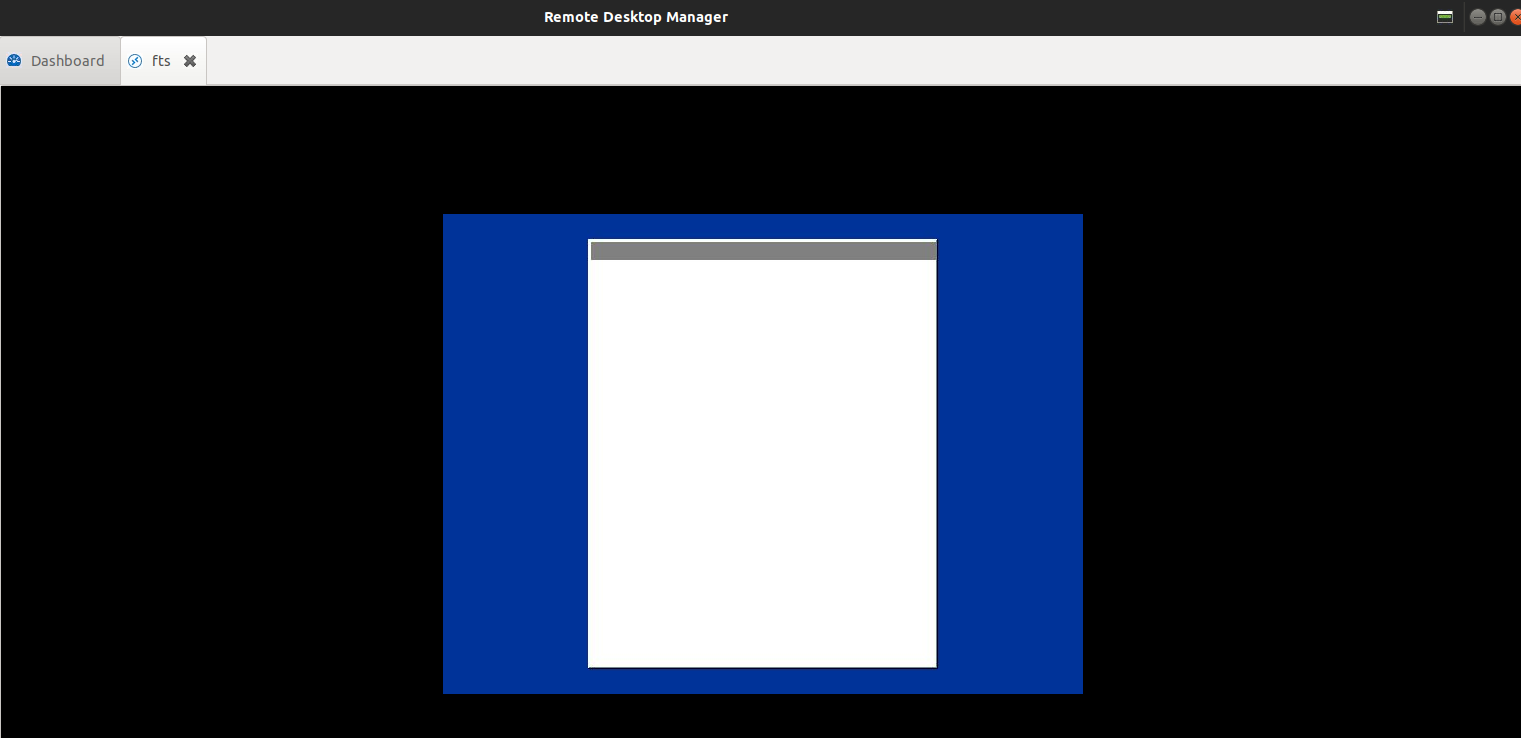
I have tried different Resolutions but no luck.
The Server are using NLA.
Output of rdesktop on ubuntu and the RDP Connection is woking:
Autoselecting keyboard map 'de' from locale
is_wm_active(): WM name: Meta
Connecting to server using NLA...
Connection established using plain RDP.
Connection successful
I using on both Side latest version of RDM.
Is there anything what i can tree to get it working on RDM?
Many Thank to all and have a nice Weekend.
Ausführende Befehle nach Anmeldung Ubunut / Windows
Perfekt, herzlichen Dank dafür!
Arrow Key top/down are not working on RDM Ubuntu Mate to RDP Session
Hi Jonathan,
i have installed tightvnc on windows 10 client.
open connection from RDM on Ubuntu to W10 tightvnc and all keys are working perfekt!
many thanks R.
Doubleclicking host works sporatically on 2020.3.0.0
I have seen this on ubuntu 20.04 with mate, too.
Ausführende Befehle nach Anmeldung Ubunut / Windows
Hallo,
kann es sein das dieses Problem in der Version 2020.3.0.0 behoben wurde?
Besten Dank und VG
Arrow Key top/down are not working on RDM Ubuntu Mate to RDP Session
Hi Jonathan,
many thanks for helping.
RDM is running on Ubuntu 20.4 Server with Mate Desktop an standard german Keybord
Entry settings are default and i test all Unicode and Layout posibilities.
Remote Machine is W10 W2012 W2016 and W2019 all the same!
The keys on Numlock are working if i turned off them.
Also in SSH Session every thing is working.
What i'm wondering if i using down arrow i get a enter key.
many thanks
R.
Arrow Key top/down are not working on RDM Ubuntu Mate to RDP Session
Hello @all
hallo zusammen,
if i open a RDP Session from Ubuntu Mate the arrow Keys top and down are not working.
If i open a cmd and hit dir and than up nothing happend, down is like Enter.
On Windows RDM to open a RDP that one works perfekt!
many Thank's
R.
Resize of Application
Hi Jonathan,
yes the hide of main menu are working as workaround, good to know!
many thanks
R.
Resize of Application
Hi Jonathan,
thanks alot for fast replay
Here is a screenshot about the rdm Window in smalist size.
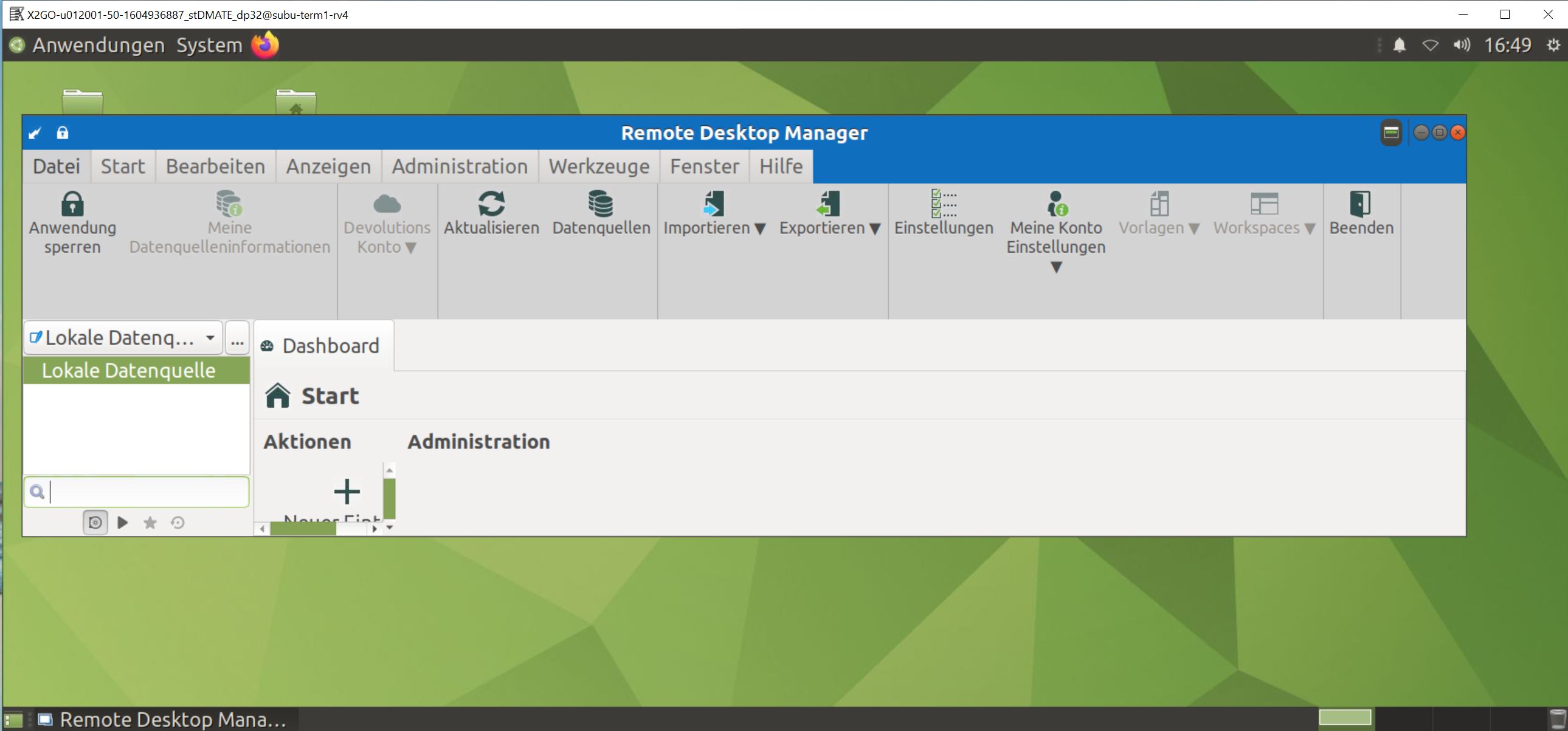
From top to down it's OK but from right to left thats to large.
Offcource if I have open a ssh or rdp terminal than i need that place but in Labtopsceen you don't have somethimes more that screenplace.
Mybe that one is the smalist shrink size?
many thanks!
Resize of Application
Hello @all,
we using RDM unter Ubuntu 20.04 with Mate Desktop.
The Sizing from top to down is possible but from right to left not.
How can i fix that?
Many thanks
Ausführende Befehle nach Anmeldung Ubunut / Windows
Guten Tag Herr Lafontaine,
besten Dank für die Info!
Ich werden dann nach der Implemetierung schauen ob RDM-Linux dann den Anforderungen unser Benutzer entspricht da diese häuffig mit Scripten bzw. Befehlen arbeiten.
Wünsche noch einen schönen Tag
MfG
Register RDM für alle Benutzer
Hallo Min Destens,
besten Dank für die schnelle Rückmeldung.
Ich gehe mal davon aus das diese Einstellungen nur mit der Enterprise Version möglich sind und dann vermutlich auch nicht unter Linux (Ubuntu)?
Die Cloud Variante ist vermutlich leider auch nicht möglich da die PC's und Terminal-Server ja keine Internet Verbindung haben.
Eine DatenBank zu nutzen ist leider auch nur in der Enterprise Variante möglich so ich das sehen sofern dies ein Möglichkeit wäre.
Besten Dank schon mal für die Hilfe!
VG pvb
Register RDM für alle Benutzer
Hallo zusammen,
welche Möglichkeiten gibt es RDM auf mehreren PC oder auf einem Terminal-Server welcher von mehreren Benutzern genutzt wird einmalig zu registrieren?
Sowohl die PC's als auch Terminal-Server haben keine Internetverbindung!
Besten Dank im Voraus
MfG
Ausführende Befehle nach Anmeldung Ubunut / Windows
Hallo werte Forengemeinde,
es gibt im RDM die Möglichkeit Befehle nach der Anmeldung auszuführen.
Unter Windows 10 habe ich das probiert und es funktioniert ohne Probleme aber unter Ubuntu erhalte ich Möglichkeit nicht.
Man kann zwar die Befehle unter SSH Shell einstellen aber sie werden nicht ausgeführt nach dem Login und ich habe im Menü des Hosts keine Möglichkeit auf Script ausführen.
Gibt es diese Option bei der Linx Variante nicht oder habe ich etwas falsch gemacht?
Besten Dank im Voraus
MfG