RDP on Windows is working on Ubuntu not

Hello @all,
i have 2 Windows Systems, both connection are working fine from Windows RDM.
On Ubuntu i get a Connect and this sceen: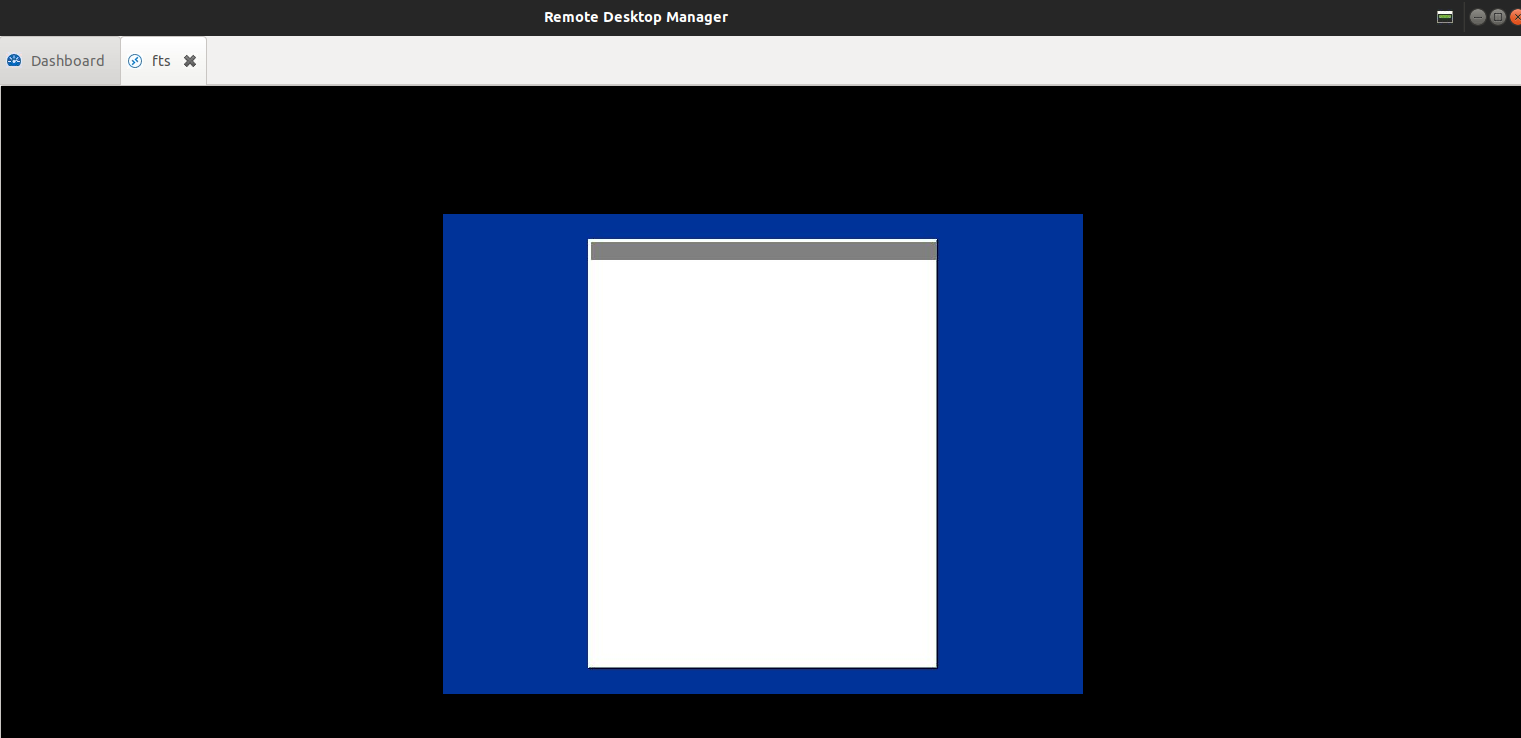
I have tried different Resolutions but no luck.
The Server are using NLA.
Output of rdesktop on ubuntu and the RDP Connection is woking:
Autoselecting keyboard map 'de' from locale
is_wm_active(): WM name: Meta
Connecting to server using NLA...
Connection established using plain RDP.
Connection successful
I using on both Side latest version of RDM.
Is there anything what i can tree to get it working on RDM?
Many Thank to all and have a nice Weekend.
RDP_fts_3.PNG
All Comments (10)
I have find out if i using this command on Remmina then it works:
Glyph-cache
and
Relax-order-checks
How can i use this in RDM?
Many thaks
Hello,
Thank you for contacting us on that matter!
I will contact our Engineering Department on this and get back to you with their reply.
Best regards,
James Lafleur
Hi,
Adding these switches to RDM would require a new version.
Right now, your best option is probably to install xfreerdp (it is available in Ubuntu's app store) and set your session to external.
You will now be able to specify the command line and use /relax-order-checks +glyph-cache
a complete command line would look something like this
/v:$HOST$ /u:$USERNAME$ /d:$DOMAIN$ /p:$PASSWORD$ /relax-order-checks +glyph-cache
Let me know if this solves your issue.
Regards
Jonathan Lafontaine
Hello Jonathan,
first of all, meny thanks to you and James!
Is that possible to add this switch to new Version?
Could you pls. explain how to use "set session to external". I have already install xfreerdp but did't find what you mean to use under RDM a external session.
Many thank's in advanced
Hello,
Thank you for your swift reply!
A ticket has been opened with our Engineering Department to see if it is possible to add these switches
.
As for your other question, your entry can be set to use the "External" display by going in its properties, under the "General" section and using the dropdown menu next to "Display" to select "External":
Let us know if it works for you!
Best regards,
James Lafleur
Hello James,
is that one not for a external Display?
I try to use that one but nothing happend, there i no option to input the parameter
/v:$HOST$ /u:$USERNAME$ /d:$DOMAIN$ /p:$PASSWORD$ /relax-order-checks +glyph-cache
Many thank's for helping!
R.
Hi,
It's external as in the session is not displayed within RDM.
When launching an external session on RDM Linux, you will be prompt with a window.
Selecting "Normal" will look for xfreerdp and will automatically create the command line.
If you can execute xfreerdp from a terminal, RDM should be able to use it.
I've sent you a private message with more information and a build that will include /relax-order-checks and +glyph-cache by default.
Jonathan Lafontaine
below is the display of the features available on Windows. however in on Ubuntu not displaying full features. is there a way to update settings to be able to see SETTNGs, Smart Reconnect? any feedback would be appreciative. thanks:)
Hi,
Unfortunately, no, there isn't a way to do so from the embedded view's menu.
Those features simply have not been implemented in RDM Linux yet.
I'll add a task to our todo list to implement this particular feature.
That being said, if your goal is to activate smart reconnect for your session, there are other ways to do so.
You can go in RDM's prefereces and change the default screen sizing mode to Smart Reconnect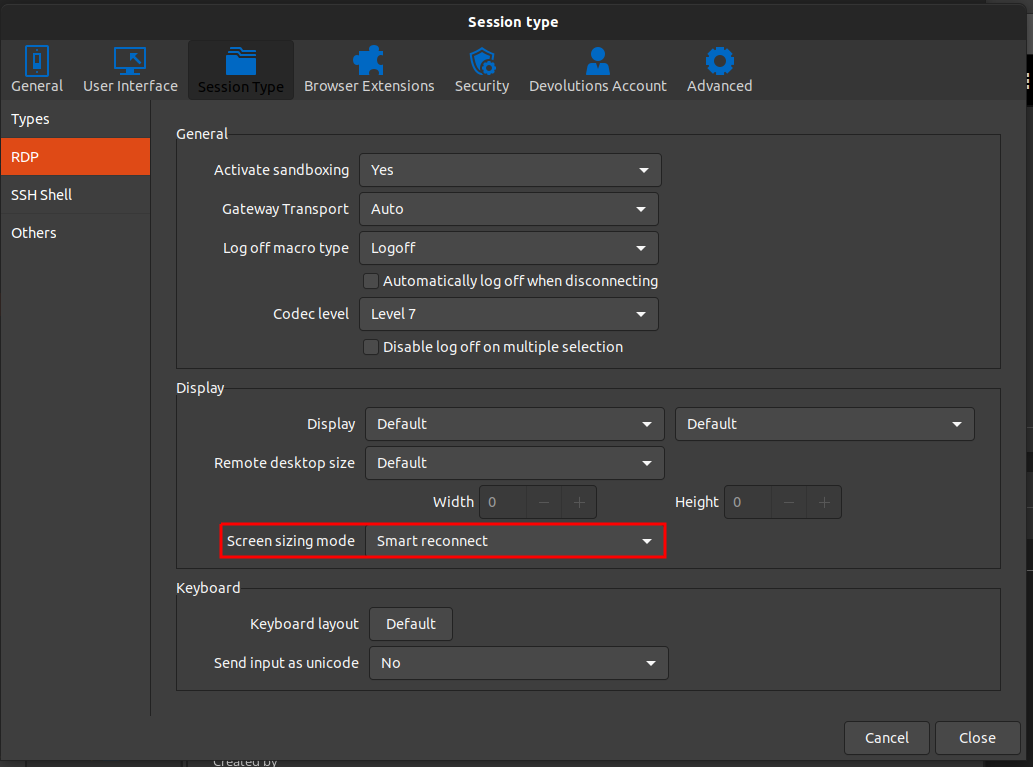
Jonathan Lafontaine
Screenshot from 2021-07-09 08-25-22.png
Hello,
We have implemented the Glyph-cache and Relax-order-checks flags in our build and will be available next release !
Cheers
David Ringuet