Resize of Application

Hello @all,
we using RDM unter Ubuntu 20.04 with Mate Desktop.
The Sizing from top to down is possible but from right to left not.
How can i fix that?
Many thanks
All Comments (6)
Hi,
This might be specific to Mate, I will have to install a Mate desktop to investigate further.
Are you trying to shrink or grow the RDM window? You should be able to enlarge the window as much as you'd like
but there's a minimum size you won't be able to shrink past.
Regards
Jonathan Lafontaine
Hi Jonathan,
thanks alot for fast replay
Here is a screenshot about the rdm Window in smalist size.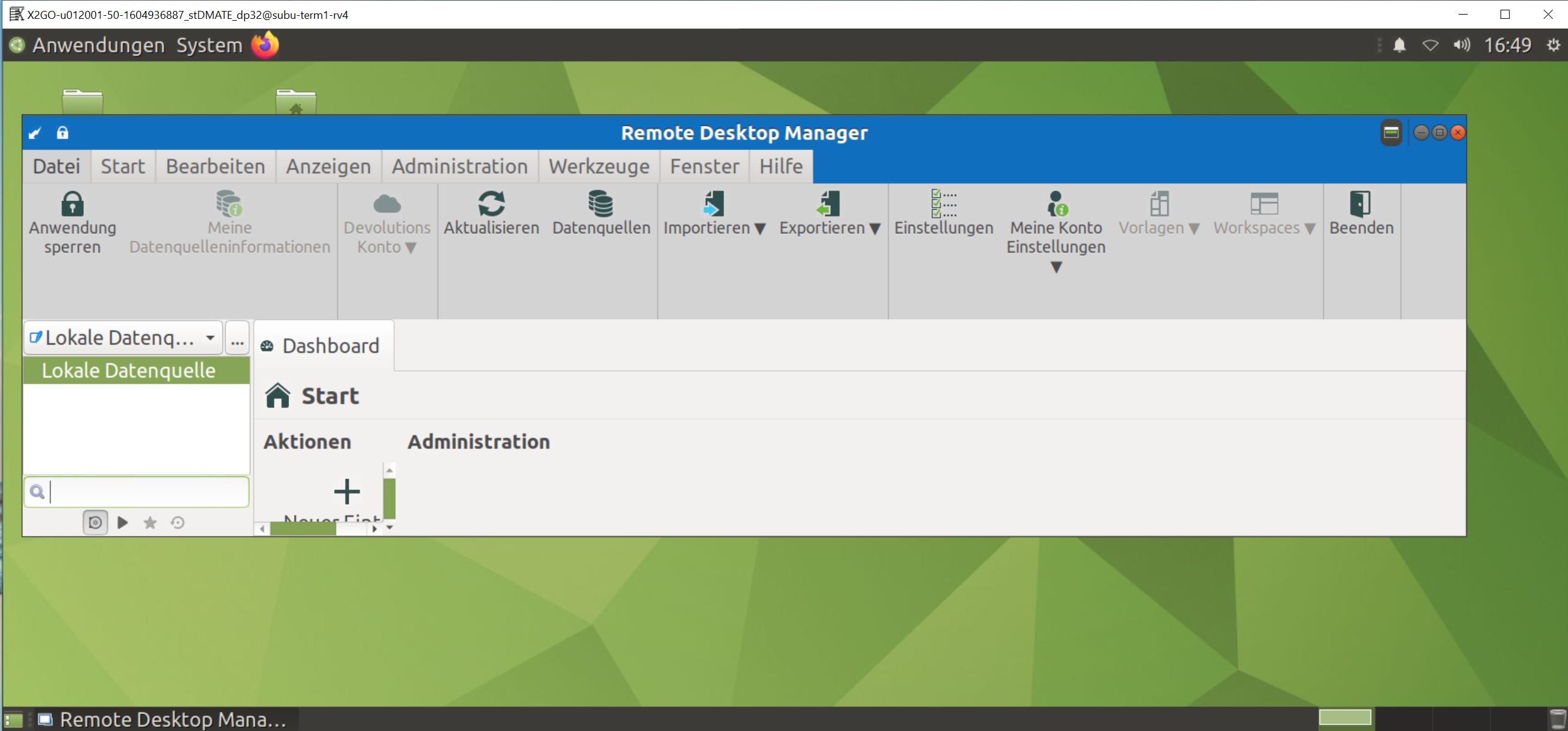
From top to down it's OK but from right to left thats to large.
Offcource if I have open a ssh or rdp terminal than i need that place but in Labtopsceen you don't have somethimes more that screenplace.
Mybe that one is the smalist shrink size?
many thanks!
RDM_mate.JPG
In your screenshot, it looks like you are hitting the minimum size RDM will shrink to.
It's however bigger than I though it would be in part due to the German translation taking more space than English.
I'll see what I can do to help with this issue.
Jonathan Lafontaine
The main menu is the one stopping RDM down sizing.
If you don't rely on the main menu too much, you could, as a workaround, hide it using the button just left of the minimize button.
That should allow you to resize RDM to whatever size you want.
Jonathan Lafontaine
Hi Jonathan,
yes the hide of main menu are working as workaround, good to know!
many thanks
R.
Glad to know this helps you while we find a better solution.
Regards
Jonathan Lafontaine