BASICS srl - Helpdesk
RDM 2023.3.22.0 db upgrade fail
Hi Stefane
We have installed the last version 3.24 and we have updated the db without any problem
Thanks for your support
RDM 2023.3.22.0 db upgrade fail
Hello
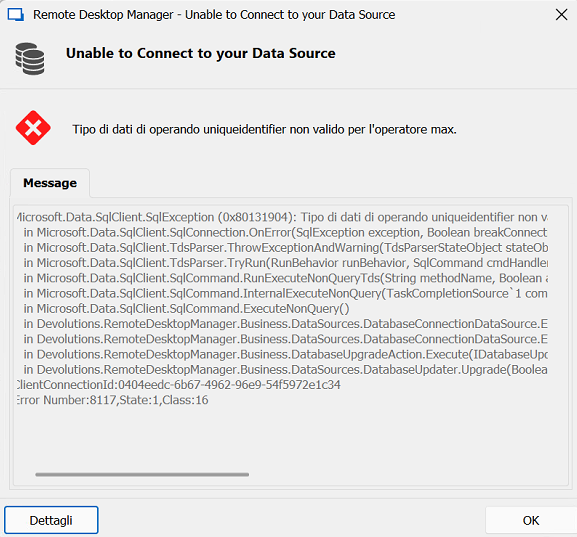
We have updated the RDM to last version 2023.3.22.0 from 2023.2.33.0 but the DB update fail. Msg: "Tipo di dati di operando uniqueidentifier non valido per l'operatore max"
We have tried with db owner user and sysdba user.(sa)
RDM data sources tools:
Test Host: OK
Validate DB: OK
Test Database: OK
How we can resolve the issue?
Thanks
Microsoft.Data.SqlClient.SqlException (0x80131904): Tipo di dati di operando uniqueidentifier non valido per l'operatore max.
in Microsoft.Data.SqlClient.SqlConnection.OnError(SqlException exception, Boolean breakConnection, Action`1 wrapCloseInAction)
in Microsoft.Data.SqlClient.TdsParser.ThrowExceptionAndWarning(TdsParserStateObject stateObj, Boolean callerHasConnectionLock, Boolean asyncClose)
in Microsoft.Data.SqlClient.TdsParser.TryRun(RunBehavior runBehavior, SqlCommand cmdHandler, SqlDataReader dataStream, BulkCopySimpleResultSet bulkCopyHandler, TdsParserStateObject stateObj, Boolean& dataReady)
in Microsoft.Data.SqlClient.SqlCommand.RunExecuteNonQueryTds(String methodName, Boolean async, Int32 timeout, Boolean asyncWrite)
in Microsoft.Data.SqlClient.SqlCommand.InternalExecuteNonQuery(TaskCompletionSource`1 completion, String methodName, Boolean sendToPipe, Int32 timeout, Boolean& usedCache, Boolean asyncWrite, Boolean inRetry)
in Microsoft.Data.SqlClient.SqlCommand.ExecuteNonQuery()
in Devolutions.RemoteDesktopManager.Business.DataSources.DatabaseConnectionDataSource.ExecuteNonQuery(String sql, IDbTransaction dbTransaction, IDbDataParameter[] parameters, Int32 commandTimeout)
in Devolutions.RemoteDesktopManager.Business.DataSources.DatabaseConnectionDataSource.ExecuteScript(String script, IDbTransaction dbTransaction)
in Devolutions.RemoteDesktopManager.Business.DatabaseUpgradeAction.Execute(IDatabaseUpdater updater, BaseUpdater scripts)
in Devolutions.RemoteDesktopManager.Business.DataSources.DatabaseUpdater.Upgrade(Boolean silent, Action`1 logMessage)
ClientConnectionId:0404eedc-6b67-4962-96e9-54f5972e1c34
Error Number:8117,State:1,Class:16
Personal credential for external password manager (PASSPORTAL) not shared using shared DB for RDM
In our company we are 2 technicians and we both use Remote Desktop Manager in Enterprise version, with centralized database on our MS-SQL Server.
The passwords to access the various hosts in the RDM are stored on PASSPORTAL (password manager)
We configured the passwords in RDM using the instructions at this link https://help.remotedesktopmanager.com/credentials_dynamiccredentiallinking.html using a single CREDENTIAL ENTRY with the "Always prompt with list" flag enabled.
In this configuration, however, when I enter my credentials to access the PASSPORTAL service, these are stored in the DB of the vault in MS-SQL and they also become available for my colleague.
The same happens when he logs in.
How can I configure RDM so that the PASSPORTAL login credentials are not stored in the MS-SQL DB but remain associated with my PC and stored locally, so that I can use my credentials and my colleague his, without them are saved in the shared MS-SQL DB?
Thanks and best regards
Francesco
Passportal integration not working
Hi James
now it's working!!
I downloaded the new RDM v2020.3.16.0 and I configured Passportal entry using my credentials.
After that I created a new server connection using this Passportal entry and finally a pop-up windows is asking me to choose related password.
Even the server connection is working with Passportal linked credentials.
so, if you confirm that v2020.3.16 is a stable release and not a beta, from my side this issue has been solved.
Do you need that i create debug log as you requested?
Thanks
Best regards
Francesco
Passportal integration not working
Hello Jeff
is there any update about this ticket ?
Do you have a planned date for resolution ?
Passportal integration is not working and no way to use this password manager with your RDM till now.
Thanks and best regards
Passportal integration not working
See XLS file in attached log.zip.
The yellow cells are related to the last attemp with Passportal integration.
Thanks
Passportal integration not working
Hello Jeff
This is the profiler result when I use custom URL (https://de-clover.passportalmsp.com/) in Passportal configuration:
PassPortalHelper: RequestUser called
PassPortalHelper: GetAuthenticationToken called
PassPortalHelper: GetClients called
PassPortalHelper: CanGetClient called
PassPortalHelper: CanGetClient called
PassPortalHelper: CanGetClient called
PassPortalHelper: CanGetClient called
PassPortalHelper: CanGetClient called
PassPortalHelper: CanGetClient called
PassPortalHelper: CanGetClient called
PassPortalHelper: CanGetClient called
PassPortalHelper: CanGetClient called
PassPortalHelper: CanGetClient called
PassPortalHelper: CanGetClient called
PassPortalHelper: CanGetClient called
PassPortalHelper: CanGetClient called
PassPortalHelper: CanGetClient called
PassPortalHelper: CanGetClient called
PassPortalHelper: CanGetClient called
PassPortalHelper: CanGetClient called
PassPortalHelper: CanGetClient called
PassPortalHelper: CanGetClient called
PassPortalHelper: GetFolders called
PassPortalHelper: GetAuthenticationToken called
And this is the profiler result when I use default URL (us) in Passportal configuration:
PassPortalHelper: GetAuthenticationToken called
In this second case I get this warning messagebox

before opening the "Passportal Client and Password selection" form:

Let me know if you need further details.
Thanks
BR
Passportal integration not working
I updated RDM and MS-SQL DB to version 2020.3.8.0 (64bit) but issue still persists.
These are settings for Passportal credentials dynamic linking:
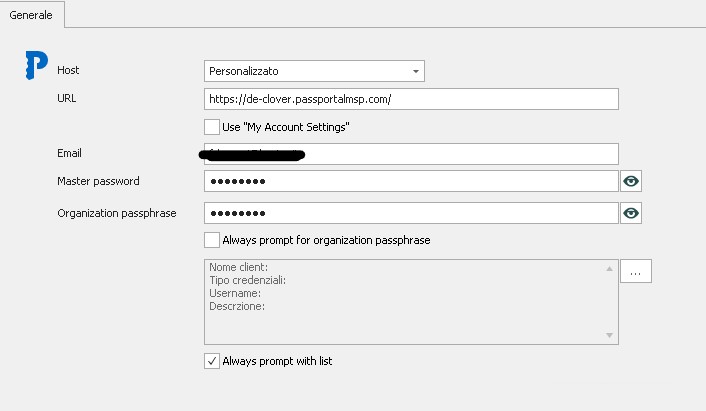
When I try to pick up credential from list clicking on "Select from list"
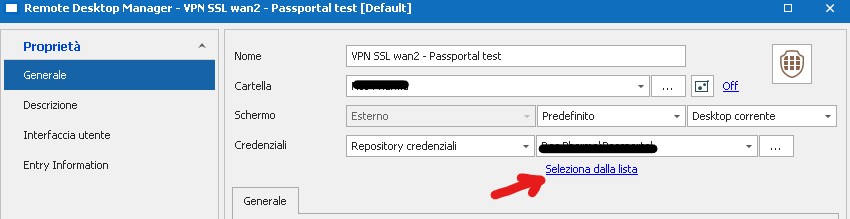
this is the result (no records shown):
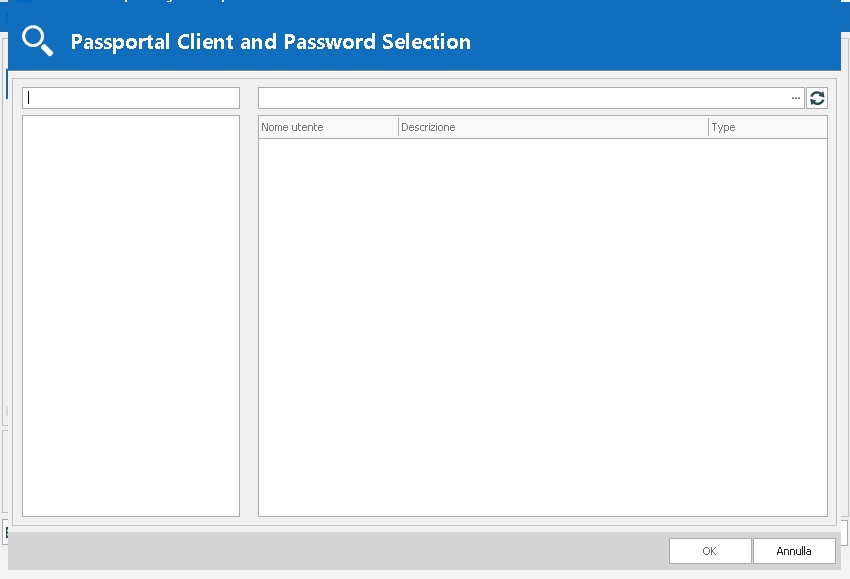
Thanks a lot
Best regards
Passportal integration not working
Hello Jeff
I confirm that we are all using same version.
I’ll try beta version and update ticket.
Best regards
Passportal integration not working
v2020.1.20.0 64bit
Passportal integration not working
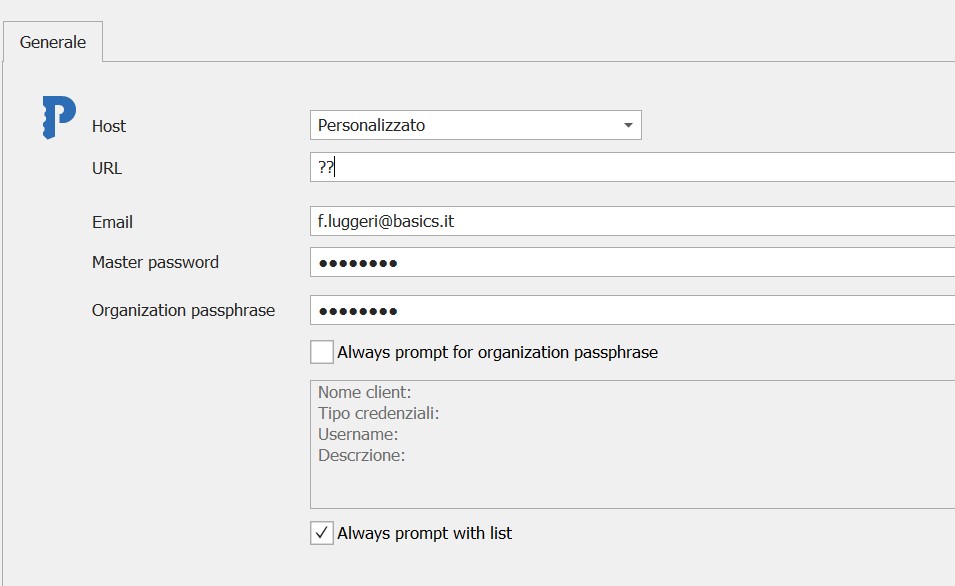
I created a single credential entry for our credential manager PASSPORTAL following this link https://help.remotedesktopmanager.com/credentials_dynamiccredentiallinking.html
In HOST field I tried both "Predefined" endpoints ("ca" and "us") but I received this error message: "Failed to create token, is the information used correct ?"
I also tried to use "Custom" option in HOST fields, filling in URL the address we use to access Passportal (https://de-clover.passportalmsp.com/) but it's not working.
Can you clarify which parameters are need to configure Passportal integration in enclosed image ?
Thanks in advance