RDM 2023.3.22.0 db upgrade fail

Hello
We have updated the RDM to last version 2023.3.22.0 from 2023.2.33.0 but the DB update fail. Msg: "Tipo di dati di operando uniqueidentifier non valido per l'operatore max"
We have tried with db owner user and sysdba user.(sa)
RDM data sources tools:
Test Host: OK
Validate DB: OK
Test Database: OK
How we can resolve the issue?
Thanks
Microsoft.Data.SqlClient.SqlException (0x80131904): Tipo di dati di operando uniqueidentifier non valido per l'operatore max.
in Microsoft.Data.SqlClient.SqlConnection.OnError(SqlException exception, Boolean breakConnection, Action`1 wrapCloseInAction)
in Microsoft.Data.SqlClient.TdsParser.ThrowExceptionAndWarning(TdsParserStateObject stateObj, Boolean callerHasConnectionLock, Boolean asyncClose)
in Microsoft.Data.SqlClient.TdsParser.TryRun(RunBehavior runBehavior, SqlCommand cmdHandler, SqlDataReader dataStream, BulkCopySimpleResultSet bulkCopyHandler, TdsParserStateObject stateObj, Boolean& dataReady)
in Microsoft.Data.SqlClient.SqlCommand.RunExecuteNonQueryTds(String methodName, Boolean async, Int32 timeout, Boolean asyncWrite)
in Microsoft.Data.SqlClient.SqlCommand.InternalExecuteNonQuery(TaskCompletionSource`1 completion, String methodName, Boolean sendToPipe, Int32 timeout, Boolean& usedCache, Boolean asyncWrite, Boolean inRetry)
in Microsoft.Data.SqlClient.SqlCommand.ExecuteNonQuery()
in Devolutions.RemoteDesktopManager.Business.DataSources.DatabaseConnectionDataSource.ExecuteNonQuery(String sql, IDbTransaction dbTransaction, IDbDataParameter[] parameters, Int32 commandTimeout)
in Devolutions.RemoteDesktopManager.Business.DataSources.DatabaseConnectionDataSource.ExecuteScript(String script, IDbTransaction dbTransaction)
in Devolutions.RemoteDesktopManager.Business.DatabaseUpgradeAction.Execute(IDatabaseUpdater updater, BaseUpdater scripts)
in Devolutions.RemoteDesktopManager.Business.DataSources.DatabaseUpdater.Upgrade(Boolean silent, Action`1 logMessage)
ClientConnectionId:0404eedc-6b67-4962-96e9-54f5972e1c34
Error Number:8117,State:1,Class:16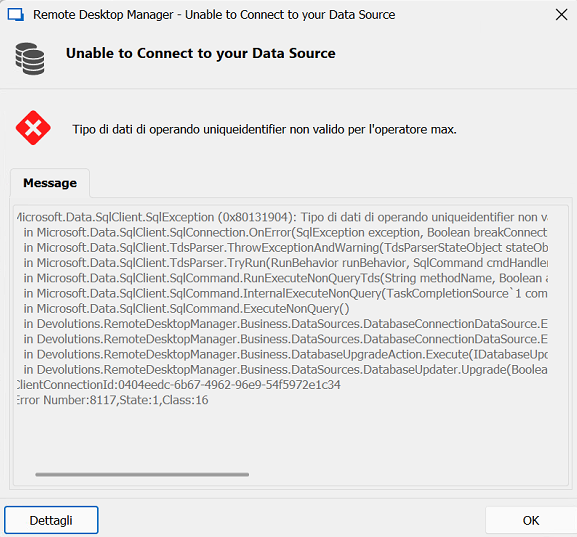
Francesco Luggeri
Screenshot 2023-11-07 121726.png
All Comments (2)
Hi Francesco,
FYI, this issue was fixed internally yesterday and will be available with the next build.
We have a workaround. I will send you a .zip (via private message) containing a .dll. Extract the file into your install directory and start RDM. All should return to normal.
What was the issue? We have an upgrade step that contains SQL syntax that is not compatible with older version of SQL Server (namely SQL Server 2008 R2 or older) which, by the way, are not officially supported.
Best regards,
Stéfane Lavergne
Hi Stefane
We have installed the last version 3.24 and we have updated the db without any problem
Thanks for your support
Francesco Luggeri