Passportal integration not working

I created a single credential entry for our credential manager PASSPORTAL following this link https://help.remotedesktopmanager.com/credentials_dynamiccredentiallinking.html
In HOST field I tried both "Predefined" endpoints ("ca" and "us") but I received this error message: "Failed to create token, is the information used correct ?"
I also tried to use "Custom" option in HOST fields, filling in URL the address we use to access Passportal (https://de-clover.passportalmsp.com/) but it's not working.
Can you clarify which parameters are need to configure Passportal integration in enclosed image ?
Thanks in advance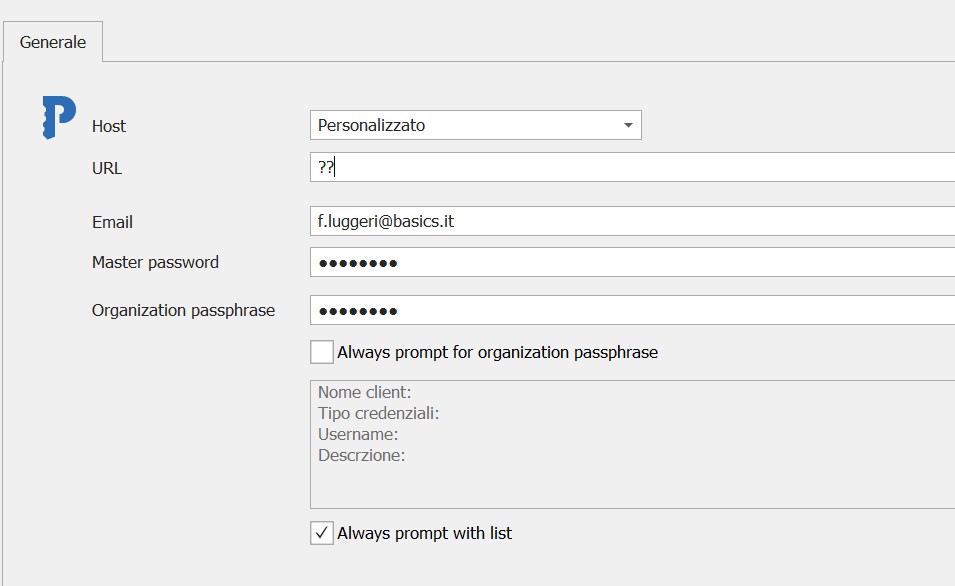
Francesco Luggeri
Passportal.jpg
All Comments (20)
Hello,
What version of RDM are you running?
Best regards,
Jeff Dagenais
v2020.1.20.0 64bit
Francesco Luggeri
Hello,
Our engineering department has made some fixes for PassPortal in RDM 2020.3.8.0. Is it possible for you to install this latest release?
https://remotedesktopmanager.com/home/download#Beta
Please note that if you are running a datasource like SQL Server or SQL Azure as example, a database upgrade is required, but backward compatible with RDM 2020.2.x
https://help.remotedesktopmanager.com/database_upgrade.html
Are you all running the same version of RDM?
Best regards,
Jeff Dagenais
Hello Jeff
I confirm that we are all using same version.
I’ll try beta version and update ticket.
Best regards
Francesco Luggeri
I updated RDM and MS-SQL DB to version 2020.3.8.0 (64bit) but issue still persists.
These are settings for Passportal credentials dynamic linking: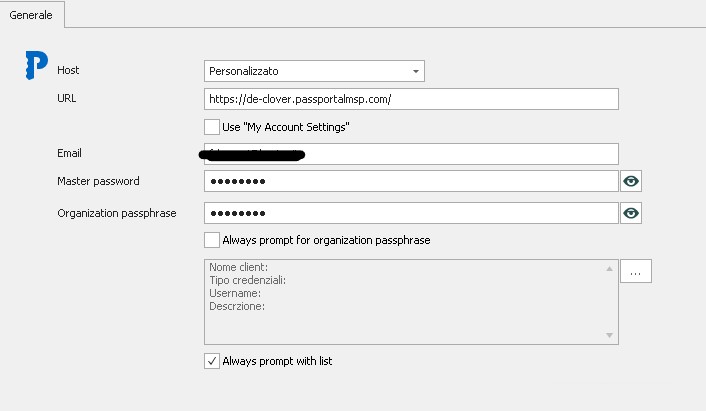
When I try to pick up credential from list clicking on "Select from list"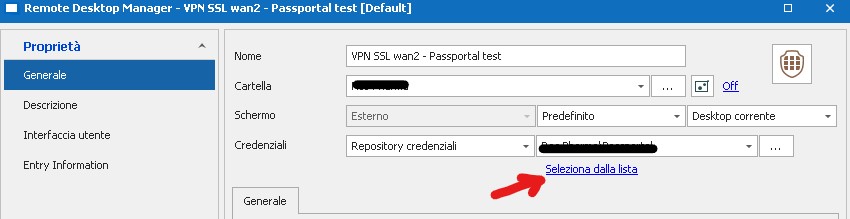
this is the result (no records shown):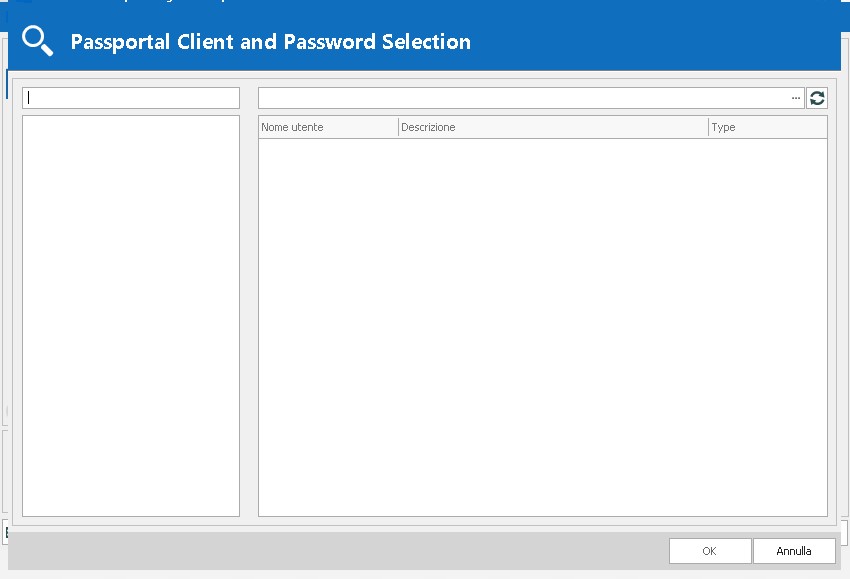
Thanks a lot
Best regards
Francesco Luggeri
passportal4.jpg
passportal3.jpg
passportal2.jpg
Hello,
Could you go in Help -> Profiler, set the Debug Level to 1 in the Debug only tab, drag the window on your second screen and reproduce the issue?
Then, send us the results of the profiler.
Best regards,
Jeff Dagenais
Hello Jeff
This is the profiler result when I use custom URL (https://de-clover.passportalmsp.com/) in Passportal configuration:
PassPortalHelper: RequestUser called
PassPortalHelper: GetAuthenticationToken called
PassPortalHelper: GetClients called
PassPortalHelper: CanGetClient called
PassPortalHelper: CanGetClient called
PassPortalHelper: CanGetClient called
PassPortalHelper: CanGetClient called
PassPortalHelper: CanGetClient called
PassPortalHelper: CanGetClient called
PassPortalHelper: CanGetClient called
PassPortalHelper: CanGetClient called
PassPortalHelper: CanGetClient called
PassPortalHelper: CanGetClient called
PassPortalHelper: CanGetClient called
PassPortalHelper: CanGetClient called
PassPortalHelper: CanGetClient called
PassPortalHelper: CanGetClient called
PassPortalHelper: CanGetClient called
PassPortalHelper: CanGetClient called
PassPortalHelper: CanGetClient called
PassPortalHelper: CanGetClient called
PassPortalHelper: CanGetClient called
PassPortalHelper: GetFolders called
PassPortalHelper: GetAuthenticationToken called
And this is the profiler result when I use default URL (us) in Passportal configuration:
PassPortalHelper: GetAuthenticationToken called
In this second case I get this warning messagebox 
before opening the "Passportal Client and Password selection" form:
Let me know if you need further details.
Thanks
BR
Francesco Luggeri
Hello,
Thank you for the Profiler. Really appreciated.
Is it also possible to go in Help -> Application Logs and see if there's something relevant in that area please.
Best regards,
Jeff Dagenais
See XLS file in attached log.zip.
The yellow cells are related to the last attemp with Passportal integration.
Thanks
Francesco Luggeri
log.zip
Hello,
I opened a ticket to our engineering department regarding this.
The ticket number is RDMW-6256.
Thank you for all the details.
Best regards,
Jeff Dagenais
Hello Jeff
is there any update about this ticket ?
Do you have a planned date for resolution ?
Passportal integration is not working and no way to use this password manager with your RDM till now.
Thanks and best regards
Francesco Luggeri
Hello,
Sorry to jump in, our Engineering Department just informed me that they have added more debug logs in the next version of RDM. Once RDM 2020.2.13.0 is released, could you please do the following:
First you will need to create a portable version of RDM to ensure that your current installation is not affected by these tests. To do so, you will need to do the following:
1- Download the .zip file below:
https://remotedesktopmanager.com/home/thankyou/rdmbin
2- Create a new folder on your Desktop
3- Extract the content of the .zip file into the folder created at #2
4- Go in this folder once the .zip file has been extracted and run remotedesktopmanager64.exe
5- Enter your current serial
6- Create a Passportal entry it the default local data source that will be created with your portable version of RDM.
7- Go under Help -> Profiler -> Debug Only tab -> Set the "Debug level" to 1
8- Move the Profiler window elsewhere
9- Select your Passportal entry and use the "View Password" button to launch it
10- Provide us the logs that will be created in your Profiler window.
Best regards,
James Lafleur
Hello again,
Our Engineering Department jsut informed me that in the latest version of RDM, they have added more debug for PassPortal. For this reason, would it be possible for you to create a portable version of RDM 2020.3.16.0 and generate a new debug log? To do so, you will need to do the following:
1- Download the .zip file below:
https://remotedesktopmanager.com/home/thankyou/rdmbin
2- Create a new folder on your Desktop
3- Extract the content of the .zip file into the folder created at #2
4- Go in this folder once the .zip file has been extracted and run remotedesktopmanager64.exe
5- Enter your current serial
6- Create a Passportal entry
7- Go under Help -> Profiler -> Debug Only and set the debug level to 1. Once this is done, move it aside.
7- Select your Passportal entry and use the "View Password" button to be prompted with the "Passportal Client and Password Selection" window
9- A log should be created in the profiler window.
10- Send me this log via private message.
Best regards,
James Lafleur
Hi James
now it's working!!
I downloaded the new RDM v2020.3.16.0 and I configured Passportal entry using my credentials.
After that I created a new server connection using this Passportal entry and finally a pop-up windows is asking me to choose related password.
Even the server connection is working with Passportal linked credentials.
so, if you confirm that v2020.3.16 is a stable release and not a beta, from my side this issue has been solved.
Do you need that i create debug log as you requested?
Thanks
Best regards
Francesco
Francesco Luggeri
Hello,
RDM 2020.3.16.0 is an official release, not a beta.
If the issue is resolved, no need to provide us the logs.
Thank you for your feedback by the way.
Best regards,
Jeff Dagenais
our RDM version is 2024.1.32.0 64-bit la and today, suddenly, the program gives us the same error message that we reported at the opening of this ticket, and which you see in the attachment.
We're stuck with the program, once again.
Can you tell us how to solve the problem?
Thank you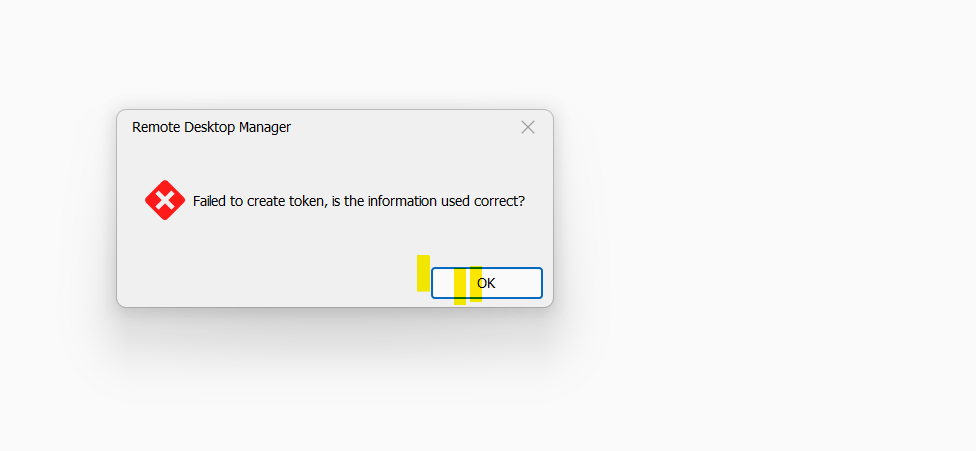
Immagine 2024-06-14 223745.png
Hello,
We did not do any modification for this integration, strange that you receive this error message.
Do you have something more relevant under Help -> Applications Logs?
Best regards,
Jeff Dagenais
Hello
We don't have anything relevant under application logs.
The integration stopped functionig all of a sudden giving us the error mesg we showed you.
We have no problem logging in to the Passportal webportal
we need to resolve the issue urgently beacuse the application is useless without integration
Thank you in advance
br
Hello,
Since you also opened a case yesterday with my team, we will continue via our ticketing system.
You should have received an answer already.
Best regards,
Jeff Dagenais
Hi.
From today the Passportal integration works normally
We will update the ticket if it recurs
thanks for the support
BR