Personal credential for external password manager (PASSPORTAL) not shared using shared DB for RDM
Personal credential for external password manager (PASSPORTAL) not shared using shared DB for RDM

In our company we are 2 technicians and we both use Remote Desktop Manager in Enterprise version, with centralized database on our MS-SQL Server.
The passwords to access the various hosts in the RDM are stored on PASSPORTAL (password manager)
We configured the passwords in RDM using the instructions at this link https://help.remotedesktopmanager.com/credentials_dynamiccredentiallinking.html using a single CREDENTIAL ENTRY with the "Always prompt with list" flag enabled.
In this configuration, however, when I enter my credentials to access the PASSPORTAL service, these are stored in the DB of the vault in MS-SQL and they also become available for my colleague.
The same happens when he logs in.
How can I configure RDM so that the PASSPORTAL login credentials are not stored in the MS-SQL DB but remain associated with my PC and stored locally, so that I can use my credentials and my colleague his, without them are saved in the shared MS-SQL DB?
Thanks and best regards
Francesco
Francesco Luggeri
All Comments (1)
Hello,
I would advise storing your Passportal in your User Vault
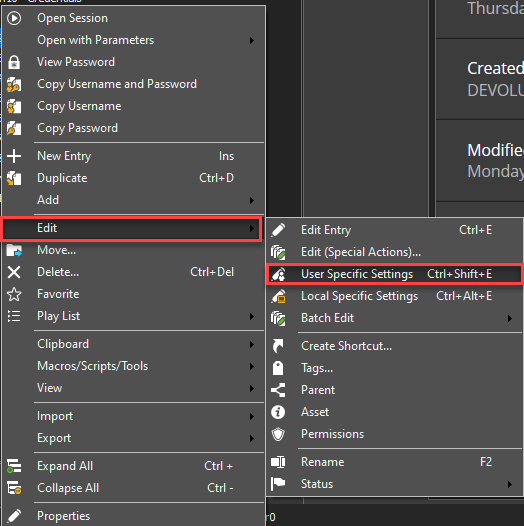
From there, you can perform a User Specific Setting on your sessions in order to link the Passortal entry from your User Vault.
The User Specific Setting can be done in batch, simply select multiple sessions at once.
Note that the other user will have to perform the same process. 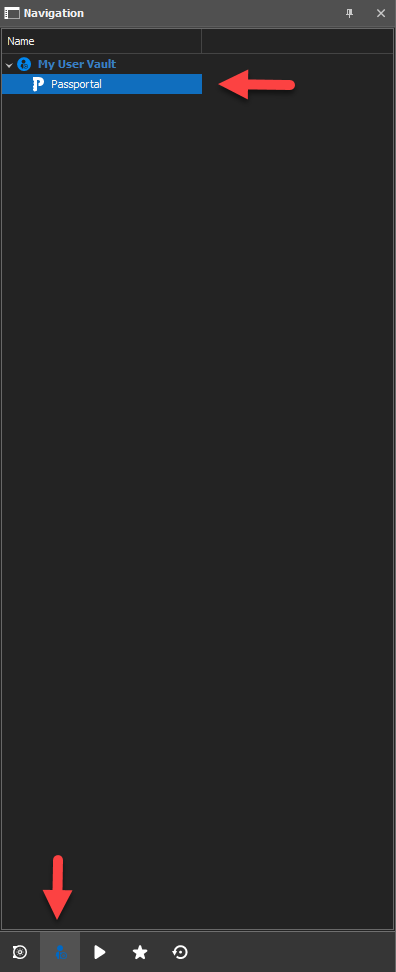
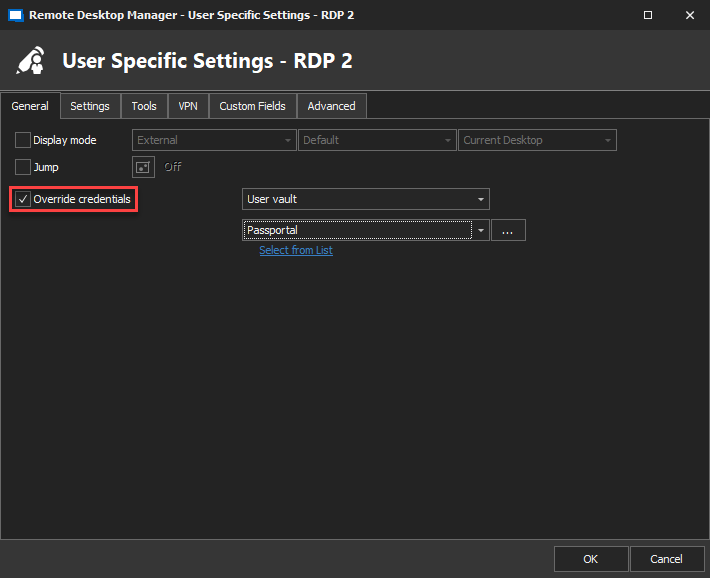
Best Regards,
Etienne Lord
override.png
edit.png
uservault.png