
tomglorieux
[Powershell] Allow Invoke-RDMParentSession as non-administrator
Ok thanks. Just upgraded the Powershell module and works like a charm!
[Powershell] Allow Invoke-RDMParentSession as non-administrator
Yes, specifically for an application
[Powershell] Allow Invoke-RDMParentSession as non-administrator
Allow the use of the Powershell commandlet Invoke-RDMParentSession as a non administrator
reference: https://forum.devolutions.net/topics/40686/invokerdmparentsession--access-denied
Invoke-RDMParentSession --> Access denied
Hello,
I can indeed confirm it works by giving the user administrator rights.
However, as this is managed automated, I should be able to run this as an application account:

There doesn't seem a way to make a application user administrator.
Also, I would like to prefer "Principle of least privilege".
Is there another commandlet that enables one to directly create a sub session (instead of creating another session and moving it as a sub session)?
Invoke-RDMParentSession --> Access denied
Hello,
I want to move a session as a child of another session. In any case, I receive an "Access denied".
For the purpose of a demo, I've created following Powershell script. It first creates a parent and a child session and then tries to move the child session under the parent session.
$timestamp = Get-Date -Format yyyy-MM-dd_HH-mm-ss

$parent = New-RDMSession -Name "parent $timestamp" -ConnectionType "SSHShell" -Host "parent"
Set-RDMSession $parent -Refresh
Write-Host "Parent:"
$parent | ft -Property Name,Group,ConnectionType
Write-Host ""

$child = New-RDMSession -Name "child $timestamp" -ConnectionType "WebBrowser" -Host "child"
Set-RDMSession $child -Refresh
Write-Host "Child:"
$child | ft -Property Name,Group,ConnectionType
Write-Host ""

Write-Host "Move child session under parent session:"
Invoke-RDMParentSession -ParentSession $parent -Session $child -Refresh
Output:
Parent:

Name                       Group ConnectionType
----                       ----- --------------
parent 2023-11-22_08-48-58             SSHShell


Child:
Name                      Group ConnectionType
----                      ----- --------------
child 2023-11-22_08-48-58           WebBrowser


Move child session under parent session:
Invoke-RDMParentSession: C:\Users\tom\Powershell\cmdb_scripts\ad_hoc_scripts\rdm_move_session.ps1:16
Line |
  16 |  Invoke-RDMParentSession -ParentSession $parent -Session $child -Refre …
     |  ~~~~~~~~~~~~~~~~~~~~~~~~~~~~~~~~~~~~~~~~~~~~~~~~~~~~~~~~~~~~~~~~~~~~~
     | Access denied
In RDM this results to:
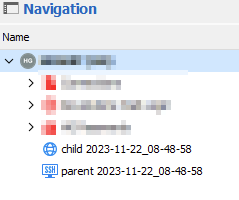
I really doubt this is a permission problem, since I'm able to create the sessions. And even move the child under the parrent (by drag and drop) within RDM:
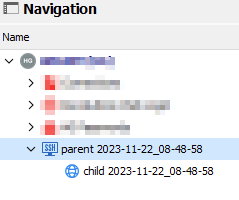
I'm using Powershell module Devolutions.PowerShell version 2023.3.1
Cannot set screen size mode
That one seems to be working just fine! Thank you!
Cannot set screen size mode
Hello,
I want to set the screen size mode. I can retrieve the value:
Get-RDMSessionProperty -ID $session.ID -Path RDP -Property RDP.ScreenSizingMode
returns for example 'Default'
However, setting seems to fail:
Set-RDMSessionProperty -ID $session.ID -Path RDP -Property RDP.ScreenSizingMode -Value 'AutoScale'
WARNING: Path or property not found. Value not set.
What am I missing here? thx!
RDM & Powershell: Switching from datasource SQL server to DVLS
We're using DVLS version 2023.2.5.0 and Powershell module version 2022.3.1.8.
When I performed Get-RDMCurrentVault, it turned out to be I was using the wrong vault!
With Set-RDMCurrentVault -ID $rdm_vault_to_use.ID I got it all working!
Thanks!
RDM & Powershell: Switching from datasource SQL server to DVLS
Hello,
Up till now, we're using an (on premise) Microsoft SQL server as backend for our Remote Destkop Manager (RDM) with using a local SQL server account.
Setting up is done like this:
# Setup a new datasource
$datasource = New-RDMDataSource -Name $rdm_datasource_name -SQLServer -Server $rdm_datasource_server -Database $rdm_datasource_database_name -Username $rdm_datasource_username -Password $rdm_datasource_secure_password
Set-RDMDataSource $datasource

# Setup default RDM datasources
Set-RDMCurrentDataSource -DataSource $datasource -Username $rdm_datasource_username -Password $rdm_datasource_secure_password
We can then can then retrieve sessions, like Get-RDMSession
Now, we're in the transition of switching to DVLS. Now I setup the datasource like this. For getting started, I tried with the DVLS local admin account (created upon setup of DVLS)
# Setup a new datasource (witht a different name then SQL server example from above)
$datasource = New-RDMDataSource -Name $rdm_datasource_name -DVLS -Server $rdm_datasource_server -Username $rdm_datasource_username -Password $rdm_datasource_secure_password
Set-RDMDataSource $datasource

# Setup default RDM datasources

Set-RDMCurrentDataSource -DataSource $datasource -Username $rdm_datasource_username -Password $rdm_datasource_secure_password
However, I cannot retrieve any sessions:
Get-RDMSession : Connection not found.
But datasource looks fine?
Get-RDMDataSource


ID          : 30b7ae00-c227-41e1-982c-c286393e9599
IsConnected : True
IsOffline   : False
Name        : dvls-stg
Type        : RDMS

ID          : b1c0588f-750b-4dca-b305-015f88be2bec
IsConnected : False
IsOffline   : False
Name        : Local Data Source
Type        : SQLite

 Get-RDMCurrentDataSource


ID          : 30b7ae00-c227-41e1-982c-c286393e9599
IsConnected : True
IsOffline   : False
Name        : dvls-stg
Type        : RDMS
Can anyone help pointing out this issue? thanks!
RDM navigation focus while searching
Fixed indeed by upgrading, thx!
RDM navigation focus while searching
Hello,
I'm using RDM version 2022.1.1.23.0 64 bit. Since one of the latest RDM updates a couple of weeks agao, the focus get lost when using the search textbox in the navigation pane on the vault entries only if typing slowly in the search textbox.

Meaning if you start typing slowly, the focus on the search box get lost after about 3 characters and you're typing nowhere ... Only when typing faster, the focus maintains and all search text is entered in the box.
Is this some setting that can be configured?
thx!
RDM keeps asking for password, even when using SSH key
Saving the private key in PPK2 format did the trick, indeed.
thanks!
RDM keeps asking for password, even when using SSH key
Hello,
I'm using Remote Dekstop Manager Enterprise Edition version 2021.1.41.0 with a datasources on a MS SQL server.
After I have to re-install my notebook, I can't see to be able to use SSH logins with using a SSH key. Whatever I try, I get an RDM password prompt.
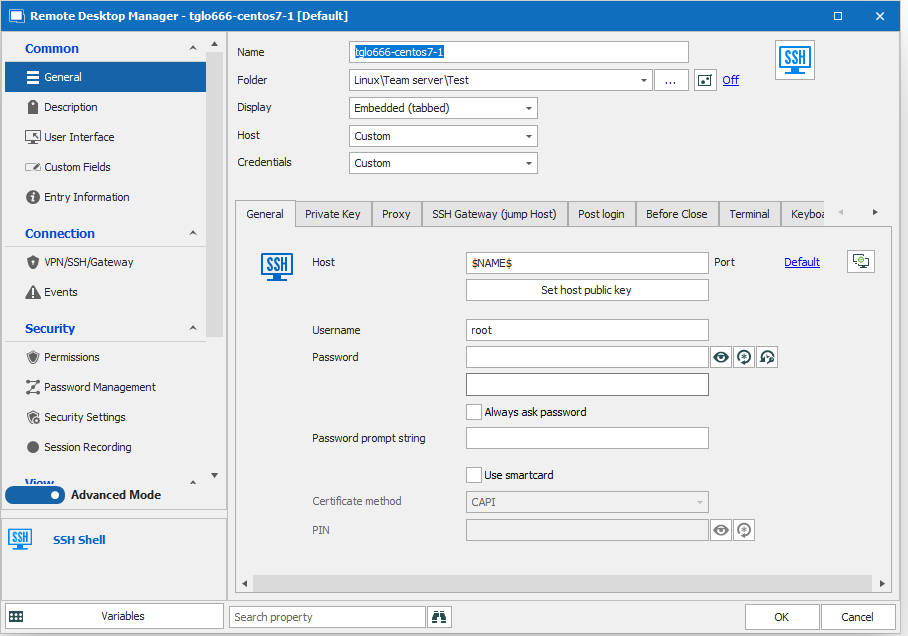
Configuration:
Properties of host
User specific settings for that host
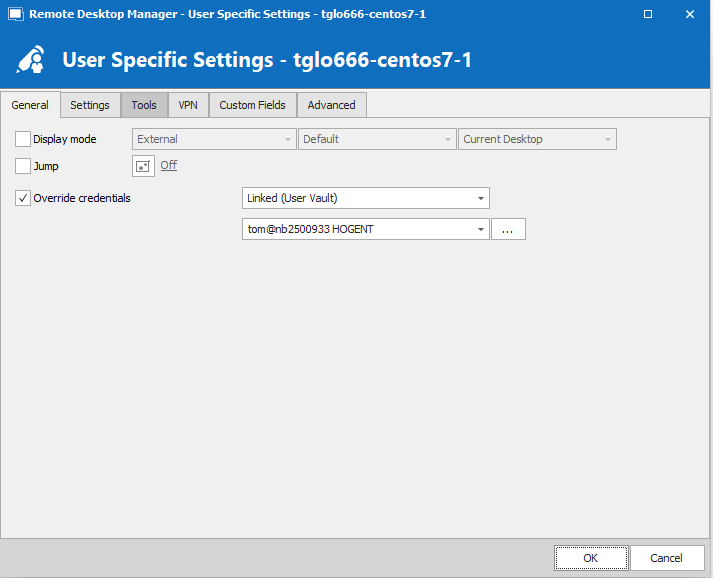
My user vault entry
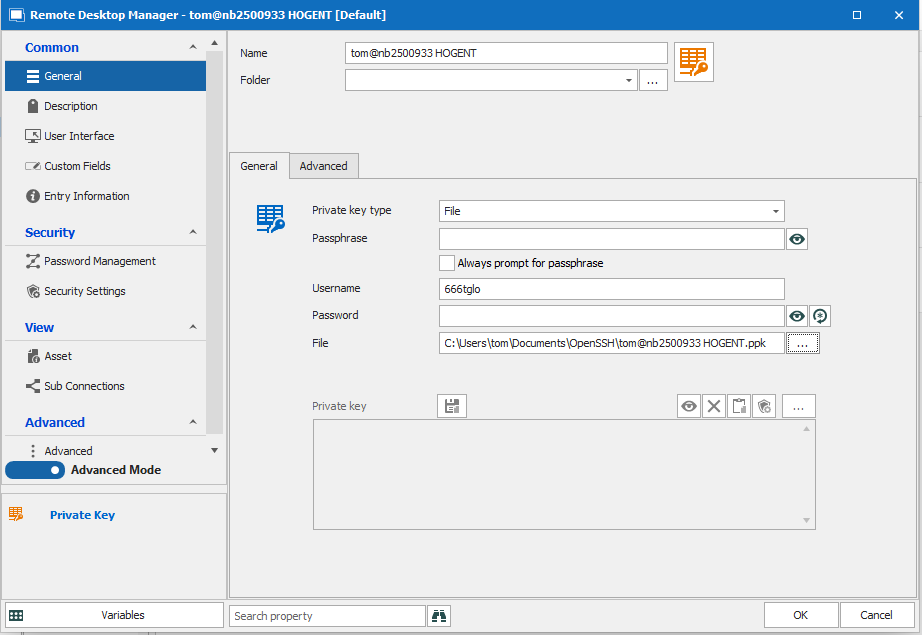
I of course had to create a new SSH key pair using Puttygen. Connections from within Putty with that key works just fine.
I've looked up the authentication logs of that servers and it seems password authentication is tried where it should key authentication. The user name from the personal vault entry is tried however.
It seems I'm missing something out there, but cannot find out what.
Any help appreciated
Using SCP sessions
These are today's application logs (but they are from 6 hours ago, while I've just tested SCP again)

Remote Desktop manager + ed25519 = asking for passphrase, even there's none
Thank you, I've converted already a couple of sessions.
My private SSH key is protected with a passphrase. I therfore have an entry in my private vault. When I used the Putty/Rebex Sessions, the passphrase prompt happend only upon the first connection and is not thrown as long as Remote Deskop Manager is opened. So upon consecutive sessions, I didn't re-enter the the passphrase for every session.
Upon the first connection after starting RDM, the password prompt looks like this:

Unfortunately, this behavior has changed by switching to the built in SSH sessions. I'm now prompted for the passphrase upon every connection using that same private key from my private vault.
What's more bizarre: this time it's in my local language (Dutch), even if my operating system and Remote Destkop manager is English. Still, the message means the same.

I would like to keep the behavior of only one passphrase prompt for every private key as long as Remote Desktop Manager is active. How can I achieve this?
Using SCP sessions

In the username/password field, I can fill in whatever I want. No actual connection/error is generated.
Using SCP sessions
Seems like a stupid question, but when I create a new SCP session, no actual connection is made to the SSH/SFTP server.
The right window keeps blank, no actual connection is made

What am I missing?
Cannot access templates
Ok thx.
I've asked a admin collegue of mine to fix this.
Remote Desktop manager + ed25519 = asking for passphrase, even there's none
Is there a way to convert all or current session entries from Putty - SSH shell (Rebex) to the native SSH shell including the user specific settings (especially overriding credentials with ones from the private vault)?
Cannot access templates
Hello,
According to this article, one should be able to manage templates: https://help.remotedesktopmanager.com/file_templates.html
However, in my case this seems to be empty/non visible

However, there are 2 templates that have been created in the past by a colleague. As far as I can see, they are only accessible when adding a new session:

Setup:
Remote Deskop Manager 2020.2.20.0 with MS SQL server backend
Remote Desktop manager + ed25519 = asking for passphrase, even there's none
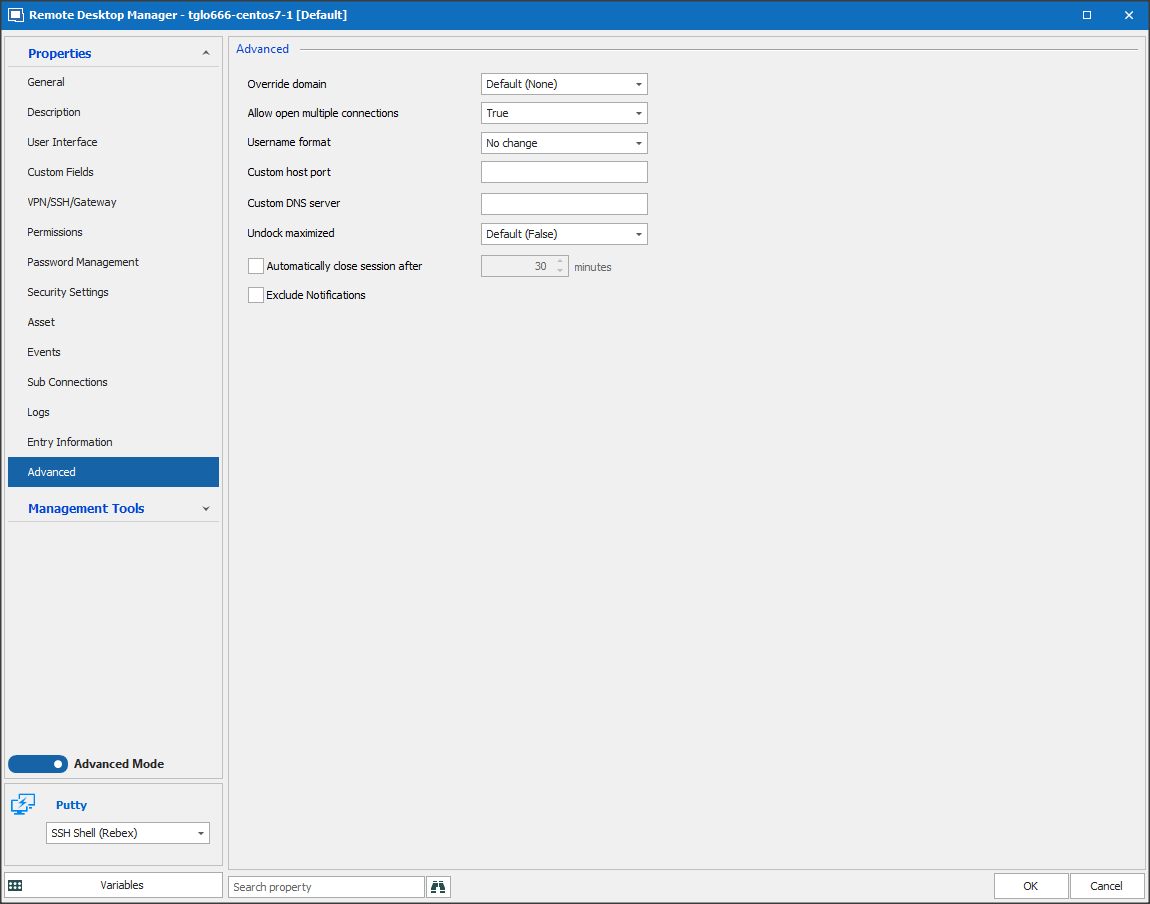
Hello, I do not have the options as described in your link:
Advanced tab
logs tab
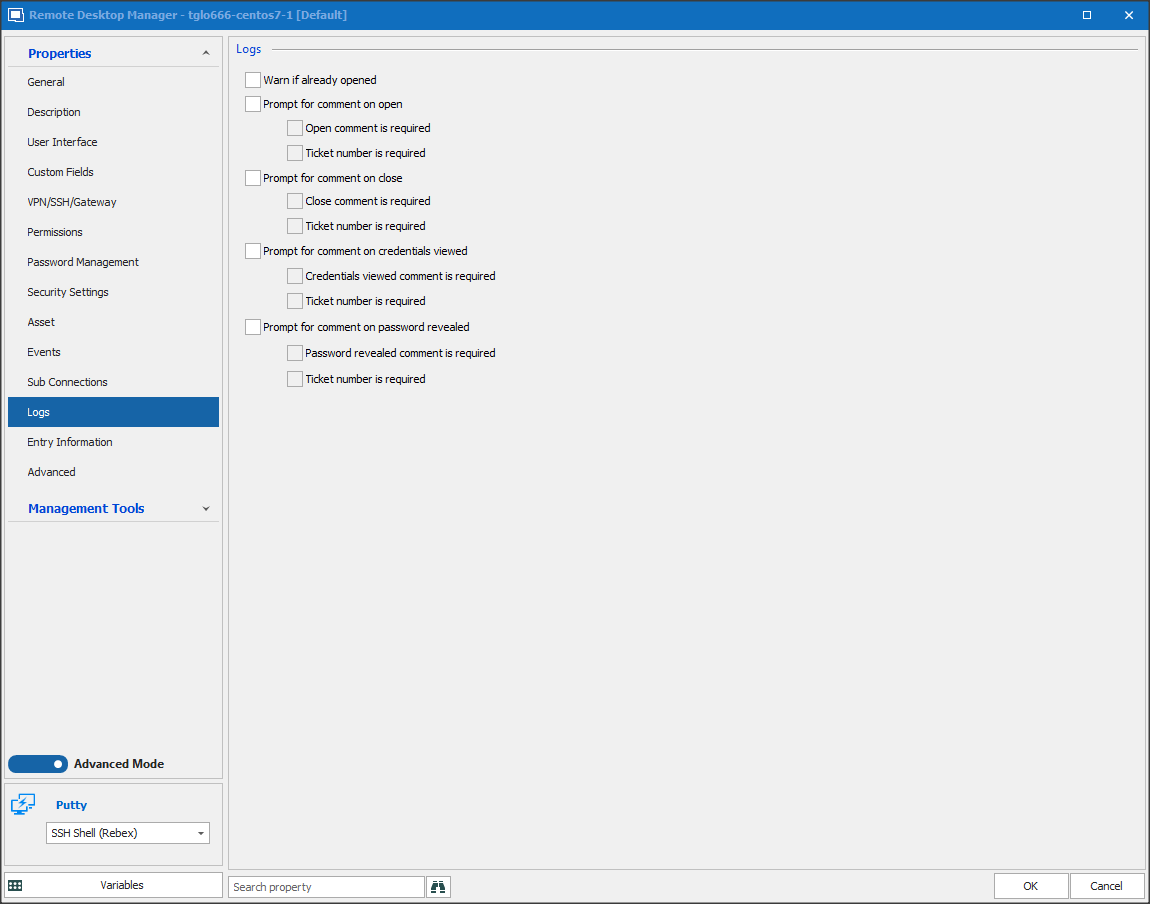
In left colum general, no tab logs to see and no verbose option under advanced ..
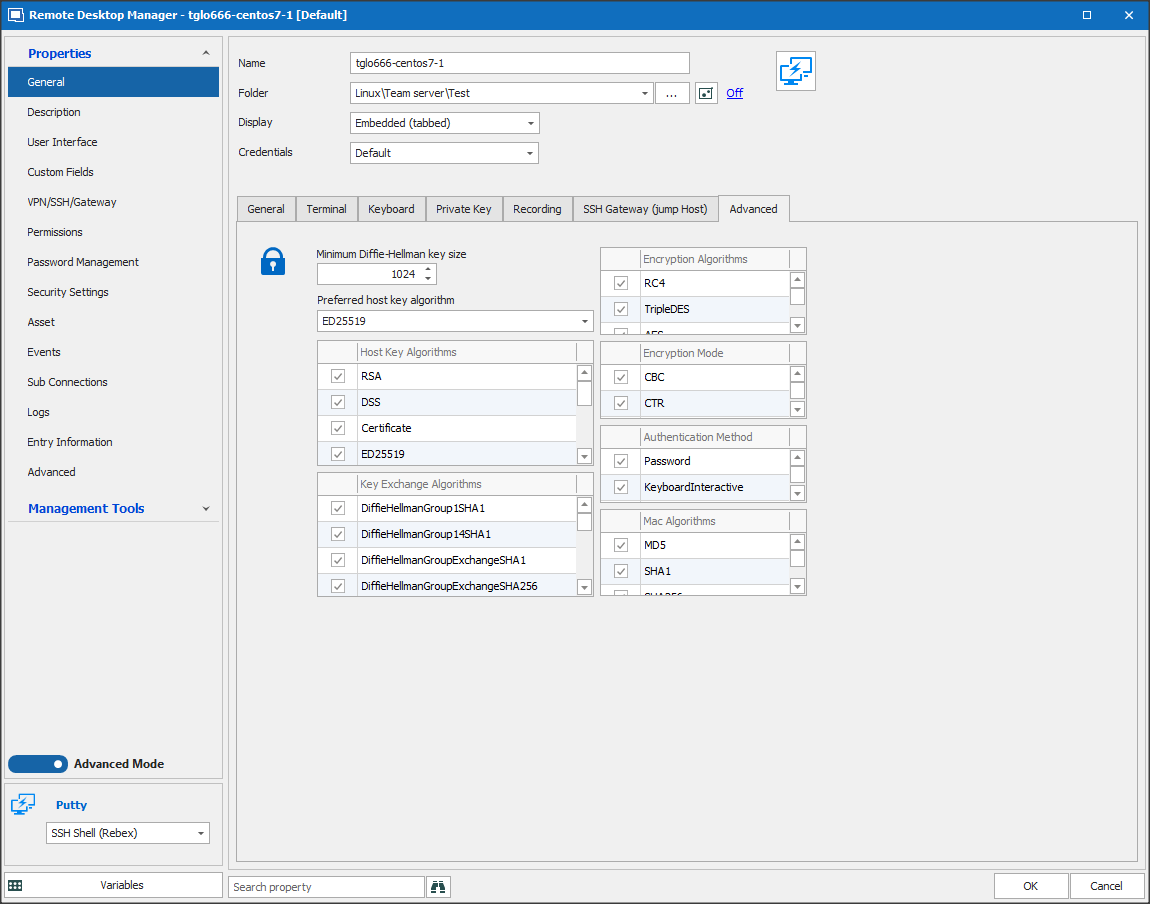
Remote Desktop manager + ed25519 = asking for passphrase, even there's none
Yes, I do have a passphrase in use. When I uncheck the "Always prompt for passphrase" and fill in the passphrase, I get "Invalid passphrase"error. Same private key using Putty just works fine with that same passphrase.
Remote Desktop manager + ed25519 = asking for passphrase, even there's none
Hello,
I'm using Remote Desktop Manager 2020.2.18.0 which should support SSH keys with ed25519 algorithm.
When I import an private key with ed25519 algorithm - generated by Puttygen - in my Private Vault, I get a question for a passphrase (which is never accepted). Connecting with the same key from within Putty just works fine.
Even if I generate a new key pair in ed25519 directly from within RDM without any passphrase, I still get the passphrase question upon connection to a SSH host. Even when I uncheck "always promt for passphrase" in de private vault credential entry.
I used RSA keys with 4096 bit key length in the past (generated in Puttygen and imported in RDM private vault) which always works just fine.
Am I missing something here?
thanks!