
jeffreyzammit
Devolutions Password Manager Desktop App - Search Limitations
That's awesome.
Thanks so much.
I would appreciate if you could let me know once the workaround ticket is resolved so I will test it out.
Regards,
Jeffrey
Devolutions Password Manager Desktop App - Search Limitations
Hi @Dany Galarneau
Thanks for your reply and I am glad this is on your roadmap.
I had tried the workaround you suggested but it still yields no results for contents of fields such as the username.
Is there an ETA for this feature to be released?
Regards,
Jeffrey
Devolutions Password Manager Desktop App - Search Limitations
From the Workspace Desktop App, you cannot search entries by text in fields such as the username. This is very limiting when compared to other tools (from Devolutions and competitors).
I can see that from RDM and the workspace browser addon I can search for text in the username field, so I guess this has been left out by omission.
Would be nice to see it in place in the near future.
Cannot connect to session from my RDM mobile app which make use of the Devolutions Gateway
Hello Jefferey,
Thank you for your patience, and it's great that you followed up regarding this issue. I wanted to let you know that this bug is still under development, and it has been given high priority to ensure it’s resolved as soon as possible.
I’ll keep you updated as soon as there is any progress.
Thank you for your understanding.
Best regards,
@Michel Audi
Thanks @Michel Audi. I understand that it can take some to get resolved. I followed up as this is something I would require in cases of emergency when away from my workstation.
Regards,
Jeffrey
Cannot connect to session from my RDM mobile app which make use of the Devolutions Gateway
Hi @Michel Audi,
Were there any developments on this?
Regards,
Jeffrey
BUG - Copy One-time password from menu doesn't work
Hi,
Devolutions Workspace Browser extension version 2025.2.3.1 is now available. This update includes a fix for the issue with copying one-time passwords (OTP) in the Select Credentials prompt.
Your browser should automatically update the extension during its next check for updates. If you’d like to update it manually, follow these steps:
1. Go to chrome://extensions/
2. Enable Developer mode (toggle in the top-right corner)
3. Click the Update button at the top of the page
Best regards,
@Olivier Desalliers
Awesome - it works!
Great job and thanks for following up.
Regards,
Jeffrey
BUG - Copy One-time password from menu doesn't work
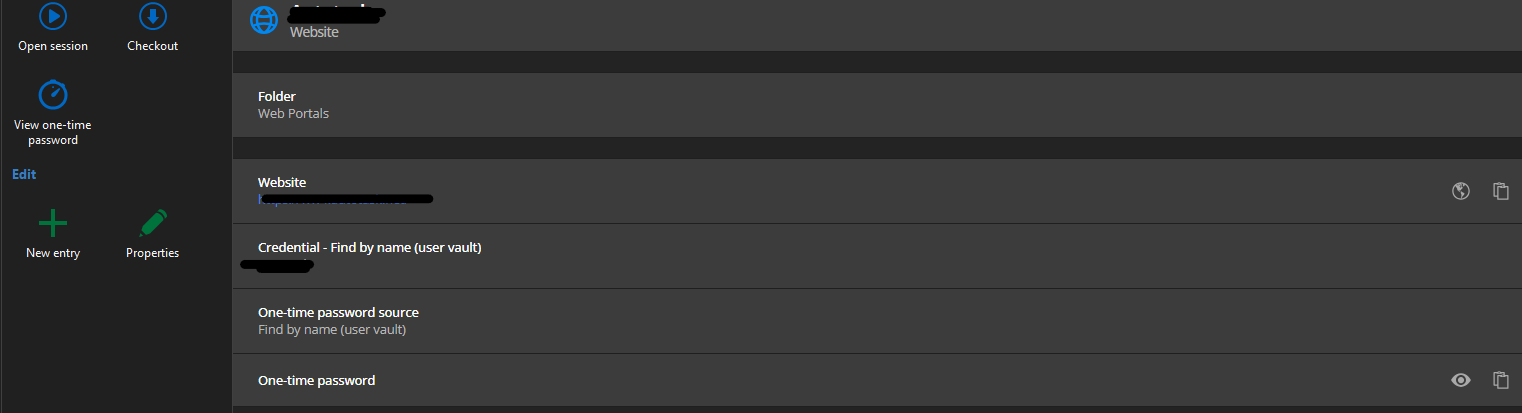
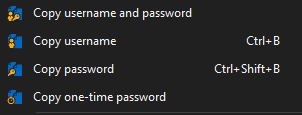
So, from RDM, I can copy the OTP
but can copy all entries from the right click context menu of the website entry (and it works):
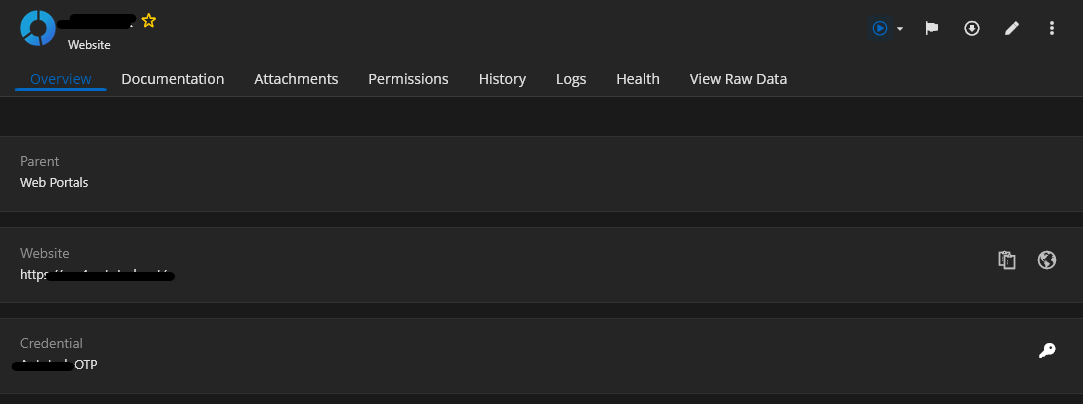
From the desktop Workspace App, it only points to direct you to the OTP entry in the user vault (and not where the credentials entry is):
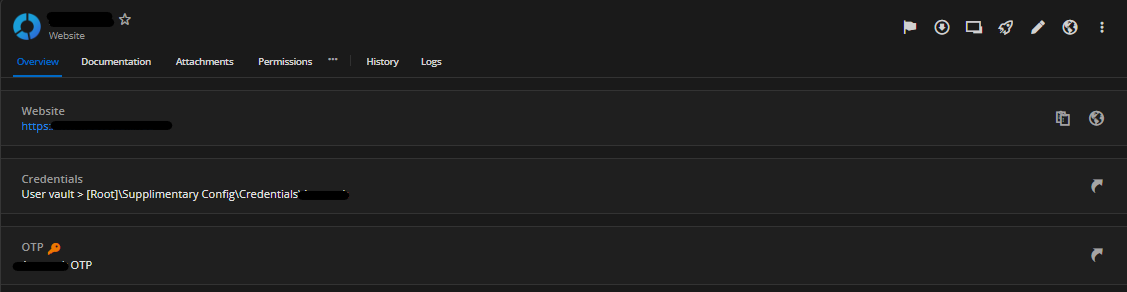
From the web portal, it can direct you to both the credentials and OTP entries (as it should):
Regards,
Jeffrey
BUG - Copy One-time password from menu doesn't work
Both the Credentials and one-time password are set via the 'Find by name (user vault)' so multiple users would be able to make use of the same website entry.
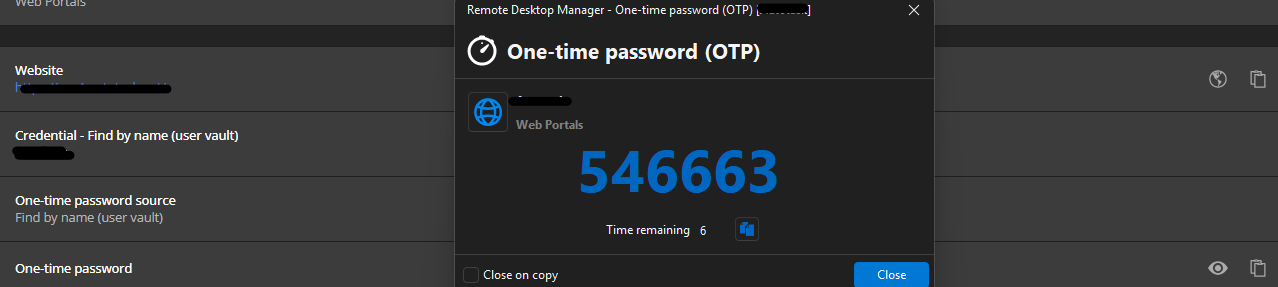
From within RDM, the OTP works
However using the web browser plugin, only the copy username or password work.
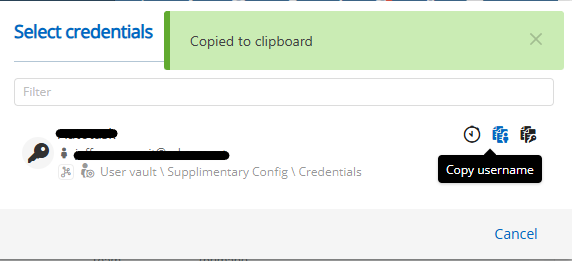
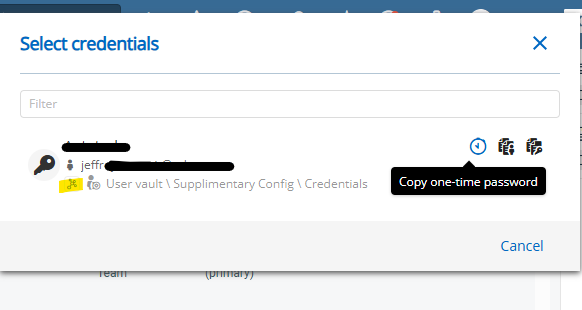
The copy OTP does nothing at all....
BUG - Copy One-time password from menu doesn't work
I have issues with the web browser plugin whereby when I select to copy the one-time code to clipboard, it does not work. username and password entries copy to clipboard normally...
BUG - Copy One-time password from menu doesn't work
Hi. Any updates on this? I am experiencing the same issue too. My data source is the Devolutions Business Hub.
Regards,
Jeffrey
Cannot connect to session from my RDM mobile app which make use of the Devolutions Gateway
Hi @Benoit Cortier ,
Thanks for that.
Hopefully will get resolved soon.
@Michel Audi - thank you too for your continuous input on this matter too and keep up the good work.
Regards,
Jeffrey
Cannot connect to session from my RDM mobile app which make use of the Devolutions Gateway
Actually I had a type on my phone browser. I am getting the "Devolutions Gateway "FQDN" is alive and healthy." message there too.
Sorry about that
RDM still does not work though
Cannot connect to session from my RDM mobile app which make use of the Devolutions Gateway
Thanks - but this should not apply for commercially bought SSL certificates, right? This particular SSL cert is issued by Sectigo Limited
Cannot connect to session from my RDM mobile app which make use of the Devolutions Gateway
Interesting...
On my desktop web browser I get: "Devolutions Gateway "FQDN" is alive and healthy."
while from my phone I get: ERR_INVALID_HTTP_RESPONSE
Port test from my phone to tcp/7171 and tcp/8181 both work.
Cannot connect to session from my RDM mobile app which make use of the Devolutions Gateway
Hi @Michel Audi ,
Thanks for following up.
Here are my replies:
PowerShell Terminal (Local) is not an available option in android RDM. I can only select PowerShell Terminal (Remote) - Experimental. When setting this entry from my desktop RDM, it is not available to be used on the phone. FYI - from the desktop RDM, this works perfectly well.
The gateway are not set with a web interface (as per Devolutions Gateway configuration with Devolutions Server - Devolutions Documentation). This said the SSL cert installed is from a public CA authority and not self-signed so it would not give any warnings (but the page does not load - not even from a computer browser)
Issue happens on all kind of entries - SSH, RDP, Website, etc
Did not test with other phones/users as I do not want to announce this to others still it is functional.
Regards,
Jeffrey
Cannot connect to session from my RDM mobile app which make use of the Devolutions Gateway
Hi @Michel Audi,
I do not have Gateway Recording enabled, however, it still is not working on Android. The 'Open' session button does nothing when selected - no errors or anything.
Regards,
Jeffrey
Cannot connect to session from my RDM mobile app which make use of the Devolutions Gateway
Sure. I am using Android 16 on my phone.
My desktop RDP version is: "2025.2.20.0"
My mobile RDP version is: "2025.2.0.17"
Devolutions Gateway versions include: "2025.2.0" and "2025.2.2"
Regards,
Jeffrey
Cannot connect to session from my RDM mobile app which make use of the Devolutions Gateway
The Gateway is published via reverse proxy and hence can be accessible online via it's FQDN - note that this is the same way that the RDM desktop client works when we are accessing the entries (servers) from remote locations - without the need to establishing VPN connections.
Cannot connect to session from my RDM mobile app which make use of the Devolutions Gateway
We are making use of Devolutions Business Hub and the Gateways are set through that portal.
I presume that I would be to connect to entries using the RDM mobile app just as I would be able to use my Windows RDM app - i.e without the need to establish a VPN connection first. The idea of using Devolutions Gateway is to avoid having VPN's in the first place.
Thanks,
Jeffrey
Cannot connect to session from my RDM mobile app which make use of the Devolutions Gateway
When using my RDM mobile app, I cannot connect to sessions that are configured to make use of the Devolutions Gateway.
Is this a lacking feature in the mobile app, or is it some misconfiguration from my end?
GeoIP Support for Devolutions Cloud
Hi Team,
I am aware that we can set the 'IP Allow List' to control access to our Business Hub, but I would like to request the addition of GeoIP support for more granular control.
Specifically, we would like the ability to whitelist or blacklist access by geographical regions. For example, we would like to automatically block all continents apart from Europe, while allowing access from specific countries/regions.
This feature would greatly enhance our security measures and streamline access management.
Thank you for considering this request.