
gabe01
"Value cannot be null, Parameter name: source" after 2023.3.39 update
I did have some entry templates. I removed them using the web console and RDP is now able to open the vault without error. I was able to recreate my templates afterward. Thank you.
"Value cannot be null, Parameter name: source" after 2023.3.39 update
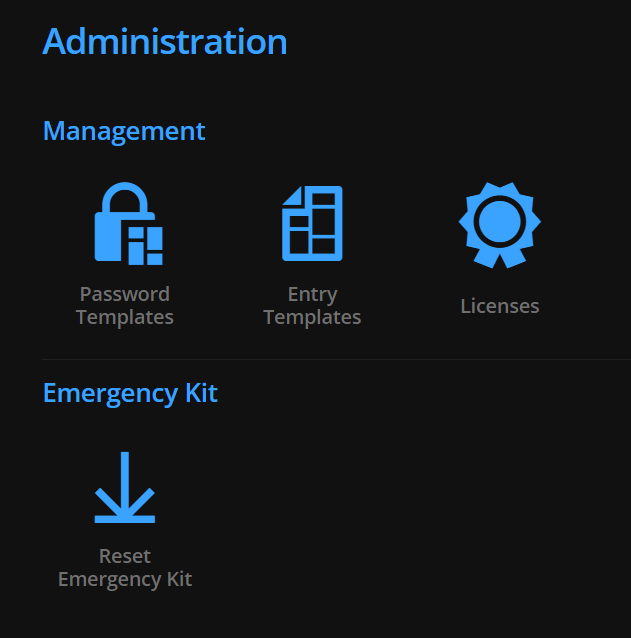
Hi. I am using Hub Personal. I can successfully access my user vault in the web interface. I also see System > Administration at the bottom of that screen, and clicking on that shows this:
"Value cannot be null, Parameter name: source" after 2023.3.39 update
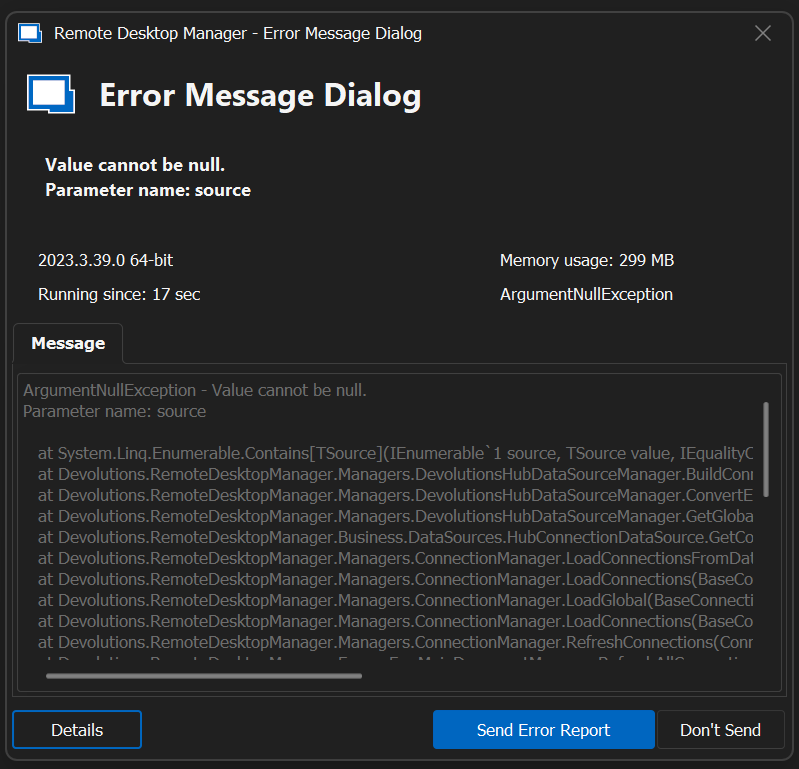
I am using Password Hub data source. After installing the 2023.3.39 update, I now get this error on every launch and the data source is not loaded. I've tried temporarily switching to a local data source and back, but it doesn't help.
Database templates with Devolutions Online Drive?
After deleting that "test" session, the templates page is still working, even after closing and restarting RDM. Thought you'd like to know.
Database templates with Devolutions Online Drive?
Wait, I just created a test session in the personal hub in my installed copy, and now the Templates page is working and shows the template I created using the portable version. I was following the original instructions from above, so I hadn't created any sessions yet. It seems like at least one session has to exist before the templates feature works.

Database templates with Devolutions Online Drive?
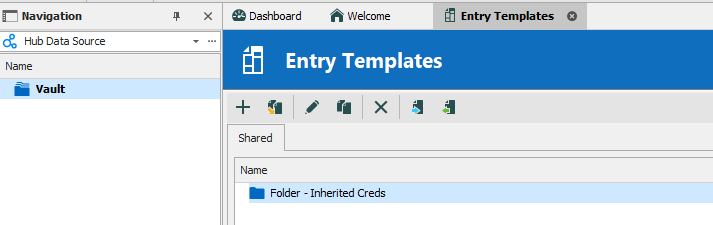
It seems to work with that portable version. If I switch back to the installed copy, it still doesn't work. I also noticed the portable version is calling it "Entry Templates", whereas the installed version just has "Templates".
Database templates with Devolutions Online Drive?
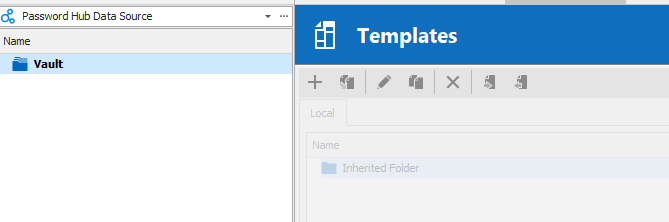
I created a password hub data source, but when I got to the manage templates screen all the buttons are greyed out. There isn't a Database tab, and I can't create new templates. I probably wasn't clear before, but I'm wanting to create session and folder templates, not password templates. Should that work with the personal hub?
Database templates with Devolutions Online Drive?
You're suggesting I migrate all my saved sessions to the "Password Hub Personal"? Does that store more than just credentials?
Database templates with Devolutions Online Drive?
I am using Devolutions online drive as my data source, and I'd like to create database templates. I only see the Local option though. Are database templates supported with Online Drive? I've searched around for this info, but cannot find it. RDM Enterprise 2021.2.20
Enterprise serial accepted, but still shows expired
Thanks, that seems to have worked.
Enterprise serial accepted, but still shows expired
My company recently renewed their Enterprise license. I was able to successfully enter the new key on my Windows PC, and it now shows me having updates until Mar 31, 2023. When I enter the same new key on my Mac, it is accepted, but the Mac still says my updates ended on Apr 1, 2020. I have tried deleting the registration info from RemoteDesktopManager.cfg and re-entering, but it did not help. I have version 2020.1.8 installed on my Mac.
Connections constantly dropping after upgrade to 2019.1.7.0
I installed the 2020.1.3 beta today, connected to some remote machines, and stat and watched the windows for several minutes. So far, I'm not seeing any disconnect/reconnect cycles. So, it seems like the issue is fixed in this build. Much better!
Connections constantly dropping after upgrade to 2019.1.7.0
Hello, I wanted to let you know that I installed the latest 2020.1.1.0 version today, and the dropping and reconnecting about every 10 seconds issue is still happening.
Connections constantly dropping after upgrade to 2019.1.7.0
Is there any update on this issue? I am experiencing the same thing. I have RDM Enterprise 2019.2.2.0 installed. I'm on macOS Catalina 10.15.2. If I connect to a remote machine using Microsoft Remote Desktop on my Mac, the connection is stable. If I then connect to the same machine using RDM, and just leave the window alone, the session will disconnect and reconnect about every 30 seconds. It seems if I constantly interact with the session, it doesn't do this. The remote systems I'm connecting to are running Windows 7, Windows 10, and Server 2016.