
(user deleted)
WinSCP (launched via template) fails to connect
Hello,
sorry for not getting back to you earlier, I was on vacation. I just now installed the latest version 2022.2.18.0 and the issue appears to be fixed.
Many thanks!
Best regards,
Carsten
WinSCP (launched via template) fails to connect
I have it set at default.
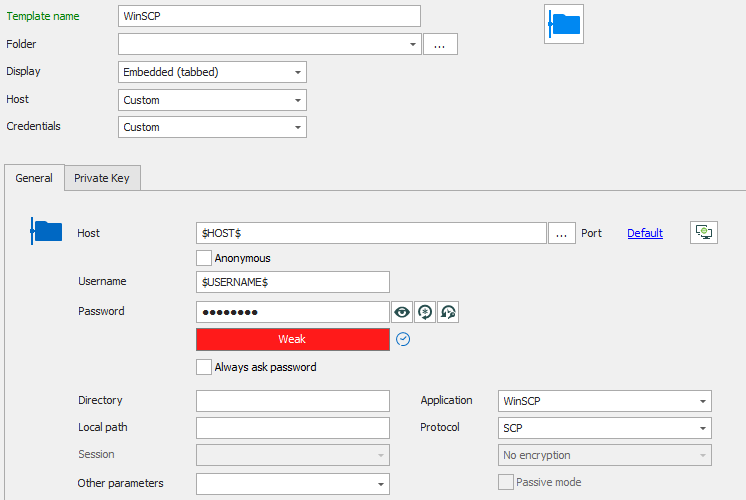
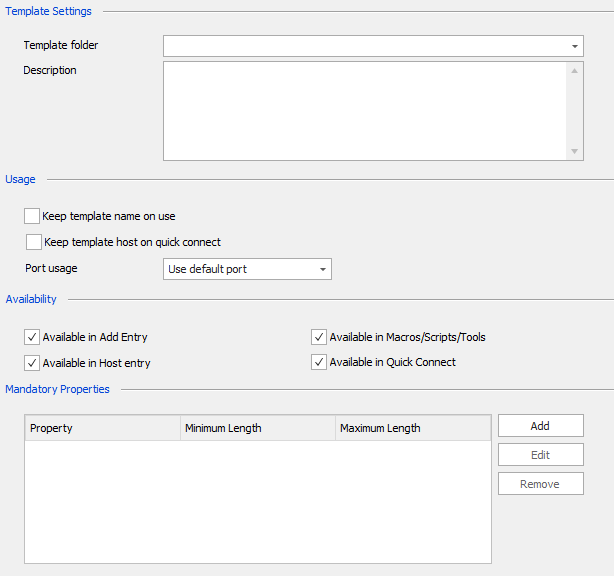
WinSCP (launched via template) fails to connect
Thank you.
WinSCP (launched via template) fails to connect
Open with parameters -> Open With a Template -> WinSCP
Since Setup.RemoteDesktopManagerFree.2022.2.13.0.exe (possibly even Setup.RemoteDesktopManagerFree.2022.1.21.0.exe, I cannot verify as it doesn't launch for me) I cannot connect via WinSCP using the templates anymore.
The connection hangs at "Searching for host", so there seems to be some sort resolution issue.
Setup.RemoteDesktopManagerFree.2021.2.28.0.exe works fine.
WinSCP template taking $USERNAME$ too literally...
Hi,
I've been able to get WinSCP to work properly by deleting it and re-setting it up. It now even works for both password and key sessions.
However, I haven't been able to get the built-in SCP to work with ssh keys at all. I set it up the same way as WinSCP but the server always returns that password login is prohibited. So for whatever reason it's still trying to forward a password (I didn't fill out the password field in the template).
For the time being I'm happy that WinSCP works but if you want me to test anything else I'd be happy to do so.
Many thanks.
WinSCP template taking $USERNAME$ too literally...
Hello,
thank you for your reply. I am using RDM 2021.2.28.0 (Free Edition) which I believe to be the latest. I am using a local data source.
No, I've never been able to set up a working SCP connection using an SSH key. The regular SSH session work fine using keys, though.
WinSCP template taking $USERNAME$ too literally...
Okay, I fixed that issue by de-selecting the "Use credentials from template" checkbox.
However, despite me setting up a private key it is simply not being used by either WinSCP or the in-built SCP.
With WinSCP I get this error in the auth.log of the server
Jan 26 15:15:56 some-server sshd[11576]: debug1: userauth-request for user XXXX service ssh-connection method none [preauth]
So, it's trying pubkey authentication method. I cleared the password.
With the built-in SCP it's insisting on using an (empty) password instead of using the key I configured in the template.
WinSCP template taking $USERNAME$ too literally...
I have a WinSCP template set up using the variables $HOST$ and $USERNAME$ (and a private key) but instead of getting these variables passed from the PuTTY session when opening the template from the entry it tries to login with the username "$USERNAME$" and not the one from the entry. So, basically the variable is not being filled or something.
The funny thing is that the same sort of entry but with password instead of SSH key worked fine until today when I started updating it. It now, too, attempts to connect as "$USERNAME$". What am I doing wrong?
Error

Template Step 1:
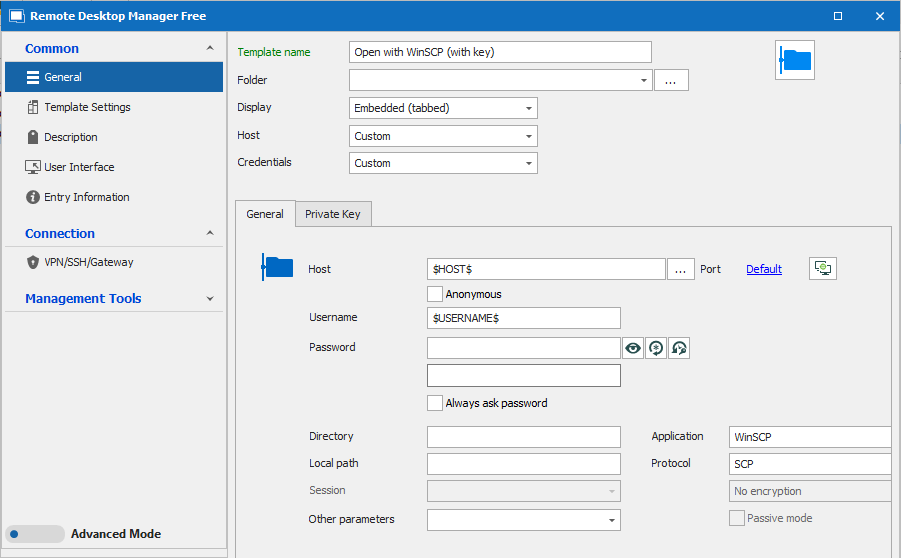
Template Step 2:
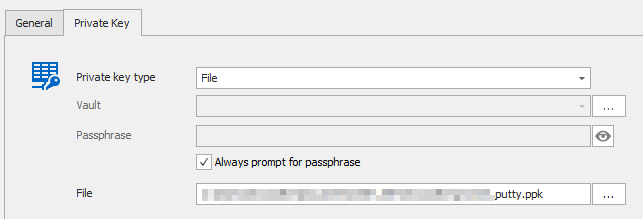
Entry from which I call the template:
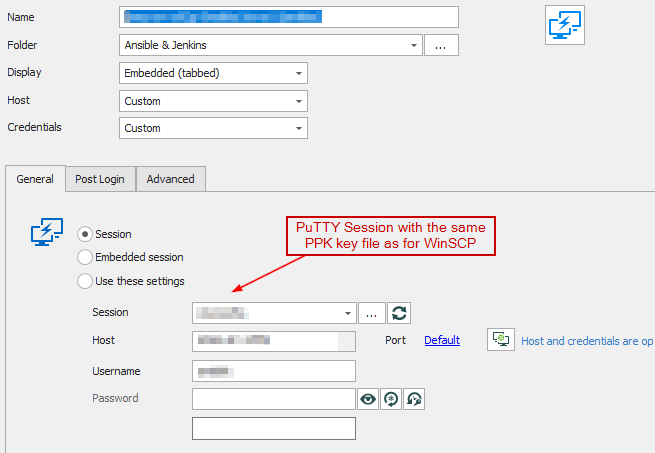
Can't create subconnection
Thank you very much!
Can't create subconnection
I am very happy about this. Thank you.
Can't create subconnection
Oh yes, that's very nice. Thank you, too!
Can't create subconnection
Thank you, that works pretty well. Now I need to figure out how to add the launch of the template to the "Actions" of that entry because currently I only have it available via context menu.
Can't create subconnection
Is it not possible to create sub connections in the free version of RDM? I never get asked if I want to create a sub connection and can't edit the new connections' parent, either. I'm trying to find an easy way to add an SCP connection to an SSH session without having to re-enter all the data.
Many thanks for your help!