WinSCP (launched via template) fails to connect

Open with parameters -> Open With a Template -> WinSCP
Since Setup.RemoteDesktopManagerFree.2022.2.13.0.exe (possibly even Setup.RemoteDesktopManagerFree.2022.1.21.0.exe, I cannot verify as it doesn't launch for me) I cannot connect via WinSCP using the templates anymore.
The connection hangs at "Searching for host", so there seems to be some sort resolution issue.
Setup.RemoteDesktopManagerFree.2021.2.28.0.exe works fine.
All Comments (7)
Hi,
Thank you for reporting this issue. I created a ticket, we will be look into it as soon as possible. I will keep you posted on further development.
Regards,
Jean-Francois Duchesne
Thank you.
Hi Cartsen,
We are currently working on another issue regarding WinSCP port, would you mind telling me which port and protocol you are using in your template.
It seem like the ports were changed from default to 21 in version 2022.2
Regards,
Jean-Francois Duchesne
I have it set at default.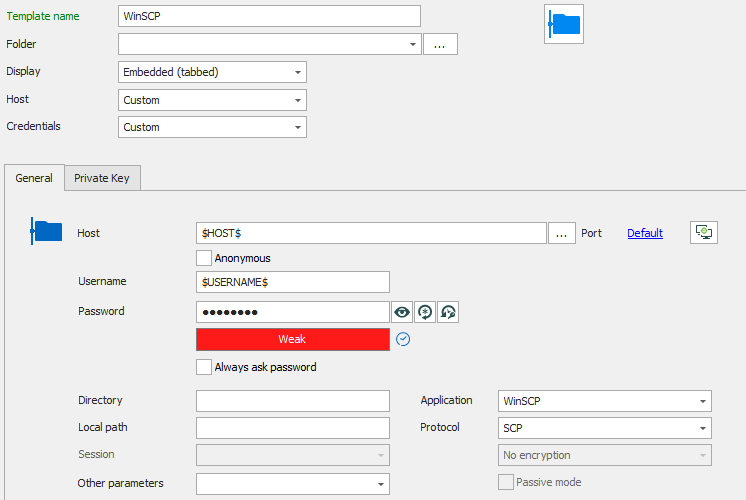
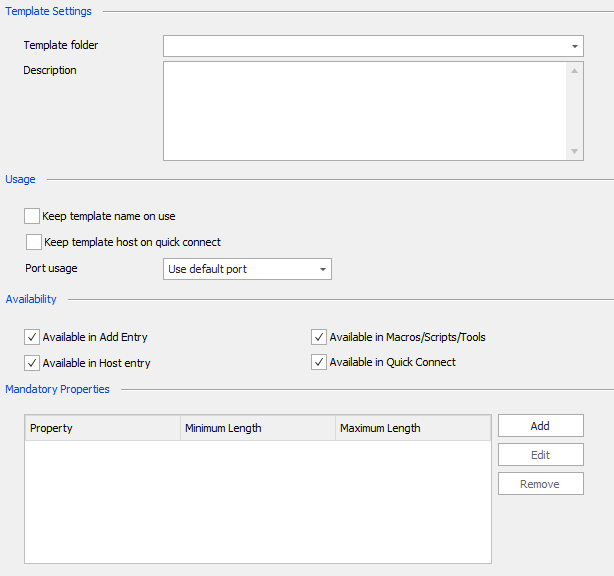
2.png
1.png
Hello,
Thank you for your swift reply!
Unfortunately, we are still unable to reproduce this issue on our end using the information you have provided us so far.
That being said,m our Engineering Department has implemented a potential fix in RDM 2022.2.17.0 that might work for you.
Would it be possible for you to update to this version of RDM Free and see if this issue still occurs? It can be downloaded here
Best regards,
James Lafleur
Hello,
sorry for not getting back to you earlier, I was on vacation. I just now installed the latest version 2022.2.18.0 and the issue appears to be fixed.
Many thanks!
Best regards,
Carsten
Hello Carsten,
Thank you for your feedback, I am glad to see that this issue is fixed!
Best regards,
James Lafleur