
adrianz
Addons and older versions of RDM
I tried it but got this message
Unexpected error, contact us at remotedesktopmanager.com
OS: Windows 7 64-bit
TypeLoadException - Method 'CloseConnections' in type 'Devolutions.RemoteDesktopManager.Managers.RemoteDesktopManagerProxy' from assembly 'RemoteDesktopManager, Version=7.6.3.0, Culture=neutral, PublicKeyToken=null' does not have an implementation.
at Devolutions.RemoteDesktopManager.Managers.ApplicationManager.InitializePhaseTwo(String[] args)
at Devolutions.RemoteDesktopManager.Program.Main(String[] args)
Addons and older versions of RDM
I am using VPNAddOn.dll version v2.5.1.1. I am able to use version 2.3.2.1 with RDM version 7.6.3.0. I was able to download the previous addon versions by using https://web.archive.org
Addons and older versions of RDM
I am using version 7.6.3 but the newest VPN addons are not recognized by this version. Is there a way to get older versions of addons that are compatible with older versions of RDM?
SQL server offline mode
I think this is a great feature but I would like to know more about how it works. How is the connection data kept offline when away from the SQL server? Also, is this feature something new to 5.7.3 or was it also in 5.6.3?
Encrypting entire SQL database
Can we have the option of encrypting the entire SQL database?
'Check Version' feature not working
Is the auto update feature activated? Checking the version still says that I'm using the most up to date version.
Hi,
The auto update is not activated yet. I do that one week after the official release. It's to be sure that there is no major bug before everybody upgrade. Microsoft do the same thing when they release a service pack.
Thank you for your feedback.
David Hervieux
Devolutions inc.
'Check Version' feature not working
I know that version 5.7.1.0 has been released but when I go to Help -> Check Version it still says that my version is up to date. I am using 5.6.3.0
can't see information fields
I tried that version but the username was not there. It seems to be the same about box as in the regular version.
Hi,
If you try this version, the about box will show you the user name used to retrieve the configuration:
http://remotedesktopmanager.com/download/Devolutions.RemoteDesktopManager.Bin.5.6.3.0.zip
Can you check if they match ?
David Hervieux
Devolutions inc.
Illegal character in group name
I had the following sessions group name: "A-D". I tried to change its name to "A->D". After I did this I received this error:
ArgumentException - Illegal characters in path.
at System.IO.Path.CheckInvalidPathChars(String path)
at System.IO.Path.Combine(String path1, String path2)
at Devolutions.RemoteDesktopManager.Connection.ToString()
at Devolutions.RemoteDesktopManager.Business.GuiHelper.FindTreeNodeSubGroup(TreeNode aRoot, String aGroup, String aText, Int32 aGroupImageIndex)
at Devolutions.RemoteDesktopManager.Business.GuiHelper.FindTreeNodeGroup(TreeView aTreeView, String aGroup, Int32 aGroupImageIndex)
at Devolutions.RemoteDesktopManager.Frames.ConnectionViews.FreConnectionTreeView.LoadConnectionList(Connection[] aConnections)
at Devolutions.RemoteDesktopManager.Forms.FrmMain.LoadAllConnectionView(Boolean aSaveState)
at Devolutions.RemoteDesktopManager.Forms.FrmMain.RefreshAllConnectionView(Boolean aSaveState, Boolean aCheckOnline)
at Devolutions.RemoteDesktopManager.Forms.FrmMain.RefreshView(Boolean aCheckOnline)
at Devolutions.RemoteDesktopManager.Managers.UIManager.set_ViewMode(ViewMode value)
at Devolutions.RemoteDesktopManager.Forms.FrmMain.mnuAllConnection_Click(Object sender, EventArgs e)
at System.Windows.Forms.ToolStripItem.RaiseEvent(Object key, EventArgs e)
at System.Windows.Forms.ToolStripMenuItem.OnClick(EventArgs e)
at System.Windows.Forms.ToolStripItem.HandleClick(EventArgs e)
at System.Windows.Forms.ToolStripItem.HandleMouseUp(MouseEventArgs e)
at System.Windows.Forms.ToolStripItem.FireEventInteractive(EventArgs e, ToolStripItemEventType met)
at System.Windows.Forms.ToolStripItem.FireEvent(EventArgs e, ToolStripItemEventType met)
at System.Windows.Forms.ToolStrip.OnMouseUp(MouseEventArgs mea)
at System.Windows.Forms.ToolStripDropDown.OnMouseUp(MouseEventArgs mea)
at System.Windows.Forms.Control.WmMouseUp(Message& m, MouseButtons button, Int32 clicks)
at System.Windows.Forms.Control.WndProc(Message& m)
at System.Windows.Forms.ScrollableControl.WndProc(Message& m)
at System.Windows.Forms.ToolStrip.WndProc(Message& m)
at System.Windows.Forms.ToolStripDropDown.WndProc(Message& m)
at System.Windows.Forms.Control.ControlNativeWindow.OnMessage(Message& m)
at System.Windows.Forms.Control.ControlNativeWindow.WndProc(Message& m)
at System.Windows.Forms.NativeWindow.Callback(IntPtr hWnd, Int32 msg, IntPtr wparam, IntPtr lparam)
Now I can't see any of my sessions except through the right click option in the tray icon.
edited by adrianz on 12/10/2009
can't see information fields
I gave Administrator rights to the user but I'm still not able to view the information fields.
Hi,
Can you try to give Administrator right to this user, just for a test.
Thank you
David Hervieux
Devolutions inc.
can't see information fields
I did add the AD group as a user in RDM and also made sure that the "View Informations" box is checked.
Hi,
I see. By default all the authenticated users have limited rights. You must add the authenticated user also in RDM and give him right (except for the sysadmin and the db_owner). There is a specific setting ("View informations") in the user administration of RDM
I hope this help.
David Hervieux
Devolutions inc.
edited by dhervieux on 12/10/2009
can't see information fields
Yes, they show if I login as an administrator.
Hi,
These values (first name and last name) are set in the session (information tab) ?
David Hervieux
Devolutions inc
can't see information fields
Here is the screenshot with the description field: Description field
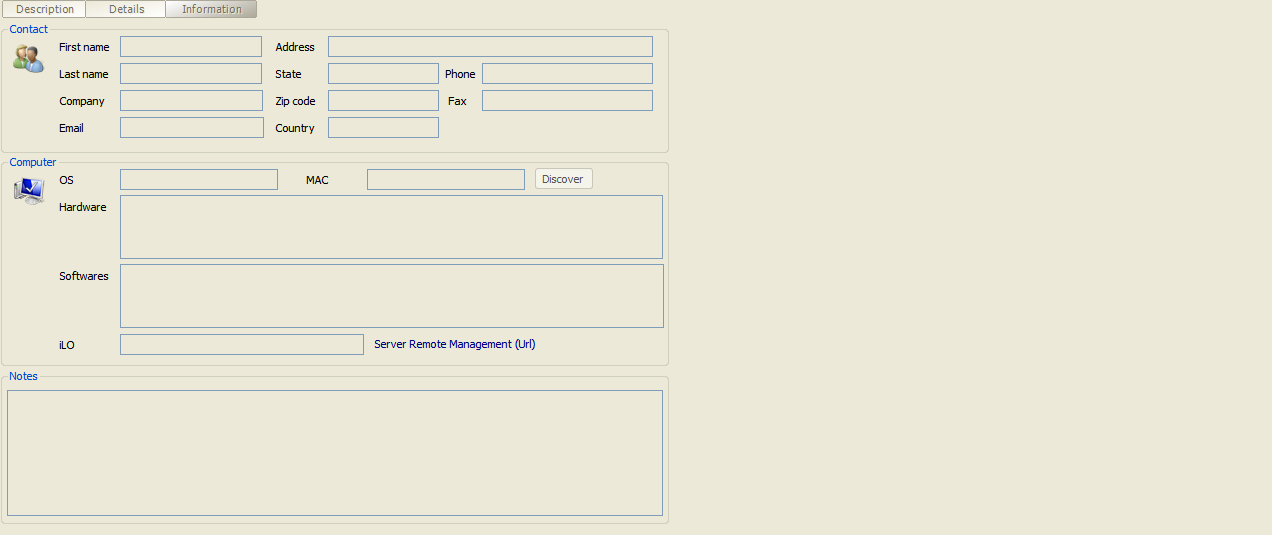
Here is the screenshot with the information fields. The 'First Name' , 'Last Name', and 'Phone' fields should show the values: Information fields
Hi,
Can you send me a printscreen of what you see ?
David Hervieux
Devolutions inc.
edited by adrianz on 12/10/2009
can't see information fields
I am using version 5.6.3 with a SQL database and integrated authentication. I added an Active Directory group as a user in RDM, a group which I am part of. I am able to login to RDM and use the remote connections but I am not able to see any field in the information tab although I can see the Description field.
PC Anywhere sessions not closing
I did not see that dialog. What version of PCA are you using? I'm using 12.5
hi,
just tested this. i can confirm that PCA is not closed but a dialog shows up "do you really want to close the session" when switching back to the PCA-window.
can this be automatically accepted?
KR
plague
PC Anywhere sessions not closing
If I open a PC Anywhere session and I try to close it by right-clicking on the session name and choosing Close the session doesn't close.
Version 5.7 Beta
Does the change below mean that we no longer need to have SQL Client installer package?
* Changed the SQL Server provider from SQLNCLI to SQLOLEDB
switching back to "Tree View" does not work
Thanks
switching back to "Tree View" does not work
Here's how to replicate in version 5.6.3.0:
1. While in Tree View click 'View -> All Sessions -> List(or any other type of view)
2. Click 'View -> All Sessions -> Tree View'. The remote connections are not there. Double clicking on "Sessions" will bring back the remote connections but it will also open them all!