
ross02
Credentials for Delianea integration are not staying
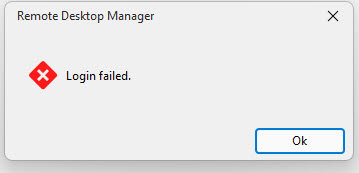
This morning I tried an RDP session and it failed because the creds were removed from the Secret Server integration again. They were in there yesterday, I did not close down the RDM app, left it open over night like I always do and first thing this morning the creds were cleared.
Credentials for Delianea integration are not staying
Hello,
Thank you for reaching out to us regarding this,
What type of data source are you using?
To clarify, the credentials entered in your Delinea Secret Server entry Properties for the connection are being removed?
Does this occur when performing a specific action?
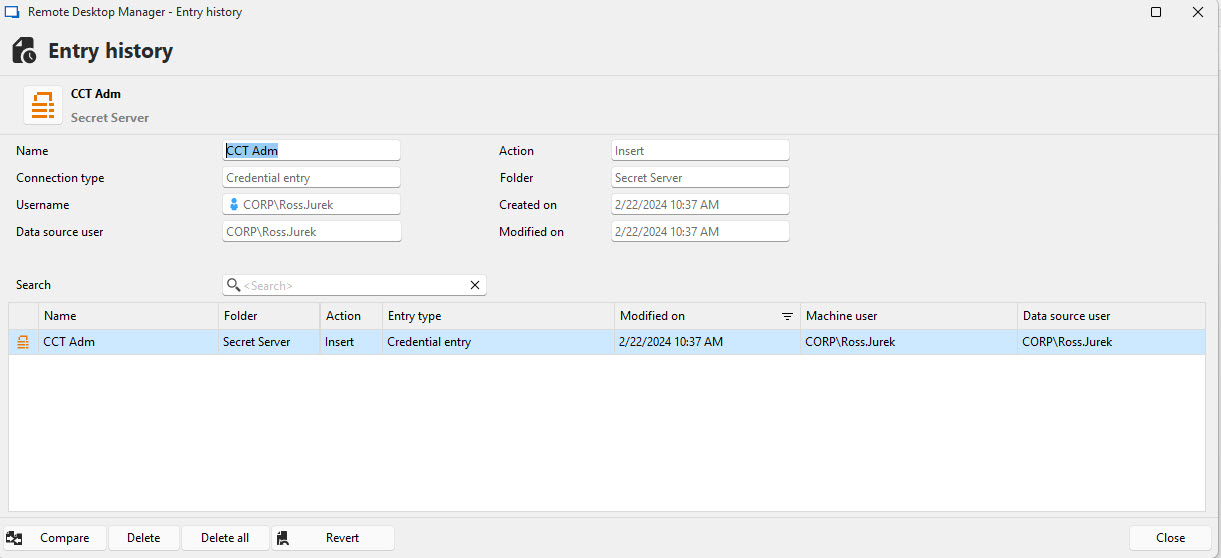
I'm also wondering the next time the issue occurs, can you do a right-click on the entry then go under "View" -> "Entry History" and provide us with a screenshot of this menu? Feel free to blur any sensitive information.
Best regards,
@Samuel Dery
DS - Local
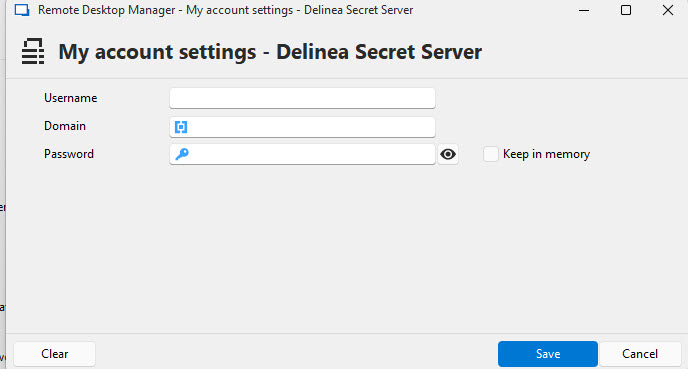
yes, the Secret Server credentials are cleard out, see attached screen shot.
RDP session or retrieving password from Secret Server.
Credentials for Delianea integration are not staying
a couple of version back the credentials entered into RDM to connect to Delinea started to be cleared out. I upgraded to 2025.2.26.0 to see if the problem was fixed and it is not. It seems like they stay for about a hour and then are cleared out. Can this be fixed?
RDM "Object reference not set to an instance of an object"
Version 2024.2.21.0 has fixed the issue that I was having.
Thank you.
Ross
RDM "Object reference not set to an instance of an object"
Thank you so much and I will watch for the next update.
Ross
RDM "Object reference not set to an instance of an object"
yes,
RDM "Object reference not set to an instance of an object"
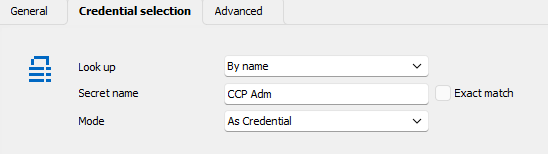
yes same popup error window with the same error text.
RDM "Object reference not set to an instance of an object"
it is empty

RDM "Object reference not set to an instance of an object"
here is the data from the profiler. I provided the failure data and then the success, first click failed, second click worked. there was nothing in the application log again.
Double click triggered
Double click node:CCP Outpost
Delinea Secret Server - SecretServerTokenReader.Authenticate::Begin
Delinea Secret Server - SecretServerTokenReader.Authenticate::End
Delinea Secret Server - SecretServerTokenReader.GetSecrets::Begin
Delinea Secret Server - SecretServerTokenReader.Authenticate::Begin
Delinea Secret Server - SecretServerManager.TryParseContent - Response content for SecretServerTokenReader.Authenticate is valid JSON object
Delinea Secret Server - SecretServerTokenReader.Authenticate::End
Delinea Secret Server - SecretServerTokenReader.GetSecrets::End
Double click triggered
Double click node:CCP Outpost
Delinea Secret Server - SecretServerTokenReader.Authenticate::Begin
Delinea Secret Server - SecretServerTokenReader.Authenticate::End
Delinea Secret Server - SecretServerTokenReader.GetSecrets::Begin
Delinea Secret Server - SecretServerManager.TryParseContent - Response content for SecretServerTokenReader.GetSecrets is valid JSON object
Delinea Secret Server - SecretServerTokenReader.GetSecrets::End
Delinea Secret Server - SecretServerTokenReader.GetSecret::Begin
Delinea Secret Server - SecretServerManager.TryParseContent - Response content for SecretServerTokenReader.GetSecret is valid JSON object
Delinea Secret Server - SecretServerTokenReader.GetSecret::End
rdpClientAdvancedSettings4.AuthenticationLevel:0
rdpClientAdvancedSettings6.EnableCredSspSupport:True
RDM "Object reference not set to an instance of an object"
no problem, just ping me when you are ready.
Ross
RDM "Object reference not set to an instance of an object"
here is what is in debug tab.
Double click triggered
Double click node:LTZ Outpost
here is what is in performance tab
Main thread (UI)
----------------------------------------
SelectionChanged - Default : 13 ms
Secret Server - GetSecrets...
Secret Server - Login OAuth : 2024 ms
Secret Server - GetSecrets : 2215 ms
Thread : 36
----------------------------------------
36 - Connection States: Refresh : 1 ms
RDM "Object reference not set to an instance of an object"
so it took about 10 clicks and the error started to pop up again on version 2024.2.19.0
Still nothing showing in the help -> applications logs
I took every option on the error filter and this returned
System.Threading.Tasks.TaskCanceledException: A task was canceled.
at Devolutions.Ipc.Network.Connection.SendAsync(Byte[] data, CancellationToken cancellationToken)
at Devolutions.Ipc.Network.Connection.SendAsync(Message message, CancellationToken cancellationToken)
at Devolutions.Ipc.IpcClient.InvokeRemoteCallAsync(Message message, Object[] parameters)
at Devolutions.Ipc.IpcClient.<>c__DisplayClass23_0.<<Devolutions-Ipc-Proxy-IRemoteProxyHandler-InvokeMethod>b__0>d.MoveNext()
--- End of stack trace from previous location ---
at Devolutions.Ipc.IpcClient.Devolutions.Ipc.Proxy.IRemoteProxyHandler.InvokeMethod(String methodName, Object[] parameters)
at Devolutions.RemoteDesktopManager.IRemoteDesktopManagerProxy__Implementation.Open(String[] parameters)
at Devolutions.RemoteDesktopManager.RemoteDesktopManagerCommunicator.Open(String[] parameters)
RDM "Object reference not set to an instance of an object"
on 2024.2.17.0
after install 2024.2.19.0 the issue is not showing I will continue to test different connections and see if the error comes back.
RDM "Object reference not set to an instance of an object"
Can you tell me how to collect the call stack, not sure of your ask.
here is my setup
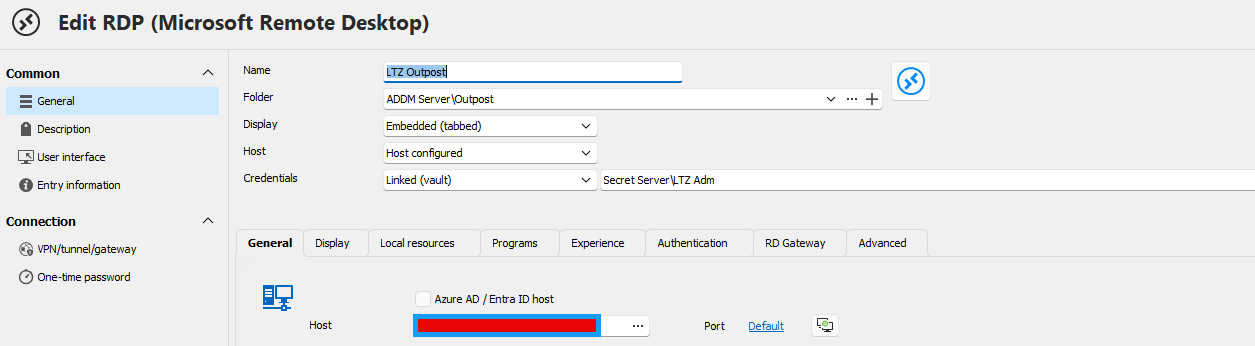
RDM "Object reference not set to an instance of an object"
We are not using DVLS only RDM. any entry that is connected to the Secret Server connection fails the first time and then works the second time. If I restart RDM, it works for a few connections and then the error starts popping up. There is nothing in the logs, blank data. also we are running Secret Server Version: 11.7.000002. I also reached out to a few coworkers and they are having the same issue as I am with the latest version of RDM.
Ross
RDM "Object reference not set to an instance of an object"
I am re-opening this. I am getting this error the first time I click on a item that is connected to Devolution's Secret Server, after the second click all works fine. I have tried to store connection password in memory, but that fails after a few clicks on items connected to it. currently running 2024.2.17.0 of RDM and there is nothing recorded in the logs that I can see.
Ross
RDM "Object reference not set to an instance of an object"
I found a work around if I change the setting in Delinea Secret Server connection under Privileged access management to "Keep in Memory" I do not get the error.
RDM "Object reference not set to an instance of an object"
now it is so random,
RDM "Object reference not set to an instance of an object"
well it is back, so weird that it worked for a bid then started to error out. there is nothing in the application log, do I need to turn on debugging for it to record there.
Ross
RDM "Object reference not set to an instance of an object"
After some more digging I found that the error only happened on my RDM connections that I default to or picked a password from my secret server vault. I removed the password in the secret server connection and readded it and now I can not reproduce the error.
data source was local to my laptop.
I will update this if I see the error again with the logs
Thanks
Ross
RDM "Object reference not set to an instance of an object"
since version 2024.2.16.0 I have been getting this error on all my RDM connections, it fails the first time I click on it and then the second click the error does not appear and my session starts. I just updated to 2024.2.17.0 the other day and still same issue. any ideas how I can fix this?
Ross
Folders deleted from the UI, keep coming back

Folders deleted from the UI, keep coming back
I ran the diagnostics on the DS and the virtual folders tab was empty, so wierd.


Folders deleted from the UI, keep coming back
I added some details to the top level folder that was flagged as virtual, it shows as not virtual now.. I deleted the folders from the bottom up, then deleted the top level, all gone.. CRTL-F5 all come back and the top level changes I made are gone and back to virtual.
Folders deleted from the UI, keep coming back
here is the copy preview for the top level folder that is flagged as virtual.
<?xml version="1.0"?>
<ArrayOfConnection>
<Connection>
<ConnectionType>Group</ConnectionType>
<Group>Toronto</Group>
<ID>fbfe3a07-8cce-43fc-8524-90fb2cfd6466</ID>
<Name>Toronto</Name>
<Stamp>a81d868e-74e4-4bf4-a8d2-4db21b147088</Stamp>
</Connection>
<Connection>
<ConnectionType>Group</ConnectionType>
<CreatedBy>CORP\ross.jurek</CreatedBy>
<CreationDateTime>2021-02-18T16:57:00</CreationDateTime>
<Group>Toronto\Production</Group>
<ID>c0f284f3-d8ae-42a1-8085-380fb18e78b7</ID>
<Name>Production</Name>
<Stamp>a6cb47d1-99d1-4dfc-8a89-724564cace84</Stamp>
<TemplateSourceID>2c1b95b7-070c-4c4e-b777-58b82aa1da0f</TemplateSourceID>
</Connection>
<Connection>
<ConnectionType>Group</ConnectionType>
<CreatedBy>CORP\ross.jurek</CreatedBy>
<CreationDateTime>2021-02-18T21:14:26</CreationDateTime>
<Group>Toronto\Production\Nebula</Group>
<ID>48c398f1-a85d-46d8-b91e-a11619af09d6</ID>
<Name>Nebula</Name>
<Stamp>dc8295a5-a976-4343-9576-19a8173db088</Stamp>
<TemplateSourceID>0c85d729-f05a-4682-9870-e727644a247a</TemplateSourceID>
</Connection>
<Connection>
<ConnectionType>Group</ConnectionType>
<CreatedBy>CORP\ross.jurek</CreatedBy>
<CreationDateTime>2021-02-18T21:14:46</CreationDateTime>
<Group>Toronto\Production\Nebula\Nebula Service Fabric</Group>
<ID>2e611cae-8960-4542-8eb3-d0c540d7cd37</ID>
<Name>Nebula Service Fabric</Name>
<Stamp>3233506e-70c3-4803-8b5a-1718ffd2dc16</Stamp>
<TemplateSourceID>7ed44df1-208b-4978-8132-020583c5e976</TemplateSourceID>
</Connection>
<Connection>
<ConnectionType>Group</ConnectionType>
<CreatedBy>CORP\ross.jurek</CreatedBy>
<CreationDateTime>2021-02-18T16:40:07</CreationDateTime>
<Group>Toronto\Production\Relativty</Group>
<ID>47b9c1d0-4eac-443d-96e0-74e342bb86c1</ID>
<Name>Relativty</Name>
<Stamp>7ae3ba9d-bfae-49ee-8e1e-80a3edc0218f</Stamp>
<TemplateSourceID>5efdb9fc-f115-44b8-a2b9-ec0eb44cb909</TemplateSourceID>
</Connection>
</ArrayOfConnection>