
jeffrey01
Change Temporary Scripts Folder behavior
Are you keeping the hard delete like current or soft delete i.e. recycle bin?
Change Temporary Scripts Folder behavior
I can add it in a reply.
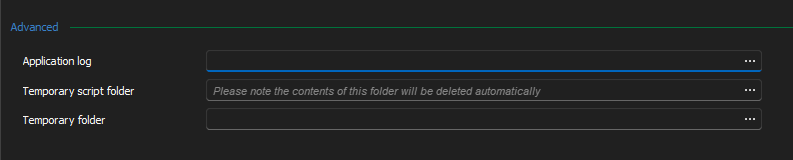
Change Temporary Scripts Folder behavior
Current behavior:
Upon closing the RDM application the entire contents of the selected folder are delete with no option of recovery. What happens to the machine if the user selects their Documents folder? C:\windows? C:\? There is potential to destroy a significant amount of data or the functionality of the computer.
At a minimum there should be a message or in indication that the contents of the folder will be destroyed while the developers work on a better solution than a blind delete. One possible solution may be to prepend the temp files with the PID of the current instance of RDM and only delete the files with that prefix?
I can't seem to attach a screenshot mockup.
Active Directory Dashboard - attributes with values/writable
Thank you Paul. I will keep an eye out for the feature.
Active Directory Dashboard - attributes with values/writable
I am a few versions behind in RDM but is it possible when looking an AD object properties to search or filter the list? Similar to the ADUC mmc
"Show only attributes that have values" and "Show only writable attributes"
Remote Powershell Script - Git Integration
In addition to storing scripts in the remote PowerShell session an integration with a code repo would be a nice feature. Additionally, on the advanced tab maybe a check box to pull on run (or not). The repo could leverage a stored cred within RDM or current user running the script.
Add Credential Source to session logs/events
For session where there is a stored credential it would be nice to see where the credential is being pull or queried from:
UserName:myUsername
MachineName: myWorkstation
ConnectionName: myTestConnection,
ConnectionTypeName: SSH Shell
ConnectionUserName: myStoredVaultCredential
LoggedUserName: myUsername
For the ConnectionUserName it would be nice to see an indicator of was this connection username/credential sourced from the shared vault? user vault? 3rd party i.e. Delinea, Cyberark, etc.
RDM Playlist or Pane feature
The ability to define or have pre-defined pane layouts. i.e. 2x2 or side-by-side.
These templates could then be leveraged for playlist or multi session open (right-click open in pane, 2x2 or 1x2, etc)
In a playlist the feature could be defined as layout, with the addition of broadcast input. Example,
I want to have 4 ssh session in a 2x2 (Quad) layout with broadcast input.
define a playlist with server A,B,C,D
Maybe have a field for pane:
Server A - pane 1.1, broadcast checkbox on/off
Server B - pane 1.2, broadcast checkbox on/off
Server C - pane 2.1, broadcast checkbox on/off
Server D - pane 2.2, broadcast checkbox on/off
Hopefully this makes sense.
Persist Search Terms
This is great! - Thank you so much.
Persist Search Terms
Is there a way/setting in the lower left search box on RDM 2021.2.23 to persist the search text/term while switching from Vault, User Vault, Favorites? It is a minor thing but I keep finding myself looking for a connection then remembering it is in a different vault and having re-enter the search string.
Thank you!
bash.exe support in RDM?
Thank you for the update.
bash.exe support in RDM?
if this helps: (https://mobaxterm.mobatek.net/documentation.html)
1.5. Unix-like terminal
MobaXterm features a great terminal emulator based on the efficient PuTTY program (by Simon Tatham). This terminal allows you to run remote commands through SSH, telnet, rlogin or serial connections, but also to run Unix commands on your local Windows computer thanks to the use of dedicated plugins. There are many Unix commands which can be used inside the local terminal when using the "CygUtils" or other dedicated plugins: ssh, telnet, rlogin, rsh, rsync, wget, vim, corkscrew, httping, fdupes, iperf, mathomatic, xhost, xprop, xdpyinfo, xmodmap, xkill, Xorg...
bash.exe support in RDM?
Unfortunately, in this case not the ssh shell this is a local terminal. This terminal appears to be a port of the bash shell. It allows you to leverage all the 'native' linux commands. sed, awk, vim, run bash scripts shell !#/bin/bash, etc. It appears to me that mobaXterm somehow runs a small cygwin or Mingw environment inside the application as a terminal. There is not remote connection. you can cd to your local device drives. i.e. cd /drives/c/temp or even mapped network drive cd /drives/s/mydir.
It may not be possible but the users have learned that by using this feature they will prevent the removal of moba from their systems.
bash.exe support in RDM?
We are trying to consolidate our users to RDM, however we have encountered some users that are leveraging the MobaXterm local terminal feature which appears to be using bash.exe port from cygwin. Is there a similar feature in RDM native? An alternative? I know I could probably deploy bash.exe and leverage and external command but is there a cleaner way?
Remote Monitor Bar/Footer
My devs tell me they layout sessions in a 2x2 view during application upgrades and then can easily look at the cpu/ram to determine if the upgrade has finished or is still running at glance.
Remote Monitor Bar/Footer
We have some users that we are trying to convert from Mobaxterm and the enjoy using the 'Remote Monitoring Bar' feature. Is there a similar feature in RDM? Screen shot attached of the bar. Basically, a footer bar that once you connect it queries CPU/RAM/Uptime/Disk Capacity/. . . . I do not know the update interval.

Save a Session layout and or Broadcast input?
Maybe a feature request for the Playlist? Embedded --> tiled? Or Maybe a ribbon section to setup pane templates? you could make a 4 up or 6up or 2x1 type layouts. And then assign sessions to them?
Save a Session layout and or Broadcast input?
Is there a way to "save" the layout and broadcast selection? e.g. I have a web farm of 4 servers and I want them effectively treated as 1 'session' so save the layout and broadcast selection.
I perform a control select on the Navigation pane, right click open sessions (4). In order to layout the windows currently I am using the drag and "drop zone" feature:
https://help.remotedesktopmanager.com/view_embeddedsessions.html Is there a better way? Something like right click open session tiled? Or one open can you tile them via the menu? tile vertical and horizontal almost work but always seem to include the dashboard (even when the dashboard is off)
Save a Session layout and or Broadcast input?
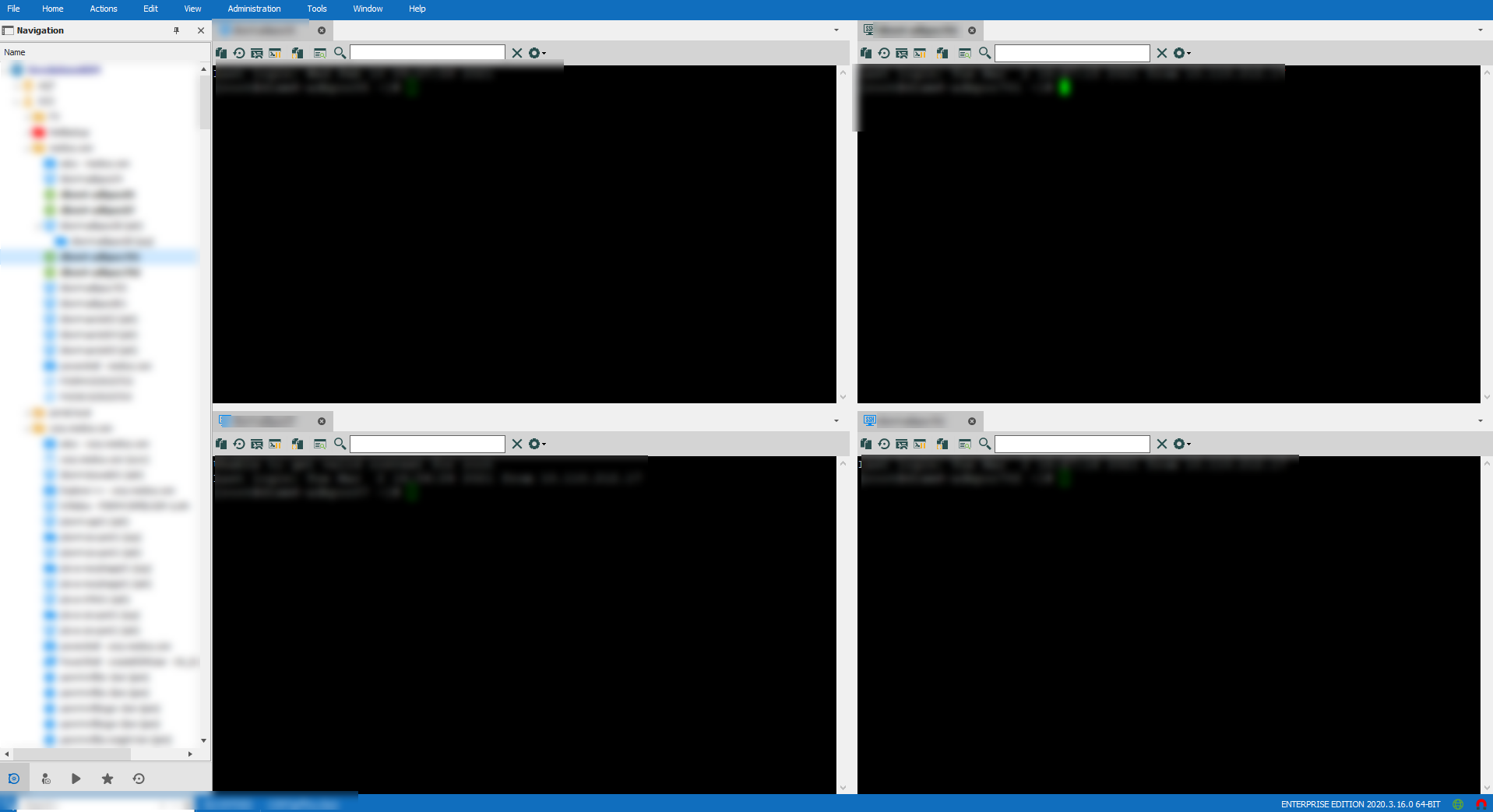
I have 4 ssh sessions that I would always like to open as a embedded Quad pane. i.e. 2 x 2. Then additionally add to broadcast input. Is this even possible or at least one or the other? Can you save a session layout as something? Then in the future just a double click away?
I know I can drag and drop each embedded tab to the create the layout in the screen shot below but can I save it?
RDM - Active Directory integrations
Are there any talks of Devolutions Server 'Lite' - just the AD features. The price point of Server doubles the cost of RDM.
RDM - Active Directory integrations
Without Devolutions Server how do you accomplish the advertised bullet point?
https://remotedesktopmanager.com/compare
User administration:
Integrated role management mapped to the Active Directory Groups.
RDM - Active Directory integrations
Unfortunately, we leverage an alternative PAM vendor, which negates the use of the devolutions server. This issue is one of the biggest blocks to wider adoption of the tool throughout our company.
Anyone come up with creative solutions/workarounds?
RDM - Active Directory integrations
Checking in to see if there have been any improvements with the AD integrations with recent versions. Historically, (and maybe I am doing it wrong) you need to go into the administration and create a new RDM user and "link" it to the user's AD account. Then assign the RDM account to an RDM role.
Is it possible to "link" an AD security group to the RDM role so that any member of the group basically has the same access? This would require little ongoing user administration in RDM. Set and forget once the roles and AD groups have been linked.
Credential Repository - Select Credential Search behavior
When leveraging the Credential repository (at least for Thycotic Secret Server) when you select the root folder and type a search string in the upper right. It searches and displays the contents of all the sub-folders that match the search string. However, if you select a sub-folder in only displays the contents of that folder, not any of the additional folders below the current. This seems inconsistent. A few options would be:
-Never display the sub-folder content (least preferred)
-Always display the sub-folder content (potential performance hit)
-Add an option or check box to search sub-folders (let the end user decide the balance between results and performance, the window should remember the last state of the selection checked/unchecked)
RDM - 2020.2 SSH inventory
Hmmm.
I have tried:
Default, Credential Repository (Thycotic Secret Server), Private Vault search. All of these methods work with a SSH Session.
They all fail with the same error above. I have tried setting the OS to Linux and Linux(RedHat)
The server is running Red Hat Enterprise Linux Server release 7.7.