Remote Monitor Bar/Footer

We have some users that we are trying to convert from Mobaxterm and the enjoy using the 'Remote Monitoring Bar' feature. Is there a similar feature in RDM? Screen shot attached of the bar. Basically, a footer bar that once you connect it queries CPU/RAM/Uptime/Disk Capacity/. . . . I do not know the update interval. 
15742379.PNG
All Comments (5)
Hello,
There isn't anything like this in our SSH entries at the moment. I'll open a ticket so we can take a look at implementing a similar functionality. If there's any information you particularly need or any other request relating to this, let us know. 🙂
Regards,
Hubert Mireault
My devs tell me they layout sessions in a 2x2 view during application upgrades and then can easily look at the cpu/ram to determine if the upgrade has finished or is still running at glance.
Thanks for the information! We'll update this thread once we have an update on this improvement.
Regards,
Hubert Mireault
Hello,
Is there any news about this feature?
Thank you for your reply.
Hello,
This is currently available since RDM 2021.1.32.0. You can enable the feature in your SSH Shell entry in the Terminal tab: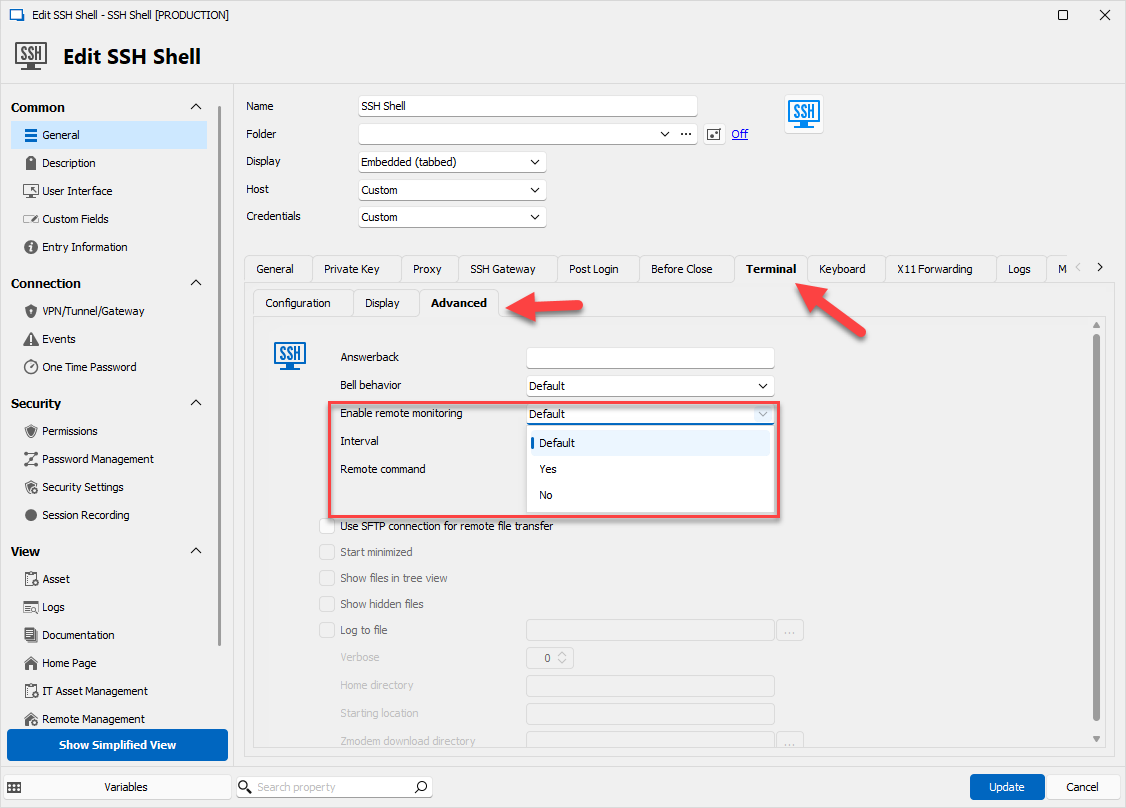
The default value can also be changed in the File>Options if you'd like to enable it by default for all your SSH Shell entries.
When enabled and RDM is able to properly fetch that information, it will appear like so, at the bottom of the terminal tab: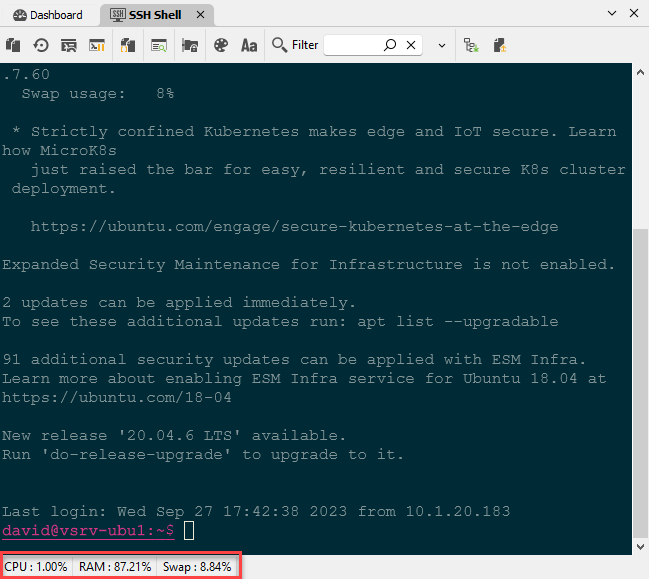
Regards,
Hubert Mireault
ba1961c7-2965-4ec3-aed9-f1573e0d2fac.png
b8a7df09-42dd-4ad4-a581-1b87e7bc697f.png