
ral
Two feature requests for Touch Mode
Hello,
We previously had another user requesting similar behavior that would allow them to easily scroll between two separate application windows, so we initially grouped your request with theirs.
However, after re-reading your request, I realized that your use case is different: you are referring to scrolling different areas within the same application window in the RDP session.
In that scenario, this should be feasible. Since the application window already has focus, we should be able to send the new cursor position before sending the scroll input. This would allow the scroll to be directed to the specific area of the application that the cursor is positioned over.
The limitation applies when trying to scroll a different application window that does not currently have focus. In that case, we would first need to give that window focus before sending the scroll input. With the way input is handled over RDP, this would require us to send a click to that window first.
Automatically sending a click before scrolling could cause unwanted interactions. For example, the click could activate a button, link, or other control underneath the cursor when the intention was only to scroll. It could also interfere with normal scrolling behavior in the currently focused window.
There is one downside to sending the cursor position as part of the scrolling behavior. Currently, you can initiate the scroll gesture from anywhere on the Android screen, even outside the remote application window. With this change, the scroll gesture would need to start within the remote application window so that we can determine the correct cursor position and send the scroll input to the appropriate area. In other words, initiating a scroll from outside the window would no longer work as it does today.
Since your use case involves scrolling different areas within the same application window, we don't have the focus issue described above, so the behavior you requested should be possible with this tradeoff.
Best Regards,
Frederick Simard
@Frederick Simard
I don't think that's a good trade-off. As you mentioned, sending a mouse click to the other window can have strange effects. There's got to be a way to do the scrolling without sending the mouse click because many other RDP apps do it. You can see for yourself by using aRDP free. The mouse cursor on the phone moves, but it must not be sending a mouse click because you can scroll windows in the background without bringing them into focus.
Rich
Two feature requests for Touch Mode
This doesn't really solve my second issue. With legacy mode off, a single finger now scrolls the screen in touchpad mode and to pan around when zoomed in I need to use the new map feature. This is a pain and not very user friendly. I wanted to keep everything the way it was (legacy zoom), but have the two finger scroll work on the area my fingers are located. Is there not a way to do this?
Rich
Two feature requests for Touch Mode
Thanks, but I don't see an option to disable Legacy touch mode . I only see a Legacy keyboard mode.
Rich
Two feature requests for Touch Mode
I just tested the latest version (2026.3.0.21) and neither of these two items have been implemented.
Rich
Two feature requests for Touch Mode
I have two feature requests when using touch mode on Android. I'm attaching videos of both items.
1) When zoomed in on the screen, double tapping and dragging a file (or any object) doesn't scroll the screen as the object is moved around near the edges. This means it's impossible to drag to an area that is off the screen. When using mouse mode, the screen automatically moves as I'm dragging the file around, but in touch mode it doesn't.
2) When using two fingers to scroll up and down, the screen scrolls whatever had focus last. For example, if I'm in Outlook and click on the body of a message and then try to scroll with my fingers over the the email list, the message body scrolls instead. I have to click into the email list in order for the email list to scroll. It would be much nicer if whatever was below my fingers scrolled instead. This is how other remote desktop applications work along with Microsoft Windows itself.
Thanks,
Rich
Feature request: Momentum scrolling when zoomed
This is great.... A huge improvement. Thanks for implementing this!
Rich
Word suggestions not working with SwiftKey
This is working now!
Thanks,
Rich
Right mouse click issue
Yup. I saw that and it's working now. Thanks for the quick fix!
Rich
Feature request: Momentum scrolling when zoomed
Yes, that's correct. Just to be clear, it's not when using two fingers to simulate clicking a scrollbar, but a single finger to move around the zoomed in screen. The faster you fling, the faster it would move.
Speaking of two finger scrolling for things that have scrollbars, it would be great if the app scrolled the part of the screen that my fingers are touching. Currently, it scrolls the last window to have focus even if that's off the screen when zoomed in. You can see in the attached video where I have two scrollable windows side by side, the app always scrolls the window that has focus, not where my fingers are. All of the other RDP apps I've used will scroll the area I'm touching even if it doesn't currently have focus. This is just like being at the computer and using the mouse scroll wheel to scroll whatever part of the screen your mouse is hovering over, even if that area doesn't have focus.
Thanks again,
Rich
Feature request: Momentum scrolling when zoomed
I run my RDP connect to Windows matching my native Windows resolution because I hate when Windows resizes everything to fit into the device screen. I'm almost always zoomed in and I use touchpad mode, so I'm moving around a lot to see various parts of the screen. While it works, it would be really nice if it had "momentum scrolling", where it continues to move after I lift my finger, the way browsing a website does or most everything else on Android does. This way I could go from one area of the screen to another in a single swipe without having to keep lifting my finger over and over to continue moving. Any chance you could implement this?
Thanks,
Rich
Right mouse click issue
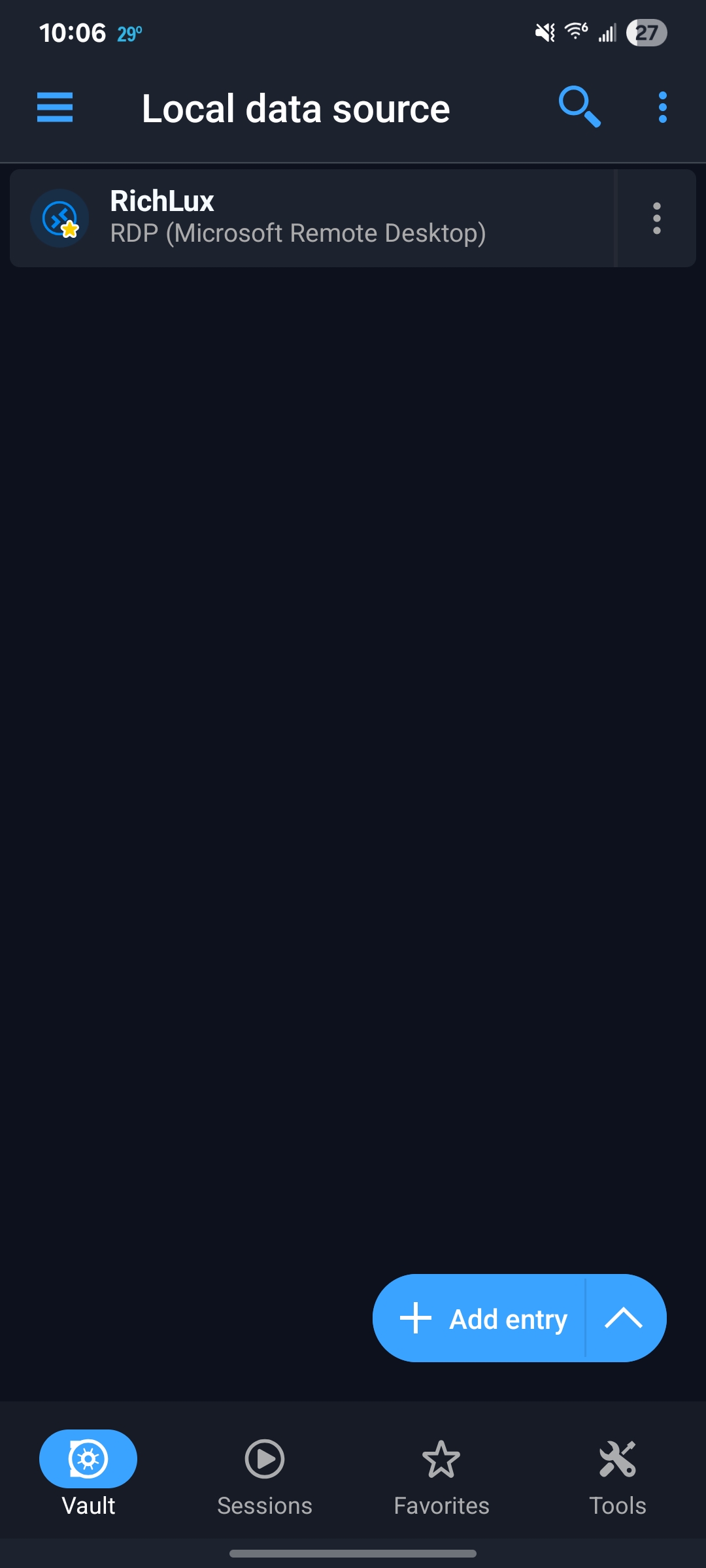
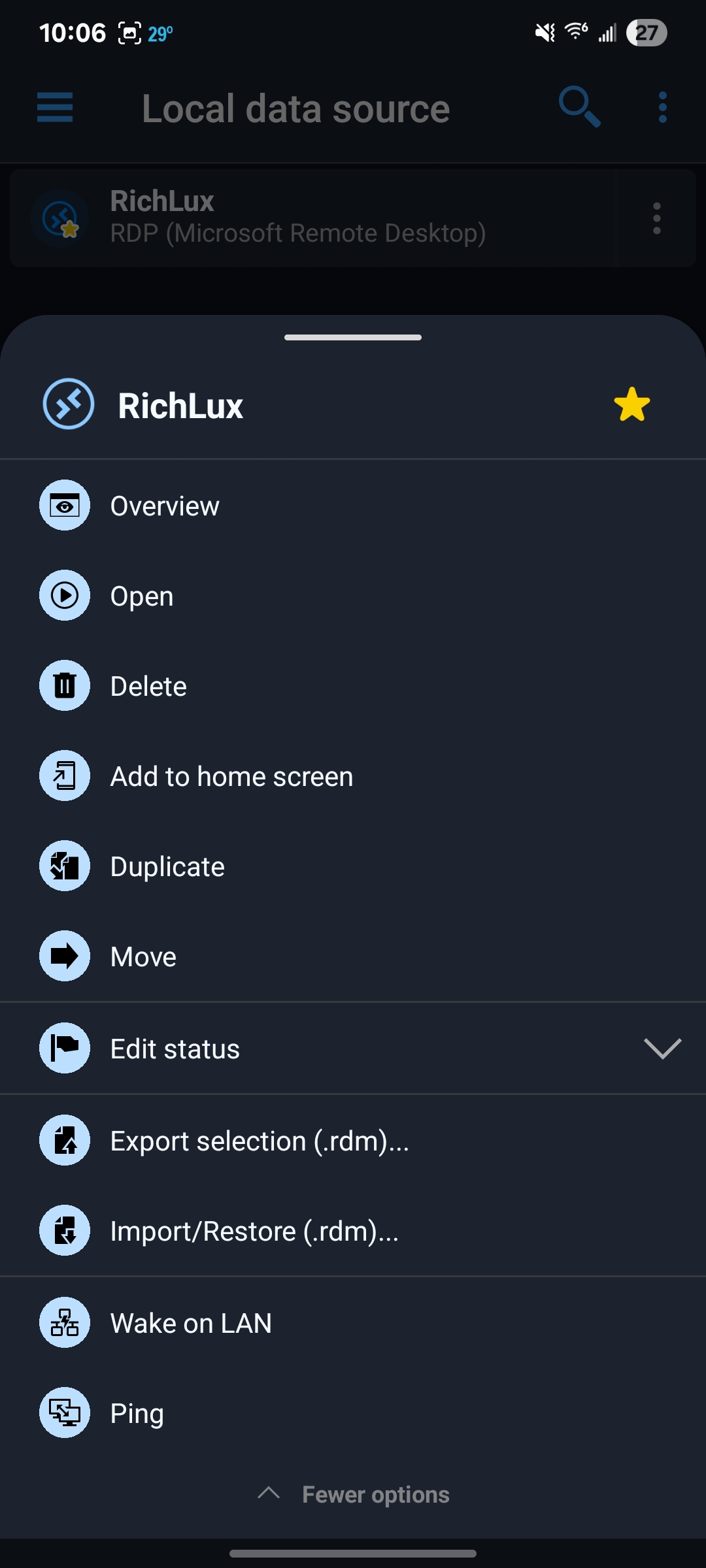
I'm using a local data source and running the latest version (2026.1.0.27). This happens when I quit the session and close the app. It's actually been intermittent lately. Sometimes it will work fine trying to connect again, but sometimes it won't. When it won't open a connection, I have to force stop the app. I captured two screenshots. The first one just shows the connection and that there are no open sessions . the second one shows the menu options . Clicking open doesn't do anything and you can see that there's no edit option which would normally be there, so the app obviously thinks something is going on.
Rich
Word suggestions not working with SwiftKey
When using Microsoft SwiftKey with an RDP connection to Windows, the row of suggested words as you type does not show. It works with Gboard, but not SwiftKey.
Ric
Right mouse click issue
Hello,
Thank you for reporting this issue. We were able to reproduce and we are currently working on a solution.
Best Regards,
Frederick Simard
@Frederick Simard
Thanks. I'm having another issue with the android app. I have the Entry Touch Action set to "view or open" and if I open the app and click on the entry to launch a remote desktop connection and then close the connection and exit the app, the next time I open the app and click on the entry, nothing happens. Also, clicking the ... menu and then "open" doesn't do anything either. In fact, the ... menu doesn't show the same items that it does the first time. It doesn't have a Edit option to edit the connection and has other options not normally there. I would send a screenshot, but the app doesn't allow me to take a screenshot.
Rich
Right mouse click issue
I'm connecting to a Windows 11 computer using RDP running the mode where I can directly click instead of moving the mouse pointer. When I press and hold to bring up the right mouse click menu, the menu appears, but unless I move the screen or zoom in or out, clicking on a menu item does nothing. It appears to select whatever is behind the menu. For example, when in Outlook looking at my list of emails, if I long press and select "Reply", it doesn't open a reply. Instead, it selects the message that was behind the "Reply" menu item. If I do the same thing, but zoom in or move the screen before I select "Reply", it works. If it matters, I'm running a custom resolution (1920 x 1200), so my Android device matches my computer display without resizing the desktop.
Thanks,
Rich
RDP via Azure Bastion (native client)
Hi Rich
When you create the Bastion; you need to configure it for native client support (meaning the capability to use a desktop RDP client instead of just the Azure web interface).
You can check the documentation at https://learn.microsoft.com/en-us/azure/bastion/connect-native-client-windows (under the heading "Configure the native client support feature"); but essentially you need to configure the Bastion with the "Standard" SKU and enable the "Native client support" feature. Both of these are prerequisites for native client access.
The error you get when using the TCP Tunnel is unexpected (we're obviously not handling the error case well here), but the result is the same - the TCP Tunnel won't work either without native client support.
Please let me know if you have further questions or something isn't clear!
Kind regards,
I talked to my technical team and that's definitely the issue. We only have Azure Bastion "Basic", which only supports browser access. I was hoping RDM would let me connect inside the RDM interface without having to open up a separate browser connection.
Thanks for all the info,
Rich
RDP via Azure Bastion (native client)
Thanks for the information. I don't know a lot about Bastion because I didn't set it up, so I appreciate your patience. I think I have the settings correct now, but when I try and connect using "RD Gateway", I get the following message: "The Azure Bastion does not support native client connections (SKU: Basic Native Client: False).", so I guess our connection doesn't support that.
When I change it to "TCP Tunnel", I get the error below:
Object reference not set to an instance of an object. (System.NullReferenceException: Object reference not set to an instance of an object.
at Devolutions.Az.Bastion.Tunnel.Dispose()
at Devolutions.RemoteDesktopManager.Business.VPNOpeners.VPNAzureBastionOpener.<>c__DisplayClass6_0.<DoOpen>b__0())
it wouldn't surprise me if I'm doing something wrong, so thanks for the help.
Rich
RDP via Azure Bastion (native client)
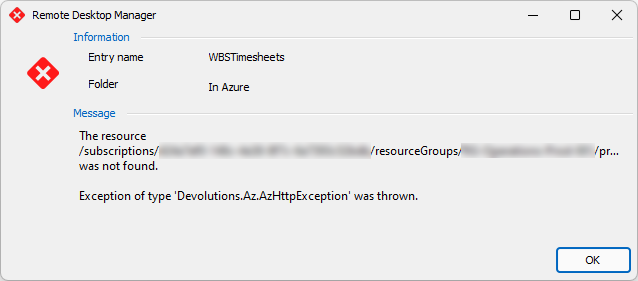
Since we're talking about issues connecting with Bastion, I'm also having issues. I set debug to 3 and Both and this is the error I see in the logs:
Exception of type 'Devolutions.Az.AzHttpException' was thrown. (Devolutions.Az.AzHttpException: Exception of type 'Devolutions.Az.AzHttpException' was thrown.
at Devolutions.Az.Utilities.EnsureSuccessStatusCode(HttpResponseMessage response, String resourceId)
at Devolutions.Az.Bastion.Client.GetHost(String subscriptionId, String resourceGroupName, String bastionHostName, CancellationToken cancellationToken)
at Devolutions.RemoteDesktopManager.Business.VPNOpeners.VPNAzureBastionOpener.<>c__DisplayClass6_0.<DoOpen>b__0())
That's the only error in the logs, but I also get this popup after the error displays.
Rich
Launch Tools with alternate credentials?
Hmmm. I don't see that option. Is it because I'm running the free edition?
Rich
Launch Tools with alternate credentials?
Is there a way to run the tools (Computer Management, Services, etc) with alternate credentials? When running tools, it appears to use my current Windows credentials, but they do not have permission on the RDP servers. I'd like to be able to run them with an administrative account. Is there anyway to do this?
Thanks,
Rich
Warning on close of tab
Is there a setting to have RDM prompt with an "Are you sure" warning message when you click the X to close a tab?
Thanks.
Rich