
jacqueline
Feature Request : Microsoft 365 MFA Login using OTP
Please disregard. It looks like this was a misunderstanding on the part of my team.
The problem is when registering the OTP initially. They needed to tweak the MS Oath setup, it was the secret key that was being generated at 9 characters, they updated this to return the standard key for RDM setup.
Please disregard they have corrected the issue.
Feature Request : Microsoft 365 MFA Login using OTP
I know this is an old thread but we are experiencing the same issue.
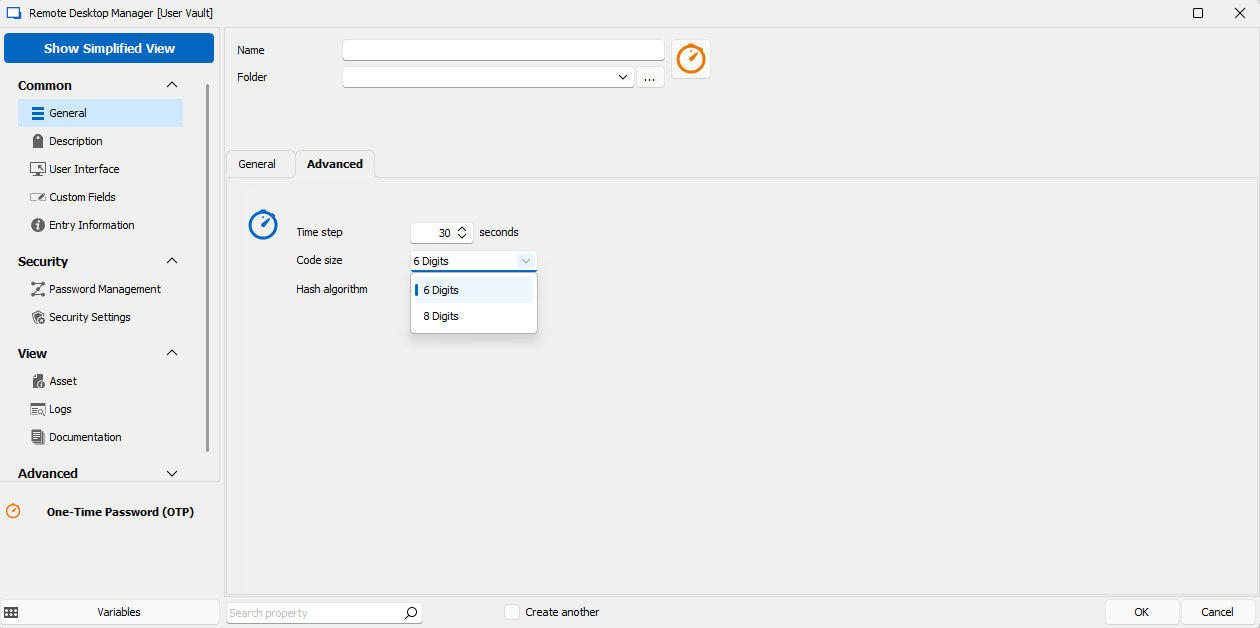
This is located on the OTP entry under advanced and Code Size. Right now it only supports 6 or 8 digit code sizes and Microsoft is using 9 digits.
Thank you,
Jacqueline
Cisco Anyconnect VPN not typing full password
Hello,
I was able work around this Cisco AnyConnect vpncli.exe issue by installing version 3.1.00495 which I downloaded from this site https://www.cera.net/portal/downloads/7/v3100495 I hope this helps until the new version is released. Note: you will need to uninstall any current versions of Cisco AnyConnect before installing the new version. I also had to run through the vpncli.exe manually the first time as it asks you if you want to download and trust the certificate (if you are using the "connect anyway" setting).
Thanks,
Jacqueline