Feature Request : Microsoft 365 MFA Login using OTP
1 vote

More of our customers demand MFA login to Office 365 including the admin logins we are using.
Can you implement the 9 character code to setup Microsoft MFA with OTP in Remote Desktop Manager? At the moment only 6 or 8 character are accepted.
Thanks!
TopServ IT Beheer.
All Comments (11)
Hello,
Could you post a print screen of the dialog where you see the 8 chars limitation? I'm not sure where to look in our application.
Regards
David Hervieux
I know this is an old thread but we are experiencing the same issue.
This is located on the OTP entry under advanced and Code Size. Right now it only supports 6 or 8 digit code sizes and Microsoft is using 9 digits.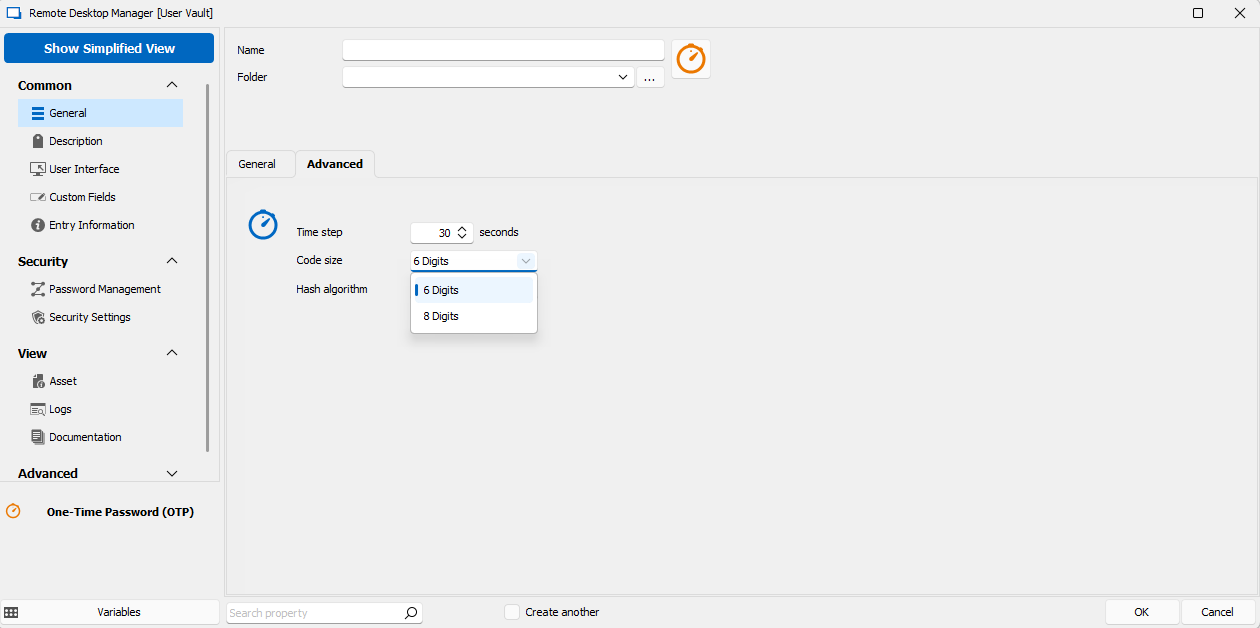
Thank you,
Jacqueline
ef608b58-6b97-44c5-b6b5-a14cdabaf0f9.png
Hello,
Thank you for the additional information. We have opened a ticket.
Regards,
Hubert Mireault
Please disregard. It looks like this was a misunderstanding on the part of my team.
The problem is when registering the OTP initially. They needed to tweak the MS Oath setup, it was the secret key that was being generated at 9 characters, they updated this to return the standard key for RDM setup.
Please disregard they have corrected the issue.
Thank you for the information, I'm glad you could solve your issue. Let us know if there's anything else we can help you with.
Regards,
Hubert Mireault
@Hubert Mireault Can we get this re-opened?
We're increasingly getting this from client organizations, where we can't necessarily influence their MFA/Oauth configuration, so having RDM support these 9-digit codes would be great, as otherwise we're having to revert to using MS Authenticator on personal/company phones instead.
Thanks
Craig
Hello @craighumphrey,
This thread is quite old so I'd like to confirm a few things with you. Can you let me know where you get this configuration prompt with 9 digits in Office 365? Additionally, I'd like to know if you're able to use this code in other applications that support TOTP like Google Authenticator.
RDM uses TOTP for the OTP entry, so as long as we can parse this information to the TOTP format it should be easy to support. But, from what I understood a few years back, it was a code that only meant something to Microsoft applications, so it wasn't something that we could use on our side as there's no documentation on it.
Regards,
Hubert Mireault
Hey Hubert,
thanks for responding. It's when I go to register Microsoft Authenticator against my account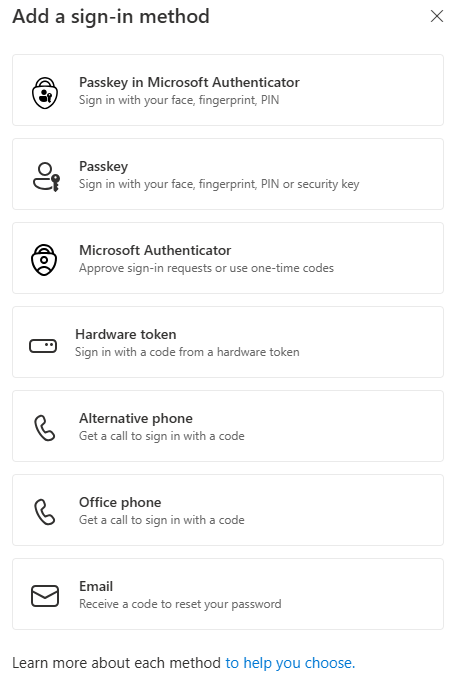
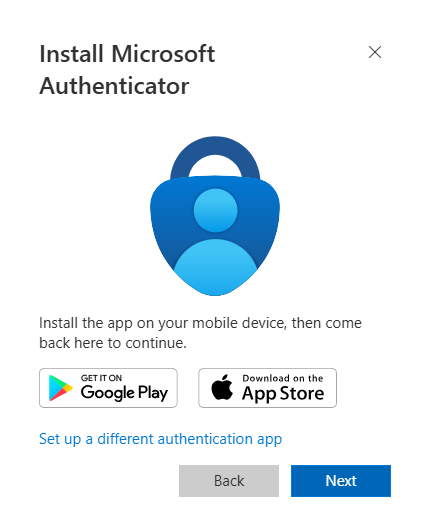
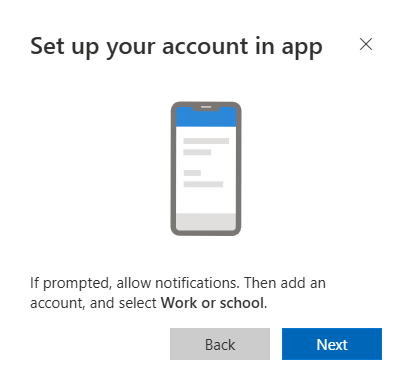
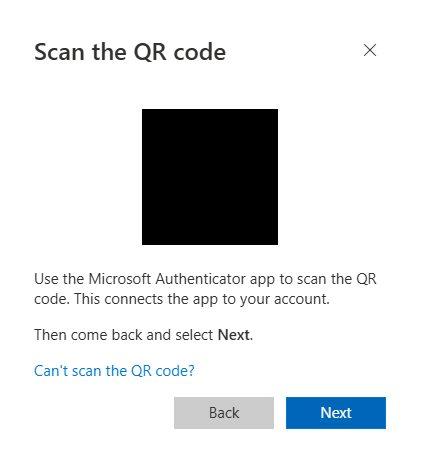
Here I select "Can't scan the QR code?"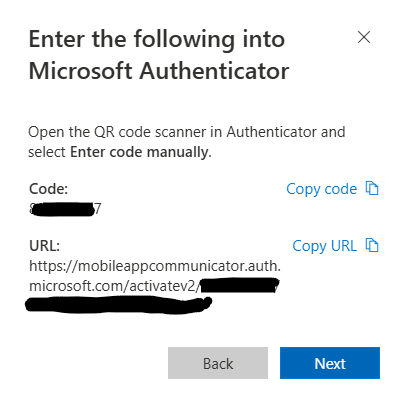
You'll have to trust me that it's a 9-digit code.
I haven't tried any other authenticator tools, as we're not allowed to at work.
Thanks
Craig
2d277d17-5af9-43a2-b9c0-faa83bbfc6bb.png
dafd4d07-ee3c-4f0d-84e4-4d4bb06e53b3.png
f1b753b7-3ad1-488f-baf9-cdce07efcd2d.png
1148c8f9-3133-4591-801b-d324800a37aa.png
7e0c9b35-d7b8-4f15-8019-16618de97769.png
Hello,
Thanks for the information.
I looked into this and unfortunately it's not possible when going through the Microsoft Authenticator flow. This URL doesn't contain any TOTP information RDM can use, and as far as I can tell there's no API we can really interface with to use this URL. Additionally, once you've stored this information in your Microsoft Authenticator application, it's not possible to extract the secret it uses to generate the TOTP code.
The only alternative I see is if you use the "Set up a different authentication app" when prompted in the flow, this will actually give you a TOTP-compatible secret that you can then store in an RDM OTP entry.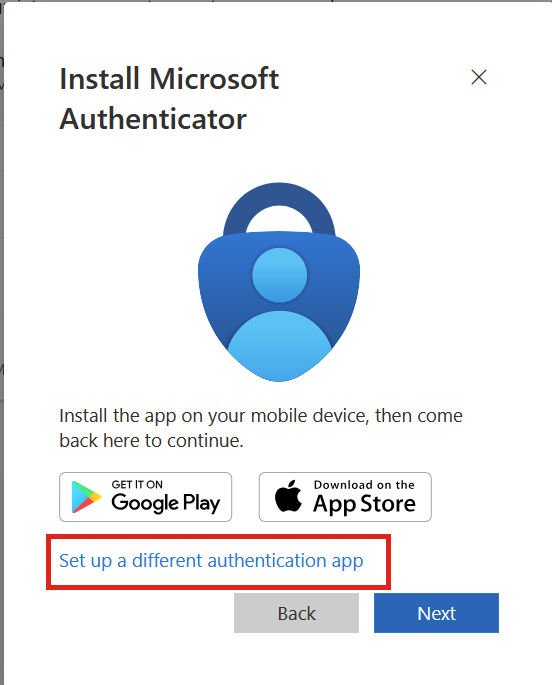
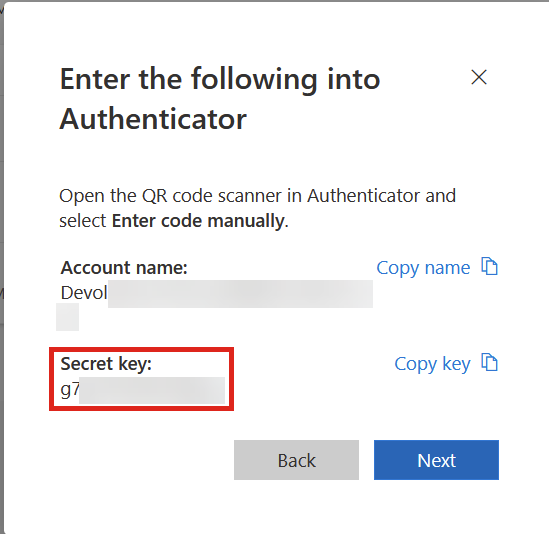
It's important to know that you wouldn't get push notifications this way either. I'm not sure if this is something you can leverage in your organization due to those restrictions.
Regards,
Hubert Mireault
d7a34eb5-40f6-4f28-86df-909f60182788.png
555c6529-afcd-45eb-8561-d6fc17bf3d98.png
Thanks Hubert, I've tested that and it works, I'll pass the info around here and I suspect it will be fine.
Thanks for digging into this.
Craig
Glad I could help despite the limitations we face! Don't hesitate to ask if there's anything else we can help with.
Regards,
Hubert Mireault