
(user deleted)
Remote Desktop Manager 2021.1.16.1/2021.1.17.0 - Misaligned versions deployed
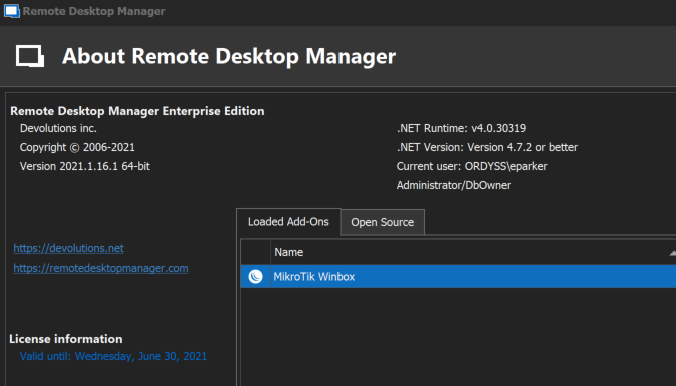
I've just updated to what the application says that should be 2021.1.17.0 but my version number only changed to 2021.1.16.1.
The application detects this and keeps telling me that I need to update, even though windows reports it as 2021.1.17.0.
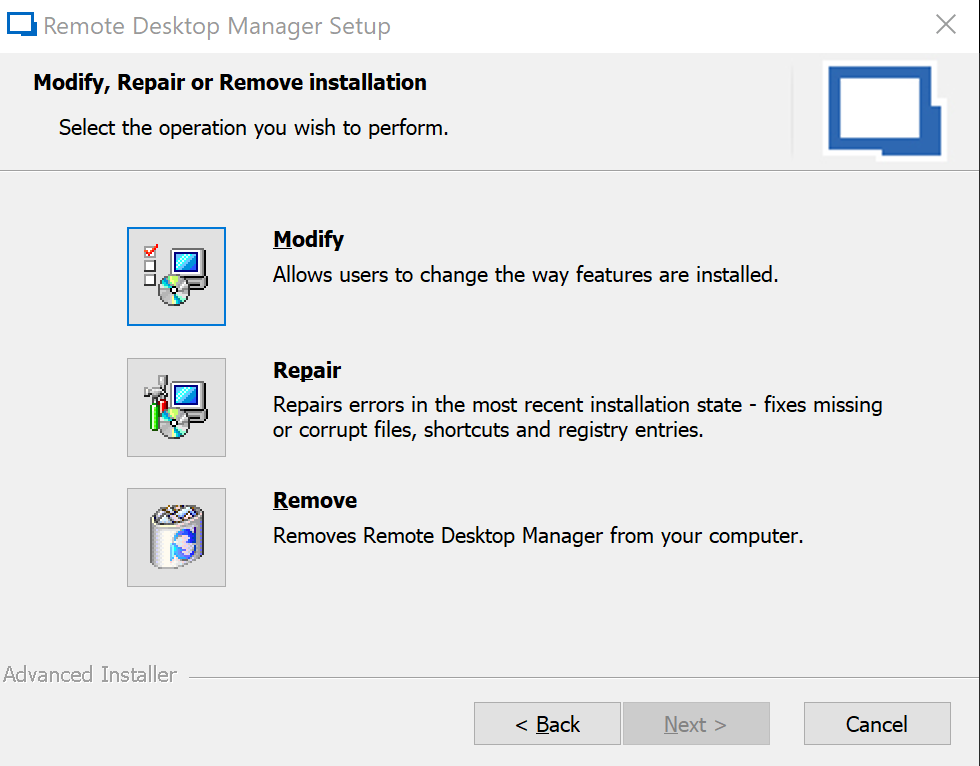
I tried to attach the installer as well which came from using the Direct to disk method because I thought the client wasn't updating itself correct at first, but it wouldn't let me. When i run the 2021.1.17.0 installer it only gives me modify which is what I would expect as windows can see the right version
See attached screenshots
Windows
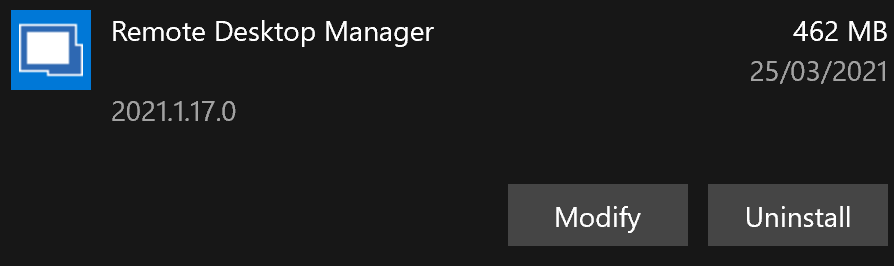
When I open RDM
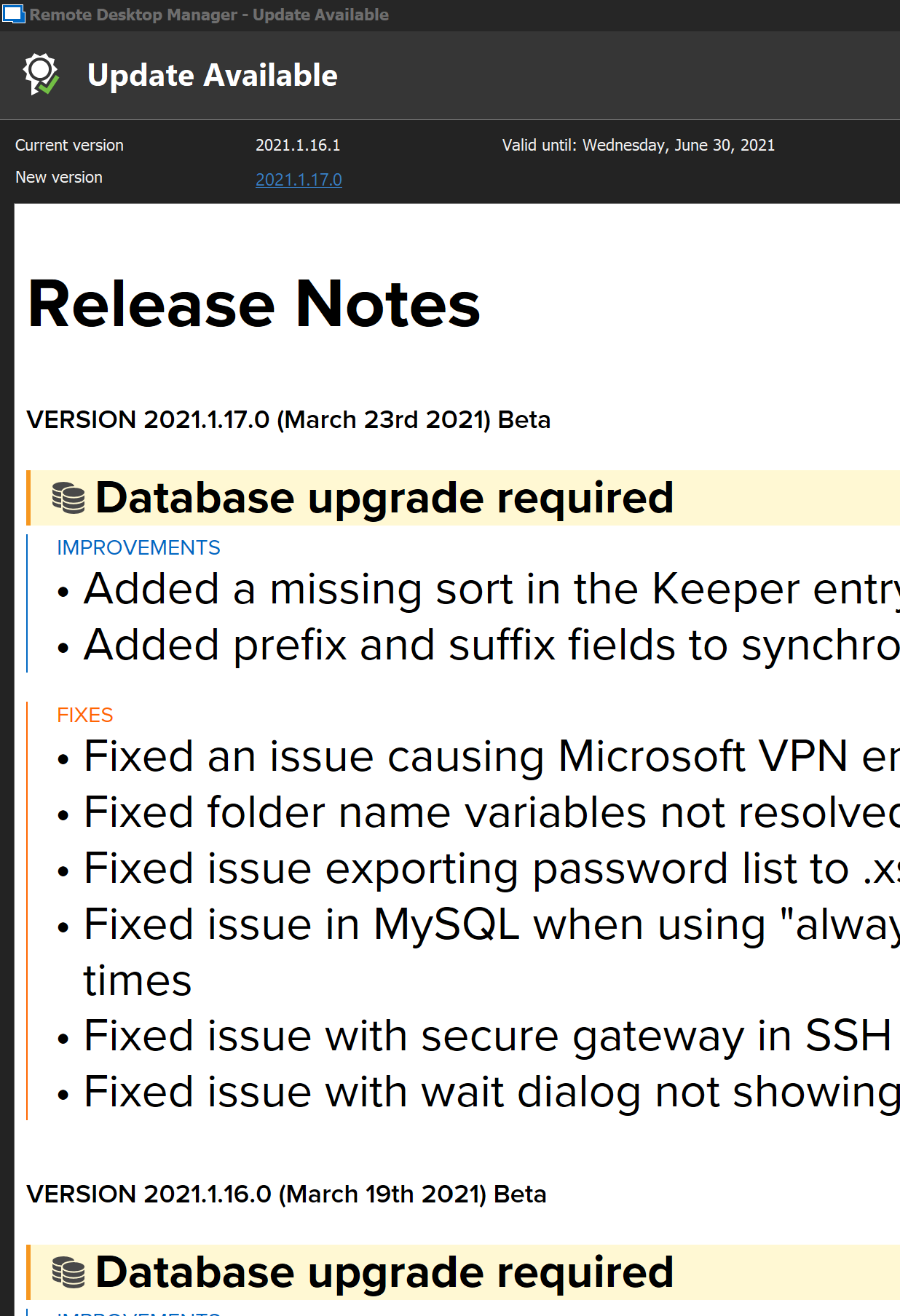
What RDM says
What the installer for 2021.1.17.0 says
Remote Desktop Manager 2021.1.9 BETA - User Vault not detected on start-up
Hi,
I don't know if this issue has been raised but I can't see it in main thread or elsewhere.
It looks like the User vault isn't activating/detected until you click on the User Vault tab.
This causes problems with entries in the main vault referring to them as it gives the error that credentials are missing, or websites don't populate in the web extension. But as soon as you click on the user vault, let it populate and go back, they all work correctly again.
OTP Entry not recording password viewed
Thanks guys for the quick update and fix!
Looking forward to 2019.2.21!
OTP Entry not recording password viewed
Whenever someone uses the OTP password credential entry, it does not record when they open the window to view the token, only when they copy the password.
This doesn't make sense seeing as if I view a normal credential entry password, it will record the entry that I have viewed the password.
Is this supposed to happen or is this an issue?
Copy Username & Password buttons are broken
In 2019.2.9.0, the copy username & password buttons (all 3) are no longer working correctly.
Copy Username and Password - only copies password
Copy Username - nothing is copied
Copy Password - nothing is copied
I do note that in this update release there were fixes to the clipboard for Windows 10.
I have tested with clipboard history on and off and changing the password copying ability from secure to legacy with each change and issue remains across all the changes.
Unable to "Save Document As"
Hi Etienne,
Apologies for the delay, I have been side-tracked with some project work.
I have had look over those settings, and I think the issue was caused by having Export set to Never at the root level, as we didn't want people to be able to export passwords out and etc.
I didn't think that it would impact the certificate option but I guess it is technically an export.
I changed that permission over and it all appears to be working now, but now I have the problem of preventing my passwords from being exported.
Is there by any chance a future feature to allow/deny exports at lower levels for entries?
Unable to "Save Document As"
Its a certificate entry and the user is a standard User type.
Unable to "Save Document As"
Hi Erica,
We are running 14.1.3.0 with a Microsoft SQL Datasource type.
SQL Active Directory Integration and RDM Android 5.0
I've noticed that you have now added Office 365 Authentication support in the latest update for DPS data source on the Android RDM.
How long away till Azure SQL can get the same kind of authentication support (with MFA enabled)? I understand that with the MFA part, we may still need to set it up the same as the Windows RDM version which is fine, just curious as to when this getting completed as this is our last hold up to moving our SQL database to Azure SQL.
Unable to "Save Document As"
Hello,
We have just come across an issue where if I upload a certificate to the RDM Vault, no one else seems to be able to export/save it out.
They can execute it which then starts up windows certificate manager import process, but the "Save Document As" button is greyed out.
Allow Export is enabled and they have been assigned all the permissions to the entry for their role apart from setting it to Everyone and the entry doesn't expire for another year.
Is there something else I'm missing to get that button to work correctly for my team?
Prompted for Credentials when using Password List for website
Hi Olivier,
That is correct and the exact issue that is occurring.
Thank you for opening a ticket regarding this issue.
Prompted for Credentials when using Password List for website
Hi James,
The reason why we get prompted 3 times, is because they are using 3 different password lists, ie 1 for each customer.
For example, 1 website (such as Office 365) will have different customer credentials, so we will create 1 Web login for each of the customer, it will look like this.
Customer 1 - O365 Login (Web) entry to Customer 1 password list using the specific O365 credential located within the password list.
Customer 2 - O365 Login (Web) entry to Customer 2 password list using the specific O365 credential located within the password list.
If the password list only contains 1 entry, the prompt doesn't occur, but as soon as you add the 2nd entry into the same password list (without assigning the 2nd entry to anything), we start getting prompted. This makes no sense as it is still a password list and the entry is still specified the exact same way and nothing else has changed, except that the password list now has 2 credentials in it.
The main reason we want to utilise the password list over username/password entries is that it makes it easier when passwords get reset or expire, to update the 1 list rather than having to go to each individual username/password entry, while also keeping the private vault tidy and organised which is what I assume is the purpose of the password list entry.
As I mentioned earlier, it appears that when you specifically assign a credential in a password list via the properties menu on an entry, it will work as intended, but if you are trying to use the User\Local Specific options to set your credentials over it, it is failing. But you can only specifically assign an entry in a password list if that password list is in the main repository, not in your private vault. This occurs regardless if the Web Browser or Login (Web) entry is located in the credential repository or in your private vault.
This issue seems to be more related to how your application decides to use password lists depending on how they are being applied and located within your application and how many credentials are in the list, rather than treating them same across the board.
I shouldn't have to put my private password list in the main repository and add it directly to an entry (so anyone who uses that entry will get my credentials) to get the same functionality if I were to assign my password list from my private vault using the User/Local specific settings.
Prompted for Credentials when using Password List for website
Hello,
I'm just following up regarding this issue.
I'm now currently running 14.1.3 RDM Enterprise with 7.1.0.0 web extension and still having the same issue.
I have also attempted to create new web entries, both website and web login, and new password lists and I'm still experiencing the same issue.
Prompted for Credentials when using Password List for website
Hi James,
I have now uploaded the video.
I have also included the normal way as well for reference as there is no difference really between the two settings except for I get the prompt straight away with the automatic load.
Prompted for Credentials when using Password List for website
Hi James,
Apologises for the delay as I have been on leave.
It stops the issue from occurring on the page load, but as soon as we go to load any password via the extension, it reoccurs.
Prompted for Credentials when using Password List for website
Hi James,
That is the exact issue that is occurring, thanks for confirming.
Prompted for Credentials when using Password List for website
Hi James,
So from your entry, and rereading my post, I failed to mention that the password list is in the private vault and then using user-specific settings to apply the password list generates the prompt.
Assign the password list within the entry works fine, but not when using it as a user-specific setting.
I have also tested local-specific setting and achieve the same results and receive a prompt using the entries you provided.
I have attached zip with the screenshots of what I'm getting when using the above method
Prompted for Credentials when using Password List for website
We are using 14.0.7.0 and we are using a Login (Web) entry.
Prompted for Credentials when using Password List for website
I have noticed that when using a password list against a website, if you only have 1 entry in the list and you have assigned that entry to the website, it works fine.
As soon as I add a second entry, it will always prompt for which credential to use, even though I have specified the exact credential to be used on the list.
I have tried deleting the list and configuring the password list with both credentials and assigning the one I wish to use, but it still occurs. It will only not occur when my password list only has 1 credential.
This works fine for all other entries, just not website login/account. I can't test the http/https as the website we are using has multiple of different authentication sources that it can use
Is there an option I need to enable/disable to get it to use the assigned credential in the password list?
Migrate to Azure SQL
Hi Jeff,
We will be hoping to move our database as that is the method we tested with and settings came with, Global entries, roles, users, etc. The only issue was that we couldn't use our original user accounts, thus losing the private store.
Migrate to Azure SQL
We are currently running our RDM database on Microsoft SQL 2008 R2.
We are looking at migrating to Azure SQL at some stage but after some testing, we noticed that we can't use our integrated AD accounts anymore, even though our Office 365 environment is synced with our on-prem.
Is there any other way for us to reconnect our users to use the new Azure SQL with Azure AD accounts without having to get recreate all the users, add them to roles and get them to back up their private vaults to be imported into their new account?
SQL Active Directory Integration and RDM Android 5.0
I noticed in the latest release notes that you are no longer saying that Integrated Security (Active Directory) isn't working, does this mean that it is now working?
I've updated to this version to test it but it doesn't seem to be working?
I'm already running 14.0.2.0 on my desktop and updated the database but it keeps telling me logging information is incorrect on the latest Android version 5.0.
I've also noticed that there is now an "Active Directory Interactive" option, I've tried this as well but same response. What is this option for as I seem to be unable to find any information regarding this option?
Regards,
Errol Tu-Parker
Web browser plugin not working in offline/cache mode
Hi Jeff,
Yes, it occurs when RDM 13.9.10 is started in offline mode and it generates the error code 400 within the web extension on chrome.
On Edge, it connects but doesn't proceed to display any results.
Using the internal browser (Embedded Tab) option, it passes through login details to the browser and works correctly.
If change the entry to External, it opens the browser and goes to the requested page but doesn't pass through the credentials, as I would imagine because the extension isn't working.
If I'm online and then go offline, it works fine. Even if I restart the browsers, it will still connect and apply login details via the web extension.
I'm able to see all the credentials within RDM and copy paste them from RDM into the browsers and it all works fine.
Regards,
Errol
RDM 14 Beta
Yup, Windows Clipboard seems to be the cause of the problem.
I turned it off and it started working straight away correctly straight away.
RDM 14 Beta
Hi David and Min,
I'm currently running 13.9.10.0, and you are correct David about Windows Clipboard history.
It appears to be pushing it to the Win + V method rather than Ctrl + V, and just tested and confirmed that's what it is doing.
I will try turning off Windows Clipboard and test, but other than that, is there another workaround?