
doo
Verbindungen werden im RDM nicht angezeigt via AVD
Hallo, wir haben bei einer Kollegin folgendes Problem...
dvls-version: 2024.2.6.0
rdm-version: 2024.2.13.0
microsoft-remotedesktop v1.2.5559.0
Wir nutzen den RDM lokal, über Citrix und über AVD (Azure Virtual Desktop) via Microsoft-Remotedesktop und Browser.
Bei besagter Kolegin ist es so, dass sie nur über AVD keine Verbindungen unter den Ordnern angezeigt bekommt.
Via Browser mal ja, mal nein und über die App gar nicht. Lokal und über Citrix scheint es keine Probleme zu geben...
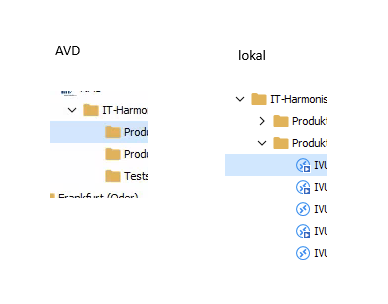
Keine Verbindung möglich
2021.2.29 dürfte nicht mit unserer serverversion kompatibel sein - letzte mögliche müsste die 2021.2.28 sein !?
kann es aber gerne mal versuchen...
Keine Verbindung möglich
ok, das scheint in einem fall schonmal funktioniert zu haben (mit vDevolutions.RemoteDesktopManager.Bin.2021.1.44.0)
Keine Verbindung möglich
auch hier:
eingebettet scheint den fehler zu produzieren...extern geht!
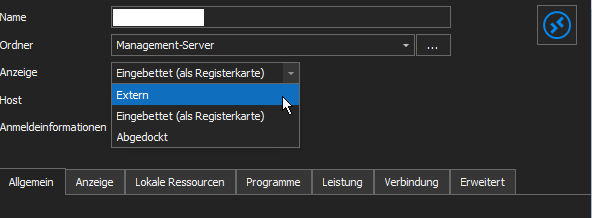
Keine Verbindung möglich
hallo, habe hier bei zwei kollegen ein verbindungsproblem:
DVLS version ist 2021.2.14.0, RDM version ist 2021.2.28.0.
verbindung ist eine einfache rdp-verbindung zu einem windows client (win10). bei zwei kollegen bleibt es nach der verbindung (und auch abfrage des passworts) bei "verbinde mit".
das ist auf dem lokalen client und auch über die weboberfläche so. eine direkte rdp-verbindung über windows klappt ohne probleme...
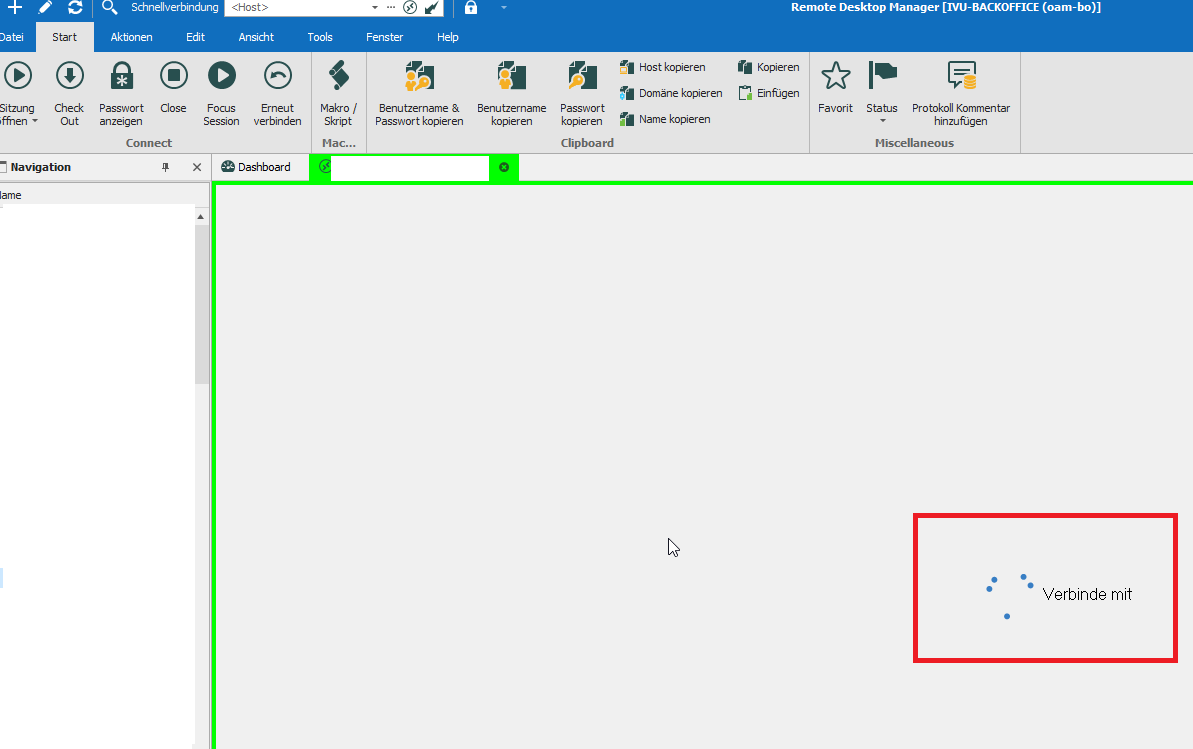
habt ihr vielleicht einen tipp, wo es ihr hakt? bei mir und den übrigen mitarbeitenden klappt es ohne probleme (gleiche voraussetzungen).
Steps to Upgrade from 2008 Server and DVLS 5.1.1.0 to 2016 Server and 6.0.2.0
Hello,
we had problems when i made an upgrade from 5.1.1.0 to v6 on our 2008 server.
A colleague helped remote but we had to revert everything and we couldn't find what caused the problem nobody was able to connect to the server.
So he wanted to look for the issue and give me feedback regarding a problem wirh 2008 server?!
I managed to get a 2016 server VM for testing and need help for transfering everything to the new environment...
error when importing user
ah, i upgraded to v13.0.6.0 (beta) and it seems to work...
error when importing user
v13.0.5.0
error when importing user
has been sent...
error when importing user
hello, i upgraded to DVLS 4.7 and i get an error when i try to import users from ldap.
we had an issue that a login via domain account did not work and we needed an ldap-account with full read rights in the AD.
after that it worked (at least for tests).
the past few weeks new colleagues have joint the company and i would like to imort them...
please see error in attachment.
problem with upn-suffixes and domain logins on DVLS 4.5.0.0
Hello,
any news for fixing the problem with domain logins and upn-suffixes on DVLS 4.5.0.0?
database not online after upgrade
still having the errors (pleaese see attachement).
and when i start RDM locally i'm only able to connect offline...
database not online after upgrade
already checked that, AUTHENTICATION TYPE is set to Domain for the relevant users (including mine).it seems to be a database problem.
database not online after upgrade
i get this error as soon as i try to login on the webpage (devolution server)...when i try to login to the RDM client i still receive the error attached in first post.
I'm using an AD-account which has admin priviliges btw.
Update: When i try to login with a "custom (Devolutions)" account it works!?
database not online after upgrade
hi, thanks for you answer...missed the dependencies.
now i'm able to see the login page but i receive attached error message via email.
database not online after upgrade
hallo, i'm new to RDM and took over the issue after a colleague left the company.
i had to upgrade the devolution server to v4.5 (including .net framework to 4.6.2) and the client to 12.5 .
from the server console i can test the database and server connection and i get a "successfull" back.
but i'm not able to connect via local client or via webpage...
on the server (windows server 2008 R2) i get the attached message when i try to open the RDM.
can someone help here?
thanks in advance...
Dom