
Aymeric Jala
Create Devolutions Cloud sutcked in setup screen?
Hi,
Assuming that it is the same email than this post, it seems like there is no entries in your Hub Personal.
We're aware of this kind of issue, and will try to resolve it. Meanwhile, you should be able to delete your Hub Personal from https://portal.devolutions.com/hub-personal.
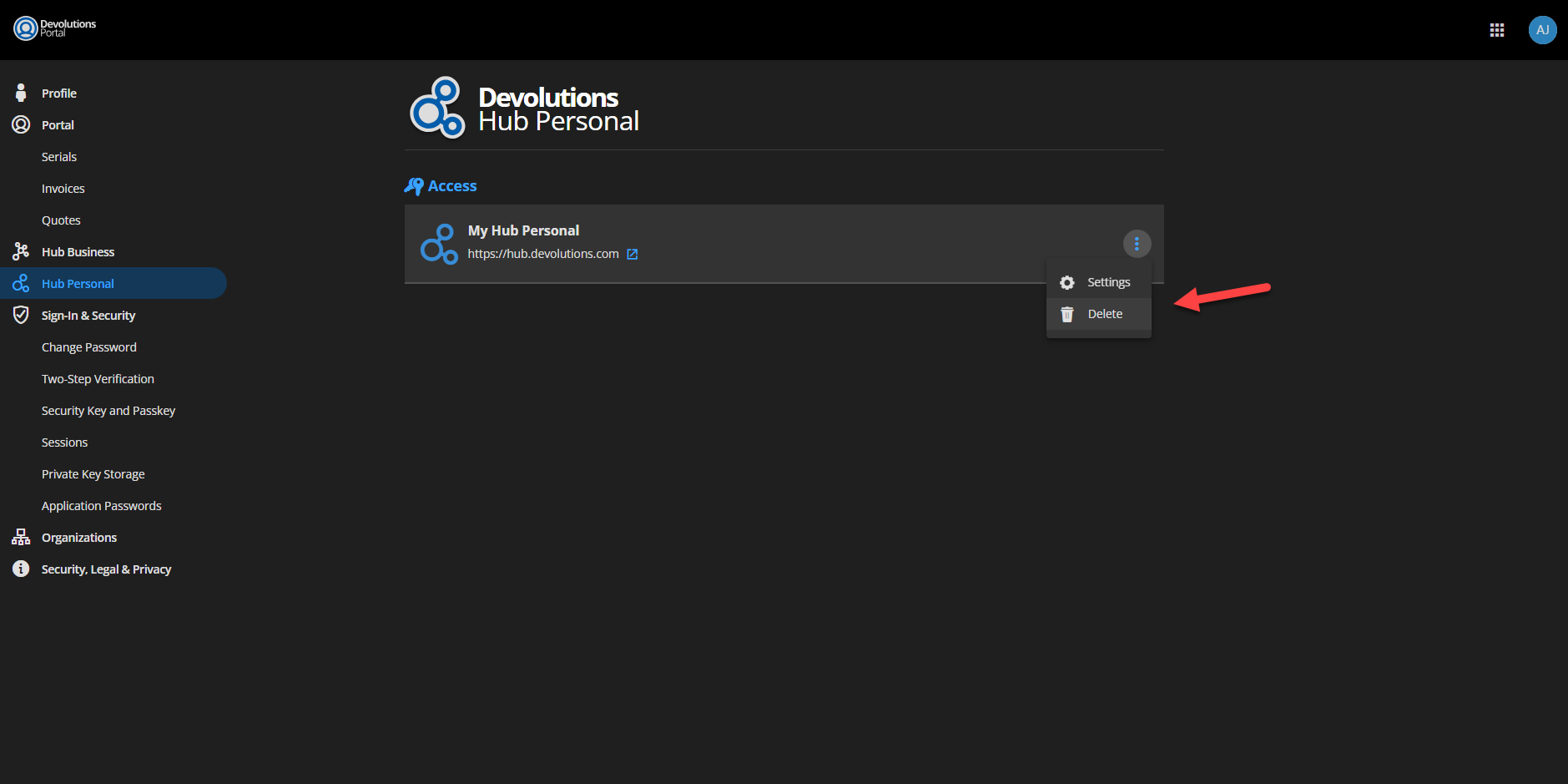
You will need to wait 2-5 minutes, then you can go back on the web (https://hub.devolutions.com) to complete the setup.
Please let us know if you encounter any further issues or require additional assistance.
Best regards
read-only data source after upgrade RDM
Hi,
You might want to try creating a new Hub Personal data source in RDM under File > Data Sources > Add > Select Hub Personal.
If this does not resolve the issue, please let me know.
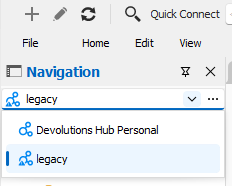
Just a side note: you can see if you are in a Hub Personal "legacy" data source if an exclamation mark appears on its logo.
Example:
Best regards,
We detected a forgot password operation, Enter your emergency reset code
Hello,
I've been reviewing your cases and would like to provide an update and some guidance on the next steps.
For chrishabipisahs: We believe the issue you encountered has likely been resolved by deleting and recreating your Hub Personal. However, we have not received a confirmation from you, if you're still experiencing difficulties.
For mgonzalez1: It appears you may have inadvertently created a Personal Hub without realizing it. Our records show that this hub was created on 2023-04-21 but wasn't set up with the necessary configurations (e.g., no key set, etc.). Given that there are no entries in this hub, you should be able to delete this instance and recreate your Hub Personal directly via https://portal.devolutions.com/hub-personal.
To both of you, if any further issues arise or if you have questions about this process, please don't hesitate to reach out.
Thank you for your patience and understanding.
Best regards,
The input string '0+38eda72778eaabe450d8b21b1acc5969d778efde' was not in a correct format
Hi,
A fix for this issue is coming soon.
Side notes:
This issue concerns only Hub Personal data sources that aren't updated. You can update your Hub Personal by going on https://hub.devolutions.com.
Hub Personal legacy data sources are going read-only with recent updates
Regards
We detected a forgot password operation, Enter your emergency reset code
Hi,
Just to clarify:
when you say "Devolutions hub online", you're talking about Hub Business, or on the portal (https://portal.devolutions.com/)?
when you log in RDM, which type of data source do you use?
have you already logged into your Hub Personal account on this browser?
For the recovery kit, you can search for "Devolutions Hub Personal". It should be a .pdf file.
Regards
DPH Personal & Business Cloud Encrypted Backup?
Hi John,
In the latest RDM release, we enabled the online backups Hub Personal, like the one available the one available on Devolutions Online Drive, SQLite and XML data sources (https://helpcloud.devolutions.net/onlinebackup_introduction.html). It will backup you entries, without the attachments/documents.
A more complete integration from the website is also in our backlog.
Thank you, have a good day