
alexandre.rocha
Problem in RDP connection using gateway
Updated to version 11.7.2.0, and runs on 32 and 64.
But it did not solve the problem. Have you made any other setting?
Error in connection with RDP Gateway
Hy Hubert,
I still have the same problem even with the current version of RDM.
They found a solution?
Regards.
Import/Export Users - MySQL
Maurice,
Previously I had a database in Azure and migrated to MySQL.
This migration occurred some problems that persist to this day; (Https://forum.devolutions.net/messages.aspx?TopicID=24884)
If I use the migration of the database, it will not help because it is already a problem.
So I chose to create a new database.
Import/Export Users - MySQL
Maurice,
I am migrating from a MySQL database to another MySQL.
Import/Export Users - MySQL
Hello guys, I'm upgrading to a new MySQL database.
I managed to export all the RDM database connections to RDM1
Now I wanted to know how do I export users because I have around 200 registered users.
Is there any "import\export" for registered users?
Or is there some way to do this?
Tks.
Error in connection with RDP Gateway
Hello Hubert,
Yes, I tried to connect the same way, but the problems are different.
If I connect via embedded, it simply closes the RDM connection screen, without any error.
For you see better, I'm sending a private message with the test video.
Tks.
Error in connection with RDP Gateway
That's it,
This connection uses two authentications, one for the Gateway and one for the server.
The first time I connect, it comes to authenticate to the gateway, but not on the server.
In the second attempt, as he is already authenticated at the gateway, it passes to the server.
Error in connection with RDP Gateway
Hi Hubert,
Yes, the credentials are the same.
I tested with this option and without checking.
I'm sending you in private message, a video with error and two prints with the setup screen.
tks
Error in connection with RDP Gateway
Hello David,
I am sending the RDP file and credentials in a private message for you to test the connection.
Tks
Error in connection with RDP Gateway
Hello Jean,
No, the User Specific Settings field is blank / disabled;
We have around 200 connections and this way each with different credentials;
Ex;
Client 1
Server: bbb.bbb.com
domain: work
User: client1
Password: client1
Gateway: aaa.aaa.com
domain: work
User: client1
Password: client1
Client 2
Server: bbb.bbb.com
domain: work
User: client2
Password: client2
Gateway: aaa.aaa.com
domain: work
User: client2
Password: client2
That is, the gateway and server credentials are the same.
Tks
Error in connection with RDP Gateway
Hi,
We have a connection to a client which uses two authentications, one for the gateway and one for the server.
Ex:
Gateway (aaa.aaa.com)
Server (bbb.bbb.com)
When I create a new RDP connection on Remote Desktop, set up as follows:
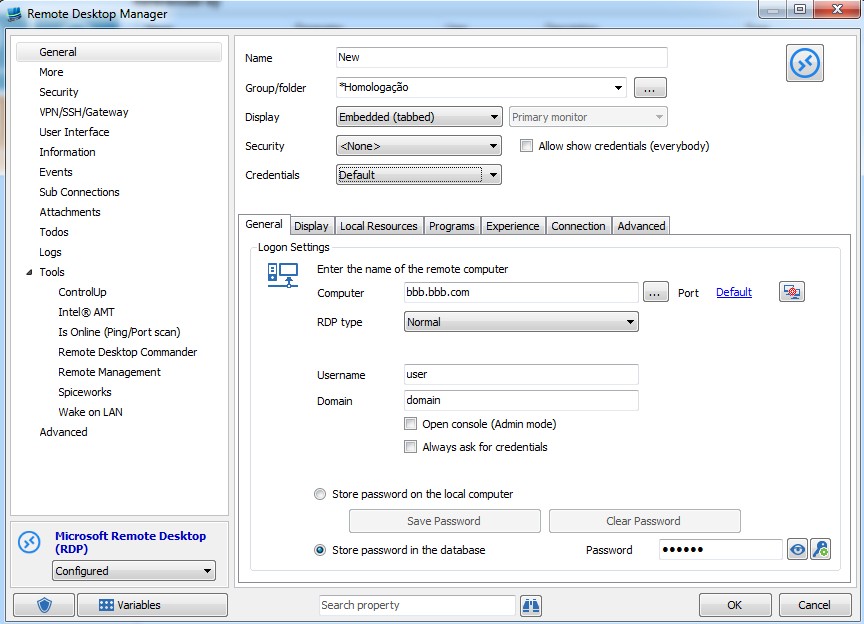
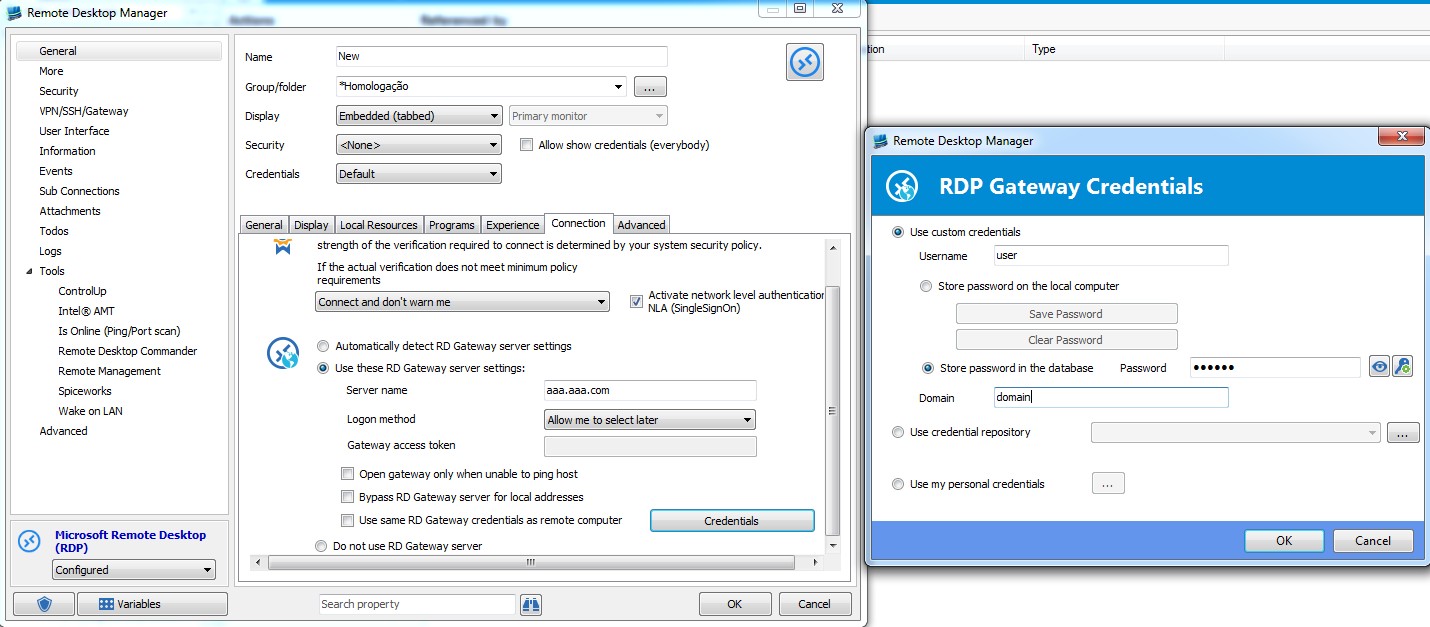
After completing the connection, we testify.
When we connect for the first time it appears the RDP screen with the data:
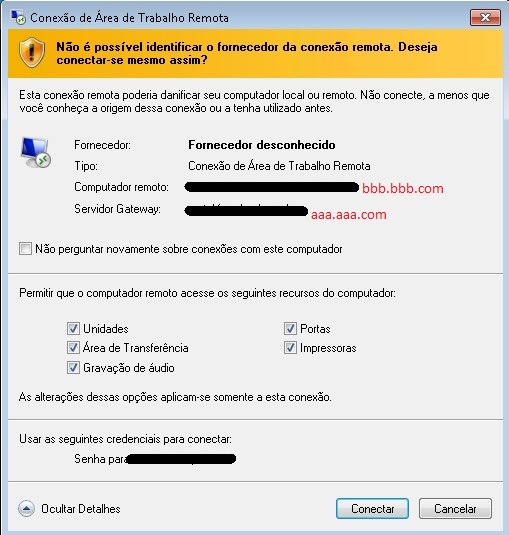
And soon after, the authentication error; even with the correct data
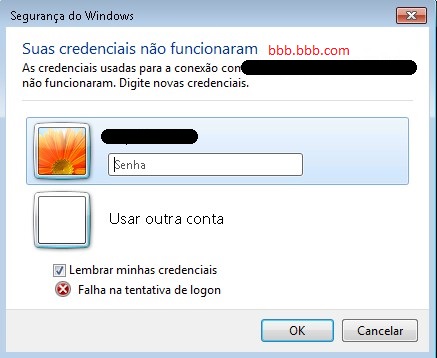
But, if we cancel the connection and try again, we managed to successfully connect.
What I understand is that the RDM is unable to log into the Gateway and Server on the same connection;
First it connects the gateway, gives the error
In the next connection, as was already authenticated at the gateway, can access the server;
It is a setting that was missing?
Tks
.
Refresh with F5 does not work, but with CTRL + F5 works;
Good Morning,
We perform the migration from SQL Azure database to SQL Server.
We completed the successful migration, with the correct data and users.
One problem I understood is that after migrating the F5 (command to update the database), no longer works.
Example: I as an administrator, signed up a new connection.
The support user updates the database with the F5 and not updated.
Now, if you press CTRL + F5, it updates.
host RDM: Windows 7 / Windows 8 / Windows 10
RDM version: 11.1.9.0 (Beta)
SQL Server host: windows server 2008 Data Center
What can it be?
Tks.
Problem in RDP connection using gateway
Hi David,
I think the problem is not the credentials, because even saving on local at RDM, can not connect.
It is the same to show the video in the post above.
tks
Problem in RDP connection using gateway
Hello Jean,
I tried to uncheck option, the same problem still continues.
To better show, recorded two videos of a connection;
External connection (see connecting_external video):
Start the connection, fill in the comment beginning;
The mstsc is open externally and connects to the server successfully;
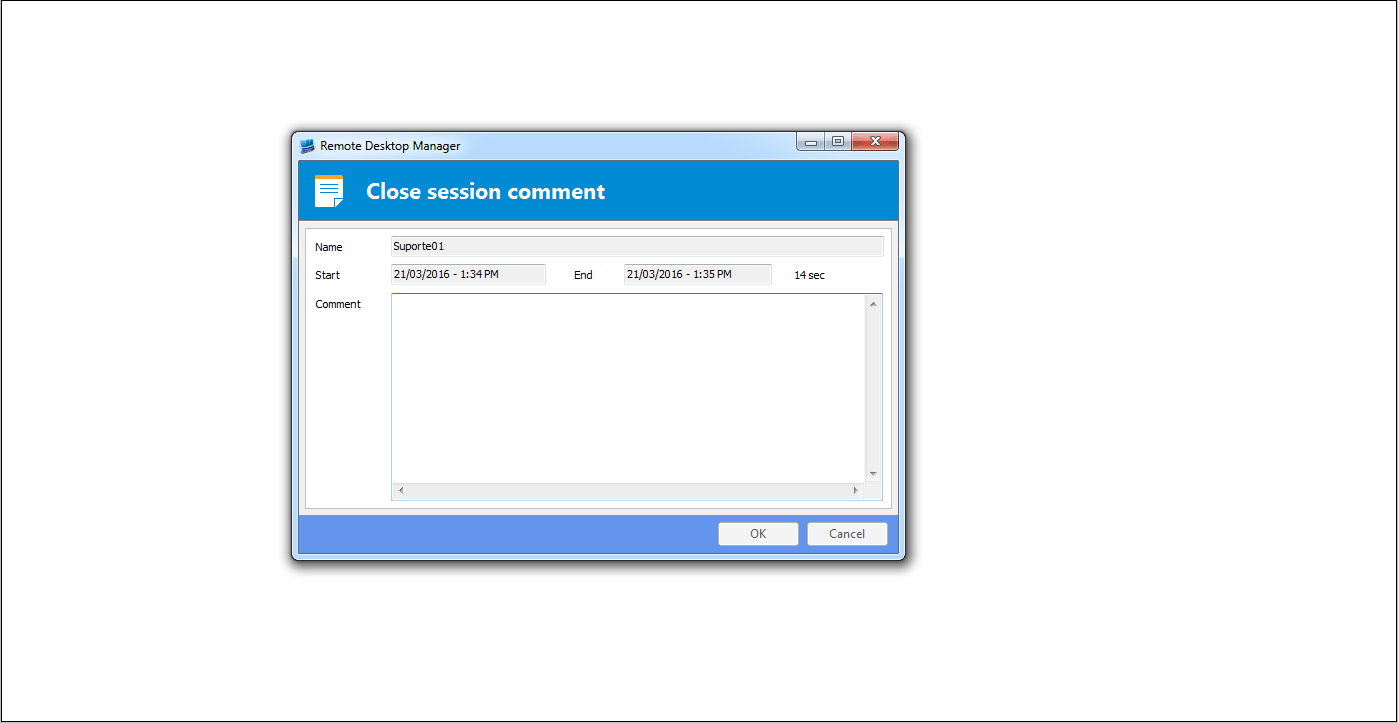
Once connected, if I minimize the RDP and return to the RDM, the field of "close session comment" is open, regardless of the time to stay connected; and even after commenting something and close the screen, the RDP is still active;
Embedded connection (see connecting_embedded video):
Start the embedded connection, fill in the comment field;
After pressing the OK, he tries to conection, but fails and the "close session comment" is opened, and every connection is finalized.
For my use, the better the embedded connection;
* If you have trouble viewing the video, copy all the files to a folder and open the .htm file in a browser;
tks
Problem in RDP connection using gateway
Hello Jean,
Yes, using the mstsc , works correctly.
Tks
Problem in RDP connection using gateway
Upgraded to 11.1.8.0 Beta.
the same problem with the connection continues, does not connect and displays the comment screen at the end of connection
Problem in RDP connection using gateway
Hello,
I am using the latest version available for download.
V 11.1.0.0
I activated the NLA option in the settings screen and the connection time is all white and displays only the final connection comment screen;
If an RDP without using gateway, can not open embedded

Problem in RDP connection using gateway
Good morning guys,
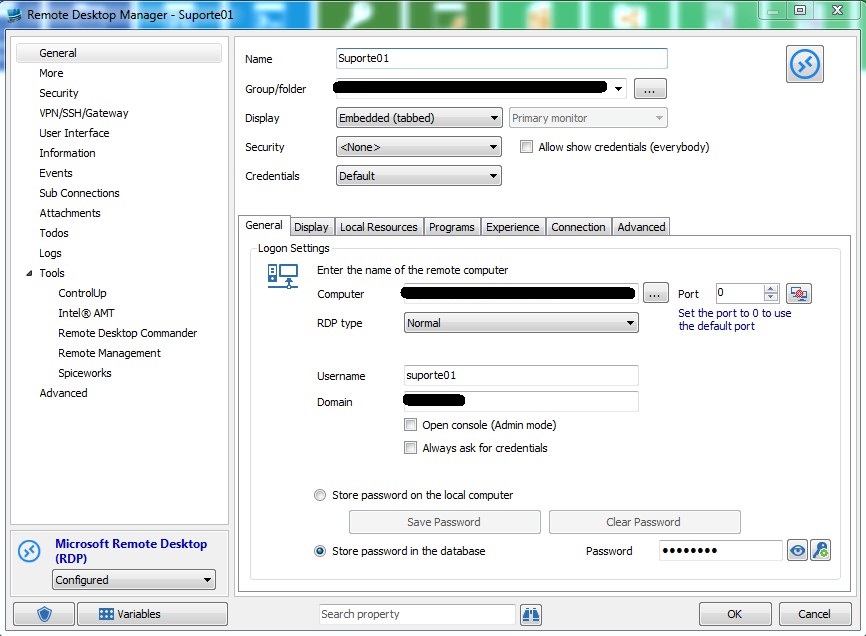
I have a problem with the RDP connection using Gateway, using the embedded connection option (tabbed).
Join all connection correctly, using the RDP connection with embedded display:
Set the "Connection" tab, the gateway settings:
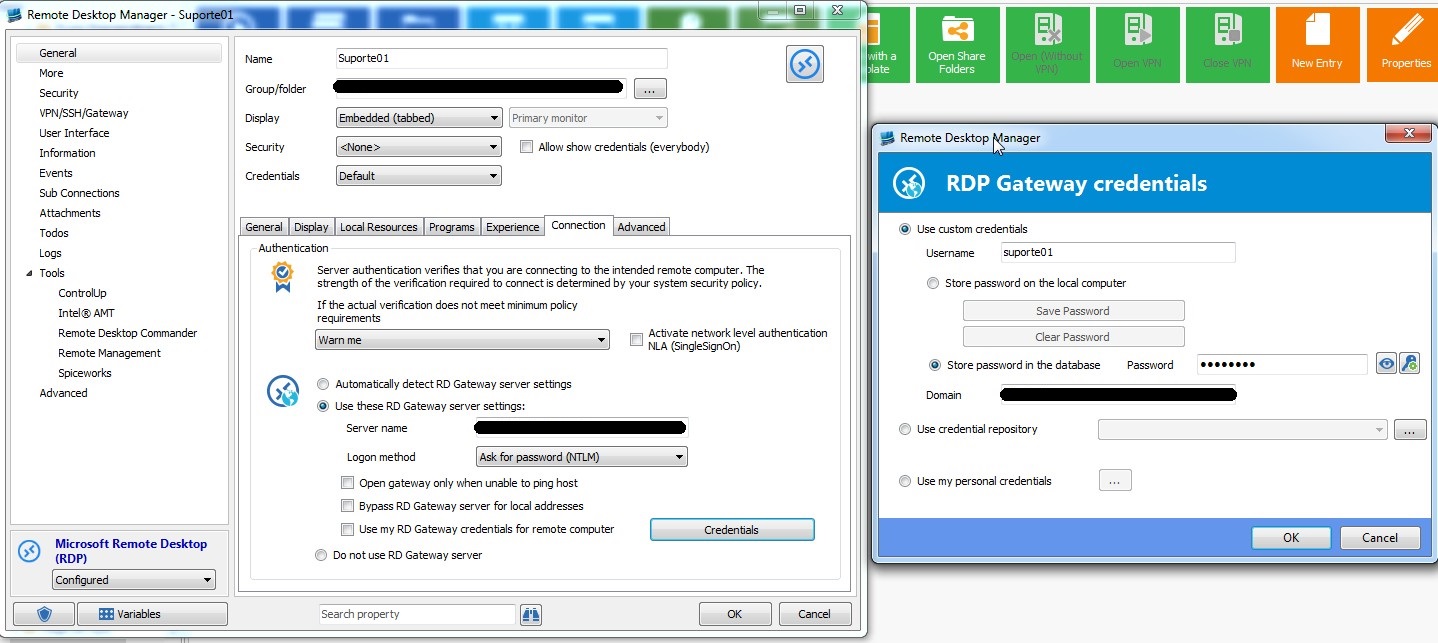
Start the embedded connection:

Even with the problem below:
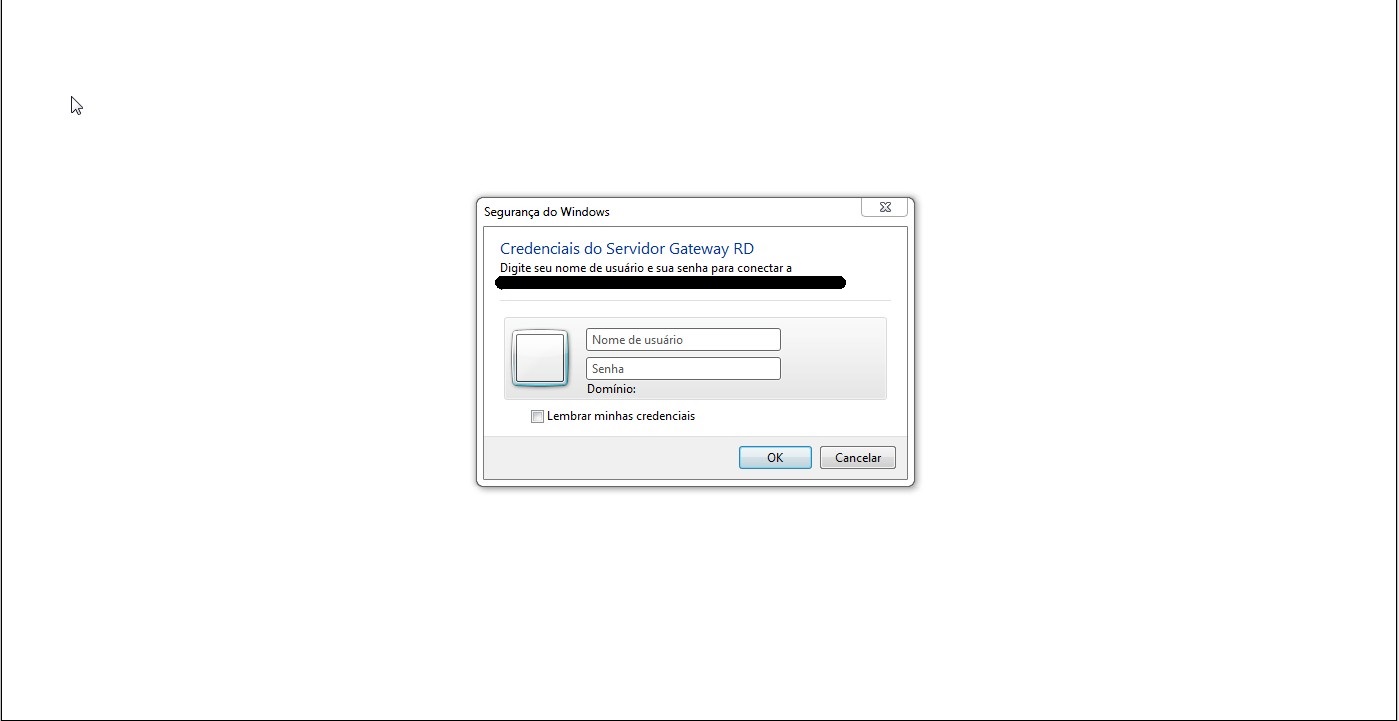
Since the credentials are correct.
---------
If I open in external display mode, I can not connect the server, however I do not have the connection log, because even when connected, the RDM asks me the comment closing the connection.
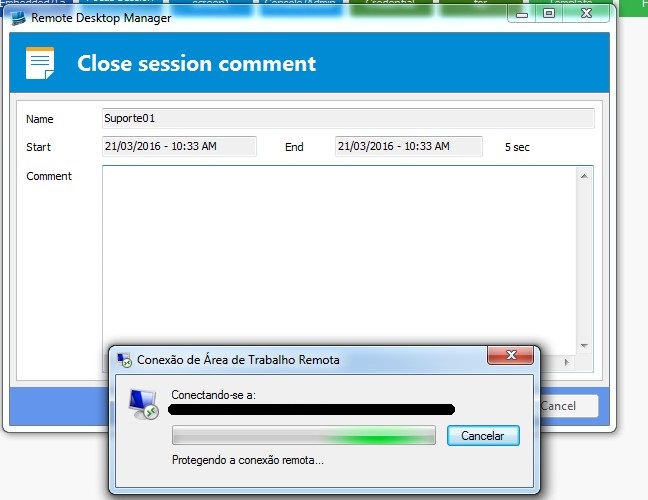
I remember that in an older version, I managed to connect to the server using this option. Was there any change?
Serial Number apparent
Hello guys,
Recently purchased Global RDM license, we are implementing in the company, however realized in a configuration file, the serial number is apparent to any user;
Is there any way to hide it, or encrypt?
The file is on the way:
C: \ Users \ xxxxxx \ AppData \ Local \ Devolutions \ RemoteDesktopManager \ RemoteDesktopManager.cfg

Lock Import and Export Options
Hello people,
In the new update RDM v.11, saw that added my request to halt the import and export options.
Where I tried to search the policy , but I found .
You can tell me the way that I do?
I thank everyone for listening to customers and add requests .
Lock Import and Export Options
Good afternoon, It can lock the File - Options - Options Import and Export Options in users who are not administrators?
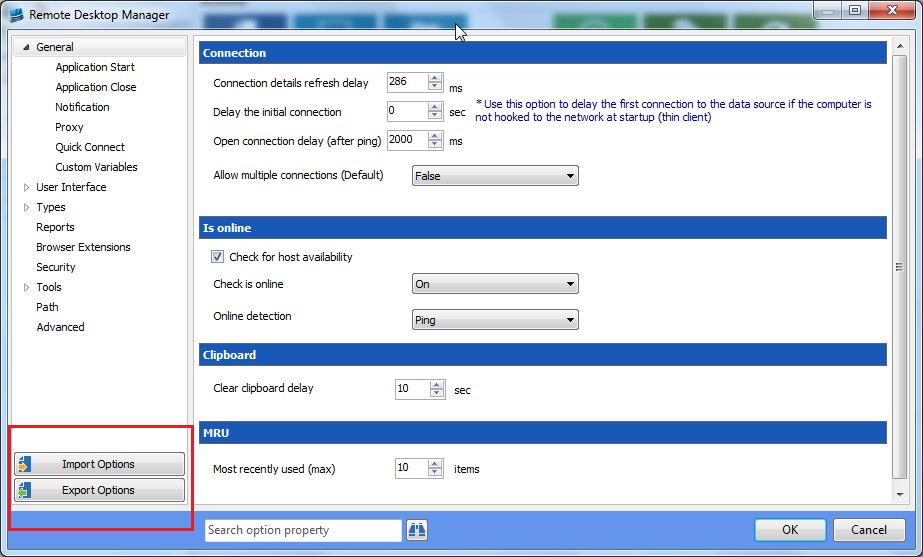
The problem is that the user can export the settings that the database goes along .
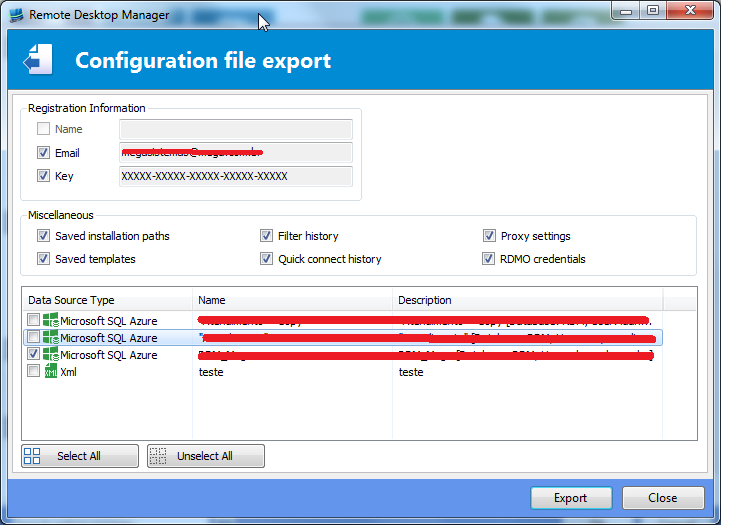
If it leads to your house , you will be able to connect and lose the security that I'm looking for.
Navigation bar - RDM/Logmein
Just one more suggestion:
Besides hide the navigation bar, it would be cool, inactivate connecting to the logmein the backspace functions and the ESC, so you can not return the list of computers.
No more, thank you for attention and responses.
Navigation bar - RDM/Logmein
Jean,
Thank you for your answer.
There is no method even if it is via regedit to remove this navigation bar?
What about this feature request, has a certain time?
Navigation bar - RDM/Logmein
Maurice ,
I have expressed myself wrong, I'm conducting a pilot test where my company will connect the clients via Logmein however managed by RDM , ie the attendants of my company will provide support for my clients.
I will buy a Global license , for I have more than one branch in Brazil.
edited by alexandre.rocha on 8/14/2015
Navigation bar - RDM/Logmein
Hello everybody!
I'm using RDM with the Central Logmein . Already signed up connections and are running smoothly. Now I came across a problem. How will I provide the RDM and Logmein to support connection tool for my clients, I will install the RDM around 200+ machines. I set up the connection using the host URL Logmein portal. When I make the connection, it automatically logs into Logmein and starts the connection. The problem is: The navigation bar which appears URL Logmein if the attendant press the STOP and go back it will return the computer page of Logmein and can plug into any computer. (image1)

Is there any way we draw this bar, so it does not appear?
Thank you all.