
George Hsieh
Could not read the Cisco VPN profile
Ok,
I have no idea what could be the problem. For now the workaround would be to create a generic vpn and enter the command manually. I will try to figure out what could be the root of this issue.
OK, thanks.
Looking forward to hearing good from you soon.
Could not read the Cisco VPN profile
Do I need to test more?
Could not create different RDP session for one svr
Hi,
They save it in their database. This will work with RDM if you save it in the database and use the embedded mode.
OK, I got a workaround. One uses IP and the other uses computer name. Then it will be fine.
edited by George Hsieh on 11/15/2012
Could not create different RDP session for one svr
Hi,
Do you use the embedded connection and the saved password in the database? I'm asking that because the problem you currently have happen when you use the local saved password. It's a RDP limitation caused by the Window Credential Manager.
Humm.....Is there any workaround?
But I could do this with Remote Desktop Connection Manager or Remote Desktop Organizer. Although I don't know how they save the credential.
Could not create different RDP session for one svr
Hi,
I tried to create 2 RDP session to one server with different user account but no success. There is a serious problem. If there are multiple RDP sessions to the same server with different accounts. ONLY ONE RDP session could connect to the same server successfully, the other RDP sessions with different accounts will fail due to wrong credential.
Here is what I had done:
1. Create RDP1 for Server 1 with account A and its password.
2. Create RDP2 for Server 1 with account B and its password.
3. Try to open RDP1 and RDP2 sessions. RDP2 could connect without problem but RDP1 will failed due to wrong credential. Then I close both sessions.
4. I try to save account A's password in RDP1 properties again then open RDP1 session and it could connect to Server 1 successfully. But when I open RDP2 session, it will be failed due to wrong credential.
So here is my conclustion. If there are multiple RDP sessions to the same server with different accounts, only the LAST ONE which I save the password could connect to that server successfully, the others will be fail even you have tried to save password in session properties.
I had upgraded to latest version but this bug is still not resolved. Please fix it, because sometime I need to RDP to one server with different account sessions at the same time.
Thanks for your help.
Could not read the Cisco VPN profile
Do as the first image (keep the path in the command line) except that in the working directory folder, enter something like C:\DoesNotExists[/quote]
Yes, it's working!!!

Could not read the Cisco VPN profile
For the command line
These are what I had tested and WORKING:
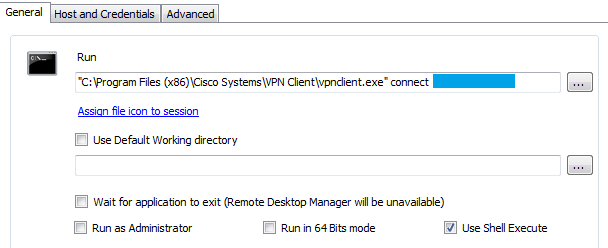
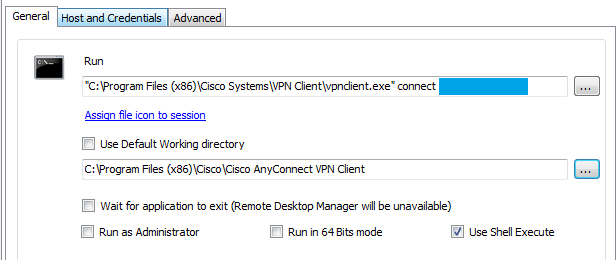
But this is NOT working:
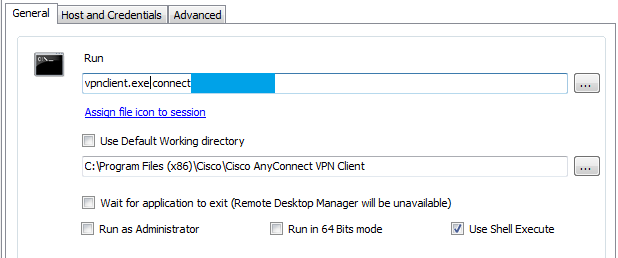
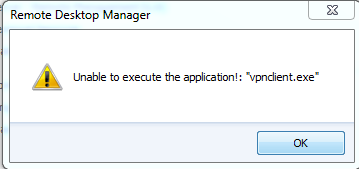
edited by George Hsieh on 11/14/2012
Could not read the Cisco VPN profile
Could you try to change the working directory to anything else. It to verify if this could reproduce the issue.
Which one do you mean? For Command Session or for RDP session changed in default directory?
Could not read the Cisco VPN profile
Could you try in the command line session to change the working folder for RDM. I just want to verify if this fails.
I changed the working directory as this and it works fine:
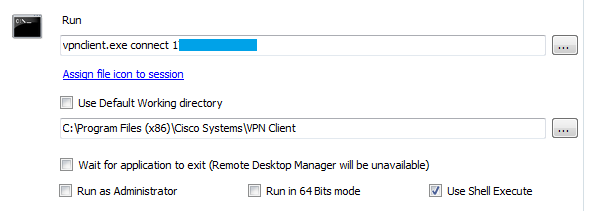
Could not read the Cisco VPN profile
Is it possible to use or switch proxies via command line?
Not sure how to do that. But I don't have proxy.
Could not read the Cisco VPN profile
It seems that you don't specify the profile in the command line?
No, I did specify the profile in there. You could see "vpnclient.ext connect 1**.***.***.***" there. I masked the profile name.
Could not read the Cisco VPN profile
May I ask you to create a command line entry with those parameters?
http://help.remotedesktopmanager.com/sessions_commandline.htm
I don't understand why the Cisco VPN can't find his profile. Perhaps it's the working directory.
Hi,
I tested with command line and it works.
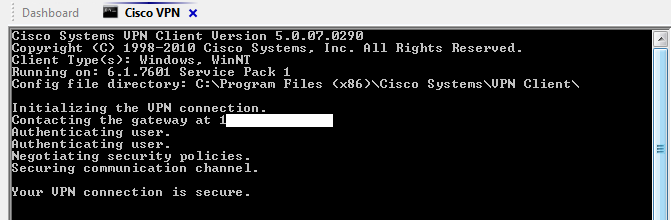
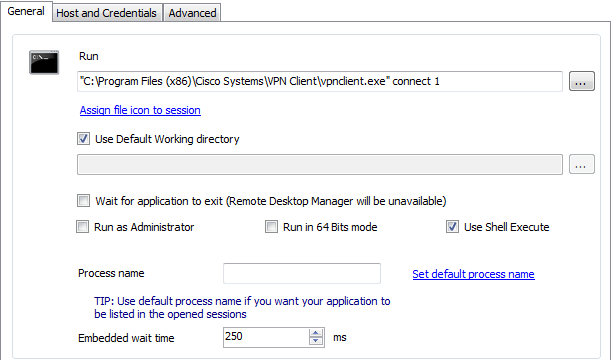
Could not read the Cisco VPN profile
Could you try to execute it in command line? Is it possible that you have the profile saved in the 64 bit folder?
I had tried to execute it in commenad line and it could connect succesfully, please check the attached screen shot.
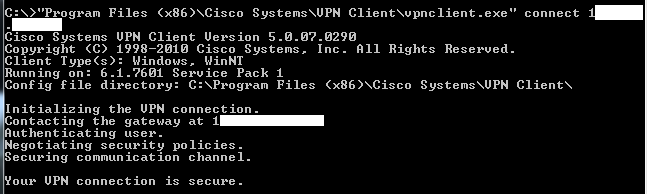
Could not read the Cisco VPN profile
Could you try to start RDM as Administrator?
Sure, I had tried but got the same message:
The profile specified could not be read.
Could not read the Cisco VPN profile
Does your profile appear in the RDM combobox?
Yes, I could see the profile name in the profile dropdown.
Could not read the Cisco VPN profile
Hi,
When I tried to add a RDP session with Cisco VPN to dial on demand but no success. I got this error message in vpnclient.exe command prompt window:
The profile specified could not be read.
I installed Cisco VPN client with default path (C:\Program Files (x86)\Cisco Systems\VPN Client), I had tried to use RDM default path or assigne the installion path manually but all were not working. I do have .pcf file in "C:\Program Files (x86)\Cisco Systems\VPN Client\Profiles" and RDM could get the profile in VPN settings. Not sure where is going wrong. Here is my system environment:
Windows 7 Ultimate 64bit
Cisco VPN client 5.0.07.0290 for 64bit
RDM 7.6.3.0
Thanks for your help,
George
edited by George Hsieh on 11/7/2012
edited by George Hsieh on 11/7/2012