Could not read the Cisco VPN profile

Hi,
When I tried to add a RDP session with Cisco VPN to dial on demand but no success. I got this error message in vpnclient.exe command prompt window:
The profile specified could not be read.
I installed Cisco VPN client with default path (C:\Program Files (x86)\Cisco Systems\VPN Client), I had tried to use RDM default path or assigne the installion path manually but all were not working. I do have .pcf file in "C:\Program Files (x86)\Cisco Systems\VPN Client\Profiles" and RDM could get the profile in VPN settings. Not sure where is going wrong. Here is my system environment:
Thanks for your help,
George
edited by George Hsieh on 11/7/2012
edited by George Hsieh on 11/7/2012
All Comments (23)
Does your profile appear in the RDM combobox?
David Hervieux
Yes, I could see the profile name in the profile dropdown.
Could you try to start RDM as Administrator?
David Hervieux
Sure, I had tried but got the same message:
The profile specified could not be read.
Could you try to execute it in command line? Is it possible that you have the profile saved in the 64 bit folder?
David Hervieux
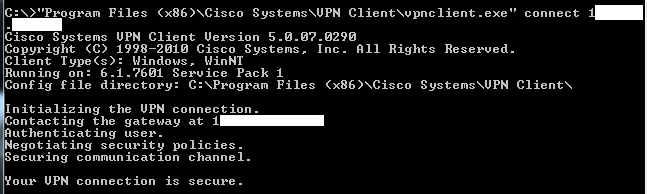
I had tried to execute it in commenad line and it could connect succesfully, please check the attached screen shot.
VPNClient.png
May I ask you to create a command line entry with those parameters?
http://help.remotedesktopmanager.com/sessions_commandline.htm
I don't understand why the Cisco VPN can't find his profile. Perhaps it's the working directory.
David Hervieux
Hi,
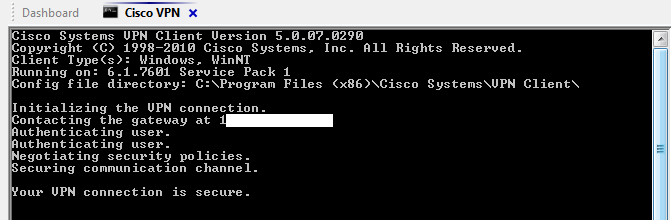
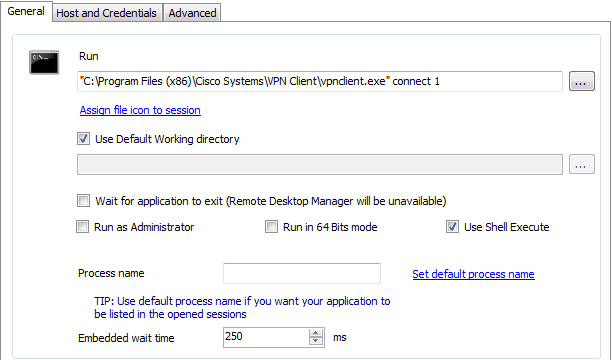
I tested with command line and it works.
ClientSession-1.png
ClientSession-2.png
It seems that you don't specify the profile in the command line?
David Hervieux
No, I did specify the profile in there. You could see "vpnclient.ext connect 1**.***.***.***" there. I masked the profile name.
Is it possible to use or switch proxies via command line?
Not sure how to do that. But I don't have proxy.
Could you try in the command line session to change the working folder for RDM. I just want to verify if this fails.
David Hervieux
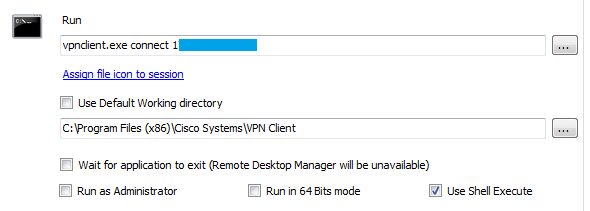
I changed the working directory as this and it works fine:
Untitled.png
Could you try to change the working directory to anything else. It to verify if this could reproduce the issue.
David Hervieux
Which one do you mean? For Command Session or for RDP session changed in default directory?
For the command line
David Hervieux
These are what I had tested and WORKING:
But this is NOT working:
edited by George Hsieh on 11/14/2012
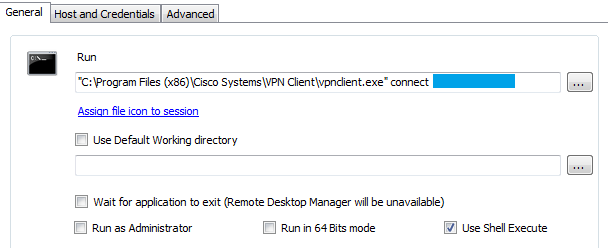
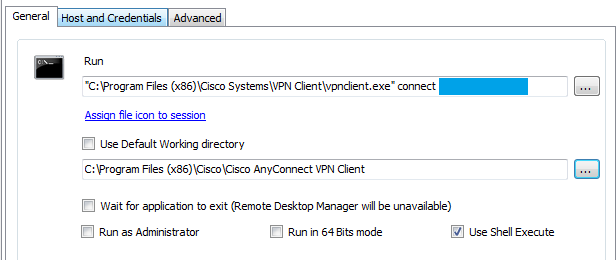
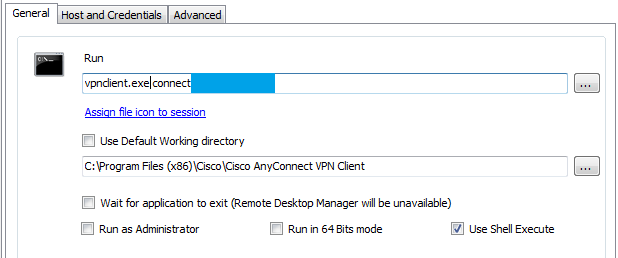
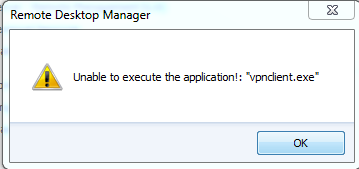
different way -1.png
different way -4.png
different way -2.png
different way -3.PNG
Do as the first image (keep the path in the command line) except that in the working directory folder, enter something like C:\DoesNotExists\
David Hervieux
different way -5.png
Do I need to test more?
Ok,
I have no idea what could be the problem. For now the workaround would be to create a generic vpn and enter the command manually. I will try to figure out what could be the root of this issue.
David Hervieux
OK, thanks.
Looking forward to hearing good from you soon.